Orshot
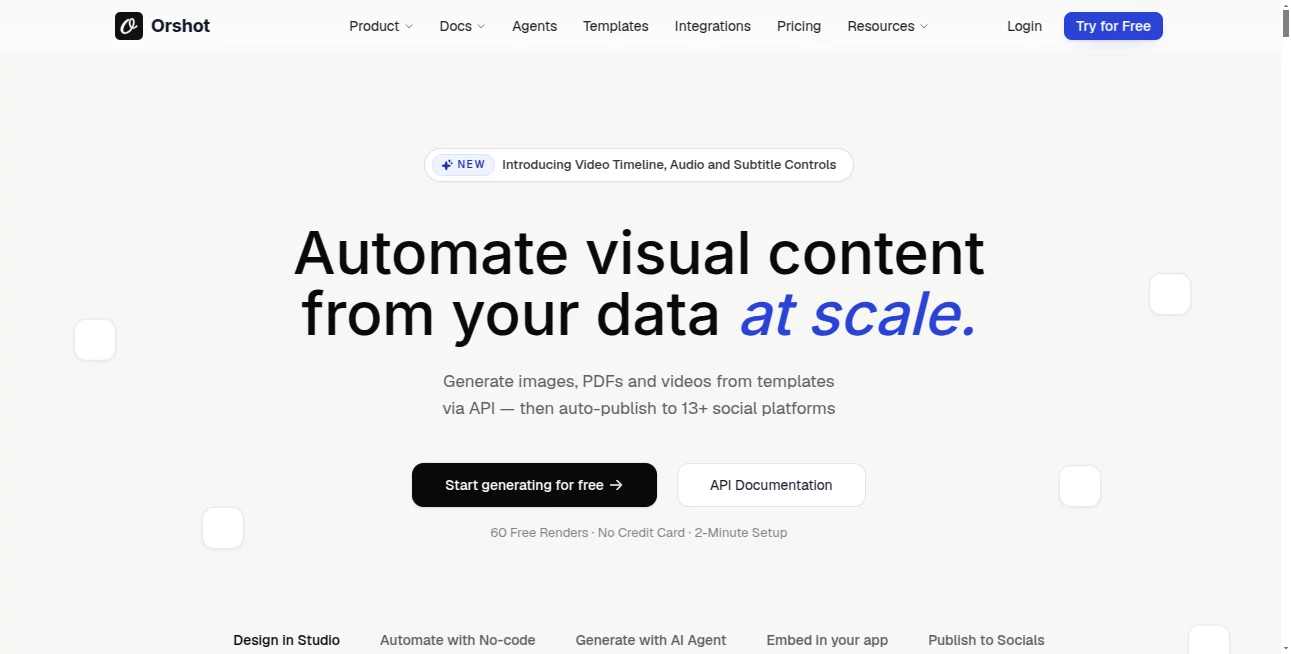
What is Orshot?
Marketing teams often get stuck in the same loop: design something once, then spend hours (or pay someone) to recreate variations for every campaign, platform, and audience. This platform quietly solves that pain. You build a template once — in their studio or by importing from Canva or Figma — mark the dynamic parts, and then generate thousands of on-brand images, PDFs, or even short videos through a simple API call. The best part? It feels like magic the first time you see your data flow into perfectly consistent visuals without manual work.
Introduction
Consistency is everything in marketing, but scaling it manually is exhausting. Orshot turns that process into something automated and reliable. Whether you're personalizing product images for thousands of customers, generating social media variants, creating dynamic PDFs for reports, or producing short promotional videos, it handles the heavy lifting while keeping your brand voice intact. Founders and marketing leads I’ve spoken with say it’s one of the few tools that actually reduces design workload instead of just moving it around. It’s built for teams that want to move faster without sacrificing quality or control.
Key Features
User Interface
The studio feels familiar yet powerful — clean canvas, smart layers, and easy ways to mark elements as dynamic. Importing from Canva or Figma is seamless, so you don’t have to start from zero. Once your template is ready, the generation interface is dead simple: pass your data through the API or integrations, and you get perfectly rendered assets. No steep learning curve, just straightforward tools that respect your existing workflow.
Accuracy & Performance
The output stays remarkably true to your original design. Colors, fonts, spacing, and brand elements remain consistent even when data changes dramatically. Generations are fast, and the system handles large batches without quality drops. Marketers who switched from manual processes often notice they can produce weeks’ worth of content in hours, with fewer errors and better brand adherence.
Capabilities
You can generate static images, multi-page PDFs, and short videos from the same template. Dynamic elements update automatically based on your data — perfect for personalized ads, localized campaigns, or automated social posts. It integrates deeply with Zapier, Make, n8n, and more, and even lets you auto-publish to multiple social platforms. There’s also an AI Design Agent that helps create or refine templates using natural language. Bring your own storage, signed URLs, and team collaboration round out a very complete toolkit.
Security & Privacy
Your templates and generated assets stay under your control. The platform supports bring-your-own-storage options and signed URLs for secure delivery. Enterprise teams appreciate the compliance-focused approach and the ability to keep sensitive data within their own environment when needed.
Use Cases
An e-commerce brand generates thousands of personalized product images for email campaigns, each with the customer’s name or preferences baked in. A SaaS company creates dynamic feature highlight PDFs for different customer segments automatically. A social media team builds a library of templates and auto-posts platform-specific versions every week. Agencies use it to deliver faster turnaround to clients without burning out designers. The common thread is scaling visual content without losing the human touch or brand consistency.
Pros and Cons
Pros:
- Truly one-template-to-many-assets workflow that saves massive time.
- Excellent consistency across images, PDFs, and videos.
- Strong integrations and auto-publishing features.
- AI assistance for template creation without replacing designer control.
- Pay-as-you-grow pricing that works for both startups and larger teams.
Cons:
- Best results come after investing time in good templates upfront.
- Video generation is still emerging compared to images and PDFs.
Pricing Plans
It starts with a generous free tier (60 renders) so you can test real use cases without risk. Paid plans scale based on volume and features, with options for higher limits, priority support, and advanced capabilities. Many teams find the ROI is clear after the first campaign — the time saved on design and manual resizing more than covers the cost.
How to Use Orshot
Start in the studio: design or import a template and mark dynamic fields. Test a few generations manually to get the feel right. Then connect via API, Zapier, or n8n to feed your data automatically. Set up publishing rules if you want assets to go straight to social platforms. Monitor results in the dashboard and refine templates as needed. The loop is fast enough that you can iterate and launch campaigns in the same day.
Comparison with Similar Tools
Many design automation tools stop at basic image generation or require heavy manual work. Orshot stands out by supporting images, PDFs, and videos from the same template, with deeper integrations and auto-publishing. It gives designers more control than pure AI generators while offering far more automation than traditional design software. For teams serious about scaling branded content, it hits a sweet spot that feels purpose-built.
Conclusion
Visual content is essential, but creating it at scale shouldn’t drain your team. This platform makes consistent, on-brand assets feel almost automatic while keeping designers firmly in control of quality and direction. It’s the kind of tool that lets marketing and product teams move faster, test more ideas, and maintain higher standards at the same time. If you’re tired of repetitive design work, this is one of those rare solutions that actually delivers on the promise of automation.
Frequently Asked Questions (FAQ)
How long does it take to set up a template?
Most teams have their first working template ready in under an hour, especially when importing from Canva or Figma.
Can I generate videos too?
Yes — you can create short promotional videos from the same templates used for images and PDFs.
Does it integrate with my existing tools?
Extensively — Zapier, Make, n8n, Airtable, and direct API access cover most workflows.
Is there a free way to try it?
Yes — 60 free renders let you test real use cases before committing.
Who is this best suited for?
Marketing teams, agencies, e-commerce brands, and anyone who needs to produce consistent visual content at volume.
AI Video Generator , AI Digital Marketing Generator , AI Design Generator , AI Image to Image .
These classifications represent its core capabilities and areas of application. For related tools, explore the linked categories above.

Orshot Alternatives Product

z image

seedance 2

Omnesuite AL…

Seedance 2.0

AiProposer

FitHairAI

Niji V7

AISeedance2

Pixel Art Vi…