
OutdoorBrite
What is OutdoorBrite?
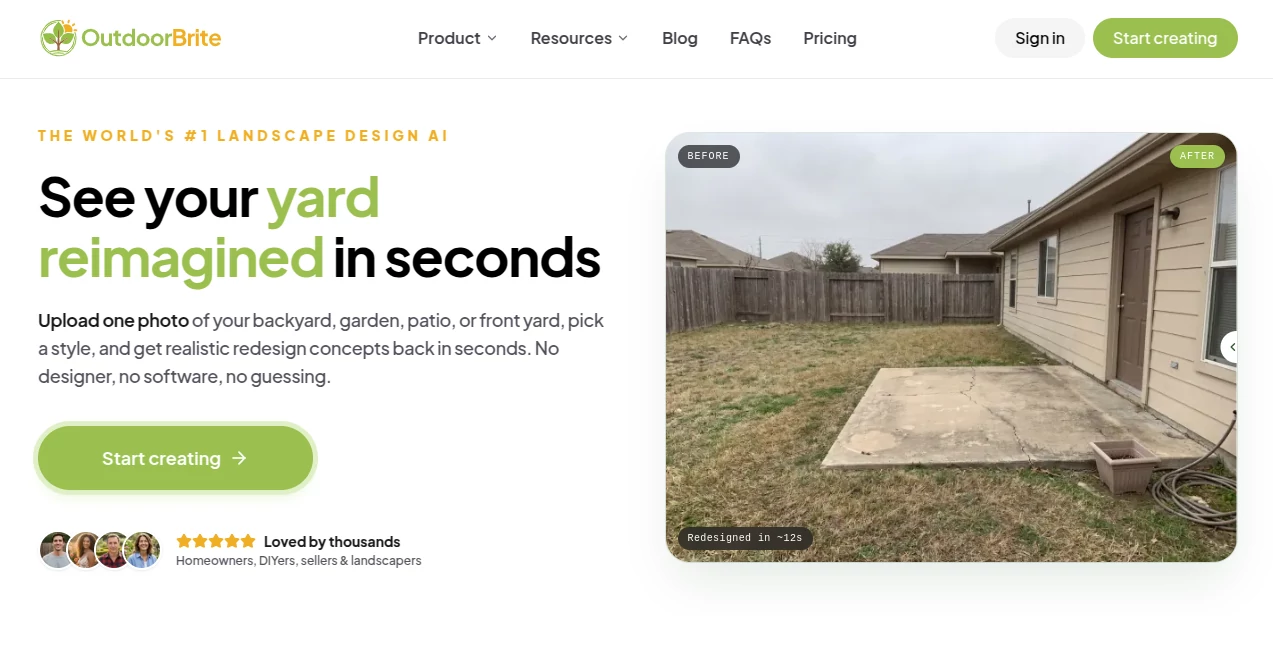
Planning a beautiful outdoor space often begins with inspiration, but turning ideas into a realistic design can be difficult without professional help. This platform removes much of that uncertainty by allowing users to upload a single photo and instantly visualize impressive landscape transformations based on their own property. Instead of relying on sketches or imagination, homeowners can explore realistic concepts before making expensive decisions.
Whether the goal is to redesign a backyard, refresh a garden, improve curb appeal, or create an inviting patio, the experience is remarkably simple. A wide collection of landscape styles makes it possible to compare different design directions in minutes, helping users discover ideas they may never have considered. The result is a faster, more confident planning process that saves both time and money while making outdoor renovation genuinely enjoyable.
Key Features
User Interface
The interface is intentionally beginner-friendly. Users simply upload a photo of their outdoor space, choose a preferred design style, and receive realistic visual concepts within moments. No design software, technical knowledge, or lengthy tutorials are required. The streamlined workflow makes experimenting with multiple styles surprisingly fun.
Accuracy & Performance
Instead of generating generic concepts, the system works directly from the uploaded photograph. Existing buildings, layouts, and property boundaries remain recognizable, allowing users to evaluate practical design ideas rather than abstract illustrations. Fast processing means multiple concepts can be explored during a single planning session.
Capabilities
- Transforms backyards, gardens, patios, and front yards from a single photo.
- Offers dozens of professionally inspired landscape styles.
- Creates realistic concepts suitable for renovation planning.
- Supports homeowners, DIY enthusiasts, contractors, and landscape professionals.
- Makes comparing multiple design directions quick and effortless.
- Produces high-quality visuals that can be shared with family members or contractors.
- Helps reduce costly design mistakes before construction begins.
Security & Privacy
User photos are uploaded only for generating personalized landscape concepts and remain connected to the user's account. According to the platform, uploaded images are not sold or shared with third parties, giving users confidence when working with pictures of their property.
Use Cases
- Visualizing backyard renovations before construction starts.
- Planning a complete garden makeover.
- Comparing modern, Mediterranean, Japanese, tropical, cottage, or other landscape styles.
- Helping landscaping professionals present concepts to clients.
- Supporting DIY home improvement projects.
- Improving curb appeal before selling a property.
- Sharing realistic renovation ideas with contractors for project estimates.
Pros and Cons
- Pros
- Extremely easy to use.
- Produces realistic visual concepts from real property photos.
- Fast generation process.
- Large variety of outdoor design styles.
- No professional design experience required.
- Useful for both personal and professional landscaping projects.
- Cons
- Generated concepts are intended for planning rather than construction blueprints.
- Requires uploading property photos.
- No permanent free plan is currently available.
Pricing Plans
Paid subscription plans are available for different project sizes, including options for individual homeowners, advanced DIY users, and business teams. Higher-tier plans provide additional design generations, higher-resolution outputs, and professional features suitable for commercial use.
How to Use OutdoorBrite
- Upload a clear photo of your outdoor space.
- Select the landscape style that matches your vision.
- Allow the AI to generate realistic redesign concepts.
- Compare different design variations.
- Save your favorite concepts.
- Share the selected design with family members or landscaping professionals before beginning the project.
Comparison with Similar Tools
Many landscape design applications require manual drawing, CAD knowledge, or significant design experience. This solution focuses on simplicity by generating realistic concepts directly from a single photograph. The ability to preserve the property's existing structure while experimenting with numerous landscape styles makes it particularly attractive for homeowners seeking quick visual feedback. Professionals also benefit by creating presentation-ready concepts without spending hours modeling outdoor spaces.
Conclusion
For anyone planning an outdoor renovation, this AI-powered landscape designer provides an impressive balance of simplicity, speed, and realism. Instead of guessing how a finished yard might look, users can evaluate multiple attractive concepts before investing in materials or labor. From homeowners planning their dream garden to contractors presenting ideas to clients, it offers an efficient way to turn inspiration into practical visual plans with confidence.
Frequently Asked Questions (FAQ)
Can I redesign any type of outdoor space?
Yes. Backyards, front yards, patios, and gardens are all supported.
Do I need landscaping experience?
No. The platform is designed for beginners as well as professionals.
Are the generated images realistic?
Yes. The concepts are based on your uploaded property photo, helping maintain the existing layout and surroundings.
Can I share the designs with contractors?
Yes. The generated concepts can be used to communicate ideas during renovation planning and project discussions.
Is it suitable for professional landscapers?
Absolutely. Landscape designers and contractors can quickly create visual concepts that help clients better understand proposed outdoor improvements.
AI Life Assistant , AI Design Assistant , AI Design Generator , AI Image to Image .
These classifications represent its core capabilities and areas of application. For related tools, explore the linked categories above.

OutdoorBrite Alternatives Product

ColorPalette…

Banana AI

Banana Promp…

Best AI SVG …

tarotguide

Seedream 5.0…

Color-Analys…

Nano Banana …

Z Image