
















ColorPaletteHub
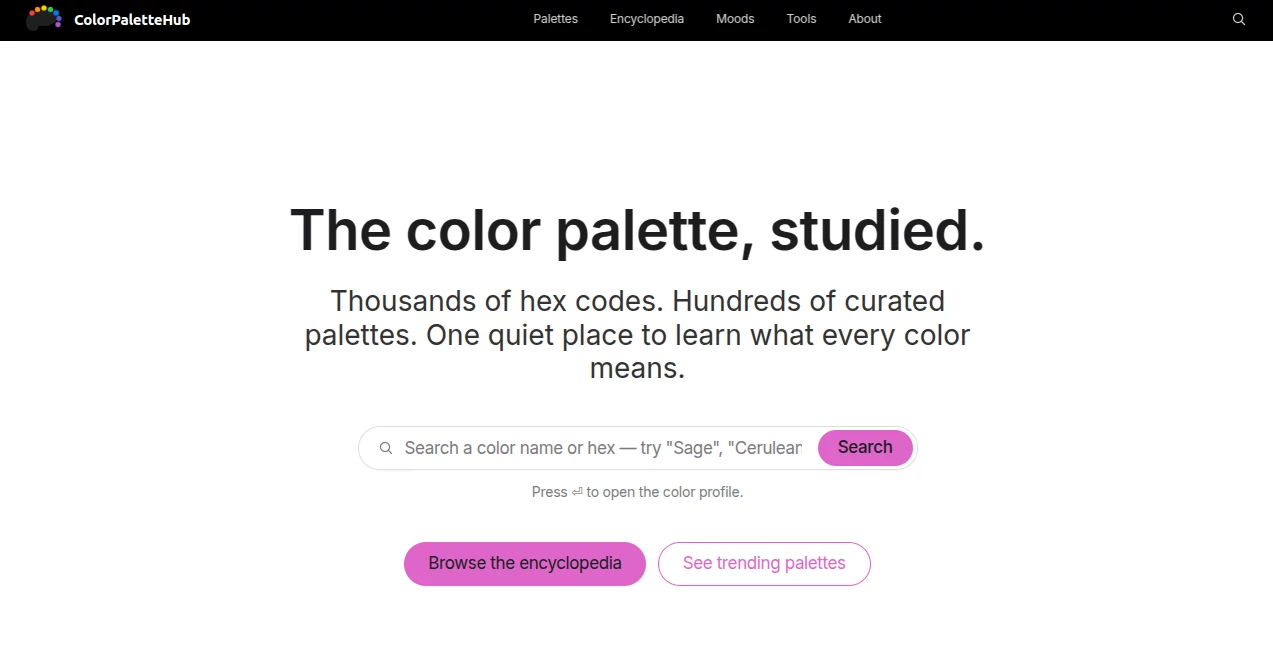
What is ColorPaletteHub?
We’ve all been there. You’re staring at a blank screen, trying to pick the perfect color combination for a new project. Hours pass, and somehow you still end up with something that just doesn’t feel right. Or worse, you settle for the same tired palette everyone else uses. That frustration is exactly why tools like this exist. It’s a breath of fresh air when you stumble upon a platform that actually understands how designers work, not just how algorithms think we should work. This isn't just another color picker thrown together overnight. It’s a thoughtfully built space where you can find palettes, generate gradients, and pick colors without all the usual headaches. Honestly, after spending some time with it, it feels less like a tool and more like a creative partner that actually gets what you need before you even ask.
For anyone who works with visuals daily, having a reliable source for color inspiration can seriously speed up your process. Whether you're a UI designer, a content creator, or someone who just loves playing with aesthetics, having quick access to pre-made schemes and smart generation tools is a lifesaver. This site manages to pack a lot into a clean interface, making sure you spend less time fiddling with settings and more time bringing your vision to life.
Key Features
What makes this platform stand out isn't just one single trick. It’s the way everything works together. You’ve got the essentials, sure, but there's also some thoughtful extras that show the creator really paid attention to the little things that slow us down during a workflow. From grabbing a ready-to-use gradient to building a completely custom scheme from a photo, the range of options feels just right, not overwhelming.
User Interface
Let’s talk about the layout first because, honestly, a cluttered design tool defeats the purpose. The interface here is remarkably clean. Everything you need is right where you’d expect it to be. The color picker is responsive, the gradient generator updates in real-time, and browsing through the palette library feels smooth. There’s no lag, no confusing menus, and no weird pop-ups asking you to sign up for something before you’ve even tried it out. That kind of respect for the user’s time is rare these days. It feels like walking into a well-organized studio where every brush and pencil has its place.
Accuracy & Performance
When you’re matching brand colors or trying to achieve a specific emotional tone, precision is everything. The color picker here is genuinely accurate. You can grab hex codes, RGB values, or whatever format your workflow demands without second-guessing whether the screen is lying to you. The gradient tool produces smooth transitions without those ugly banding artifacts you see on lesser platforms. Performance-wise, it’s snappy. Pages load fast, generations happen instantly, and there's no annoying wait time when you’re flipping between different sections to compare options. It just works, and it works consistently.
Capabilities
Beyond the basics, the platform offers some genuinely useful extras. You can pull palettes from images, which is fantastic when you see a real-world scene with colors you love but can’t quite name. The generator tool is also surprisingly intelligent, offering suggestions that actually make sense rather than just random noise. It considers contrast, accessibility, and current trends, so the suggestions you get are usable right out of the gate. Plus, the ability to save and organize your favorites means you can build a personal library over time without losing anything. It’s like having a color consultant on call 24/7.
Security & Privacy
You might not think about privacy when you’re picking colors, but it matters. This platform doesn't try to hoard your data or force you into an account just to browse. You can explore, generate, and even save your work without feeling like you're being watched. For professionals handling client work, that peace of mind is underrated. No one wants their unreleased brand colors showing up in some public gallery because of a default setting. The approach here respects that boundary, keeping things simple and secure unless you actively choose to share.
Use Cases
Who actually benefits from a tool like this? Pretty much anyone who touches design, honestly. Web designers can grab harmonious schemes for client sites in seconds. Social media managers can find brand-consistent colors for posts and stories without opening a heavy software suite. Even developers who hate making design decisions can use the generator to produce something decent looking without stress. I’ve even seen hobbyists and crafters use it to plan physical projects like knitting patterns or home decor. It’s one of those tools that’s broad enough to help everyone but focused enough to be genuinely useful for each use case.
Imagine you’re prepping a presentation and want it to look polished. Just pull up the gradient library, grab a sleek two-color fade, and your slides instantly look more professional. Or picture this: You’re launching a small online store and need a logo palette that pops. A few clicks in the generator, and you’ve got three solid options to test. It removes the guesswork and puts the focus back on making things look good.
Pros and Cons
No tool is perfect, but understanding the trade-offs helps you decide if it fits your flow.
What works well:
- The interface is genuinely easy to navigate, even for beginners.
- Generating gradients and palettes takes less than a second.
- You get multiple color formats (hex, RGB, etc.) without extra steps.
- The image-based palette extraction is surprisingly accurate.
- It’s lightweight, so it doesn’t slow down your browser or device.
What could be better:
- Some advanced features, like deeper editing tools, are still in development based on the roadmap.
- The community gallery is growing but not yet massive, so inspiration browsing can feel limited if you want truly niche schemes.
- Currently, it's web-based, so offline access isn't an option if you’re working without a connection.
Pricing Plans
Right now, the platform keeps things refreshingly simple. You can access the core tools without spending a dime. The free version gives you full access to the palette library, the gradient generator, and the color picker. There’s no paywall blocking the essentials, which is a huge win for students, hobbyists, or professionals who just want to test it out first. Future plans are expected to introduce premium features like advanced exports and user accounts, but the current model is about getting you hooked on the workflow, not your wallet. That kind of trust-based approach makes you want to support the project when those premium options eventually launch.
How to Use ColorPaletteHub
Getting started takes almost zero effort, which is exactly how it should be. Just open the site, and you’re immediately looking at the main dashboard. From there, you can browse existing palettes by scrolling through the gallery or hit the generator tab to build something custom. If you have a specific image in mind, use the extraction tool to upload it and let the system pull the dominant colors automatically. For gradients, pick a start and end color using the visual picker or type in hex codes you already have. Once you land on a scheme you like, copy the code in your preferred format with one click. No accounts, no tutorials, no hassle. It’s refreshingly direct.
A practical tip: When you find a palette you love, save the hex codes somewhere safe, or use your browser’s bookmarks to keep the page handy. Eventually, when user accounts launch, you’ll be able to save everything in one place, but for now, a simple note-taking app works fine.
Comparison with Similar Tools
Compared to other color tools out there, this one sits in a sweet spot between ultra-simple and overly complex. Some competitors offer so many sliders and options that you feel paralyzed. Others are so basic that they’re essentially useless for real work. This platform strikes a balance. It’s more intuitive than the average Adobe tool, but way more powerful than a random hex code generator. The gradient library, in particular, feels more curated and modern than what you’ll find on many free alternatives. While it doesn’t yet have the community size of some established platforms, the quality of its suggestions and the cleanliness of its interface give it a real edge for focused, daily use.
Where it really shines is speed. Other tools make you jump through hoops to export a simple palette. Here, it’s copy and paste. For professionals who go through dozens of color iterations in a single project, those saved seconds add up fast. It’s not trying to be everything to everyone, and that focus makes it better at being exactly what designers actually need.
Conclusion
If you’re tired of wrestling with clunky color pickers or recycling the same old schemes, this platform is worth your time. It’s fast, it’s free where it counts, and it respects your workflow instead of fighting it. The interface is clean, the tools are accurate, and the future roadmap suggests even more useful features on the way. For designers, developers, and creators of all stripes, having a reliable color hub in your bookmarks can genuinely change how you approach projects. Less time picking colors means more time creating. And honestly, that trade-off is a no-brainer. Give it a shot on your next project, and see how much smoother the process feels.
Frequently Asked Questions (FAQ)
Do I need to create an account to use the color tools?
Nope. You can access the palette library, gradient generator, and color picker without signing up for anything. Account features are planned for the future, but the core experience is open to everyone right now.
Can I extract a color palette from my own images?
Yes, absolutely. Just use the image upload tool, and the platform will automatically pull the most prominent colors from your picture. It’s great for matching real-world inspiration.
What formats can I export my palettes in?
Currently, you can copy hex codes, RGB values, and CSS-ready formats directly. More export options, including Figma and Adobe integrations, are on the roadmap.
Is there a mobile version or app?
Right now, it’s fully web-based and works great on mobile browsers. A dedicated mobile app isn’t available yet, but the responsive design means you can still use it on your phone or tablet without issues.
Are the gradients and palettes free for commercial use?
Yes. The color combinations and gradients generated are yours to use however you want, including in commercial projects. There’s no licensing weirdness to worry about.