
Palette Pro
What is Palette Pro?
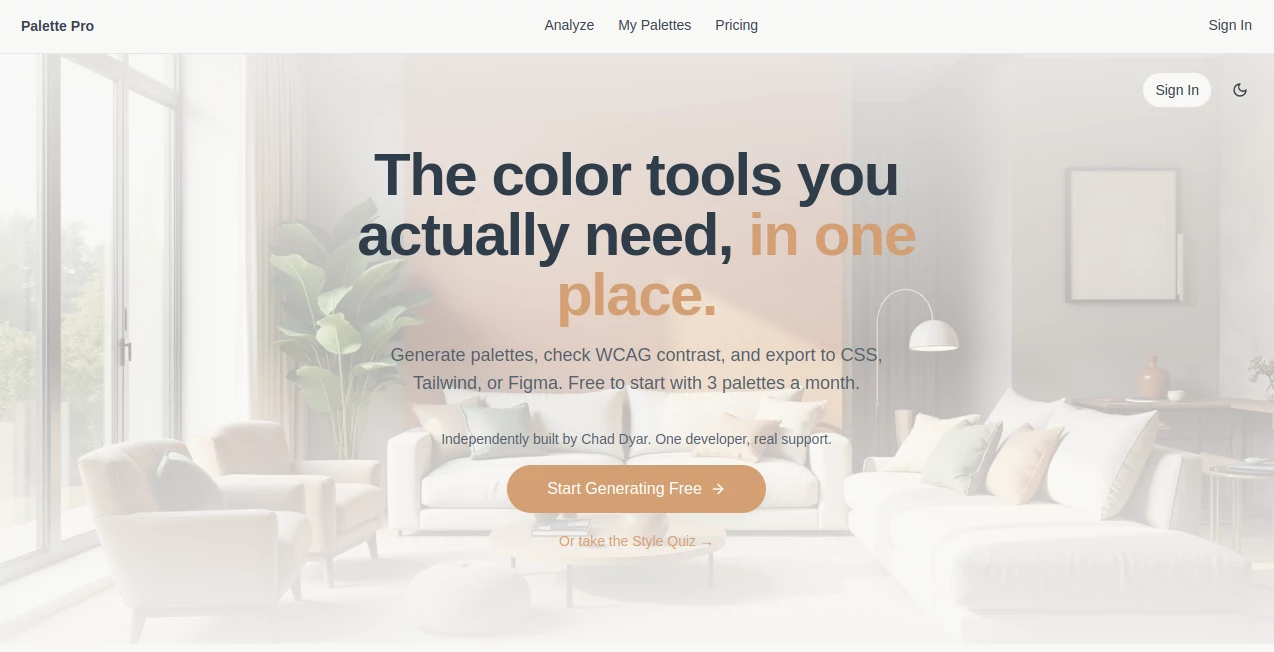
Palette Pro is a practical color palette tool built for people who need more than a handful of attractive swatches. It helps turn an image, mood board, or visual direction into a usable color system that can move directly into a real design workflow.
What makes the experience especially useful is the focus on production rather than inspiration alone. A designer can extract colors from an image, adjust them, check contrast, and export the finished palette for use in digital products. For developers, the ability to move from color selection to CSS variables, Tailwind configuration, Figma tokens, SCSS, or JSON can remove a surprising amount of repetitive work.
It is also useful outside traditional UI design. A brand designer working from a photograph, an agency preparing a client concept, or a developer creating a new interface can all start with the same simple process: find the visual direction first, then turn it into a structured palette.
Key Features
- Extracts color palettes directly from images, screenshots, and mood boards.
- Checks color combinations against WCAG AA and AAA contrast requirements.
- Exports palettes to CSS custom properties, Tailwind, Figma tokens, SCSS, and JSON.
- Provides a Style Quiz for users who want help defining an aesthetic direction.
- Supports dark-mode palette generation.
- Allows users to copy hex values and download visual swatches.
- Paid plans add features such as unlimited palette generation, saved projects, brand palettes, and team-oriented workflows.
User Interface
The workflow is intentionally straightforward. Instead of forcing users through a complicated color-theory interface, the product starts with something familiar: an image or a preferred visual style. From there, colors can be refined while contrast information remains visible during the process.
This makes the interface particularly appealing to designers who want to make decisions quickly. Imagine receiving a client mood board and needing a usable palette before the next design review. Uploading the reference image and working from the extracted colors is considerably more convenient than manually sampling every important shade.
Accuracy & Performance
The strongest part of the workflow is its practical approach to color selection. The system does not stop after identifying visually similar colors. Contrast checking adds an accessibility layer, helping designers identify combinations that may look attractive but fail readability requirements.
The website states that a typical palette can be generated in around three minutes, while its main workflow is designed to produce a usable palette in under a minute. Actual results can vary depending on the source image and the amount of customization required, but the overall process is clearly designed around speed.
Capabilities
The tool covers the complete journey from visual reference to development-ready color system. An uploaded image can become a structured palette, individual colors can be adjusted, and the result can then be exported in formats suited to both design and development workflows.
There is also a room-aware approach for paint recommendations. The AI can consider elements such as lighting, flooring, furniture, and room orientation when recommending real-world paint colors. Support for major paint brands makes this particularly interesting for interior designers, homeowners, and contractors who need recommendations that can eventually be purchased rather than simply viewed on a screen.
For digital designers, the export options are arguably the bigger advantage. Moving color values into Figma tokens, Tailwind, CSS variables, SCSS, or JSON means the final palette can become part of an actual design system instead of remaining a static reference image.
Security & Privacy
For any tool that accepts uploaded images, privacy is worth considering before using sensitive client material. The public product information focuses primarily on the color-generation workflow, exports, projects, and support rather than publishing extensive technical details about image retention or processing.
For professional projects containing confidential material, it is sensible to review the current privacy and account policies before uploading proprietary assets. For ordinary mood boards, public imagery, screenshots, and design references, the workflow is considerably easier to adopt.
Use Cases
- UI/UX Design: Turn visual references into accessible interface palettes and export them into development-ready formats.
- Brand Design: Build a consistent color direction from photography, inspiration boards, or existing brand references.
- Web Development: Generate CSS variables, Tailwind configurations, and design tokens without manually transferring every color.
- Agencies: Prepare client-ready color systems and keep project palettes organized.
- Interior Design: Use room-aware recommendations and real paint-brand matching when selecting colors for physical spaces.
- Marketing Design: Extract coordinated colors from campaign imagery for social posts, landing pages, and promotional graphics.
- Dark Mode Design: Create palette variations suitable for darker interfaces while keeping accessibility in mind.
Pros and Cons
- Pros: Image-based palette extraction, built-in WCAG checking, useful developer exports, Figma token support, Style Quiz, dark-mode palettes, and a generous free starting point.
- Pros: The workflow connects inspiration, color selection, accessibility, and implementation instead of treating them as separate tasks.
- Pros: Real paint-brand matching gives the product an additional use case beyond digital design.
- Cons: The free plan limits users to three palette generations per month.
- Cons: Some advanced export and organization features require a paid subscription.
- Cons: Users looking only for a very basic color picker may find some of the broader workflow unnecessary.
Pricing Plans
The free plan is a good entry point for occasional users. It includes three palette generations per month, the ability to save up to five palettes, hex-code copying, CSS variables, WCAG contrast checking, and PNG swatch downloads.
The Designer plan costs $4.99 per month or $48 per year and is aimed at users who create palettes regularly. It adds unlimited palette extraction, AI color harmony, Tailwind and Figma exports, brand kits, and project saving.
The Business plan costs $9.99 per month and is designed for agencies and teams. It includes the Designer features along with an AI Design Assistant, client project management, bulk uploads, and priority support.
The free tier is particularly useful for testing the workflow before paying. Users who regularly create design systems or manage several client projects have a clearer reason to move to one of the paid plans.
How to Use It
- Open the color palette workspace and upload a photo, screenshot, or mood board.
- Let the system analyze the visual reference and create an initial palette.
- Review the generated colors and adjust the palette to match the desired design direction.
- Check the WCAG contrast information for important color combinations.
- Copy individual hex values or export the complete palette.
- Choose CSS variables, Tailwind, Figma tokens, SCSS, or JSON depending on your workflow.
- Save the finished palette or organize it as part of a larger brand or client project when using the appropriate plan.
Comparison with Similar Tools
Traditional palette generators are often excellent for exploring color combinations, but the workflow can stop once the swatches look good. This product takes a more implementation-focused approach by combining image extraction, accessibility checking, structured exports, and design-system formats.
Compared with tools primarily focused on color wheels or inspiration, the biggest advantage is the connection between the palette and the next stage of the project. A designer can move from an image to colors, from colors to accessibility checks, and from there to Figma or code without rebuilding the palette manually in another application.
The real-world paint matching capability also gives it a different angle from many developer-oriented color tools. Someone designing a website and someone choosing colors for a living room are obviously solving different problems, yet the same color-analysis workflow can support both.
Conclusion
For designers who regularly move between inspiration, color selection, accessibility, and implementation, this is a remarkably focused addition to the design toolkit. Its value is not simply in producing attractive colors. The useful part is what happens afterward: checking contrast, organizing palettes, matching real-world colors, and exporting the result into tools that are already part of a professional workflow.
The free plan makes it easy to experiment without committing to a subscription, while the paid options make more sense for designers, agencies, and teams producing palettes on a regular basis. If your current color workflow involves sampling an image, copying hex codes by hand, checking contrast somewhere else, and then rebuilding everything in Figma or code, consolidating those steps can save a meaningful amount of time.
Frequently Asked Questions (FAQ)
Can I create a palette from an image?
Yes. You can upload an image, screenshot, or mood board and use it as the starting point for a generated color palette.
Does it check color accessibility?
Yes. Color combinations are checked using WCAG contrast ratios, with indicators for AA and AAA compliance.
Can I export colors for development?
Yes. Available export formats include CSS custom properties, Tailwind configuration, Figma tokens, SCSS, JSON, hex codes, and PNG swatches.
Is there a free plan?
Yes. The free tier provides three palette generations per month along with several essential palette and accessibility features.
Can it help with interior paint colors?
Yes. The room-aware workflow can analyze factors such as lighting and existing surfaces and match recommendations to real paint brands and product lines.
Is it useful for Figma workflows?
Yes. Figma token export is available on the Designer plan, making it easier to move a finished palette into a structured design system.
Is it suitable for agencies?
Yes. The Business plan is designed for client-oriented work and adds client project management, bulk uploads, an AI Design Assistant, and priority support.
AI Design Assistant , AI Art Generator , AI Graphic Design .
These classifications represent its core capabilities and areas of application. For related tools, explore the linked categories above.
Palette Pro details
Website unavailable — View Alternatives
Pricing
- Freemium
Apps
- Web App
Categories

Palette Pro Alternatives Product

Imgezy

Image2GPT

OCMaker AI

nano banana

GPT Image 2

Nano Banana …

Z-Image Free

Modelfy 3D

Nano Banana 2