


















Photo to Excel
What is Photo to Excel?
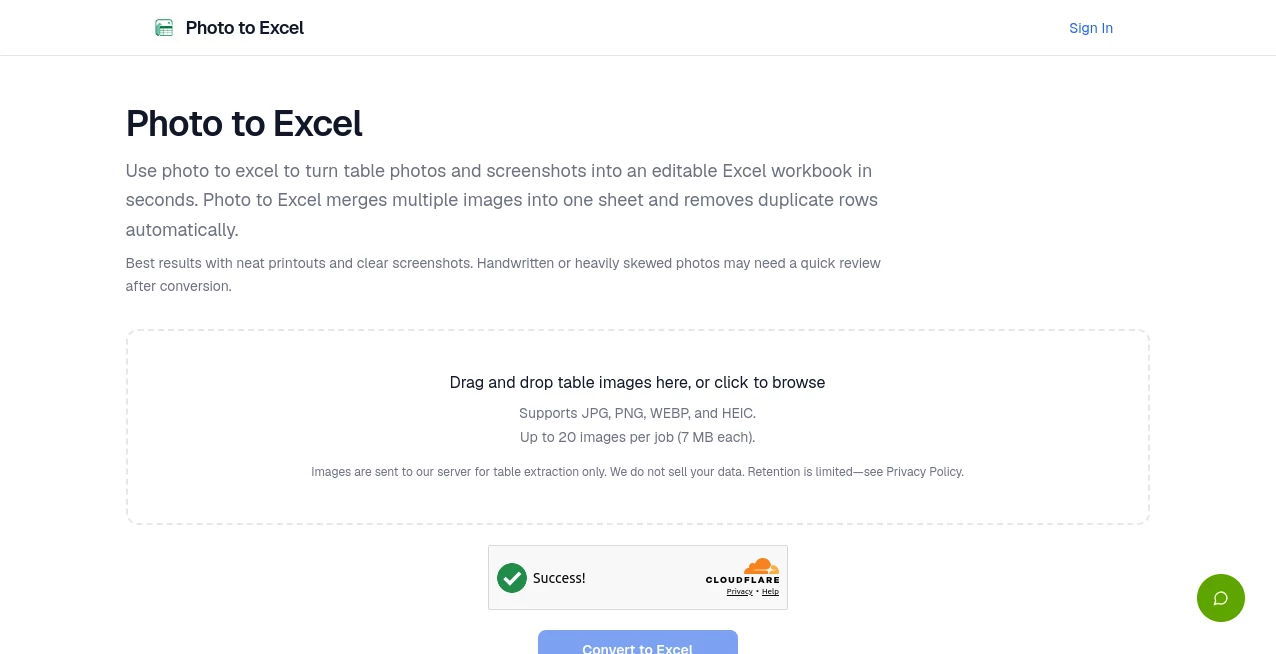
PhotoToExcel helps businesses and individuals transform images of documents, receipts, invoices, tables, and forms into organized spreadsheet data using artificial intelligence. Instead of spending hours manually copying information from pictures into Excel files, users can upload their images and receive clean, structured data that is ready for editing, analysis, and sharing.
The platform is designed for real-world document processing where photos are often imperfect. Whether an image contains a printed table, a receipt captured from a phone camera, or a document with uneven lighting, the intelligent extraction system focuses on understanding the layout and meaning of the information rather than simply reading individual characters.
By removing repetitive data entry tasks, this solution gives teams more time to focus on important work. From accounting departments to field teams, anyone who works with large amounts of document information can benefit from a faster and simpler workflow.
Key Features
User Interface
The platform offers a simple and practical experience built around speed. Users can upload document images directly without complicated setup processes or technical knowledge. The clean workflow allows anyone to move from a photo to a usable spreadsheet with minimal effort.
The interface is designed for both occasional users and teams that process many documents regularly. Its straightforward approach makes converting information from images feel as easy as uploading a file and downloading the final result.
Accuracy & Performance
One of the strongest advantages is its ability to understand document structures instead of relying only on traditional text recognition. The system can identify rows, columns, headers, and important fields inside images to create more accurate spreadsheet outputs.
It is built to handle common challenges found in everyday photos, including different camera angles, shadows, moderate blur, and varying document layouts. This makes it especially useful for mobile-based document collection where perfect scanning conditions are not always available.
Capabilities
The tool can extract information from a wide range of visual documents, including invoices, receipts, business cards, forms, and tables. Users can convert images into spreadsheet formats that are easier to organize, filter, calculate, and manage.
- Convert document photos into Excel-ready data
- Recognize tables and preserve rows and columns
- Extract information from receipts and invoices
- Process images from phones, scanners, and cameras
- Export structured information for business workflows
- Support multiple image formats for flexible uploads
Security & Privacy
When working with business documents, privacy is an important consideration. The platform is designed to provide a secure environment for processing uploaded files while helping users convert sensitive information into organized formats efficiently.
Businesses can use the service for document workflows while maintaining better control over their digital records and reducing the need for manual handling of physical paperwork.
Use Cases
Many industries deal with information trapped inside images. This solution helps turn those images into practical business data.
- Accounting: Convert receipts and invoices into organized spreadsheet records.
- Business Operations: Digitize forms, reports, and printed documents quickly.
- Inventory Management: Extract product lists and stock information from images.
- Research: Transform tables and collected documents into editable datasets.
- Field Teams: Capture documents with mobile devices and process information remotely.
Pros and Cons
Pros
- Fast conversion from images to spreadsheet data
- No need for manual data entry
- Works with different document types
- Handles real-world photo conditions
- Useful for both individuals and businesses
Cons
- Very complex handwritten documents may require manual review
- Image quality can affect extraction results
- Advanced business workflows may require additional customization
Pricing Plans
The platform offers a flexible pricing approach designed for different usage levels. Users can start with free access options to test document conversion and upgrade when they need higher processing capacity or additional features.
Paid plans are suitable for professionals and teams that regularly process large numbers of documents and want a more efficient automated workflow.
How to Use PhotoToExcel
Using the platform is simple and requires only a few steps:
- Upload an image containing a document, table, receipt, or form.
- Allow the AI system to analyze the content and structure.
- Download the converted spreadsheet file.
- Edit, organize, or use the extracted information in your workflow.
The process removes the traditional steps of manually typing information and allows users to move from physical documents to digital data much faster.
Comparison with Similar Tools
Traditional OCR applications are often focused mainly on recognizing text characters. While they can be useful for simple documents, they may struggle when information is arranged in complex layouts such as tables, invoices, or forms.
This solution focuses on understanding the complete structure of a document. Instead of only extracting words, it aims to organize information into meaningful spreadsheet formats, making it more suitable for business data processing and document-heavy workflows.
Conclusion
PhotoToExcel provides a practical way to transform everyday document images into valuable spreadsheet information. By combining artificial intelligence with document understanding, it helps users reduce repetitive work, improve accuracy, and create more efficient digital workflows.
For businesses handling receipts, invoices, forms, and tables, this type of automation can save significant time and make information easier to manage. It is a useful addition to modern productivity workflows where speed and organization matter.
Frequently Asked Questions (FAQ)
Can I convert photos into Excel files?
Yes. The platform allows users to upload document images and convert the extracted information into structured spreadsheet data.
What types of documents can be processed?
It can handle many document types, including receipts, invoices, tables, forms, and business documents containing structured information.
Does it work with phone camera images?
Yes. Images captured from mobile devices can be uploaded and processed, making it useful for field work and remote document collection.
Do I need technical skills to use it?
No. The workflow is designed for everyday users and does not require programming knowledge or complicated configuration.
Can businesses use it for large document workflows?
Yes. Teams that process many documents can use automated extraction to reduce manual entry and improve productivity.
AI Spreadsheet , AI Productivity Tools , AI Document Extraction , AI Documents Assistant .
These classifications represent its core capabilities and areas of application. For related tools, explore the linked categories above.

Photo to Excel Alternatives Product

Presenti AI

Watermark in…

AI Wire

Techvorizon …

Magpie

Miro

Where Is Thi…

UPDF AI

ekstrakt
