PicFixer
What is PicFixer?
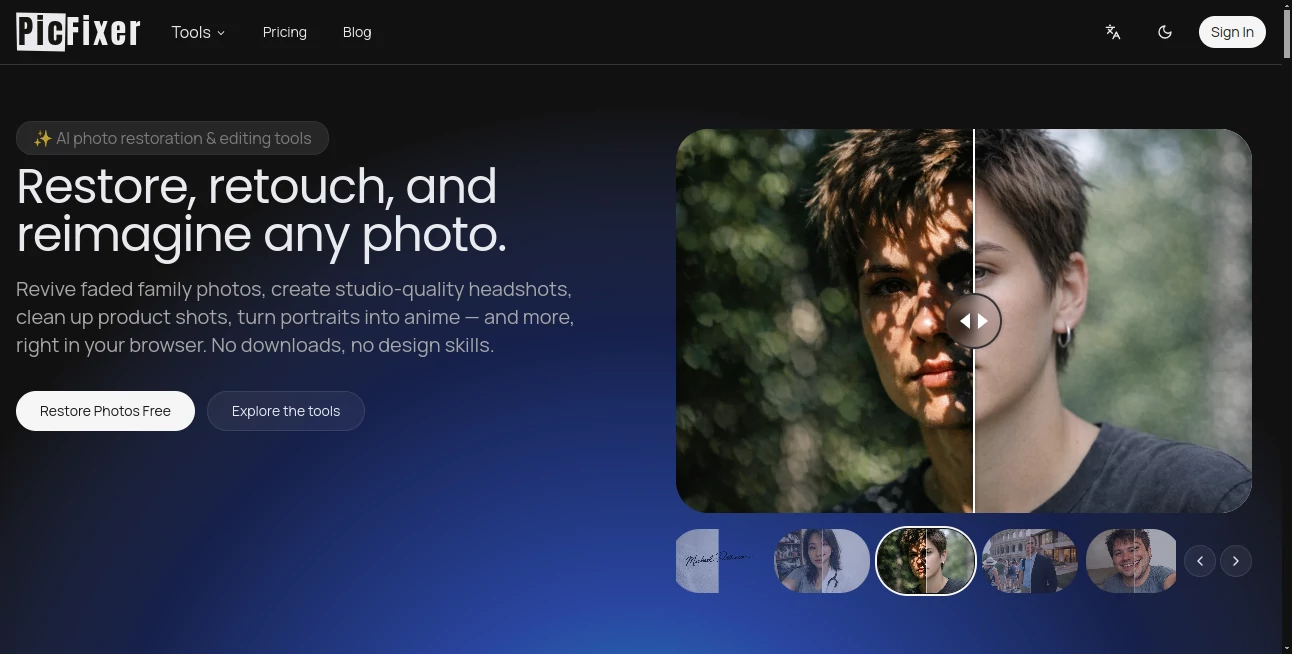
Modern image editing no longer requires expensive software or years of design experience. This online AI-powered platform makes professional-quality photo enhancement available to anyone with just a web browser. Whether you're restoring treasured family memories, creating polished business headshots, cleaning up product images for an online store, or experimenting with artistic styles, the entire process is designed to be fast, intuitive, and remarkably effective.
One of the strongest aspects of this solution is its versatility. Instead of focusing on a single editing feature, it combines restoration, enhancement, creative image generation, commercial editing utilities, and professional portrait creation in one place. The result is a practical toolkit suitable for creators, photographers, marketers, business owners, students, and everyday users who simply want better-looking images without complicated workflows.
From reviving faded photographs to generating studio-quality portraits from ordinary selfies, every feature is designed to save time while producing impressive visual results. The browser-based experience eliminates software installation, allowing users to start editing almost immediately from virtually any device.
Key Features
User Interface
The interface is clean, modern, and welcoming even for first-time visitors. Editing tools are organized into clear categories, making it easy to choose the desired outcome instead of navigating complicated menus. Uploading images is straightforward, and most enhancements require only a few clicks before high-quality results are generated.
Because everything operates online, users can switch between different editing tools without downloading additional applications. This streamlined workflow makes the platform approachable for beginners while remaining efficient for experienced professionals.
Accuracy & Performance
Advanced AI models intelligently analyze photographs to recover lost details, sharpen blurry areas, improve lighting, reduce noise, and enhance facial features. Many transformations are completed within seconds, allowing users to iterate quickly without interrupting their creative process.
Professional headshot generation produces realistic portraits suitable for resumes, LinkedIn profiles, medical residency applications, business websites, and professional branding. Image restoration also performs well on damaged, faded, or low-resolution photographs, making old memories look significantly clearer.
Capabilities
- Professional AI headshot generation.
- Photo restoration for faded or damaged pictures.
- AI-powered image enhancement and upscaling.
- Blur reduction and facial detail recovery.
- Background cleanup for commercial photography.
- Shadow removal and lighting correction.
- Signature extraction with transparent backgrounds.
- Creative filters including cartoon, sketch, poster, pixel art, and oil painting styles.
- Movie poster and album cover generation.
- High-resolution image exports suitable for commercial use.
Security & Privacy
User privacy receives considerable attention throughout the platform. Secure payment processing is provided for premium plans, while generated images remain under the user's ownership according to the service documentation. The platform also maintains strict policies against harmful content, identity misuse, document forgery, deceptive deepfakes, and non-consensual image manipulation, helping create a safer environment for responsible AI image editing.
Use Cases
- Creating professional LinkedIn and resume headshots.
- Restoring historical family photographs.
- Enhancing blurry smartphone pictures.
- Preparing clean product images for e-commerce stores.
- Designing social media graphics.
- Producing creative artwork from existing photos.
- Generating marketing visuals.
- Extracting handwritten signatures for digital documents.
- Building portfolio images for creative professionals.
- Improving real estate, medical, acting, and corporate profile photos.
Pros and Cons
Pros
- Simple browser-based workflow.
- Wide collection of AI photo editing tools.
- Fast image generation.
- Professional-quality headshot creation.
- Excellent restoration capabilities.
- Creative filters for artistic projects.
- No advanced editing skills required.
- Suitable for both personal and commercial projects.
Cons
- Some advanced features require paid credits or subscriptions.
- Generation quality depends on the uploaded image.
- Internet access is required for all editing tasks.
Pricing Plans
The platform follows a free-to-start model that allows new users to explore many features before upgrading. Paid plans unlock additional credits, higher usage limits, premium AI tools, commercial capabilities, and high-resolution downloads, making the service suitable for both individuals and professional teams.
How to Use PicFixer
- Open the website in your browser.
- Select the editing or generation tool that matches your goal.
- Upload your image or selfie.
- Choose any available options or style preferences.
- Allow the AI to process the image.
- Preview the generated result.
- Download the enhanced image in high resolution.
Comparison with Similar Tools
Compared with many AI image editors that specialize in only one feature, this platform offers a broader collection of tools under a single interface. Instead of requiring separate services for restoration, enhancement, headshots, creative artwork, and commercial editing, users can complete multiple tasks within one ecosystem.
Its balance between ease of use and professional-quality output makes it particularly appealing for freelancers, business owners, content creators, marketers, and anyone looking to improve images quickly without learning complex editing software.
Conclusion
This platform successfully combines intelligent photo restoration, professional portrait generation, commercial editing utilities, and creative AI artwork into a single online experience. Its accessible interface, impressive processing speed, and diverse feature set make it valuable for casual users and professionals alike.
Whether the goal is restoring precious memories, building a stronger professional image, enhancing product photography, or creating eye-catching visual content, it delivers an efficient workflow with consistently high-quality results. For anyone seeking a modern AI-powered photo editing solution, it stands out as a capable and thoughtfully designed choice.
Frequently Asked Questions (FAQ)
Can I create professional headshots from ordinary selfies?
Yes. The AI can transform everyday selfies into polished, studio-style professional portraits suitable for business profiles, resumes, and online portfolios.
Can old damaged photos be restored?
Yes. The restoration tools repair faded, blurry, scratched, and low-quality photographs while improving clarity and facial details.
Do I need editing experience?
No. The platform is designed for users of all experience levels with an intuitive browser-based workflow.
Is there a free version?
Yes. New users can begin with free credits before deciding whether to upgrade to a paid subscription.
Can the generated images be used commercially?
Commercial usage is available according to the platform's licensing and subscription terms.
AI Background Remover , Photo & Image Editor , AI Photo Enhancer , AI Profile Picture Generator .
These classifications represent its core capabilities and areas of application. For related tools, explore the linked categories above.

PicFixer Alternatives Product

clothes swap…

Sora Waterma…

Face Swag

RemoveLayer

Freepik

Unblur Image

Remove Text

gemini water…

MAGIK FACE