
Picture Editor
What is Picture Editor?
Picture Editor is a free online photo editing platform designed for people who want to make quick, polished changes without installing desktop software or creating an account. It brings everyday editing tools, image conversion utilities, creative effects, and AI-powered photo features into the browser, making it useful for everything from a quick crop to more involved visual projects.
One of its most appealing qualities is the way editing is handled. Photos can be processed directly on the user's device, so there is no need to wait for an image to be uploaded to a remote server. For anyone who works with personal photos, client images, product pictures, or other private visuals, that approach is particularly reassuring.
Key Features
- Crop images using freeform selections or common aspect ratios such as 1:1 and 16:9.
- Resize pictures to specific dimensions while maintaining the desired aspect ratio.
- Compress images for websites, email attachments, and online uploads.
- Convert between popular image formats including JPG, PNG, WebP, BMP, TIFF, and ICO.
- Apply filters, exposure adjustments, colour changes, blur effects, and other enhancements.
- Add text, shapes, stickers, borders, backgrounds, overlays, and other design elements.
- Create collages by arranging multiple pictures together.
- Use AI-powered tools for tasks such as background removal, face detection, image enlargement, and depth-based background effects.
- Export edited images in common formats without adding a watermark.
User Interface
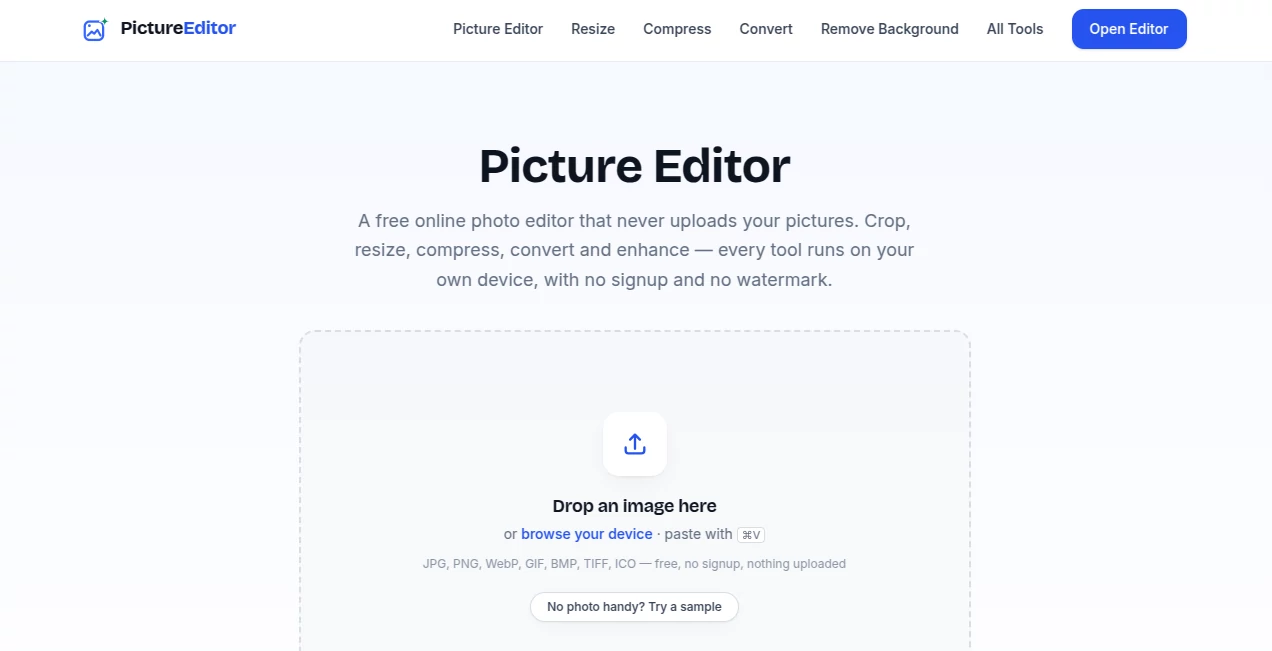
The interface is built around the image itself rather than a complicated collection of menus. Users can drop an image into the editor, browse for a file, or paste an image directly from their device. Editing options cover areas such as adjustment, effects, filters, cropping, resizing, retouching, text, drawing, selections, templates, collage creation, stickers, backgrounds, borders, overlays, and layers.
This layout makes the editor approachable for beginners while still leaving room for more creative work. Someone who only needs to resize a picture can finish in moments, while another user can build a more detailed composition using layers, text, shapes, and decorative elements.
Accuracy & Performance
Performance benefits from the fact that ordinary editing operations are performed locally in the browser. There is no image upload step before starting a basic edit, which can make the workflow feel considerably faster for everyday tasks.
The AI tools also run directly on the user's device. Depending on the selected function, the browser may download an AI model the first time that feature is used. The available models support tasks such as face detection, background segmentation, image enlargement, and depth estimation. Performance can vary depending on the computer, browser, and whether hardware acceleration such as WebGPU is available.
Capabilities
The platform goes well beyond basic cropping and rotation. A user can adjust brightness, contrast, saturation, hue, gamma, blur, noise, and pixelation, then move into more creative features such as filters, frames, text, drawings, shapes, stickers, and layers.
For practical image preparation, the separate utilities are equally useful. Images can be resized, compressed, enlarged, converted between formats, transformed into PDFs, or processed for tasks such as background removal and image-to-text extraction. This combination makes the service useful when several small image-related jobs need to be completed without opening different applications.
The AI side adds another layer of functionality. Backgrounds can be removed while preserving details such as hair, faces can be detected and blurred for privacy, and images can be enlarged using dedicated enhancement models. The result is a browser-based toolkit that covers both conventional photo editing and modern AI-assisted workflows.
Security & Privacy
Privacy is one of the strongest aspects of the service. The platform states that photos are processed locally in the browser rather than being uploaded, stored, or viewed on its servers. This means an image can remain on the user's own device throughout the editing process.
The approach is especially useful when working with photographs that should not be sent to an external service. The AI editor also explains that its models are downloaded to the device and can continue working after the initial model download, including when the network connection is switched off.
Use Cases
For social media creators, the editor can be used to crop photographs, improve colours, remove unwanted backgrounds, create profile images, and prepare visuals for different platforms.
Small businesses can use it to resize product photos, compress images for faster websites, create simple promotional graphics, and convert files into formats required by marketplaces or publishing platforms.
Students and everyday users can rely on it for straightforward tasks such as cropping screenshots, converting images, combining photographs into a PDF, or extracting text from an image.
Privacy-conscious users may find the local processing approach particularly valuable. Editing a personal photograph or blurring faces in a group picture can be done without sending the original image to a remote image-processing service.
Pros and Cons
Pros
- Free to use without requiring an account.
- No watermark on exported images.
- Images can be processed directly on the user's device.
- Includes both traditional editing and AI-powered functions.
- Supports a wide range of common image formats.
- Offers useful utilities for resizing, compression, conversion, and image extraction.
- Works directly in a modern web browser without desktop installation.
Cons
- AI processing speed depends on the user's hardware and browser.
- Some AI models can require a relatively large initial download.
- Users looking for advanced professional colour-grading or studio workflows may still prefer dedicated desktop software.
- The number of available options can feel extensive when someone only needs a very simple edit.
Pricing Plans
There is no paid subscription tier for the main editing experience. The service is presented as a free online toolkit with no account requirement, no per-image charge, and no watermark on exported results.
This pricing model makes it particularly attractive for occasional users who do not want to pay for a monthly photo-editing subscription just to resize, crop, convert, compress, or improve an image. The platform states that advertising supports the free service.
How to Use It
Start by opening the editor in a modern web browser. You can drop an image onto the editing area, browse for a file on your device, or paste an image from the clipboard.
Once the picture is loaded, choose the operation you need. For a simple task, select crop, resize, rotate, filters, or adjustments. For a more creative project, use text, drawings, stickers, shapes, backgrounds, layers, or collage tools.
If you need an AI-assisted operation, select the relevant AI feature and follow the instructions shown by the editor. The first use of an AI function may require its model to be downloaded to the browser. After processing is complete, compare the result with the original where available and export the finished image as PNG, JPG, or WebP.
Comparison with Similar Tools
Many online photo editors concentrate primarily on filters, templates, or social-media designs. This platform takes a broader approach by combining traditional photo manipulation with practical image utilities and browser-based AI features.
Compared with heavyweight desktop editors, it is much easier to access because there is no software installation or lengthy setup. Compared with many cloud-based AI image services, its local-processing approach is also a meaningful distinction for users who prefer not to upload their photographs.
It is not intended to replace every professional graphics application. Instead, its strength is convenience: a surprisingly broad set of editing, conversion, optimization, and AI-assisted tools is available from the same browser-based environment.
Conclusion
For anyone who regularly needs to edit, resize, compress, convert, enhance, or prepare images, this platform offers an unusually practical collection of tools in one place. The interface is accessible enough for quick everyday edits, while layers, text, drawing, filters, collage features, and AI capabilities provide room for more creative projects.
The biggest advantage may be the combination of breadth, simplicity, and privacy. There is no account to create, no software to install, and no need to upload photographs for the local editing workflow. For a free browser-based image editor, that makes it a compelling option for both casual users and people who need a dependable collection of image utilities throughout the day.
Frequently Asked Questions (FAQ)
Is it free to use?
Yes. The service provides its online editing and image utility tools without requiring a paid subscription or account.
Do I need to create an account?
No. The editor can be used without signing up, which makes it convenient for quick one-off editing tasks.
Are uploaded photos stored on a server?
The platform states that its editing tools process images locally in the browser and that photos are not uploaded, stored, or viewed by the service.
Which image formats are supported?
The editor supports common formats including JPG, PNG, WebP, GIF, BMP, TIFF, and ICO. Depending on the tool, images can be exported as PNG, JPG, or WebP.
Can it remove image backgrounds?
Yes. Its AI-powered functionality includes background removal and segmentation designed to separate subjects from their backgrounds.
Can it enlarge images?
Yes. AI-powered enlargement tools can increase image dimensions while attempting to preserve useful visual detail.
Can I edit an image without an internet connection?
Many editing functions work directly in the browser. AI features may need to download their model the first time, after which the model can remain cached on the device and continue working locally.
Does the exported image contain a watermark?
No. The service states that its free editor does not add watermarks to exported images.
AI Photo & Image Generator , Photo & Image Editor .
These classifications represent its core capabilities and areas of application. For related tools, explore the linked categories above.

Picture Editor Alternatives Product

LongCat Image

Createimg.ai

Best AI SVG …

AI Tattoo Ge…

FLUX 2

NanoEditor

Shutterstock

Nano Banana …

Upscale image