
PixParkle
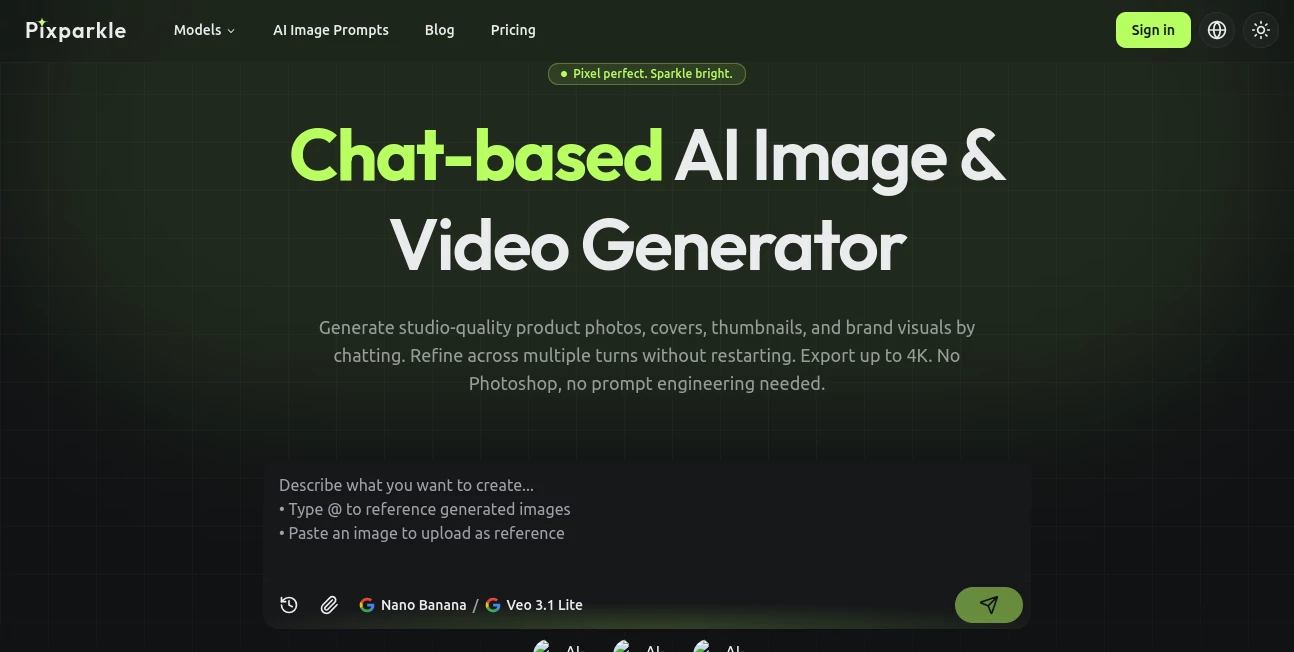
What is PixParkle?
There’s something special about a photo that just pops — colors that feel alive, details that catch your eye, and that extra touch of brilliance that makes people stop scrolling. This tool delivers exactly that. You upload an everyday shot, and it brings out the best version of it: sharper focus, richer colors, cleaner backgrounds, and that subtle glow that makes the image feel premium. I’ve turned ordinary phone pictures of sunsets, family moments, and product shots into visuals that look professionally edited. The transformation is quick, natural, and often better than what I could achieve after twenty minutes in editing software.
Introduction
Most of us take dozens of photos every week, but only a few ever look as good as they felt in the moment. Lighting is off, backgrounds are messy, or the colors just fall flat. PixParkle fixes that without asking you to learn complex tools or spend hours tweaking sliders. It uses smart AI to understand what makes an image beautiful and gently enhances it while keeping the soul of the original shot intact. Whether you’re a content creator, small business owner, or someone who just wants their memories to look their best, it turns “good enough” photos into ones you’re proud to share. The best part? It feels effortless from the very first use.
Key Features
User Interface
The design is delightfully simple. A clean upload area welcomes your photo, then a few smart enhancement options appear without overwhelming you. You see instant before-and-after previews, and one-click adjustments let you fine-tune brightness, vibrance, or clarity if needed. Everything happens in-browser, fast and smooth, even on mobile. It never feels technical — it feels like having a talented friend who knows exactly how to make your photos shine.
Accuracy & Performance
The AI is remarkably good at reading the scene. It sharpens details without creating weird artifacts, boosts colors naturally, and cleans up backgrounds while protecting skin tones and important elements. Processing is quick — most images are ready in seconds — and the results hold up beautifully at higher resolutions. In my experience, it consistently improves photos in ways that feel intentional rather than artificial.
Capabilities
It handles everything from portrait enhancement and product photography to landscape restoration and old photo revival. You can remove distractions, improve lighting, upscale resolution, and add that signature “sparkle” that makes images pop on social media or print. Batch processing lets you enhance multiple photos at once, and the output quality works for both digital sharing and professional prints. It’s versatile enough for casual users and powerful enough for creators who post daily.
Security & Privacy
Your photos are processed securely and not stored longer than necessary. No accounts are forced for basic use, and the platform respects your privacy by focusing on delivering great results without unnecessary data collection. For personal memories or client work, that thoughtful approach makes a real difference.
Use Cases
A small jewelry maker uploads product shots and gets sparkling, professional-looking images that boost her online sales. A parent revives old family photos from vacations, turning fuzzy memories into clear keepsakes. A travel influencer enhances daily shots to maintain a consistent, eye-catching feed without spending hours editing. A real estate agent quickly polishes property photos before listings go live. Wherever a photo needs that extra lift to tell its story better, this tool delivers.
Pros and Cons
Pros:
- Results look natural and premium, never over-edited.
- Extremely fast processing that fits into busy workflows.
- Works beautifully on all kinds of photos — portraits, products, landscapes.
- Simple enough for beginners, powerful enough for regular creators.
- Great value with generous free trials to see real improvement.
Cons:
- Very heavily damaged or extremely low-quality images may need extra preparation.
- Advanced batch features and unlimited use sit behind paid plans.
Pricing Plans
It offers a generous free tier so you can test the quality on your own photos before deciding. Paid plans unlock higher resolution, batch processing, priority speed, and unlimited enhancements. The pricing feels fair for the consistent quality and time it saves — many users say they recover the cost quickly through better engagement or sales from improved visuals.
How to Use PixParkle
Simply drag your photo into the upload area or click to select one from your device. Choose the enhancement style that matches your need (portrait glow, product shine, landscape pop, etc.), then hit enhance. Review the before-and-after, make small adjustments if you want, and download the sparkling result. For multiple photos, paid users can process them together. The entire flow is fast and satisfying — often under 30 seconds from upload to finished image.
Comparison with Similar Tools
Many photo enhancers either do too little or go overboard with artificial effects. This one finds that sweet spot: noticeable, beautiful improvement while keeping the photo feeling authentic. It’s faster and more intuitive than desktop software, and the quality often exceeds more expensive alternatives. For everyday users and creators who want results without the hassle, it stands out as one of the most enjoyable options available.
Conclusion
Your photos deserve to look as good as the moments they captured. This tool makes that possible without complexity or compromise. It brings out the best in every image — the sparkle, the clarity, the emotion — and makes sharing them more enjoyable. Whether you’re preserving memories, growing a business, or building a beautiful feed, it quietly elevates everything you create. Once you see what your photos can become, it’s hard to go back to ordinary.
Frequently Asked Questions (FAQ)
How long does enhancement take?
Usually just a few seconds per photo — fast enough to do several in one sitting.
Will it change the way my photo looks too much?
No — it enhances naturally while protecting the original mood and important details.
Can I use it for professional work?
Yes — many creators and small businesses rely on it for client-facing visuals.
Do I need an account?
You can start enhancing right away without signing up, though an account unlocks more features.
What file types are supported?
Common formats like JPG, PNG, and HEIC work great.
Photo & Image Editor , AI Photo Enhancer , AI Design Generator , AI Image to Image .
These classifications represent its core capabilities and areas of application. For related tools, explore the linked categories above.

PixParkle Alternatives Product

volume shade…

gpt image

Imagine2

AI Polaroid …

Just Christm…

Simplified

Toon Composer

seedream 6

KOOX AI