PixReunion
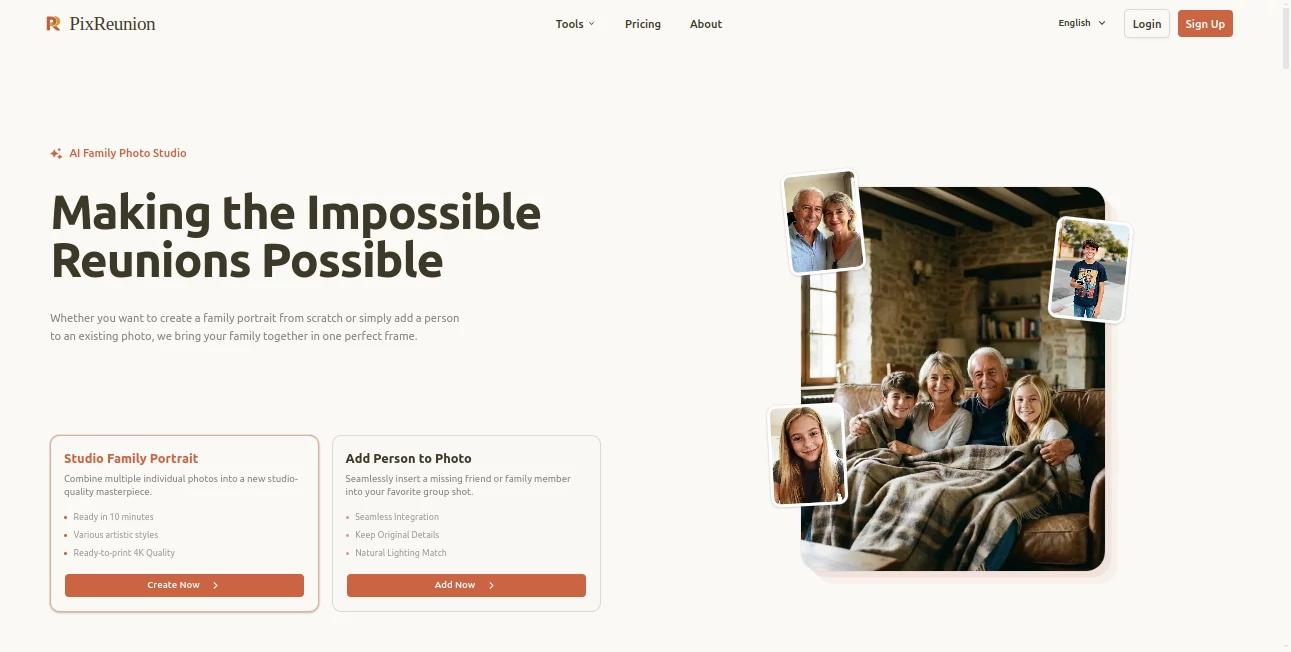
What is PixReunion?
There’s something deeply moving about pulling out an old, faded photo and seeing your grandparents or parents as young people again — but the damage of time often makes those memories feel distant. This tool changes that. You upload a worn, scratched, or low-quality family photo, and it gently restores colors, sharpens faces, repairs tears, and brings back the life that time had stolen. The results feel respectful rather than artificial. I’ve seen grown adults get emotional when they see a clear, vibrant version of a childhood picture they thought was lost forever. It’s not just photo editing — it’s memory preservation.
Introduction
Family photos are some of the most precious things we own, yet many sit in drawers or old albums, damaged by time, sunlight, or poor storage. PixReunion was built specifically for these moments. It uses intelligent AI to restore, colorize, enhance, and even reconstruct missing parts of old photographs while keeping the soul and authenticity of the original image. Whether you have a single treasured photo or boxes full of family history, it makes the process simple, fast, and emotionally rewarding. No technical skills required — just upload and watch decades melt away.
Key Features
User Interface
The design is warm and inviting, never cold or technical. A large, friendly upload area welcomes your photo, with clear options for different types of restoration. Before-and-after views appear side by side so you can appreciate the transformation instantly. You can zoom in on faces, adjust intensity if needed, and download in high resolution. It feels more like a caring digital photo album than a complicated tool.
Accuracy & Performance
The AI is particularly good with faces — it understands skin tones, expressions, and age-appropriate details. Colors return naturally instead of looking overly saturated, and fine details like fabric textures or background elements are handled with care. Processing is quick, even for higher resolution images, and the results consistently feel like a professional restorer worked on them by hand.
Capabilities
It excels at colorizing black and white photos, repairing scratches and tears, sharpening blurry images, removing blemishes, enhancing facial details, and upscaling low-resolution shots. You can restore group photos, old documents, or even damaged Polaroids. The tool also offers creative options like adding gentle artistic touches while keeping the historical feel intact. The output quality is suitable for printing, framing, or sharing with family.
Security & Privacy
Your family memories are treated with care. Images are processed securely and not stored after restoration unless you choose to save them. No unnecessary data collection, and the platform respects the personal nature of what you’re uploading. For heirloom photos and sensitive family history, that thoughtful privacy approach matters a lot.
Use Cases
A daughter restores her late father’s childhood photo as a surprise gift for her mother’s birthday. A genealogist cleans up and colorizes archive images for a family history book. Someone finds a damaged wedding photo from the 1950s and brings it back to life for an anniversary celebration. Families digitize and restore boxes of old pictures to share across generations. It turns dusty albums into living history that people actually want to look at.
Pros and Cons
Pros:
- Restorations feel natural and emotionally respectful.
- Excellent at faces and human details that matter most in family photos.
- Fast processing with high-quality results.
- Simple enough for anyone to use, powerful enough for serious restoration work.
- Great value for preserving irreplaceable family memories.
Cons:
- Extremely damaged or very low-quality images may still need some manual touch-up.
- Unlimited high-resolution exports and advanced features require a paid plan.
Pricing Plans
It offers a generous free tier so you can restore several important photos and see the quality for yourself. Paid plans unlock unlimited restorations, higher resolutions, batch processing, and priority features. Many families say the paid version is worth every penny when they see their restored heirlooms hanging on the wall or shared during gatherings.
How to Use PixReunion
Take a clear photo of the old picture (or scan it if possible), then upload it on the site. Choose the type of restoration you want — colorize, repair damage, enhance faces, or let the AI suggest the best approach. Review the preview, make small adjustments if desired, and download the restored version in high resolution. For multiple photos, paid users can process them together. The entire process is gentle and rewarding from start to finish.
Comparison with Similar Tools
Many photo enhancers focus on modern images or apply heavy filters that make old photos look unnatural. This one specializes in respectful restoration of historical and family images, balancing improvement with authenticity. It’s simpler and more focused than complex desktop software while delivering better emotional results than generic mobile apps.
Conclusion
Some memories are worth preserving with care. PixReunion gives you an easy, powerful way to bring those memories back to life so they can be enjoyed by current and future generations. It turns fragile, fading photos into clear, vibrant windows to the past — without requiring technical expertise or expensive equipment. If you have old family pictures sitting in a drawer, this tool might just help you rediscover the stories they hold.
Frequently Asked Questions (FAQ)
How old can the photos be?
It works beautifully on photos from the early 1900s through recent decades.
Will it change the way people look?
No — it enhances naturally while preserving age, expressions, and character.
Can I restore group photos?
Yes, it handles multiple faces well in most cases.
Is there a free way to try it?
Yes — you can restore several photos for free to see the quality.
Are the restored photos good for printing?
Absolutely — high-resolution outputs are perfect for framing and albums.
Photo & Image Editor , AI Photo Enhancer , AI Photo Restoration , AI Image to Image .
These classifications represent its core capabilities and areas of application. For related tools, explore the linked categories above.

PixReunion Alternatives Product

Sketchready

AI Thumbnail…

Image To Ima…

Freepik

AI Interior …

Kogashitsuka…
Seedream 4.5

Editaimg

MAGIK FACE