


















PNGMaker
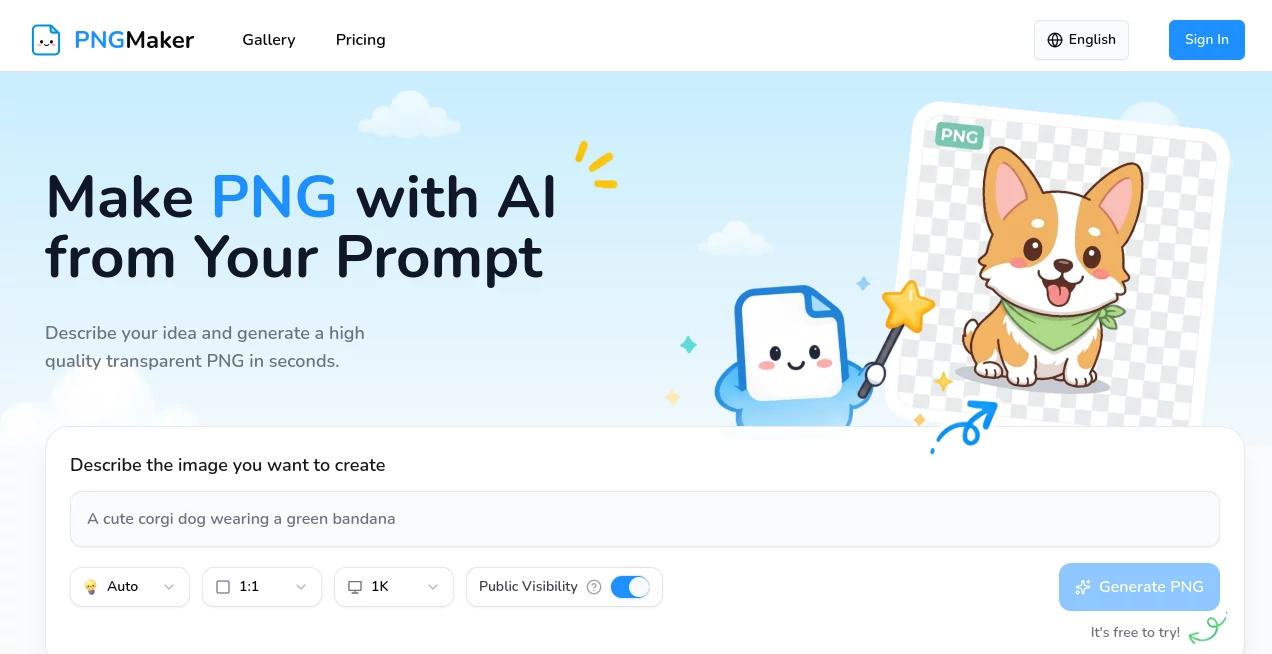
What is PNGMaker?
There’s something incredibly satisfying about taking a messy photo or rough sketch and turning it into a crisp, professional PNG with a perfect transparent background. This tool makes that process feel almost effortless. You upload an image, and it quickly removes the background, refines the edges, and gives you a clean PNG ready for everything from social media graphics to product mockups. I’ve used it to turn quick phone shots of products into polished listings and old family photos into stickers — the results consistently look better than I expect for such a simple workflow.
Introduction
Working with images for design, e-commerce, or content creation often means fighting with complex software just to get a clean transparent background. PNG Maker changes that. It focuses on one thing and does it very well: turning any photo or illustration into a high-quality, transparent PNG fast. No subscriptions required to start, no steep learning curve, and no watermarks on the free tier. Whether you’re a small business owner photographing products daily, a designer needing quick assets, or just someone who wants to make custom stickers, it delivers reliable, clean results without the usual hassle.
Key Features
User Interface
The interface is wonderfully straightforward — a big upload area right in the center and a few clear options below. You drag in your image or click to browse, and within seconds you see the processed result with a transparent background. You can fine-tune with simple sliders for edge softness or background color if needed. Everything feels fast and intuitive, even on mobile. It’s the kind of tool you can hand to a non-designer friend and they’ll get great results on their first try.
Accuracy & Performance
It handles tricky subjects like hair, fur, and fine details surprisingly well, producing clean edges that don’t look overly cut out. Processing is quick — most images finish in just a few seconds — and the output stays sharp even when upscaling slightly. In real use, it consistently saves time compared to manual editing in Photoshop, especially for batch work or quick social media graphics.
Capabilities
Beyond basic background removal, it offers background color replacement, automatic object detection, image upscaling, and multiple export options including different sizes and compression levels. You can process multiple images at once, perfect for product catalogs or content batches. The results work beautifully for e-commerce listings, stickers, logos, social media content, and print projects. It’s particularly strong at preserving natural edges on complex subjects like people, animals, and plants.
Security & Privacy
Your uploaded images are processed securely and deleted shortly after generation. No unnecessary accounts are required to start, and there’s no shady data collection. For business users handling product photos or client work, that clean, respectful approach builds real trust.
Use Cases
An Etsy seller photographs handmade jewelry on different backgrounds and quickly turns them all into clean transparent PNGs for their shop. A social media manager creates custom stickers and graphics for client campaigns in minutes instead of hours. A teacher removes backgrounds from educational images to create engaging worksheets. A small business owner prepares product photos for Amazon listings without hiring a photographer. It fits naturally into daily creative and commercial workflows.
Pros and Cons
Pros:
- Extremely fast and accurate background removal, even on tricky edges.
- Simple enough for beginners but powerful enough for regular use.
- High-quality PNG exports ready for professional work.
- Generous free tier with no annoying watermarks on basic exports.
- Batch processing saves enormous time on larger projects.
Cons:
- Very complex or heavily overlapping subjects may need minor manual cleanup.
- Advanced features like bulk upscaling are on paid plans.
Pricing Plans
The free plan gives you a solid number of high-quality PNGs each month — enough for most personal and small business needs. Paid plans unlock unlimited generations, higher resolutions, batch processing, and priority speed. The pricing is reasonable and scales nicely as your needs grow, making it accessible whether you use it occasionally or every single day.
How to Use PNG Maker
Go to the main page and either drag your image into the upload area or click to select from your device. Wait a few seconds while it processes. Review the result using the before/after view, make small adjustments if needed, then download your clean PNG. For multiple images, use the batch upload option on paid plans. The entire process usually takes less than 30 seconds per image, making it easy to build a whole library of assets quickly.
Comparison with Similar Tools
Many background removal tools either leave rough edges or require complicated manual fixes. This one consistently delivers cleaner, more natural results with minimal effort. While some free tools add watermarks or limit quality, the balance of speed, quality, and generous free access here stands out. It’s less about flashy features and more about getting the job done reliably and quickly — exactly what most creators actually need.
Conclusion
Clean, transparent PNGs are small details that make a big difference in professional-looking work. This tool makes getting them simple, fast, and reliable without forcing you to learn complex software. Whether you’re building an online store, creating content, or just having fun with personal projects, it quietly removes one of the most common frustrations in image editing. The results speak for themselves — crisp, natural, and ready to use.
Frequently Asked Questions (FAQ)
How good is the background removal on complex images?
It handles hair, fur, and fine details very well — better than most free tools I’ve tried.
Can I process many images at once?
Yes, batch processing is available and works smoothly on paid plans.
Are the PNGs high resolution?
Yes — you get sharp, print-ready files suitable for both digital and physical use.
Do I need to create an account?
No account is required to start using the basic features.
What file formats can I upload?
JPG, PNG, and most common image formats work great.
AI Background Remover , Photo & Image Editor , AI Photo Enhancer , AI Image to Image .
These classifications represent its core capabilities and areas of application. For related tools, explore the linked categories above.

PNGMaker Alternatives Product
ImageChanger

Nano banana …

Pixelfox AI
Nano Banana …
Unblur Image

Seedream 4.5

NanoBnana-Im…

Medical Illu…
TextSharp | …
