

















Medical Illustration AI
What is Medical Illustration AI?
There’s a particular frustration every medical educator, researcher, or clinician knows too well: you need a clear, accurate diagram for a lecture, paper, or patient explanation, but the stock images don’t quite fit, and hiring an illustrator takes weeks and a serious budget. This tool quietly solves that problem. Describe what you need in plain English, and it generates clean, labeled, publication-quality medical illustrations in seconds. I’ve watched professors go from hunting through outdated clip art to having exactly the right cross-section or pathway diagram ready before their next class. It feels less like software and more like having a very knowledgeable medical illustrator on speed dial.
Introduction
Medical illustration has always been part art, part science, and entirely time-consuming. This platform bridges that gap beautifully by combining deep anatomical knowledge with fast AI generation. Whether you need a labeled heart cross-section for first-year students, a surgical sequence for a journal figure, or a simple visual to explain a procedure to a patient, it delivers consistent, accurate artwork that looks professionally drawn. The best part? You don’t need drawing skills or expensive software. Just describe it, tweak if needed, and export. It’s become a daily companion for people who teach, publish, or communicate complex medical concepts every day.
Key Features
User Interface
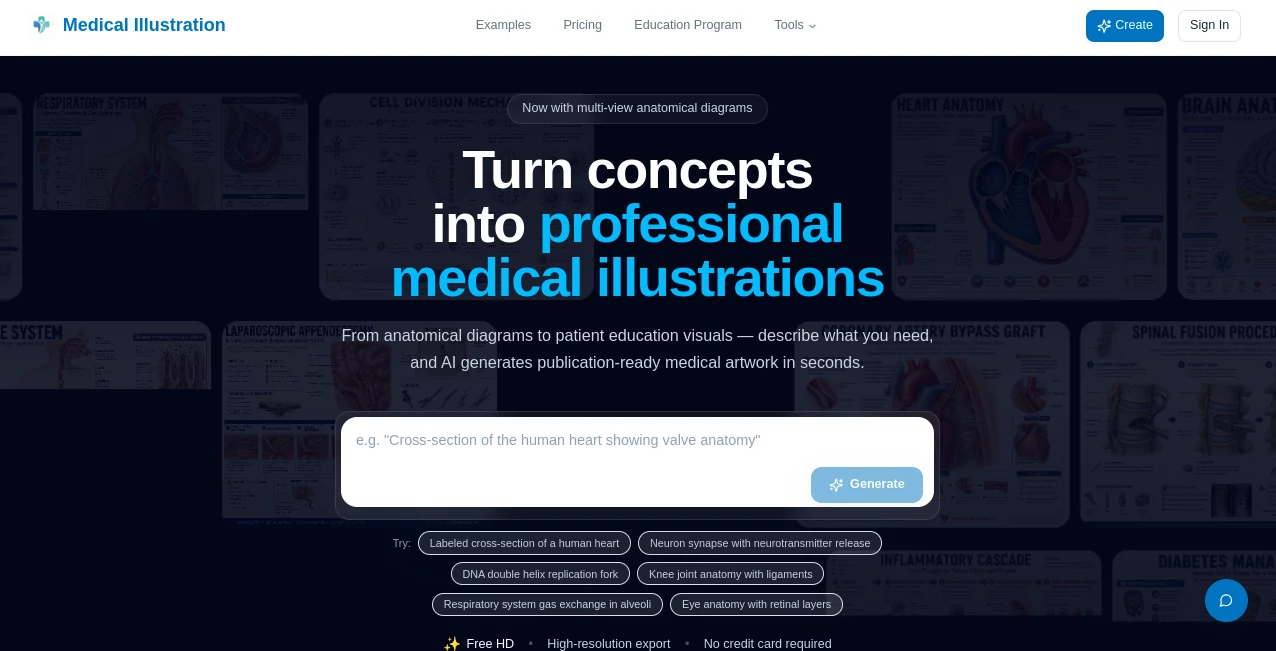
The interface is refreshingly straightforward. A large text box invites you to describe what you want (“labeled cross-section of the human heart showing all four chambers and major vessels”), with helpful example prompts nearby. You can choose style, resolution, and detail level with simple toggles. Generation is fast, and the preview lets you compare variations side-by-side. No steep learning curve, no cluttered menus—just focused tools that respect your time and expertise.
Accuracy & Performance
The illustrations are impressively anatomically correct. Structures are placed where they belong, labels are clear and professionally positioned, and the overall layout feels like it came from a textbook. It handles everything from basic organ systems to detailed surgical views and microscopic processes without obvious errors. Generation speed is excellent—most diagrams appear in under 15 seconds—and the consistency across related figures (perfect for multi-panel papers or lecture slides) is a real time-saver.
Capabilities
It creates a wide range of visuals: anatomical diagrams, surgical illustrations, cellular and molecular pathways, pathology visuals, and patient-friendly explanations. You can request multi-view diagrams, labeled versions, graphical abstracts, or step-by-step procedure sequences. High-resolution exports work for print journals, PowerPoint slides, patient handouts, or posters. The AI understands medical terminology and context, so prompts like “mitosis stages with spindle fibers” or “knee joint replacement surgery” produce targeted, accurate results.
Security & Privacy
Your prompts and generated images are handled responsibly. No unnecessary data retention, and the platform is built with healthcare workflows in mind. For educators and researchers working with sensitive or unpublished material, that thoughtful approach provides peace of mind while still allowing fast, creative iteration.
Use Cases
A medical school lecturer needs a fresh diagram for tomorrow’s lecture on respiratory physiology and gets a clean, labeled illustration ready in minutes. A researcher preparing a journal submission creates consistent graphical abstracts and multi-panel figures without hiring an illustrator. A clinician designs simple visuals to explain a procedure to patients, improving understanding and reducing anxiety. A content creator for medical education builds an entire series of matching diagrams for a new online course. Wherever clear, accurate medical visuals are needed quickly, this tool delivers.
Pros and Cons
Pros:
- Remarkably accurate anatomical detail and professional labeling.
- Extremely fast turnaround compared to traditional methods.
- Versatile enough for education, research, and patient communication.
- High-resolution outputs suitable for print and digital use.
- Free tier lets you test real results before committing.
Cons:
- Extremely rare or highly specialized procedures may need prompt refinement.
- Complex multi-panel figures sometimes work better when generated individually.
- Advanced customization options are still expanding.
Pricing Plans
It starts with a generous free tier—no credit card required—so you can generate several high-quality illustrations to see the value firsthand. Paid credit packages offer better value for regular users, with options for departments and heavy creators. The pricing is transparent and fair, especially when you consider how much time and money it saves compared to commissioning traditional medical illustrations.
How to Use Medical Illustration AI
Go to the generator, type a clear description of what you need (“detailed labeled cross-section of the human knee joint showing ligaments and meniscus”), choose your preferred style and resolution, and hit generate. Review the result—most are spot-on on the first try. If needed, refine the prompt slightly and generate again. Download the high-res image and drop it straight into your slides, paper, or handout. For a series of related figures, keep the same style prompt across generations for visual consistency.
Comparison with Similar Tools
General image generators often produce beautiful but anatomically questionable results. Traditional medical illustration is accurate but slow and expensive. This tool sits in the sweet spot: fast like AI, accurate like a specialist, and professional enough for real academic and clinical use. The combination of medical knowledge and ease of use makes it stand out from both generic AI art tools and legacy illustration workflows.
Conclusion
Good medical visuals shouldn’t be a bottleneck—they should help you communicate complex ideas clearly and quickly. This platform makes that possible without compromising on accuracy or professionalism. Whether you’re teaching the next generation, publishing research, or helping patients understand their care, it gives you reliable, high-quality illustrations when you need them. In medicine, where clarity can make all the difference, that kind of tool feels essential rather than optional.
Frequently Asked Questions (FAQ)
How accurate are the illustrations?
They are trained on medical knowledge and produce anatomically correct diagrams suitable for education and publication.
Can I use these in research papers?
Yes—high-resolution exports are designed for journals, posters, and academic use.
Do I need artistic skills?
Not at all. Just describe what you need in plain English.
How fast can I get an illustration?
Most generations complete in under 15 seconds.
Is there a free way to try it?
Yes—free credits are available when you start, no credit card required.