ProjectDiscovery
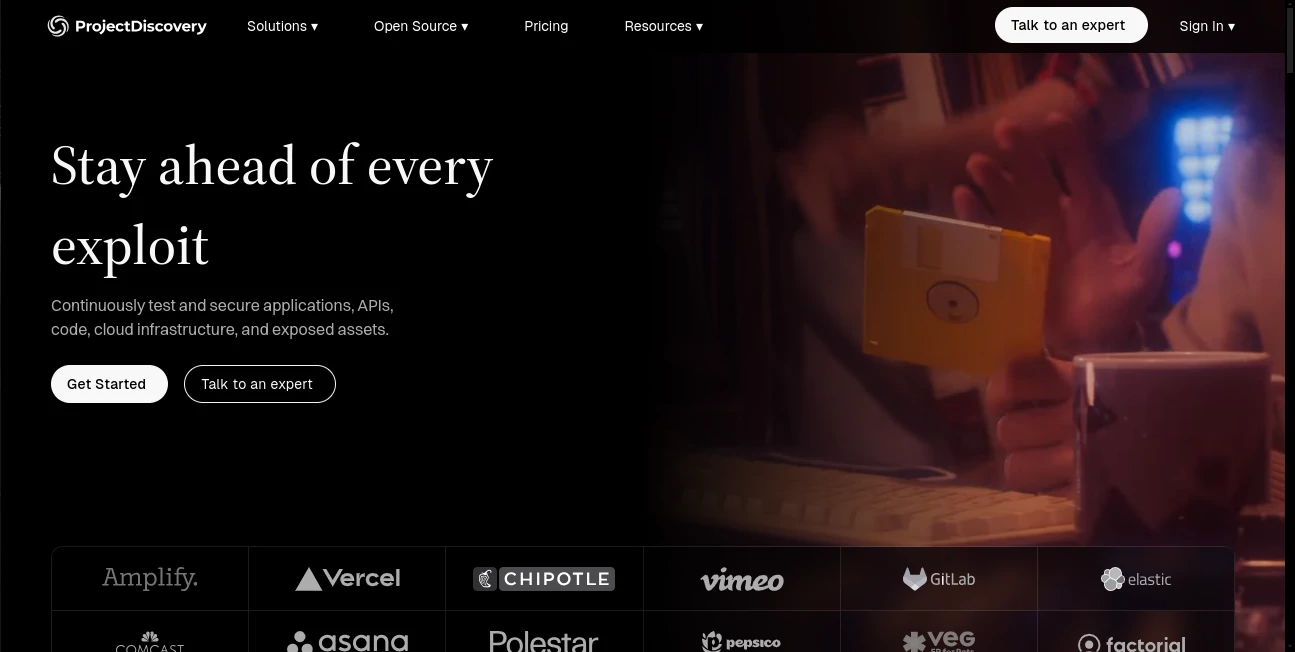
What is ProjectDiscovery?
Modern security teams have a difficult job: the systems they protect keep changing, while new vulnerabilities, exposed services, APIs, and attack techniques appear every day. ProjectDiscovery brings together a practical collection of security tools and cloud capabilities designed to help security professionals discover assets, test applications, identify vulnerabilities, and keep track of an organization's changing attack surface.
What makes the platform particularly interesting is its open-source foundation. Its ecosystem includes well-known security utilities such as Nuclei, Subfinder, HTTPx, and Naabu, giving researchers and security teams building blocks they can integrate into their own workflows. The cloud platform extends that approach with continuous visibility, vulnerability detection, reporting, collaboration, and automation.
For a security researcher, penetration tester, bug bounty hunter, or application security team, this approach can make reconnaissance and vulnerability assessment considerably more organized. Instead of treating discovery, probing, and vulnerability scanning as isolated activities, the tools can be connected into a repeatable workflow.
Key Features
- AI-assisted security testing for applications and APIs
- Continuous external attack surface visibility
- Automated asset and endpoint discovery
- Template-based vulnerability scanning
- Subdomain enumeration and reconnaissance
- HTTP service probing and technology detection
- Cloud-based vulnerability management and reporting
- Code and pull request security review
- Vulnerability triage and remediation workflows
- Red team and offensive security workflows
- Integrations with development and cloud environments
- A large open-source security community and template ecosystem
User Interface
The cloud experience is designed around security workflows rather than simply presenting a long list of scan results. Teams can work with discovered assets, findings, testing workflows, reports, and integrations from a centralized environment. This is especially useful when security operations involve multiple people who need to share findings and track remediation.
The command-line tools take a different approach. They are lightweight, automation-friendly, and well suited to Linux-based security environments. Experienced users can combine several utilities through shell pipelines, while newer users can follow the documentation and gradually build more advanced workflows.
Accuracy & Performance
Performance is one of the strongest aspects of the ecosystem. Nuclei uses YAML-based templates to define vulnerability and security checks, allowing researchers to customize detection logic instead of depending entirely on a fixed scanner.
The broader workflow can also reduce unnecessary manual work. A typical assessment might begin by discovering subdomains, checking which hosts are actually responding, identifying technologies and services, and then passing the useful targets into vulnerability scanning. This makes the process feel less like running disconnected utilities and more like building a security pipeline.
Detection quality also benefits from the community-driven nature of the project. Thousands of templates encode security research and detection knowledge, while new findings and techniques can be incorporated into the ecosystem as the security landscape changes.
Capabilities
The platform covers much more than traditional vulnerability scanning. Its current security workflows include application and API penetration testing, attack surface management, code and pull request review, red teaming, vulnerability triage, exposure analysis, and custom automation.
The open-source side is equally valuable. Nuclei focuses on vulnerability detection, Subfinder helps discover subdomains, HTTPx probes and fingerprints web services, and other utilities extend the reconnaissance workflow. These components can be used independently or connected together depending on the assessment.
For example, a security researcher can discover subdomains, identify active web services, collect useful metadata such as status codes and technologies, and then feed those results into a vulnerability assessment. That flexibility is a major advantage for users who prefer to control exactly how their security workflow operates.
Security & Privacy
Security is naturally central to the platform. The cloud offering is built for organizations that need continuous visibility into externally exposed infrastructure and vulnerabilities, while enterprise capabilities include options such as SSO and SAML provisioning, bring-your-own-key support, dedicated VPC deployment, static egress IPs, and organizational usage controls.
Security teams should still review the applicable documentation, data-handling policies, and organizational requirements before connecting production environments or sensitive infrastructure. As with any security platform, responsible authorization and careful scope management are essential when performing scans.
Use Cases
- Penetration Testing: Build repeatable reconnaissance and vulnerability assessment workflows for authorized security engagements.
- Bug Bounty Research: Discover assets, identify technologies, and investigate potential weaknesses across approved targets.
- Attack Surface Management: Maintain visibility into domains, APIs, endpoints, ports, and exposed infrastructure as environments change.
- Application Security: Test applications and APIs while connecting security findings with engineering workflows.
- Vulnerability Research: Create and customize detection templates for newly discovered security issues.
- DevSecOps: Bring security checks closer to development through code, pull request, and automation workflows.
- Security Automation: Combine command-line utilities into pipelines that can run repeatedly with minimal manual intervention.
- Red Team Operations: Support reconnaissance and security testing activities as part of authorized offensive security programs.
Pros and Cons
Pros
- Strong open-source foundation
- Powerful tools for reconnaissance and vulnerability discovery
- Highly customizable template-based scanning
- Excellent command-line workflow for technical users
- Can be integrated into automated security pipelines
- Large and active security community
- Cloud capabilities extend the open-source workflow for teams
Cons
- The ecosystem can feel complex for users who are completely new to cybersecurity
- Some advanced capabilities require technical knowledge and configuration
- Enterprise security workflows may require a larger budget
- Users need to understand authorization and scanning scope before testing real systems
Pricing Plans
The ecosystem includes open-source security tools that can be installed and used independently, making it accessible to individual researchers and technical teams.
The cloud platform also provides a free tier for users who want to connect Nuclei scan results and explore cloud-based security workflows. The free offering includes up to 1,000 findings per month, vulnerability retesting, finding sharing, and limited access to the template editor and AI template generator.
For organizations that need broader capabilities, the current Neo pricing starts with a Pay as You Go plan at $250 per user per month for 50 credits. This tier includes application and API penetration testing, attack surface management, code and pull request review, red teaming, vulnerability triage, custom automation, and integrations with services such as AWS, GCP, Azure, Cloudflare, and Vercel.
Enterprise plans add capabilities such as volume credit discounts, BYOK, internal network auditing, SSO and SAML provisioning, dedicated VPC deployment, static egress IPs, unlimited seats with project workflows, and dedicated support.
How to Use It
Getting started is easiest when the workflow is kept simple. Security professionals can begin with the open-source tools and expand the setup as their requirements grow.
- Install the required command-line tools using the documented installation method for your operating system.
- Start with authorized asset discovery to identify subdomains and other known targets.
- Probe discovered hosts to determine which services are active and collect useful HTTP information.
- Use vulnerability templates to check approved targets for known vulnerabilities and security issues.
- Review the results carefully instead of treating every scanner result as automatically exploitable.
- For larger environments, connect the workflow to the cloud platform for centralized visibility, collaboration, reporting, and ongoing testing.
A practical workflow might look like this: discover subdomains first, identify live web services next, collect technology information, and then perform targeted vulnerability checks. This staged approach keeps the process efficient and makes the resulting data easier to understand.
Comparison with Similar Tools
Traditional commercial vulnerability scanners often focus on providing a packaged scanning experience with predefined checks and centralized reporting. This ecosystem takes a more flexible approach by combining open-source command-line utilities, community-created detection templates, automation, and cloud security workflows.
That distinction matters. A security researcher who wants complete control over reconnaissance commands and scanning logic may appreciate the flexibility of the open-source tools. A larger security organization, meanwhile, can move toward centralized cloud workflows when it needs continuous monitoring, collaboration, integrations, and organizational controls.
It is therefore better viewed as a flexible security ecosystem rather than simply another vulnerability scanner. Its biggest strength is the ability to move from low-level command-line reconnaissance to broader automated security operations without abandoning the underlying workflow.
Conclusion
For security professionals who want speed, customization, and control, ProjectDiscovery offers a compelling combination of open-source tooling and cloud-based security capabilities. Its ecosystem makes it possible to build everything from a simple reconnaissance workflow to a more sophisticated continuous security program.
The strongest appeal is the way the pieces fit together. Asset discovery, HTTP probing, vulnerability detection, templates, automation, and cloud visibility can all become parts of the same process. That makes the ecosystem particularly valuable for penetration testers, security researchers, application security teams, and organizations that want a more continuous view of their external attack surface.
It is not necessarily a beginner's point-and-click security product, and getting the most from it requires some cybersecurity knowledge. For users willing to learn the workflow, however, the combination of open-source flexibility, community-driven detection, and commercial security automation provides a powerful foundation for modern security testing.
Frequently Asked Questions (FAQ)
What is ProjectDiscovery used for?
It is used for cybersecurity tasks such as asset discovery, reconnaissance, vulnerability scanning, attack surface management, application security testing, and security automation.
Is it free to use?
Many of the open-source tools can be used independently, while the cloud offerings include free and paid options. Advanced enterprise capabilities are available through paid plans.
What is Nuclei?
Nuclei is a fast, customizable vulnerability scanner that uses YAML-based templates to define security checks. It can be used to detect known vulnerabilities, misconfigurations, exposed files, and other security issues.
Can the tools be automated?
Yes. The command-line utilities are designed to work well in scripts and pipelines. Their outputs can be passed between tools to create repeatable reconnaissance and vulnerability assessment workflows.
Who is it best suited for?
It is particularly useful for penetration testers, bug bounty hunters, security researchers, application security teams, DevSecOps professionals, and organizations managing large external attack surfaces.
Can it be used for continuous security monitoring?
Yes. The cloud platform is designed to provide continuous visibility into external attack surfaces, vulnerability detection, reporting, collaboration, and remediation workflows.
Is technical knowledge required?
Basic command-line and cybersecurity knowledge is helpful, especially when working with the open-source tools. Teams using the broader cloud platform may also benefit from experience with application security and infrastructure.
AI Testing & QA , AI API Design , AI Developer Tools , Other .
These classifications represent its core capabilities and areas of application. For related tools, explore the linked categories above.
ProjectDiscovery details
Website unavailable — View Alternatives
Pricing
- Free
Apps
- Web App
Categories

ProjectDiscovery Alternatives Product
Aback Tools

CodeProt

Suno list

Project Genie

Luma AI
Dedoctive

Tate-A-Tate

NetlifyAPP

AiToolsObser…