
Qwen
What is Qwen?
Finding a single platform that can write, research, generate images, understand documents, analyze multimedia, and help with coding is becoming increasingly important for modern users. This platform brings all of those capabilities together in one place, making advanced artificial intelligence accessible without unnecessary complexity. Whether you're working on business documents, creating marketing materials, exploring technical topics, or simply looking for quick answers, it offers a smooth and highly capable experience.
One of the most impressive aspects is its ability to understand multiple types of content. Instead of limiting users to text conversations, it can process images, audio, documents, and other formats while providing thoughtful, context-aware responses. This flexibility makes everyday tasks faster and allows professionals, students, creators, and developers to complete projects with less effort and better results.
Key Features
User Interface
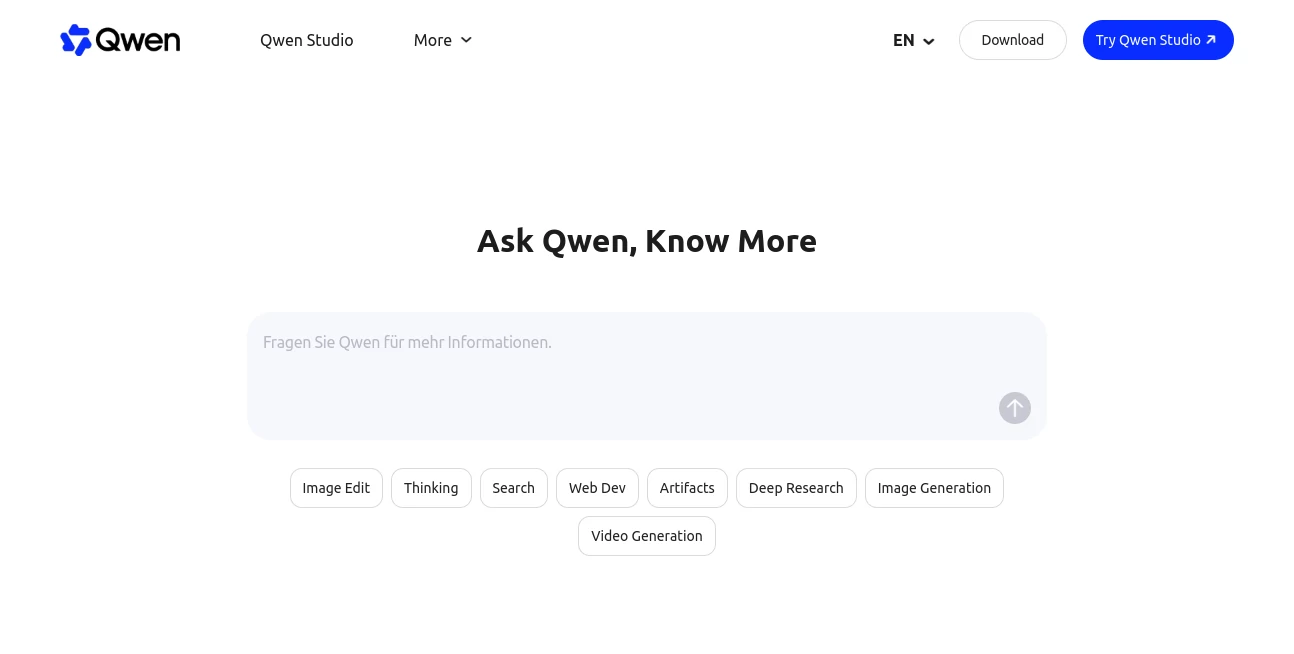
The interface is clean, responsive, and easy to navigate. New users can begin chatting immediately without a steep learning curve, while experienced users can quickly access advanced capabilities such as image generation, research assistance, coding, and document analysis. The layout keeps important tools within easy reach without overwhelming the workspace.
Accuracy & Performance
The platform delivers reliable responses across a wide range of tasks, from everyday questions to technical problem solving. Its reasoning capabilities help organize complex information into structured answers, while fast response times create a natural conversation experience. Long-form discussions also remain coherent thanks to strong contextual understanding.
Capabilities
- Natural language conversations
- Advanced reasoning for complex questions
- Image generation and editing
- Document understanding and summarization
- Web-based research assistance
- Code generation and debugging
- Website creation from natural language prompts
- Multimodal understanding across text, images, audio, and video
- Creative writing and brainstorming
- API access for developers and business applications
Security & Privacy
User privacy is supported through account management features and published service policies. Developers also benefit from dedicated API services designed for commercial integration. As with any cloud-based AI platform, users should review the available privacy documentation before uploading confidential business information.
Use Cases
- Writing articles, emails, and reports
- Researching technical or academic topics
- Creating marketing campaigns
- Generating professional images and illustrations
- Building landing pages and websites
- Programming assistance and code reviews
- Summarizing lengthy documents
- Learning new subjects with detailed explanations
- Analyzing images, audio, and visual content
- Supporting business productivity workflows
Pros and Cons
- Pros
- Supports multiple content types within one platform.
- Excellent reasoning for difficult tasks.
- Fast response speed for interactive conversations.
- Strong image generation and multimodal understanding.
- Useful for both personal and professional projects.
- Developer-friendly API availability.
- Accessible on desktop and mobile devices.
- Cons
- Some advanced capabilities may depend on internet connectivity.
- Certain premium or enterprise features may require account registration.
- Generated information should still be verified for critical decisions.
Pricing Plans
The platform offers free access for many everyday AI tasks, allowing users to explore core capabilities without payment. Additional services, higher usage limits, and developer features are available through API offerings and commercial plans designed for businesses and advanced users.
How to Use Qwen
Create an account or open the web interface, start a new conversation, and describe your task in natural language. Upload documents, images, or other supported files whenever additional context is needed. Users can generate creative content, analyze information, build code, perform research, or create visual assets from a single workspace. Developers can also integrate the available API into their own applications for automation and custom AI experiences.
Comparison with Similar Tools
Compared with many AI assistants that primarily focus on conversational text, this platform combines reasoning, research, image creation, document analysis, coding support, and multimodal understanding in one ecosystem. The combination of productivity features and developer tools reduces the need to switch between multiple specialized applications, making it an attractive choice for individuals and organizations looking for an all-in-one AI workspace.
Conclusion
This solution stands out by bringing together advanced reasoning, creative generation, developer tools, and multimodal intelligence within a unified experience. Its balance of ease of use and powerful capabilities makes it suitable for students, professionals, marketers, developers, researchers, and content creators alike. Anyone looking for a modern AI assistant capable of handling diverse workflows will find it to be an impressive and highly practical choice.
Frequently Asked Questions (FAQ)
Is this platform free to use?
Yes. Many core AI features are available through a free experience, while additional services and APIs are offered through commercial plans.
Can it generate images?
Yes. It supports image generation as well as image-related creative workflows.
Does it support developers?
Yes. Developers can integrate AI capabilities using a compatible API for custom applications and automation.
Can it understand documents and multimedia?
Yes. It can analyze documents, images, audio, and other supported content types through multimodal processing.
Who should use this platform?
It is suitable for writers, developers, students, researchers, businesses, marketers, designers, educators, and anyone who wants a versatile AI assistant.
AI Writing Assistants , AI Developer Tools , AI Chatbot , Large Language Models (LLMs) .
These classifications represent its core capabilities and areas of application. For related tools, explore the linked categories above.

Qwen Alternatives Product

AgentOne

UPDF AI

YooPrompt

freellm

Fleck

PrompTessor

GPTLocalhost

Nestify

Ablaze AI