

















Reach MCP
Verified Blue CheckMark
Verified Blue CheckMark products are featured above free or unverified listings.
This badge indicates authenticity and builds trust, giving your product higher visibility across the platform.
Upgrade to get verified
Verified Blue CheckMark products are featured above free or unverified listings. This badge indicates authenticity and builds trust, giving your product higher visibility across the platform.
Upgrade to get verified
What is Reach MCP?
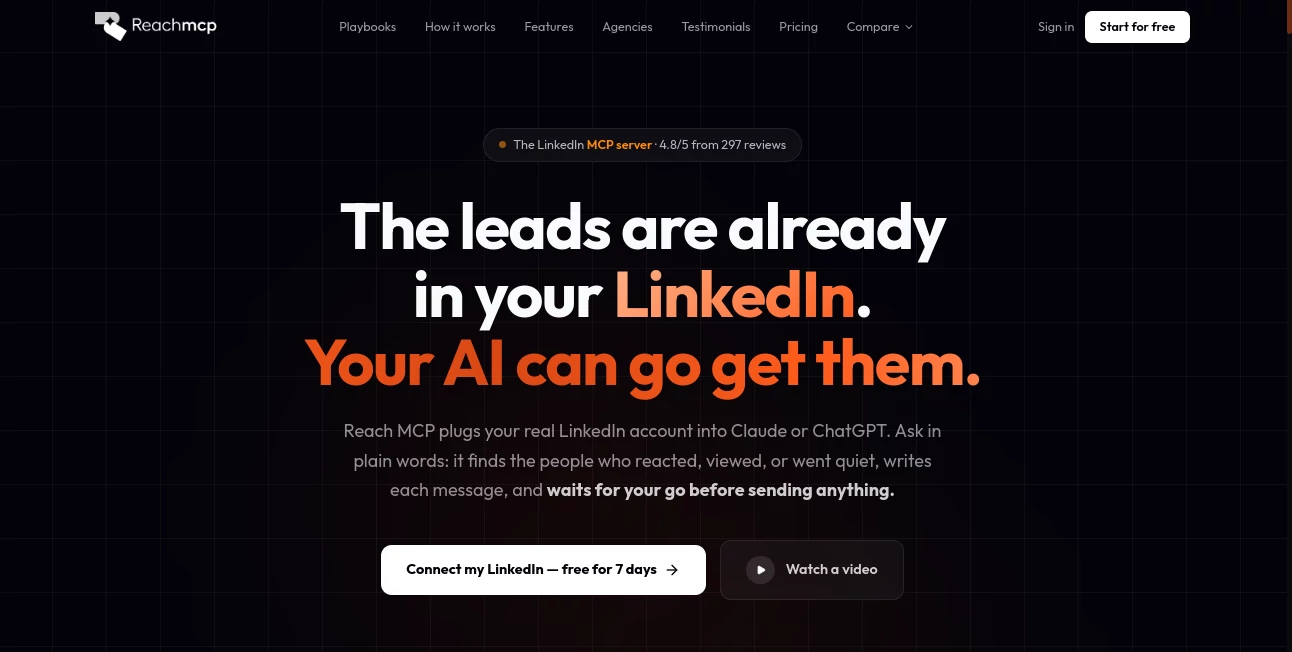
ReachMCP turns a regular LinkedIn account into something an AI assistant can actively work with. Instead of jumping between LinkedIn, spreadsheets, messaging tools, and automation platforms, users can connect their LinkedIn account to an AI client and describe what they want in plain language.
The idea is particularly useful for sales professionals, recruiters, founders, agencies, and anyone who spends a large part of the week searching for prospects or keeping LinkedIn conversations moving. An AI assistant can find people who interacted with recent posts, identify conversations that have gone quiet, prepare personalized messages, search for prospects, and help manage network activity.
What makes the approach interesting is the approval step. Actions that involve writing or sending content are presented as previews before anything is sent. This gives users a chance to review the people, context, and proposed message rather than handing the entire process over to an unattended automation.
Key Features
User Interface
The experience is designed around the AI client rather than another complicated dashboard. After connecting a LinkedIn account through the Chrome extension, users can connect the service to compatible MCP clients such as Claude, ChatGPT, Cursor, and other MCP-compatible applications.
The workflow is straightforward: connect the account, connect the AI, and ask for a task. Ready-made playbooks are also available for common jobs such as finding people who reacted to posts, following up on inactive conversations, researching profile viewers, and creating prospect lists.
For automation platforms such as n8n and Make, the same underlying functionality can be accessed through the REST API. This makes the product suitable for both non-technical users and teams building more structured workflows.
Accuracy & Performance
The platform is built around real LinkedIn account activity rather than a generic contact database. For example, a request to find people who reacted to recent posts can take likes and comments into account, check whether people are already connections, and prepare messages based on the actual interaction.
Sales prospecting can also be performed through natural-language requests. A user can describe a target audience and have the system translate that request into Sales Navigator filters, including industry and location information.
Performance is also supported by account-level activity limits and rate-limit management. The service states that activity is paced within LinkedIn's daily limits, while its proxy infrastructure is designed to help manage account activity.
Capabilities
- LinkedIn messaging and conversation management
- Lead exports from LinkedIn search and Sales Navigator
- Recruiter Light prospect and candidate exports
- Connection requests and invitation management
- Post likes, comments, and engagement management
- LinkedIn post scheduling
- Profile viewer research
- Sales prospecting through natural-language requests
- Personalized outreach and follow-up drafting
- LinkedIn activity monitoring and reporting
- Multi-account management for agencies and teams
- MCP server access for AI assistants
- REST API access for custom integrations
- Integration with Claude, ChatGPT, Cursor, n8n, and Make
Security & Privacy
Account access is handled through a Chrome extension that connects to the user's existing LinkedIn session. According to the service documentation, the LinkedIn password is not shared with the platform, and uninstalling the extension can be used to revoke access.
Another important safeguard is the approval workflow. Messages, invitations, and other actions that write to LinkedIn are shown as numbered previews before they are sent. Users choose which items to approve, helping reduce the risk of unintentionally sending a large batch of messages or invitations.
The platform also describes rotating proxy infrastructure and automatic daily rate-limit management as part of its account protection approach. Users should still review LinkedIn's current rules and policies before using any third-party automation service with their account.
Use Cases
Sales teams can use the platform to turn LinkedIn engagement into a practical prospecting workflow. For example, someone who liked a recent post can be identified, checked against the existing network, and given a personalized outreach draft based on the original interaction.
Recruiters can use the same approach for candidate discovery and outreach. Search results from LinkedIn and Recruiter Light can be exported, while AI can help prepare personalized messages for selected candidates.
It can also be useful for personal branding. Instead of manually checking every comment and deciding how to respond, users can ask their AI assistant to review recent posts and prepare contextual replies.
Agencies have another strong use case. Multiple client LinkedIn accounts can be managed from a centralized environment, with role-based access, account-level reporting, reusable workflows, and support for scaling campaigns across several accounts.
Pros and Cons
Pros
- Works with popular AI assistants through MCP.
- Supports both MCP and REST API workflows.
- Natural-language commands make complex LinkedIn tasks easier to describe.
- Useful for sales, recruiting, networking, and personal branding.
- Message and invitation previews provide an approval layer before sending.
- Supports multiple LinkedIn accounts for agencies and teams.
- Includes integrations with Claude, ChatGPT, Cursor, n8n, and Make.
- Provides ready-made playbooks for common LinkedIn workflows.
Cons
- Requires a Chrome extension to connect the LinkedIn session.
- Some features require LinkedIn Premium or Sales Navigator.
- Users need to understand the implications of using automation with their LinkedIn account.
- The most advanced agency and API workflows may require more technical knowledge.
Pricing Plans
The standard plan is priced at $39 per month for one LinkedIn account and includes the main LinkedIn tools, MCP server, REST API, integrations, proxy infrastructure, playbooks, and activity monitoring.
Additional accounts use volume-based pricing. Accounts 2 through 4 are listed at $29 per account per month, accounts 5 through 20 at $19 per account per month, and accounts beyond 20 at $12 per account per month.
There is also a Builder plan aimed at agencies, developers, and products built on the API. Pricing starts at $10 per account per month for 1 to 4 accounts, drops to $7 for 5 to 10 accounts, $6 for 11 to 50 accounts, and $5 for 51 or more accounts.
A seven-day trial is available without requiring a credit card. The service also states that subscriptions are billed monthly and can be cancelled without a long-term commitment.
How to Use the Platform
- Install the Chrome extension and sign in to your account.
- Connect the extension to the LinkedIn session you want to manage.
- Choose an MCP-compatible AI client such as Claude, ChatGPT, or another supported application.
- Add the provided connector and authorize access through the AI interface.
- Choose one of the available playbooks or describe a LinkedIn task in natural language.
- Review the generated previews when the task involves sending or publishing content.
- Approve only the messages, invitations, or other actions you actually want to execute.
- For automated workflows, use the REST API with platforms such as n8n or Make.
Comparison with Similar Tools
Traditional LinkedIn automation products often focus on predefined campaigns, scheduled actions, or fixed sequences. This approach is different because the primary interface can be an AI assistant. Instead of configuring every step manually, a user can describe the desired outcome and let the AI decide which available LinkedIn actions are relevant.
It also brings several functions together. Prospect exports, messaging, connection management, engagement, publishing, and activity monitoring can be accessed through the same AI-connected infrastructure. For teams already using AI assistants, this can reduce the need to move information between several separate applications.
The REST API adds another layer for technical teams. Developers can build custom workflows around LinkedIn actions, while agencies can use the account-level infrastructure as part of their own services.
Conclusion
ReachMCP is a practical option for people who want their AI assistant to do more than write text about LinkedIn. It connects AI-driven conversations with real LinkedIn actions, making tasks such as prospect research, outreach preparation, recruiting, engagement, and account management accessible through natural-language instructions.
The approval-based workflow is one of its more useful characteristics. Users can let AI handle the research and drafting while keeping the final decision over what gets sent. Combined with MCP support, a REST API, multiple integrations, and agency-oriented features, the platform has a clear focus on turning LinkedIn into a more manageable part of an AI-powered sales or recruiting workflow.
Frequently Asked Questions (FAQ)
Can an AI send LinkedIn messages automatically?
Writing actions are shown as numbered previews first. The user selects which messages or invitations should be sent, and the approved actions are then processed within the account's applicable limits.
Which AI assistants are supported?
The platform supports integrations with Claude, ChatGPT, Cursor, and other MCP-compatible clients. Automation platforms such as n8n and Make can connect through the REST API.
Does it provide a REST API?
Yes. The REST API provides programmatic access to LinkedIn functions including exports, messaging, connections, scheduling, and other account actions. An API key is used for REST API authentication.
Does it require a LinkedIn password?
The Chrome extension connects to the existing LinkedIn session, and the service states that the LinkedIn password is not shared.
Can agencies manage several LinkedIn accounts?
Yes. Multi-account management is available for agencies and teams, with centralized account management, role-based access, reporting, and reusable workflows.
Is Sales Navigator required?
Not for every feature. Some prospecting capabilities work with standard LinkedIn search, while natural-language Sales Navigator searches require Sales Navigator. Profile-viewer functionality also has a LinkedIn Premium requirement.
Is there a free trial?
Yes. A seven-day trial is available without a credit card.