
ReceiptsAI
What is ReceiptsAI?
Managing receipts, invoices, and financial documents can quickly become a time-consuming task for business owners. ReceiptsAI helps small businesses transform scattered financial files into organized bookkeeping records by using artificial intelligence to extract important information and simplify expense management.
Instead of spending hours manually typing receipt details, users can upload documents and let the system identify key information such as merchant names, dates, amounts, taxes, and other financial details. It creates a smoother workflow for entrepreneurs, freelancers, and teams that want better control over their expenses.
The platform is designed with simplicity in mind. Whether you manage a few monthly expenses or handle hundreds of documents, it provides a practical way to keep financial records organized and accessible.
Key Features
- AI-powered extraction from receipts, invoices, and financial documents
- Automatic categorization of expenses
- Support for images and PDF documents
- Receipt and invoice data organization
- Expense report generation
- Export options for financial data
- Duplicate document detection
- Custom categories and rules for better organization
- Multi-currency support
- Email-based document collection
User Interface
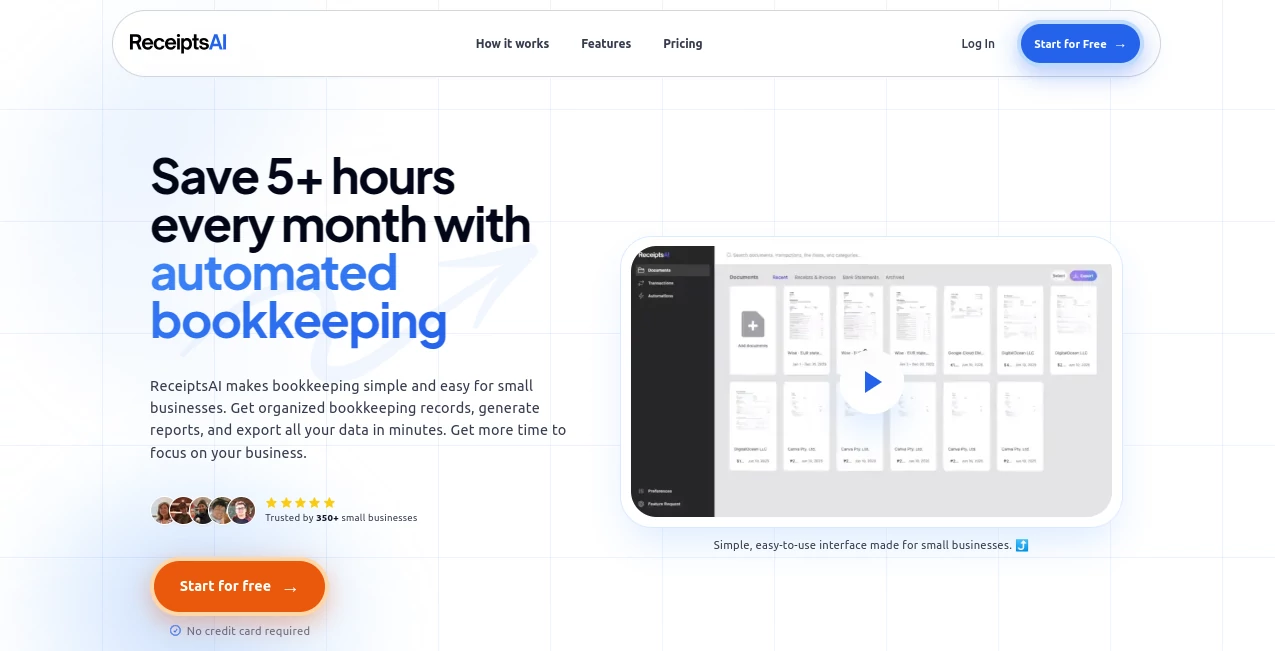
The interface focuses on reducing complexity. Users can upload documents, review extracted information, and manage their bookkeeping data without needing advanced accounting knowledge. The clean workflow makes it suitable for business owners who want a straightforward financial management experience.
The dashboard helps users quickly understand their records and find important documents when they need them, making everyday bookkeeping less frustrating.
Accuracy & Performance
The AI extraction system is built to recognize important details from receipts, invoices, and statements with speed and consistency. It can identify fields such as transaction dates, totals, taxes, merchant information, and other useful bookkeeping data.
While document quality can affect extraction results, users can review and adjust information before finalizing their records. This combination of automation and human review creates a reliable workflow for financial tasks.
Capabilities
The tool goes beyond simple receipt scanning by helping businesses create structured financial data. Users can organize expenses, generate reports, prepare documents for accounting purposes, and reduce repetitive manual work.
It is especially useful for companies that receive many invoices or receipts and need a faster way to keep records updated.
Security & Privacy
Financial documents often contain sensitive information, so security is an important part of any bookkeeping solution. The platform focuses on protecting user data through secure processing and encrypted connections while avoiding unnecessary exposure of financial information.
Use Cases
- Small businesses tracking daily expenses
- Freelancers organizing receipts for accounting
- Online sellers managing purchase records
- Teams preparing expense reports
- Bookkeepers handling multiple client documents
- Companies preparing financial information for tax periods
Pros and Cons
Pros
- Saves time by reducing manual data entry
- Simple workflow for non-accounting users
- Supports different document formats
- Useful automation features for growing businesses
- Helps keep financial records organized
Cons
- Very complex accounting needs may require dedicated accounting software
- Extraction quality can depend on document clarity
- Advanced features require paid plans
Pricing Plans
Users can start with a free plan that includes basic document extraction and a limited number of credits. Paid plans are available for businesses that need higher processing limits and additional automation features.
The Starter plan is designed for users who need more document processing capacity, custom categories, and automation rules. The Premium plan provides expanded limits, bulk processing, and additional support features for growing businesses.
How to Use the Tool
Getting started is simple:
- Upload receipts, invoices, or financial documents.
- Allow the AI system to analyze and extract important information.
- Review extracted details and organize expenses.
- Create reports or export data when needed.
- Continue adding documents to maintain an organized financial record.
Comparison with Similar Tools
Compared with traditional receipt management methods, this solution provides more automation and reduces the need for manual data entry. Many accounting tools require users to enter information themselves, while AI-based extraction creates a faster starting point.
For small businesses that want a lightweight solution focused on receipts, invoices, and expense organization, this type of platform offers a practical balance between simplicity and automation.
Conclusion
Keeping financial documents organized does not need to be a daily struggle. ReceiptsAI provides a smart way for businesses to convert receipts and invoices into structured records while reducing repetitive administrative work.
With automated extraction, expense organization, and reporting features, it is a valuable option for entrepreneurs and teams looking to spend less time managing paperwork and more time focusing on their business.
Frequently Asked Questions (FAQ)
What types of documents can be processed?
The platform can process receipts, invoices, and financial statements from supported file formats such as images and PDFs.
Is it suitable for small businesses?
Yes, it is designed especially for small businesses, freelancers, and teams that want easier bookkeeping management.
Can users export their financial data?
Yes, users can export organized financial information for reporting and accounting purposes.
Is there a free plan available?
Yes, users can start with a free option before upgrading to paid plans with additional processing capacity.
AI Documents Assistant , AI Accounting Assistant , AI Productivity Tools , AI Files Assistant .
These classifications represent its core capabilities and areas of application. For related tools, explore the linked categories above.

ReceiptsAI Alternatives Product

Productivity…

YT Video Sum…

PDF to MD

Document Chat

Zivy

YouMind

Video To Text

AI Agent Ski…

Oasis