RespondThat
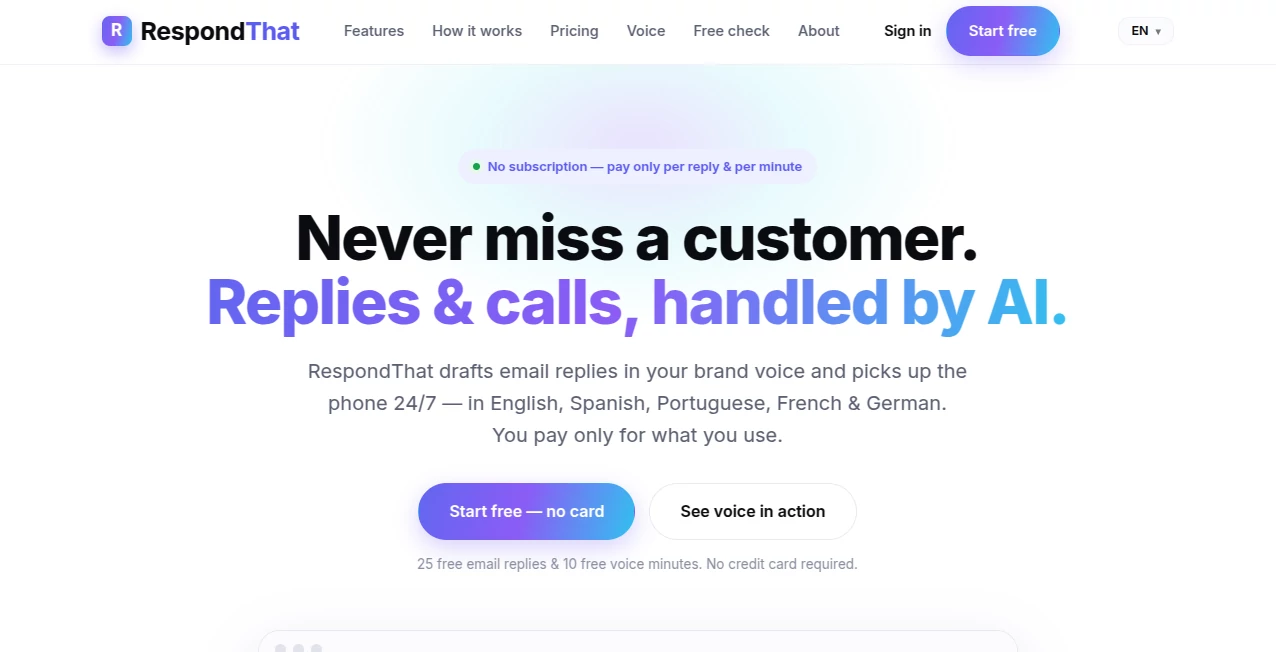
What is RespondThat?
Managing customer conversations across multiple channels can quickly become overwhelming, especially for growing businesses. This platform is designed to simplify communication by helping teams create accurate, professional, and context-aware responses in a fraction of the usual time. Instead of spending valuable hours writing repetitive messages, support teams, online sellers, and business owners can focus on building stronger customer relationships.
By combining artificial intelligence with practical workflow automation, the platform assists users in generating personalized replies while maintaining a consistent brand voice. Whether responding to customer questions, product inquiries, reviews, or support requests, every interaction becomes faster, more organized, and more efficient.
Key Features
- AI-generated reply suggestions for customer conversations.
- Multiple writing styles and response tones.
- Brand voice consistency across conversations.
- Fast response generation for support teams.
- Support for email and customer messaging workflows.
- Context-aware reply recommendations.
- Product and knowledge integration for accurate answers.
- Collaboration features for customer service teams.
- Analytics for communication performance.
- Designed for businesses of different sizes.
User Interface
The interface is clean, modern, and intentionally simple. Messages are easy to review, suggested responses appear instantly, and editing them takes only a few clicks. Even first-time users can become productive without spending time learning a complicated system, making it suitable for both small businesses and larger customer support teams.
Accuracy & Performance
The platform analyzes incoming messages before generating relevant replies, helping users answer questions with greater confidence. It dramatically reduces response time while maintaining consistency in communication. Teams can review and customize every suggestion before sending, ensuring responses remain accurate and aligned with company standards.
Capabilities
Beyond writing replies, the platform helps businesses standardize communication across different customer touchpoints. It supports common support scenarios such as order updates, refund requests, product questions, review responses, and general inquiries. The flexibility to adjust tone allows companies to create responses that feel personal rather than robotic.
Security & Privacy
Customer communication often includes sensitive information, making privacy an important consideration. The platform is built to support professional business environments where data protection and secure communication practices are essential. Users remain in control of every message before it reaches a customer.
Use Cases
- Customer support teams handling large numbers of inquiries.
- E-commerce stores responding to order questions.
- Small businesses looking to improve response speed.
- Online marketplaces managing buyer communication.
- Businesses replying to customer reviews.
- Sales representatives communicating with potential customers.
- Agencies managing support for multiple clients.
Pros and Cons
- Pros
- Fast AI-assisted reply generation.
- Improves response consistency.
- Easy-to-use interface.
- Multiple response styles and tones.
- Suitable for businesses of various sizes.
- Helps reduce repetitive manual work.
- Cons
- Some replies may benefit from human editing before sending.
- Advanced features may require a paid subscription.
- Performance depends on the quality of available conversation context.
Pricing Plans
The service offers multiple pricing options suitable for individuals, growing businesses, and larger teams. A free plan is available for users who want to explore the platform before upgrading, while premium plans provide higher usage limits, additional integrations, and advanced collaboration features. Pricing may change over time, so checking the official website for the latest information is recommended.
How to Use Respond That
Getting started is straightforward. Create an account, connect your preferred communication channels when available, and begin receiving AI-generated response suggestions. Review each recommendation, make any necessary edits, choose the tone that best fits the conversation, and send professional replies in significantly less time than writing everything from scratch.
Comparison with Similar Tools
Unlike traditional canned-response software that relies on fixed templates, this platform generates responses based on the context of each conversation. Compared with many general AI writing assistants, it focuses specifically on customer communication, making it particularly valuable for support teams, online retailers, and businesses that need fast, consistent, and personalized replies throughout the day.
Conclusion
Excellent customer communication can directly influence customer satisfaction and long-term loyalty. By combining intelligent reply generation with practical workflow improvements, this solution helps businesses answer faster without sacrificing quality. For organizations that receive frequent customer inquiries, it offers an effective way to save time, improve consistency, and create better customer experiences every day.
Frequently Asked Questions (FAQ)
Who is this platform designed for?
It is suitable for customer support teams, online stores, agencies, and businesses that regularly communicate with customers.
Can responses be edited before sending?
Yes. Every AI-generated suggestion can be reviewed and modified before it is delivered.
Does it support different writing tones?
Yes. Users can generate replies in different styles depending on the situation and preferred communication approach.
Is there a free plan?
Yes. A free plan is available, with additional features offered through paid subscriptions.
Does it help improve response speed?
Yes. One of its primary benefits is reducing the time required to answer customer inquiries while maintaining consistent communication.
AI Productivity Tools , AI Email Assistant , AI Customer Service Assistant , AI Response Generator .
These classifications represent its core capabilities and areas of application. For related tools, explore the linked categories above.

RespondThat Alternatives Product

Romantic AI

Customer Fee…

SlideStorm AI

Nova AI

Vurge

Overlap

Grow Creator

MyReply

MyMap.AI