

















ReversePrompt
What is ReversePrompt?
I still remember the frustration of seeing a stunning AI-generated image and having no idea how to recreate something similar. I’d spend ages tweaking prompts with zero luck. Then I found this tool. You upload any picture — whether it’s someone else’s artwork, a photo you love, or even your own old generation — and it hands you back a detailed, ready-to-use prompt that actually works. The first time I tried it, I recreated a beautiful scene I’d been obsessing over for weeks in under a minute. That feeling of “finally, I get it” is addictive.
Introduction
Creating great images with AI is part art, part science, and a lot of trial and error. ReversePrompt removes most of that guesswork. Instead of starting from a blank prompt box, you begin with the final result you want and work backwards. It analyzes composition, lighting, style, colors, mood, and specific details, then builds a rich, structured prompt you can copy, tweak, or feed straight into Midjourney, Flux, SD3, or any other model. It’s become my secret weapon for learning from great art and consistently improving my own generations.
Key Features
User Interface
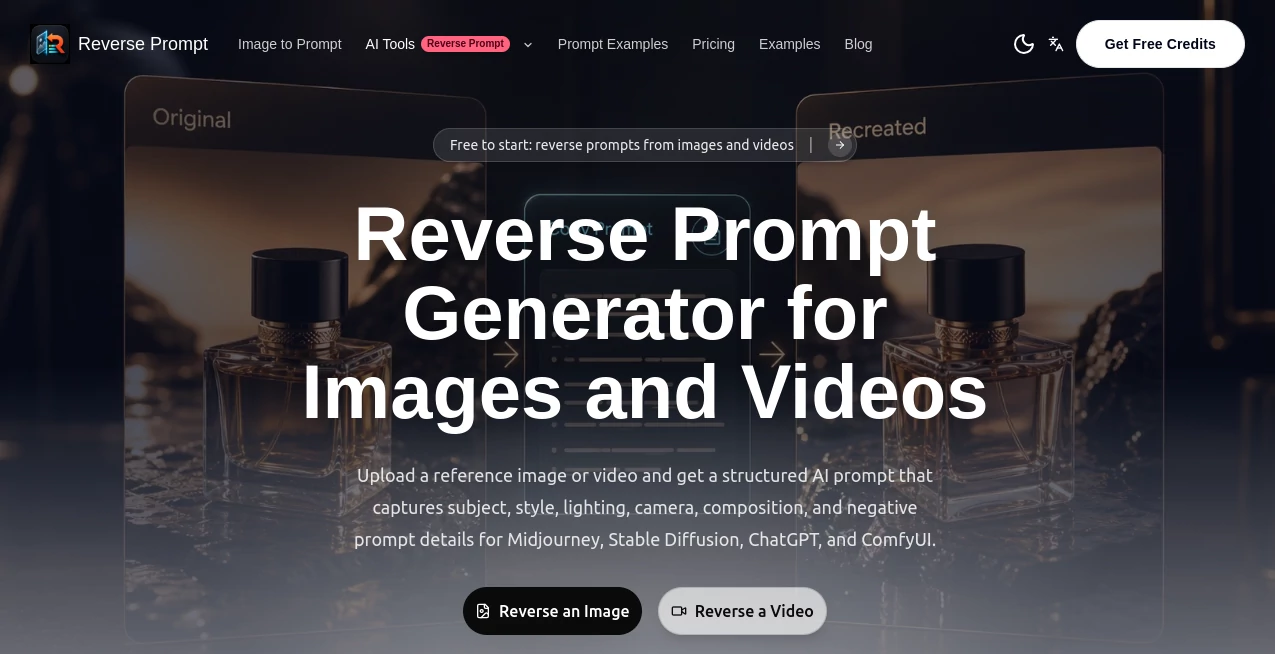
The design is wonderfully straightforward. Big upload area in the center, a couple of style options if you want to guide it, and a clear “Analyze” button. Once it processes the image, you get a clean breakdown with the full prompt ready to copy, plus useful sections explaining key elements like lighting, composition, and artistic influences. Everything feels fast and focused — no clutter, no unnecessary steps. I can go from random image to usable prompt in seconds.
Accuracy & Performance
It’s surprisingly good at reading subtle details — the way light falls across a face, the specific art style, even small elements in the background. The prompts it generates are detailed but not bloated, striking that sweet spot where they’re powerful without being confusing. In my experience, the first prompt it gives usually gets me 70-80% of the way there, and a small tweak finishes the job. It works well across different generators too.
Capabilities
You can reverse engineer any image — AI art, photographs, paintings, screenshots, you name it. It breaks down artistic styles, camera angles, color palettes, mood, and specific techniques. You can choose different levels of detail or focus on particular aspects (like character design or environment). The output is structured with clear sections, making it easy to understand why certain words were chosen and how to modify them for your own needs.
Security & Privacy
Your uploaded images are processed privately and not stored after analysis. There’s no forced account for basic use, and nothing gets added to any public gallery unless you choose to share it. For creators who work with client images or personal concepts, that respectful approach makes a big difference.
Use Cases
A digital artist sees a beautiful piece on social media and wants to understand the technique — one upload gives them the exact prompt style to experiment with. A product designer finds a UI screenshot they love and quickly extracts the visual language for their own project. A Midjourney user who keeps getting inconsistent results uploads their best outputs to understand what’s working. Even hobbyists use it to learn how professionals describe lighting and composition. It turns passive scrolling into active learning.
Pros and Cons
Pros:
- Turns “I wish I could make something like that” into an actual actionable prompt.
- Helps you understand what makes certain images work so well.
- Fast, accurate, and works with most major AI image generators.
- Clean breakdown that teaches you while giving you the prompt.
- Great for both beginners learning the ropes and pros refining their style.
Cons:
- Extremely abstract or heavily stylized images can sometimes need manual refinement.
- Free usage has reasonable daily limits (paid removes them).
Pricing Plans
The free tier is generous enough for regular personal use and learning. Paid plans unlock unlimited analyses, higher detail levels, priority processing, and additional features like prompt history and advanced style matching. For serious creators, the paid version quickly pays for itself in time saved and better results.
How to Use ReversePrompt
Go to the main page, drag and drop any image or click to upload. Choose your preferred level of detail if you want, then hit analyze. Wait a few seconds and you’ll see the full prompt along with an explanation of key elements. Copy the prompt, paste it into your favorite image generator, and start creating. You can tweak weights, add your own style preferences, or combine multiple analyses. It becomes part of your creative loop very quickly.
Comparison with Similar Tools
Some prompt tools only give basic descriptions or guess wildly. This one stands out by providing structured, detailed, and actually usable prompts with clear reasoning behind each part. While others feel like black boxes, ReversePrompt teaches you as it works, helping you get better at prompting over time instead of just copying and pasting. The accuracy and depth put it ahead of most alternatives I’ve tried.
Conclusion
ReversePrompt turns the mysterious “how did they make that?” moment into a clear, learnable process. It’s one of those tools that genuinely levels up your skills while saving you time. Whether you’re just starting out with AI art or you’ve been generating images for months, having the ability to understand and recreate great work is incredibly valuable. If you’ve ever been stuck wondering how to get better results, this might be the missing piece you’ve been looking for.
Frequently Asked Questions (FAQ)
How accurate are the generated prompts?
Very — they usually get you 70-90% of the way there on the first try, with small tweaks finishing the job.
Can I use it with any AI image generator?
Yes — the prompts work great with Midjourney, Flux, Stable Diffusion, Leonardo, and others.
Do I need an account?
You can try it without one, but an account unlocks history and higher daily limits.
What kinds of images work best?
Almost anything — AI art, photos, paintings, screenshots. Clear, high-quality images give the best results.
Is there a limit on free usage?
Yes, a fair daily limit. Paid plans remove restrictions for heavy users.
AI Art Generator , AI Design Generator , AI Image to Image , AI Text to Image .
These classifications represent its core capabilities and areas of application. For related tools, explore the linked categories above.

ReversePrompt Alternatives Product
Remove Handw…
Uni-1
Nano Banana …
Plottie

Z image AI

X Grok Imagi…
Imagine2

Consistent C…

Undertale Te…
