
Rippling AI
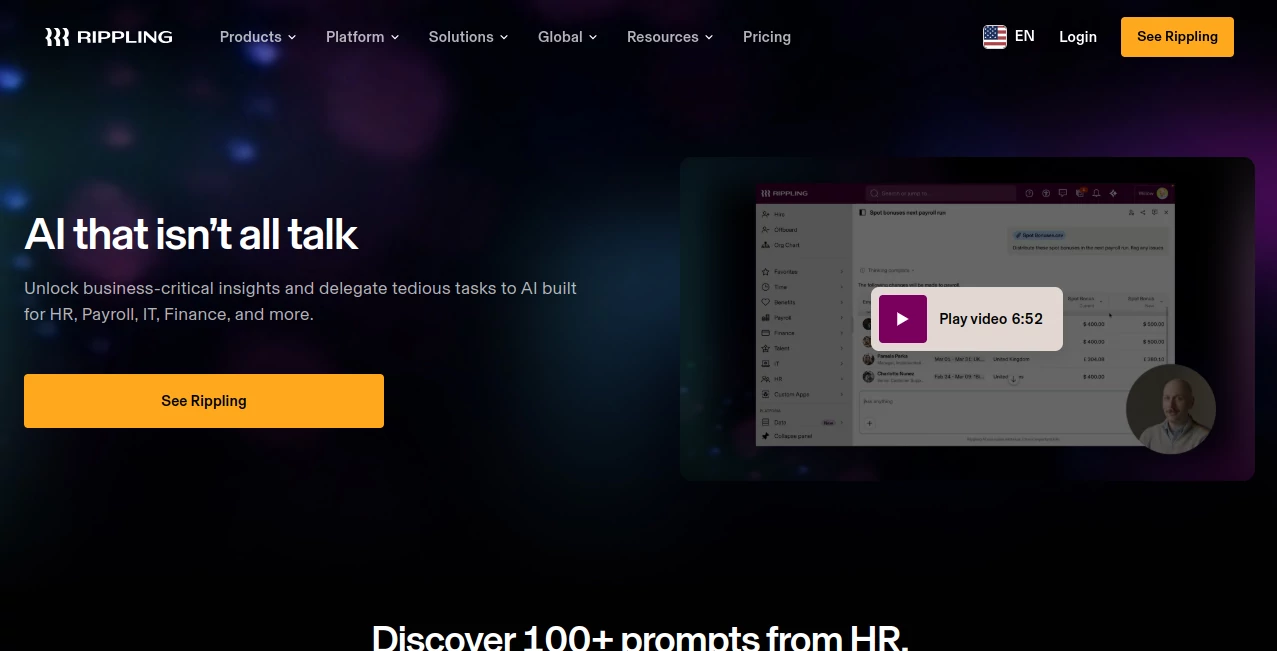
What is Rippling AI?
Modern businesses generate enormous amounts of employee, payroll, finance, and IT data every day. Turning that information into useful decisions often requires hours of reporting, manual analysis, and repetitive administrative work. This platform changes that experience by bringing artificial intelligence directly into everyday business operations.
Instead of acting like a simple chatbot, it understands live organizational data and helps users discover insights, automate repetitive tasks, and complete complex workflows with confidence. Whether a company wants to answer HR questions, manage payroll adjustments, analyze hiring trends, or simplify IT administration, the assistant delivers meaningful results without forcing users to switch between multiple systems.
What makes this solution particularly impressive is its practical approach. Rather than producing generic responses, it works with verified company data, references original records, and requires human approval before performing important actions. The result is an AI assistant that feels reliable enough for real business operations while remaining easy for employees to use.
Key Features
User Interface
The interface is designed for everyday business users instead of technical specialists. Employees can ask questions using natural language, generate reports with simple prompts, and navigate complex business information without learning complicated reporting tools. Dashboards remain clean, organized, and easy to understand, making adoption much faster across different departments.
Accuracy & Performance
Accuracy is one of the strongest aspects of the platform. Responses are generated from live company records rather than outdated exports or disconnected databases. Every answer can reference its underlying source, allowing users to verify numbers, employee records, payroll information, and business insights before taking action. This transparency helps build confidence when making operational decisions.
Capabilities
- Natural language business search.
- Automatic report generation.
- HR and payroll assistance.
- Finance data analysis.
- IT workflow automation.
- Employee self-service support.
- Bulk data updates.
- Workflow execution with approval.
- Real-time business insights.
- Interactive charts and visual reports.
- Recruiting and hiring analysis.
- Permission-aware data access.
Security & Privacy
Security is deeply integrated into every interaction. Access permissions automatically follow existing organizational roles, preventing employees from viewing information they are not authorized to access. Sensitive actions always require explicit human approval before execution, while customer data is handled under established privacy standards without being used to train public AI models. This makes the platform suitable for organizations that manage confidential workforce and financial information.
Use Cases
- Answer employee questions about payroll, benefits, and company policies.
- Create executive reports within minutes.
- Analyze hiring pipelines and recruiting performance.
- Detect payroll anomalies before processing.
- Automate onboarding and offboarding workflows.
- Standardize employee records in bulk.
- Generate business charts from live operational data.
- Monitor workforce costs across departments.
- Support IT administrators with user and application management.
- Reduce repetitive administrative tasks across HR, Finance, and IT teams.
Pros and Cons
Pros
- Uses live organizational data for accurate responses.
- Provides source references for verification.
- Excellent integration across HR, Finance, Payroll, and IT.
- Simple natural language interaction.
- Strong enterprise security controls.
- Approval workflow prevents accidental changes.
- Reduces manual reporting significantly.
Cons
- Best suited for organizations already using the broader business platform.
- Pricing requires contacting the sales team.
- Smaller businesses may not need every enterprise feature.
- Some advanced capabilities depend on connected company data.
Pricing Plans
Public pricing is not available. Organizations typically receive customized pricing based on company size, selected products, and deployment requirements. Interested businesses can request a personalized demonstration and quotation from the sales team.
How to Use Rippling AI
After enabling AI features within your organization's workspace, employees can begin asking business questions using natural language. Connect the required HR, Payroll, Finance, and IT data sources, then request reports, insights, or workflow actions through conversational prompts. Review generated results, verify linked records, approve suggested actions when necessary, and share reports with teammates for faster decision-making.
Comparison with Similar Tools
Many AI assistants focus on content generation or general productivity, while enterprise automation platforms often require technical knowledge to build reports and workflows. This solution stands apart by combining conversational AI with live operational data, allowing users to ask complex business questions without writing queries or building dashboards manually.
Another advantage is its ability to operate within existing permission structures. Rather than exposing sensitive information, every response respects organizational access controls, making it suitable for enterprise environments where compliance and security are critical.
Conclusion
Businesses looking for more than a conversational chatbot will appreciate the practical value this platform delivers. It transforms scattered operational data into useful business intelligence while simplifying routine administrative work across multiple departments. The combination of trustworthy answers, workflow automation, enterprise-grade security, and intuitive usability creates an experience that genuinely improves day-to-day operations instead of adding another standalone AI tool.
Frequently Asked Questions (FAQ)
Is it suitable for small businesses?
Yes, although organizations managing multiple departments and larger workforces will benefit the most from its integrated capabilities.
Can employees access confidential company information?
No. Every response follows existing permission settings, ensuring users only see information they are authorized to access.
Does it automate business tasks?
Yes. It can prepare workflow actions, automate administrative processes, and assist with repetitive operational tasks while requiring approval before execution.
Can it generate business reports?
Yes. Users can create detailed reports, charts, and operational insights simply by asking questions in natural language.
AI Team Collaboration , AI Productivity Tools , AI Business Ideas Generator , AI Workflow Management .
These classifications represent its core capabilities and areas of application. For related tools, explore the linked categories above.
Rippling AI details
Website unavailable — View Alternatives
Pricing
- Free
Apps
- Web App
- iOS App
- Android App
Categories

Rippling AI Alternatives Product

GPT Image 2 …

Techvorizon …

Miro

GetVivix

Lynote

Airtable AI …

Meet-Ting

YouTube Thum…

Syncity AI