
















GPT Image 2 AI Image Generator
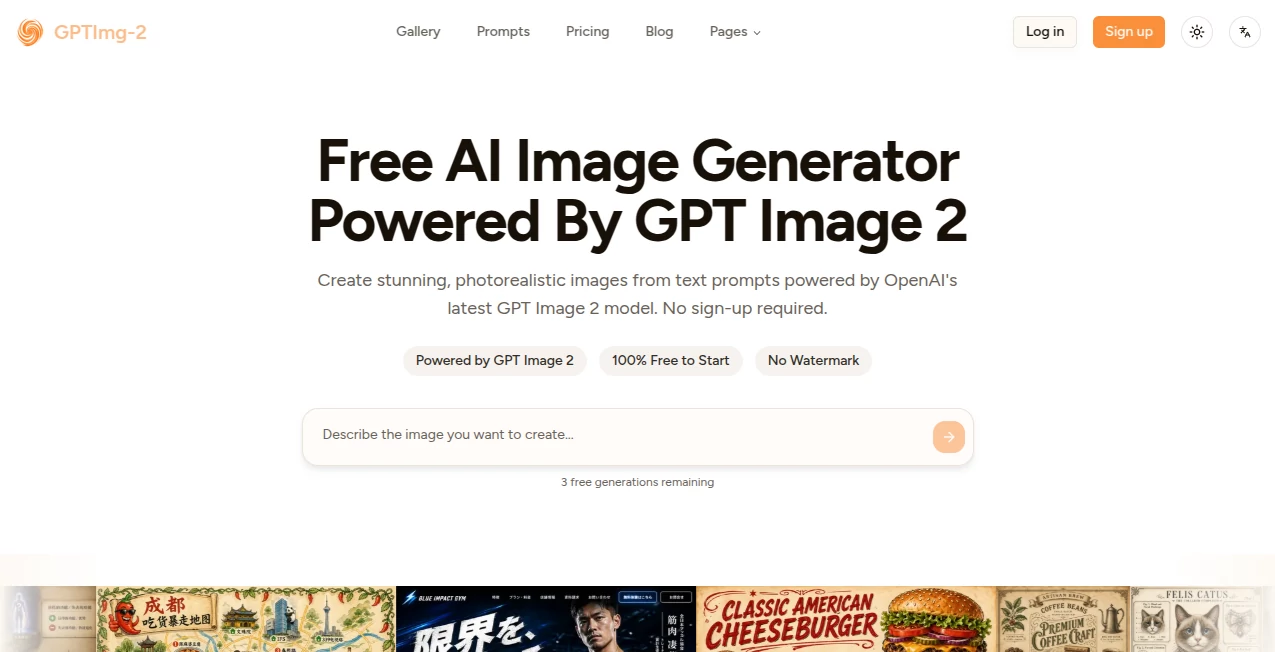
What is GPT Image 2 AI Image Generator?
Let's be honest for a second: most AI image generators out there are fun to play with, but when you actually need something for real work? They fall apart. The text comes out looking like scrambled eggs, the hands look weird, and you spend more time fixing things than if you'd just opened Photoshop yourself.
That's exactly why something like this one feels different. From the moment you start using it, you realize it was built by people who actually understand what creators, marketers, and small business owners need. No more wrestling with clunky interfaces or crossing your fingers hoping the generated image won't embarrass you in front of your clients.
What makes this platform stand out is how it handles the stuff that actually matters. Text that's actually readable? Check. Brand colors that stay consistent? You got it. Images that don't scream "I was made by a robot"? Absolutely. Whether you're whipping up social media graphics at 2 AM or putting together a serious presentation for work tomorrow, this tool just works.
Key Features
This isn't one of those tools that promises the moon and delivers a handful of gravel. The feature set here is genuinely impressive, and more importantly, each feature actually serves a purpose in your daily workflow.
User Interface
You know that feeling when you open a new app and immediately feel lost? Yeah, that doesn't happen here. The dashboard is clean, intuitive, and doesn't try to show you everything at once. You've got your prompt box front and center, your settings tucked away but easily accessible, and your generated images right where you expect them to be.
I particularly like how they've organized the model selection. You can choose between different AI models depending on what you're trying to create, which is something most tools hide behind confusing terminology. Here, it's straightforward. Need something quick? Pick the fast option. Working on something that needs to be perfect? Take your time with the high-quality setting.
The whole experience feels snappy too. Images generate in seconds, not minutes, and you're not left staring at a loading spinner wondering if the server crashed. It's the little things like that which make you want to come back.
Accuracy & Performance
Here's where things get interesting. Most AI image generators treat your prompt like loose suggestions. You ask for "a red car on a rainy street" and get "a blue bicycle in a desert." Frustrating, right?
This platform actually listens to what you're saying. The prompt adherence is seriously good, and I'm not just saying that. When you specify something, it shows up in the final image. Want a specific lighting setup? Done. Need a particular camera angle? No problem. Ask for text to appear somewhere specific? It'll be there, and it'll actually be readable.
The text rendering deserves special mention because this is where most AI tools completely drop the ball. We're talking about clean, crisp text that looks like it belongs there. Menus, posters, social media graphics with headlines, even UI mockups with small button text—all of it comes out looking professional. No weird characters, no jumbled letters, no embarrassing typos that weren't even in your original prompt.
Capabilities
What can you actually make with this? Pretty much anything, honestly. Text-to-image is the obvious one—type what you want, and it appears. But the real magic happens when you start using the image-to-image features.
Upload a reference photo, and the tool can generate variations while keeping the core subject intact. This is huge for e-commerce. Imagine having one product photo and being able to generate lifestyle shots in different settings without paying for another photoshoot. That's exactly what this enables.
The multi-aspect ratio generation is another standout feature. Give it one prompt, and it can spit out versions formatted for Instagram (square), TikTok (vertical), YouTube thumbnails (widescreen), and more. All visually consistent with each other. For content creators juggling multiple platforms, this alone saves hours of manual work each week.
And yes, it handles high-resolution output too. We're talking up to 4K in some cases, which means you can actually use these images for print materials, not just screen-based stuff. Posters, flyers, brochures—all totally doable.
Security & Privacy
Nobody wants their work-in-progress images floating around the internet before they're ready to share them. The team behind this platform seems to understand that. Your prompts and generated images stay private by default, and there's no watermarks plastered across your downloads either.
The platform uses standard SSL encryption, so your data is protected while it's moving between your computer and their servers. For anyone working with sensitive client materials or unreleased products, that peace of mind matters.
Use Cases
Different people will find different reasons to love this tool, but here are some of the most common ways people are actually using it:
- Social media managers creating daily content across Instagram, TikTok, Facebook, and Twitter without hiring a full design team
- E-commerce store owners generating product mockups, lifestyle photos, and promotional graphics that actually convert
- Marketing teams producing ad creatives, landing page visuals, and email campaign graphics at scale
- Small business owners making menus, flyers, posters, and signage without paying a graphic designer
- Content creators whipping up YouTube thumbnails, blog headers, and Pinterest pins that stop the scroll
- UI/UX designers prototyping interfaces, creating mockups, and visualizing concepts before coding begins
- Teachers and educators making classroom materials, presentation slides, and visual aids that actually engage students
- Game developers generating concept art, character designs, and environment assets during pre-production
One freelancer I talked to mentioned she used to spend about two hours per client project hunting for stock photos that kind of fit what she needed. Now she generates exactly what she wants in about ten minutes. That's not a small improvement—that's a complete workflow transformation.
Pros and Cons
Let's keep it real. Every tool has its strengths and weaknesses, and being honest about them helps you decide if this is the right fit for your situation.
What works really well:
- Text rendering that's actually usable for professional work
- Multiple AI models to choose from depending on your needs
- Free tier available with no credit card required, which means you can test drive it without any risk
- Fast generation speeds that don't test your patience
- No watermarks on any downloads, even on the free plan
- High resolution output up to 4K for print-ready materials
- Image editing capabilities that let you refine existing work instead of starting over
- Clean, intuitive interface that doesn't require a tutorial to understand
Where it could improve:
- Generation can be slower when using the highest quality settings (but honestly, that's somewhat expected)
- Some advanced editing features might require a few tries to get exactly right
- The free tier has limitations on how many images you can generate, which is fair but worth knowing
- Like any AI tool, it occasionally misinterprets very complex or abstract prompts
Pricing Plans
The pricing structure here is refreshingly straightforward. Unlike some platforms that hide their real costs behind confusing token systems or weird credit bundles, this one keeps things simple.
There's a free tier that lets you generate images without spending a dime. No credit card required, no weird "enter your billing info to start your free trial" games. Just sign up and start creating. This is perfect for testing things out or if you only need an occasional image now and then.
For heavier users, the paid plans kick in with more generous limits and faster generation times. The exact numbers might vary depending on when you sign up, but the general idea is that you pay for what you actually use rather than committing to an expensive monthly subscription you might not fully utilize.
Compared to hiring a designer or subscribing to expensive stock photo services, even the paid tiers are incredibly affordable. Most users find that generating their own custom images costs a fraction of what they were spending on stock photos alone, not even counting the time savings.
How to Use This Tool
Getting started takes about two minutes, and you won't need to watch any tutorial videos. Here's how it works:
Step one: Head to the website and create a free account. The process is quick and doesn't ask for payment information upfront.
Step two: Type your prompt into the text box. Be as specific or as general as you want, though more detail usually gets better results. Something like "a cozy coffee shop interior with warm lighting, wooden tables, and a chalkboard menu showing today's specials" will work better than just "coffee shop."
Step three: Choose your settings. Pick which AI model you want to use, select your aspect ratio, and decide on resolution. The default settings work fine for most people, but it's nice having options when you need them.
Step four: Hit generate and wait a few seconds. That's it. Your image will appear, and you can download it immediately with no watermarks.
Want to edit an existing image instead of starting from scratch? Upload your reference photo, tell the tool what you want to change, and let it work its magic. This is especially useful for generating multiple variations of the same basic concept.
Comparison with Similar Tools
You've probably heard of other AI image generators out there. Midjourney makes beautiful artistic images but has a learning curve that feels like climbing Everest. DALL-E is impressive but struggles with text and consistent branding. Stable Diffusion gives you control but requires technical know-how that most business owners don't have.
This tool sits in a sweet spot between all of them. It's more user-friendly than Midjourney (no Discord servers to navigate, no weird command syntax to memorize). It handles text better than DALL-E. And it's far more approachable than running your own Stable Diffusion setup.
The multi-model approach is unique too. Instead of forcing you into one way of doing things, you can pick the model that best fits what you're trying to create. Need photorealism? There's a model for that. Want something more illustrative? Switch models. This flexibility isn't something you get with most competitors.
Where it really shines compared to free alternatives is reliability. Those "completely free" tools often have terrible image quality, watermarks everywhere, or suspicious privacy policies. This platform balances cost with quality in a way that actually makes sense for real work.
Conclusion
Look, AI image generators are everywhere right now. Everyone and their dog seems to be launching one. But most of them are built by engineers who think about technology first and users second. That's not what's happening here.
This platform feels like it was built by people who actually create things for a living. People who understand that text needs to be readable, that brand consistency matters, and that nobody has time to fight with confusing software. The free tier means you can try it without any risk, and the results speak for themselves.
For social media managers, small business owners, marketers, content creators, or really anyone who needs visuals on a regular basis, this tool will save you time and money. Probably a lot of both. The days of settling for "close enough" stock photos or spending hours in Photoshop are over if you don't want them to be.
Give it a shot. Worst case scenario, you're out five minutes of your time. Best case? You just found a tool that completely changes how you work.
Frequently Asked Questions (FAQ)
Do I need to enter a credit card to try the free version?
Nope. Sign up with an email address and start generating. No payment info required, no surprise charges later.
Can I use generated images for commercial projects?
Yes. Images you create can be used for personal or commercial purposes without any restrictions or hidden fees.
How long does it take to generate an image?
Usually between 5 and 15 seconds depending on the settings you choose and how busy the servers are. The higher quality settings take a bit longer, but nothing unreasonable.
Does the tool handle text in different languages?
It does. English works perfectly, and it handles other languages surprisingly well too. Just type your prompt in whatever language you need.
Can I edit an image after it's generated?
Absolutely. You can upload any image and ask the tool to modify specific elements while keeping the rest intact. It's great for making small tweaks without regenerating everything from scratch.
Is there a mobile app?
The web version works perfectly on mobile browsers, and there are talks about dedicated apps in the future. For now, just use it through your phone's browser.
What happens to my images after I generate them?
They stay private to your account unless you choose to share them. The platform doesn't claim any ownership or rights to what you create.