

















ScanMySaaS
What is ScanMySaaS?
Modern teams rely on dozens, sometimes hundreds, of cloud applications to run their daily operations. While this flexibility boosts productivity, it also creates a hidden challenge: lack of visibility. Many organizations lose track of what tools are being used, who has access, and whether sensitive data is properly secured.
This platform is designed to solve exactly that problem. It helps businesses discover, analyze, and manage their SaaS ecosystem in one unified place. Instead of guessing what tools are active across your organization, you get a clear, structured overview that supports smarter decisions and stronger security practices.
It is especially useful for IT teams, security professionals, and operations managers who want to reduce SaaS sprawl, improve compliance, and eliminate unnecessary costs.
Key Features
User Interface
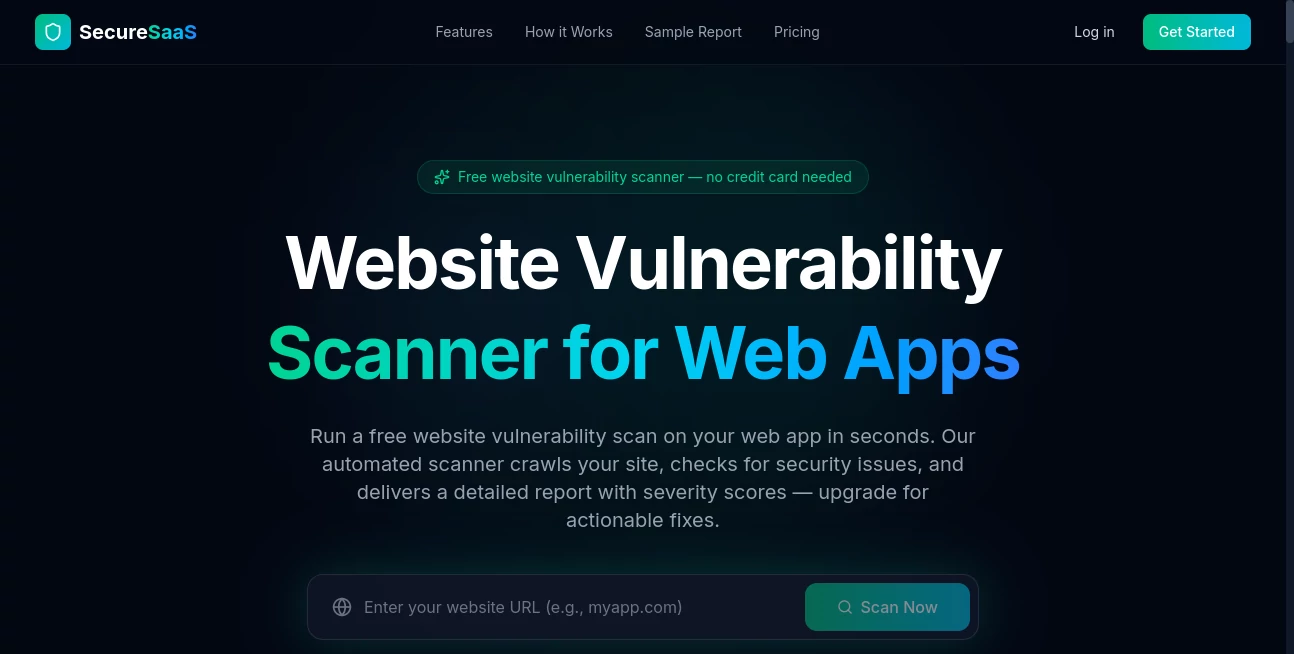
The interface is clean, minimal, and designed with clarity in mind. Even users without technical backgrounds can navigate dashboards easily, explore connected applications, and understand usage patterns without confusion. Everything is organized into digestible insights rather than overwhelming raw data.
Accuracy & Performance
The system is built to continuously scan and identify SaaS tools used across an organization. It provides near real-time insights into application usage, helping teams quickly detect unused subscriptions, duplicate tools, or unauthorized software. Performance remains stable even in environments with large and complex SaaS ecosystems.
Capabilities
This platform goes beyond simple tracking. It categorizes applications, highlights security risks, and helps organizations understand spending inefficiencies. It can also assist in identifying shadow IT—tools used without official approval—which is a growing concern in modern workplaces.
- Automated SaaS discovery across teams
- Usage tracking and analytics
- Shadow IT detection
- Cost optimization insights
- Security and compliance visibility
Security & Privacy
Security is a core focus. The platform is designed to operate with strict data protection principles, ensuring sensitive organizational information is handled securely. It emphasizes safe scanning methods and controlled access so teams can confidently manage their SaaS environment without exposing internal data.
Use Cases
- IT teams managing large SaaS environments
- Security departments monitoring shadow IT risks
- Finance teams optimizing software spending
- Startups scaling their tool stack efficiently
- Enterprises improving compliance and audit readiness
Pros and Cons
Pros:
- Provides clear visibility into SaaS usage across organizations
- Helps reduce unnecessary software costs
- Improves security by detecting unknown applications
- User-friendly dashboard suitable for non-technical users
- Scales well for growing teams
Cons:
- May require time to fully integrate across all systems
- Advanced insights may depend on data coverage
- Best value is achieved in mid-to-large organizations
Pricing Plans
The platform typically follows a flexible pricing model designed for different business sizes. Smaller teams may start with basic monitoring features, while larger organizations can unlock advanced analytics, security insights, and deeper integrations.
Most plans are structured to scale with usage, making it suitable for both startups and enterprise environments. A trial or demo option is often available for teams that want to evaluate its capabilities before committing.
How to Use ScanMySaaS
Getting started is straightforward. After setting up an account, users connect their organization’s SaaS environment. The system then begins scanning and mapping all active applications.
Once the scan is complete, a dashboard is generated showing all detected tools, categorized by usage, department, and risk level. From there, users can explore insights, identify redundancies, and take action such as removing unused subscriptions or securing vulnerable applications.
Comparison with Similar Tools
Compared to traditional SaaS management platforms, this solution focuses heavily on discovery and visibility. While some tools emphasize procurement or IT service management, this platform prioritizes real-time understanding of what is actually being used across the organization.
It stands out for its simplicity and fast deployment. Many enterprise tools in this category can feel overly complex, whereas this system keeps the experience focused and actionable without unnecessary complexity.
Conclusion
In a world where every team relies on dozens of cloud applications, having control over your SaaS ecosystem is no longer optional. This platform provides a practical and efficient way to regain visibility, reduce unnecessary costs, and strengthen security across your organization.
For teams struggling with SaaS sprawl or shadow IT, it offers a clear path toward better governance and smarter software management decisions.
Frequently Asked Questions (FAQ)
What does this platform do?
It helps organizations discover, track, and manage all SaaS applications used across their teams.
Is it suitable for small businesses?
Yes, but it provides the most value in growing teams and larger organizations with multiple tools in use.
Does it improve security?
Yes, by identifying unknown applications and providing visibility into potential risks within your SaaS environment.
Can it reduce software costs?
Absolutely. It highlights unused or duplicate tools, helping teams eliminate unnecessary subscriptions.
Is technical knowledge required?
No, the interface is designed to be user-friendly and accessible for both technical and non-technical users.
AI DevOps Assistant , AI Monitor & Report Builder , AI Log Management , AI Research Tool .
These classifications represent its core capabilities and areas of application. For related tools, explore the linked categories above.

ScanMySaaS Alternatives Product

ttanonviewer
MacroMicro

Greek Numero…
Elicit

PatentFig AI

Kimi K2.5
RankPeak
Surmado

Kimi K2.5
