


















Screen Journal
What is Screen Journal?
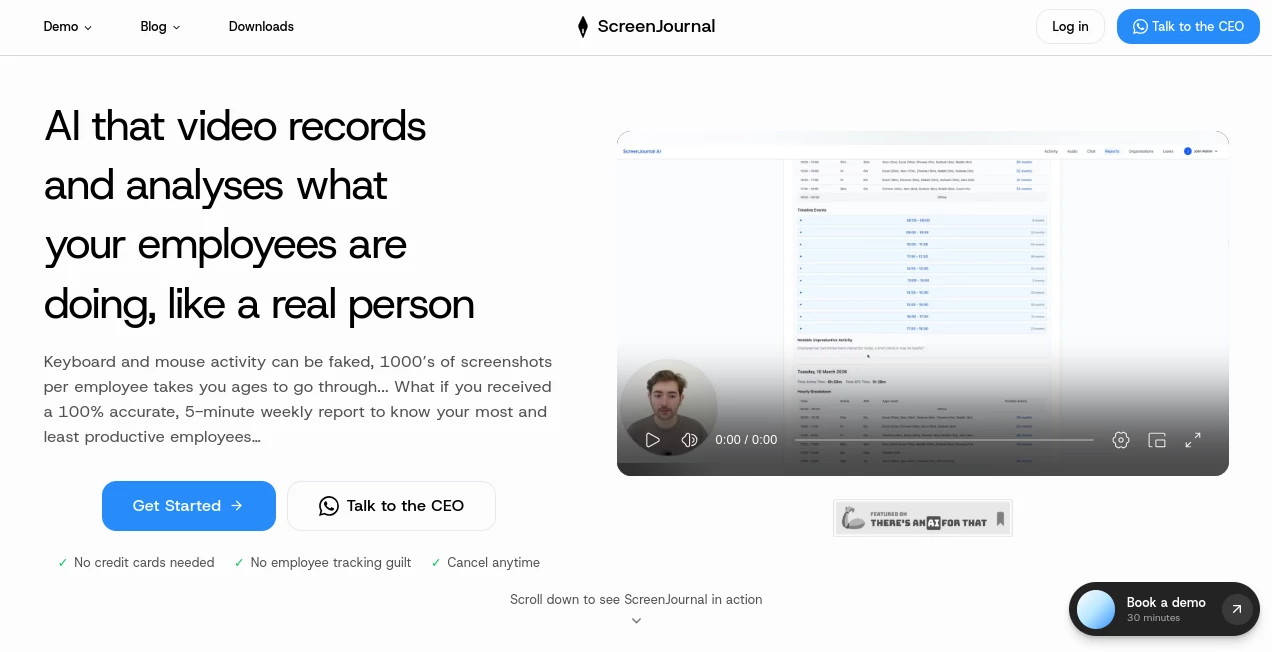
In a world where most of our time is spent in front of screens, keeping track of what we actually do has become surprisingly difficult. This tool is designed to bridge that gap by helping users turn everyday digital activity into structured, meaningful journal entries. Instead of manually writing down tasks, thoughts, or progress, everything is captured and organized in a natural, effortless way.
What makes it especially appealing is its ability to blend productivity tracking with reflective journaling. It doesn’t just record activity—it helps you understand patterns, improve focus, and build better digital habits over time.
Key Features
User Interface
The interface is clean, minimal, and intentionally distraction-free. Users can quickly navigate between captured entries, summaries, and insights without feeling overwhelmed. Everything is designed to support fast access and smooth daily use.
Accuracy & Performance
The system focuses on capturing relevant screen activity and converting it into structured notes with high reliability. It reduces noise and emphasizes meaningful actions, ensuring that users receive useful summaries rather than raw, unfiltered data.
Capabilities
- Automatic activity logging from screen usage
- Smart journaling based on digital behavior
- Daily and weekly productivity summaries
- Insight generation for time usage patterns
- Organized timeline of tasks and actions
Security & Privacy
Privacy is a core consideration. Data handling is designed with user control in mind, ensuring that sensitive information remains protected. Users can manage what gets recorded and how it is stored, making the experience transparent and trustworthy.
Use Cases
- Professionals tracking daily productivity and work habits
- Writers and creators analyzing workflow efficiency
- Students monitoring study time and focus patterns
- Teams reviewing digital activity for better collaboration
Pros and Cons
Pros:
- Automatically captures digital activity without manual effort
- Helps improve productivity through behavioral insights
- Simple and intuitive user experience
- Useful for both personal and professional tracking
Cons:
- May require adjustment period for new users
- Advanced insights may depend on consistent usage
- Not ideal for users who prefer fully manual journaling
Pricing Plans
The pricing structure is typically designed to accommodate different user needs, ranging from basic access for individuals to more advanced plans for professionals or teams. Each tier generally unlocks additional features such as deeper analytics, extended history, or enhanced customization options.
How to Use this Tool
Getting started is straightforward. After setting up an account, users can enable screen tracking and begin their normal workflow. The system automatically starts organizing activity into structured journal entries. Over time, users can review insights, adjust preferences, and refine how their data is interpreted.
The real value appears after consistent use, when patterns in productivity and focus become clearly visible through generated summaries and timelines.
Comparison with Similar Tools
Compared to traditional productivity trackers or manual journaling apps, this solution offers a more automated and insight-driven experience. While many tools require constant input from the user, this approach reduces friction by capturing activity passively and transforming it into meaningful summaries.
Unlike basic screen recorders, it focuses less on raw recording and more on interpretation and reflection, making it more suitable for users who want to understand their behavior rather than just log it.
Conclusion
For anyone looking to gain better control over their digital habits, this tool offers a refreshing approach. It combines automation, journaling, and productivity insights in a way that feels natural rather than intrusive. Instead of just showing what you did, it helps you understand how you work—and how you can improve.
Frequently Asked Questions (FAQ)
Is it difficult to set up?
No, setup is designed to be quick and beginner-friendly, requiring only basic configuration before use.
Does it slow down the computer?
It is optimized to run efficiently in the background with minimal system impact.
Can I control what is recorded?
Yes, users have control over what data is captured and how it is used.
Who is this tool best for?
It is ideal for professionals, students, and anyone who wants better visibility into their digital habits and productivity patterns.
Is my data private?
Privacy is prioritized, and users are given control over their stored information and activity logs.
AI Blog Writer , AI Content Generator , Text & Writing , AI Writing Assistants .
These classifications represent its core capabilities and areas of application. For related tools, explore the linked categories above.

Screen Journal Alternatives Product

PromptZerk

Harvey

Dolphinscribe

PromptFix

Prompt Sloth

Resyfy AI

markdown to …

Automateed

Lutains
