


















SearchQ
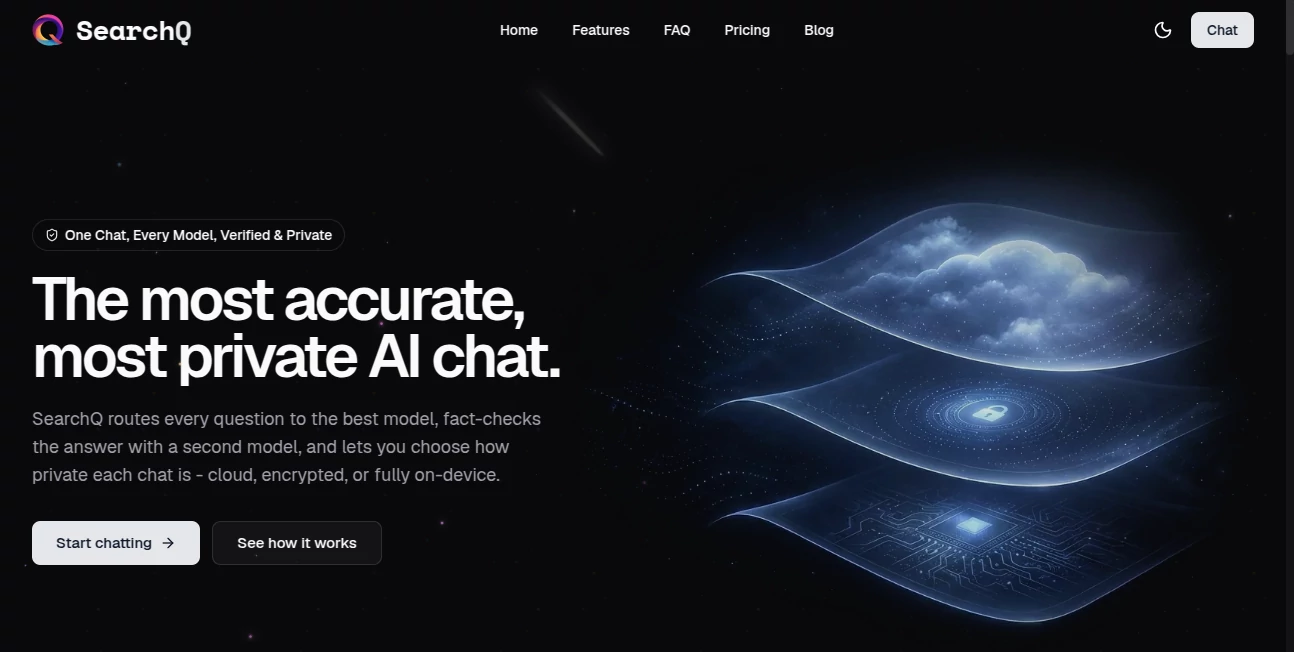
What is SearchQ?
Finding reliable AI answers often means switching between different language models, comparing responses, and wondering which one is actually correct. This platform removes that complexity by automatically selecting the most suitable AI model for every request while verifying responses with an additional model before presenting the final answer. The result is a smoother, more trustworthy AI experience designed for everyday users as well as professionals.
What truly sets this solution apart is its strong commitment to privacy. Instead of offering a one-size-fits-all approach, it allows users to choose how private each conversation should be. Whether someone prefers cloud synchronization, encrypted processing, or fully local execution, every conversation can be handled according to individual privacy needs. Combined with support for more than one hundred leading AI models, document analysis, voice interaction, and web citations, it creates an intelligent workspace where speed, accuracy, and confidentiality work together seamlessly.
Key Features
User Interface
The interface is intentionally clean and distraction-free. Conversations feel familiar to anyone who has used a modern AI chatbot, while advanced capabilities remain easily accessible without overwhelming new users. Privacy settings, model routing, document uploads, and voice interaction are organized in a way that keeps the workflow simple and efficient.
Accuracy & Performance
Instead of relying on a single AI engine, every question is automatically routed to the model that is most likely to generate the strongest response. The answer is then cross-checked using another model, helping reduce mistakes and increasing confidence in the final result. When web information is required, responses include source citations so users can verify important claims themselves.
Capabilities
- Automatic AI model selection for every query.
- Answer verification using multiple AI models.
- Support for more than 100 frontier AI models.
- Document analysis for PDFs, images, and files.
- OCR support for extracting information from uploaded documents.
- Voice conversations with speech recognition.
- Web search with cited sources.
- Cloud, encrypted, and fully local conversation modes.
- Incognito sessions that automatically disappear after use.
- Cross-device synchronization for cloud conversations.
Security & Privacy
Privacy is one of the strongest aspects of this platform. Conversations are not used to train AI models, and users can select different privacy levels depending on the sensitivity of their work. Sensitive sessions can use zero data retention, while local mode processes requests directly on the user's device without uploading content. For professionals handling confidential documents or business information, this flexibility offers a significant advantage.
Use Cases
- Researching complex topics with verified AI responses.
- Summarizing business documents and reports.
- Analyzing PDFs and scanned files.
- Creating accurate technical explanations.
- Learning new subjects with cited information.
- Private conversations involving confidential business data.
- Voice-based productivity and hands-free interaction.
- Comparing responses from multiple AI models automatically.
Pros and Cons
Pros
- Automatically selects the most appropriate AI model.
- Verifies answers before presenting them.
- Excellent privacy controls with multiple security options.
- Supports over 100 leading AI models.
- Document analysis and OCR capabilities.
- Voice interaction with local processing options.
- Simple and intuitive interface.
Cons
- Advanced features require a paid subscription.
- Free plan includes daily usage limits.
- Some premium AI models are only available on higher plans.
Pricing Plans
- Free: Limited daily messages with access to standard models and core features.
- Plus: Premium AI models, higher usage limits, and early feature access.
- Pro: Designed for heavy daily users with significantly expanded limits.
- Max: Highest usage limits and priority access to the newest capabilities.
How to Use SearchQ
Create an account and begin a new conversation. Enter your question, upload a document, or start speaking using voice mode. The platform automatically selects the most suitable AI model, validates the response, and delivers a verified answer. Users can adjust privacy preferences before each conversation, choosing between cloud synchronization, encrypted processing, or fully local execution based on the sensitivity of their information.
Comparison with Similar Tools
Unlike traditional AI chat platforms that depend on a single language model, this solution intelligently routes every request to the most suitable model before validating the response through an additional AI system. The flexible privacy controls also distinguish it from many competitors by allowing users to balance convenience and confidentiality according to each conversation. The combination of multi-model intelligence, verification, document understanding, and privacy-focused architecture makes it especially attractive for professionals who prioritize trustworthy AI assistance.
Conclusion
This platform delivers much more than a standard AI chatbot. It combines multiple state-of-the-art language models, automated answer verification, document understanding, voice interaction, and industry-leading privacy options into one streamlined experience. Whether the goal is conducting research, improving productivity, or handling confidential information securely, it provides an intelligent and dependable environment that reduces uncertainty while making advanced AI more accessible.
Frequently Asked Questions (FAQ)
Does it use multiple AI models?
Yes. Questions are automatically routed to the most appropriate AI model and verified by an additional model to improve response quality.
Can uploaded documents be analyzed?
Yes. Users can upload PDFs, images, and other files for analysis, including OCR support for scanned documents.
Is conversation data used for AI training?
No. Conversations are not used to train AI models, and privacy-focused modes provide additional protection for sensitive information.
Does it support voice interaction?
Yes. Users can interact through voice, and local processing options help keep audio private when needed.
Is there a free version?
Yes. A free plan is available with limited daily usage, while paid subscriptions unlock premium AI models and higher usage limits.
AI Productivity Tools , AI Research Tool , Large Language Models (LLMs) , AI Chatbot .
These classifications represent its core capabilities and areas of application. For related tools, explore the linked categories above.

SearchQ Alternatives Product

BetterAntisp…

Skillselion

Ryne AI

Embedful

Standard Com…

gpt-plus.ai

Grow Creator

PolyBuzz

Dewy Chat
