SEO Spider Crawler
What is SEO Spider Crawler?
Running a website without knowing exactly what’s going on under the hood is like driving with your eyes closed. This tool changes that. It quietly crawls your entire site, spots technical issues, uncovers optimization opportunities, and gives you clear, actionable data that actually makes sense. I’ve watched site owners go from guessing why their traffic was flat to fixing real problems in a single afternoon. It’s not overwhelming like some enterprise tools, but it’s thorough enough that you feel genuinely in control of your SEO health.
Introduction
Most website owners know they should do regular SEO audits, but the tools available are either too basic or way too complicated. This SEO Spider Crawler hits that sweet spot: powerful enough for serious analysis, approachable enough for solo entrepreneurs and small teams. You enter your domain, choose a few settings, and it starts mapping every page, link, image, and meta tag. The result is a comprehensive picture of how search engines see your site — and more importantly, how you can make it better. It’s become a regular part of many people’s workflow because it turns vague worries into concrete next steps.
Key Features
User Interface
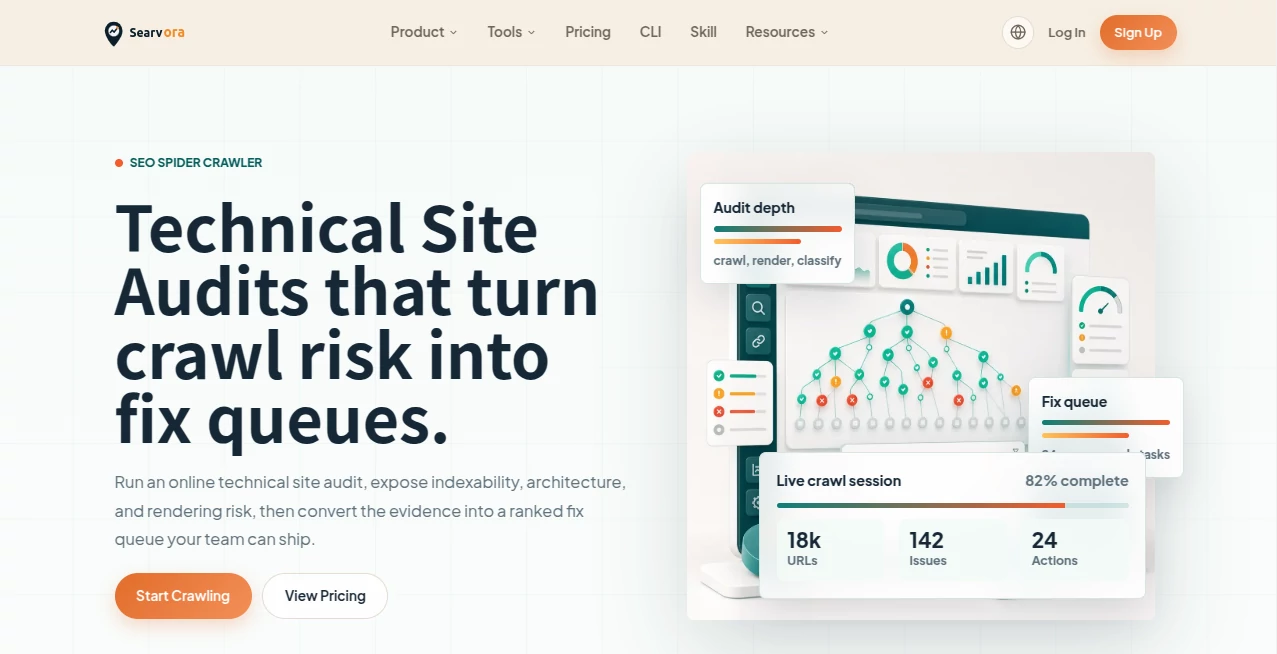
The dashboard is clean and focused. You start by entering your URL, set crawl limits if needed, and hit go. Progress is shown clearly with real-time updates, and once finished, everything is organized into logical tabs: Pages, Issues, Links, Images, and more. Color-coded severity levels make it easy to see what needs immediate attention versus what’s just nice-to-fix. No steep learning curve — even if you’re not a technical SEO expert, you can navigate it comfortably.
Accuracy & Performance
It crawls thoroughly and respects your site’s robots.txt and crawl speed settings, so you’re never risking penalties. The data it returns is precise — broken links, duplicate content, missing meta tags, thin pages, and slow-loading resources are all flagged accurately. For larger sites, it handles thousands of pages without choking, and the export options (CSV, Excel) are clean and ready for further analysis. In real use, it catches things that manual checks or lighter tools often miss.
Capabilities
Beyond basic crawling, it analyzes on-page elements (titles, meta descriptions, headings), internal and external linking structure, image optimization, canonical tags, hreflang for international sites, and even JavaScript-rendered content. You can set custom filters, exclude sections, and compare crawls over time to track improvements. It’s especially strong at highlighting opportunities you didn’t know existed — like pages that are technically fine but SEO-weak.
Security & Privacy
Your site data stays private during the crawl. No unnecessary information is stored beyond what’s needed for the report, and you control when reports are generated and exported. For agencies and businesses handling client sites, this respectful approach builds confidence that sensitive information isn’t being mishandled.
Use Cases
A blogger runs a monthly crawl and discovers several thin pages dragging down performance — fixes them and sees organic traffic recover. An e-commerce store owner finds hundreds of broken image links after a redesign and cleans them up before customers notice. A marketing agency uses it for client audits, delivering professional reports that demonstrate clear value. Even solo freelancers use it to make sure their own portfolio sites stay in top shape. It’s flexible enough for one-off checks or ongoing monitoring.
Pros and Cons
Pros:
- Thorough yet easy to use — great balance for non-experts and pros alike.
- Fast crawling with accurate, actionable insights.
- Helpful visualizations and export options save even more time.
- Respects site speed and robots.txt — safe to run regularly.
Cons:
- Very large enterprise sites may need the higher-tier plans for full depth.
- Some advanced JavaScript-heavy sites still need manual spot-checking.
Pricing Plans
It starts with a generous free plan that’s actually useful for smaller sites and regular checks. Paid tiers unlock deeper crawls, more frequent runs, advanced reporting, and priority support. Pricing feels fair — many users say the time saved on manual audits more than covers the cost within the first month.
How to Use SEO Spider Crawler
Enter your domain, adjust crawl settings if you want (depth, speed, exclusions), and start the crawl. While it runs, you can watch real-time stats. Once complete, explore the different sections, filter issues by severity, and export any data you need. Make changes on your site, then run another crawl to see improvements. Many people set up a recurring monthly audit to stay on top of their SEO health.
Comparison with Similar Tools
Some crawlers are either too lightweight (missing important issues) or overly complex and expensive. This one delivers professional-grade analysis at a more approachable level. It’s less intimidating than heavy enterprise solutions while still providing the depth serious site owners need. The clean interface and practical focus make it a favorite for those who want results without the hassle.
Conclusion
Good SEO starts with knowing where you stand. This SEO Spider Crawler gives you that knowledge clearly, quickly, and affordably. It turns technical website maintenance from a dreaded chore into a manageable, even satisfying process. Whether you run one site or many, having reliable visibility into how your website performs from a search engine’s perspective is incredibly valuable. It’s the kind of tool that quietly helps you stay ahead instead of scrambling to catch up.
Frequently Asked Questions (FAQ)
How long does a typical crawl take?
For most sites under 5,000 pages, it finishes in minutes. Larger sites take longer but are well handled on paid plans.
Do I need technical knowledge to use it?
Not really. The reports are explained in plain language, though power users still get the depth they need.
Can I schedule regular crawls?
Yes, paid plans allow automated recurring crawls and notifications.
Is it safe for my website?
Absolutely. It respects robots.txt, crawl delays, and doesn’t overload servers.
AI SEO Assistant , AI Research Tool , AI Analytics Assistant .
These classifications represent its core capabilities and areas of application. For related tools, explore the linked categories above.
SEO Spider Crawler details
Website unavailable — View Alternatives
Pricing
- Free
Apps
- Web App
Categories

SEO Spider Crawler Alternatives Product

SupaTraffic

CheckAEO

Needle

Grow Creator

Pinpoint Ans…

Serplux

Arobis AI Vi…

Friendify

Liftburst