Seele AI
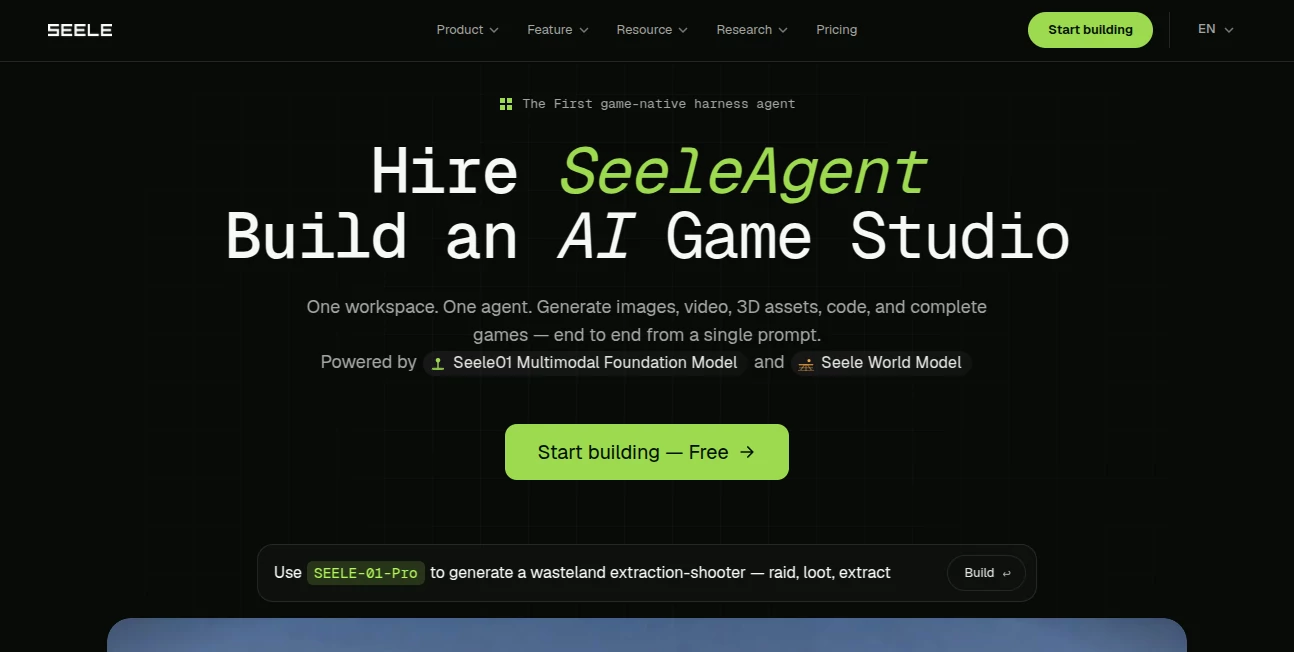
What is Seele AI?
Let’s be honest for a second. Have you ever had a crazy idea for a game—like a cyberpunk parkour level or a magical floating forest—but felt completely stuck because you don’t know how to code or build 3D models? I’ve been there. It’s frustrating. The good news? Those days are officially over. There’s a new platform that completely rewrites the rules. You don’t open a manual. You don’t wrestle with complex engines. You just type what you want. And just like that, a living, breathing 3D world appears. It sounds like science fiction. But it’s real. And it’s changing how creators, storytellers, and even total beginners build interactive content.
Imagine sitting down with a cup of coffee, typing "a neon-lit racing track through a futuristic city at night," and within sixty seconds, you’re actually driving on it. That’s the magic here. This isn’t about generating a static image or a rough sketch. This is about generating a fully playable, fully interactive game environment that you can explore, share, and even monetize. It’s built for the dreamers. It’s built for you.
Key Features
What makes this platform stand out in a crowded sea of AI tools? It’s not just another text-to-code wrapper. It’s a purpose-built multimodal engine that understands 3D space, gameplay logic, and user intent on a deeper level. Let me walk you through what actually happens under the hood—and why it feels so different when you use it.
User Interface
You know that feeling when you open professional game development software and immediately want to close it? Yeah, we’ve all been there. The interface here takes the opposite approach. It’s minimal. Clean. Almost feels like a chat app. On one side, you have a simple text box. On the other, your game comes to life. There are no intimidating timelines, no confusing node graphs, no hidden menus that require a tutorial to understand. You type. The AI builds. You play. That’s the entire loop. It respects your time and your sanity.
Accuracy & Performance
Here’s where things get seriously impressive. Most AI generators give you something that looks okay in a screenshot but falls apart the moment you try to move around. This one doesn’t. Because it’s powered by a proprietary Multimodal LLM (MLLM) specifically trained on spatial coordinates, 3D models, and interactive logic, the results feel solid. Walls have collision. Characters move naturally. The environment reacts to you. Of course, complex spatial relationships can still be tricky—the team is actively pushing updates to improve this—but for 90% of creative ideas, the performance is shockingly good. You get production-ready output in about a minute. That’s not an exaggeration.
Capabilities
What can you actually build? More than you’d think. The platform supports real-time generation for both Three.js and Unity WebGL. That means you can export your projects to professional engines if you want to take them further. You can generate characters, scenes, interactive objects, lighting, sound effects, and gameplay mechanics—all from natural language. And here’s the cool part: it’s iterative. You don’t have to get everything right in one prompt. You build step by step. Adjust the mechanics. Refine the assets. Debug in real-time with the AI as your co-developer. It feels less like using a tool and more like collaborating with a hyper-talented teammate who never sleeps.
Security & Privacy
When you’re creating original worlds and characters, ownership matters. You’ll be glad to know that you retain full intellectual property rights to everything you generate. The platform also takes data protection seriously, with enterprise-grade encryption and clear usage policies. Whether you’re a solo creator or part of a larger studio, your work stays yours. No hidden clauses. No nasty surprises.
Use Cases
Who is this actually for? Let me give you a few real-world scenarios. A game designer might use it to prototype a new mechanic in minutes instead of weeks. A teacher could build an interactive historical scene for students to explore. A marketer might create a branded mini-game for a product launch. A YouTuber could generate unique gameplay footage without spending months learning development. Even absolute beginners—people who have never written a line of code—are building and publishing their own games. One user described creating a racing level during their lunch break. Another built a fantasy roleplaying scene just to test a story idea. The barrier to entry is gone. If you can describe it, you can build it.
Pros and Cons
No tool is perfect. Let’s be real about what works and what could be better.
Pros:
- Completely code-free. You don’t need any technical background.
- Incredibly fast. Most projects are playable in under 60 seconds.
- Supports Unity and Three.js exports for professional workflows.
- Over 100,000 creators are already using it. The community is growing fast.
- You own your creations. Full IP rights.
- Free credits to get started. No upfront commitment.
Cons:
- Complex 3D spatial logic can sometimes confuse the AI (but updates are coming).
- The free tier has limitations. Heavy usage may require a paid plan.
- It’s so easy to use that you might lose track of time just experimenting.
Pricing Plans
Right now, the platform offers a generous free tier when you sign up. You get credits to test the engine, build your first few projects, and see if it fits your creative style. For those who need more—whether you’re a serious indie developer or a studio cranking out multiple games—paid plans unlock higher usage limits, faster generation, and priority support. Specific pricing details are available on the official website. But here’s my advice: start with the free credits. You’ll probably be hooked before you run out.
How to Use SEELE AI
Getting started takes less time than making coffee. First, head to the website and create a free account. Once you’re in, you’ll see a simple text box. That’s your main control panel. Start with something small. Type something like “a green field with a tree and a blue sky.” Hit generate. In a few seconds, you’ll see your first 3D scene. Walk around. Look at the tree. Get a feel for it. Then, start adding details. Type “add a wooden fence around the field.” The AI updates the world in real-time. Want a character? “Place a friendly robot next to the tree.” Want gameplay? “Make the robot collectable when I touch it.” You can keep iterating as long as you want. When you’re happy with your creation, you can publish it instantly and share a link with anyone. That’s it. No publishing fees. No app store reviews. Just your idea, live on the web.
Comparison with Similar Tools
You might be wondering how this stacks up against other options. Traditional game engines like Unity or Godot are incredibly powerful—but they require months of learning. General-purpose AI coding tools like Claude Code can generate code snippets, but they don’t understand 3D space or game mechanics natively. Other AI 3D tools like Meshy focus on generating static models, not complete interactive worlds. This platform is different because it’s the first end-to-end multimodal system built specifically for games. It doesn’t just write code. It generates assets, arranges them in 3D space, adds logic, and produces something you can actually play. That’s a leap forward, not just an incremental improvement.
Conclusion
Look, I’ve tested a lot of AI tools. Most of them are interesting experiments that never quite deliver on their promise. This one is different. It feels like the first time I used a smartphone—suddenly, something that used to be complicated became simple. You don’t need to be a developer. You don’t need to understand 3D modeling. You just need an idea and a few words. The platform handles the rest. Whether you’re building a game for fun, prototyping a commercial project, or just exploring what’s possible, this tool will surprise you. The future of game creation isn’t about writing more code. It’s about describing your vision. And that future is already here. Go try it. Build something weird. Build something beautiful. You’ll be amazed at what comes out of your imagination.
Frequently Asked Questions (FAQ)
Do I need to know how to code?
Not at all. That’s the whole point. You just describe what you want in plain English. The AI handles everything else.
Can I really publish and monetize my games?
Yes. You own full IP rights to everything you create. You can publish them, sell them, or use them commercially however you like.
What engines does it support?
It currently generates real-time games for Three.js and Unity WebGL. You can export your projects for further development if needed.
How accurate is the 3D generation?
Very accurate for most standard scenes and mechanics. Complex spatial relationships can still be challenging, but the team is actively improving the model with regular updates.
Is there a free trial?
Yes. You get free credits when you sign up, which is more than enough to build your first few games and see if you love it. Spoiler: you probably will.
AI Game , AI 3D Model Generator , AI Content Generator , AI No-Code & Low-Code .
These classifications represent its core capabilities and areas of application. For related tools, explore the linked categories above.

Seele AI Alternatives Product

AI Story Gen…

BlogBuster

SAM 3D

PNG to 3D

LinkedIn Spe…

Normal Map G…

Analyse

Shutterstock

Noir Prompt