
SeeMotion AI
What is SeeMotion AI?
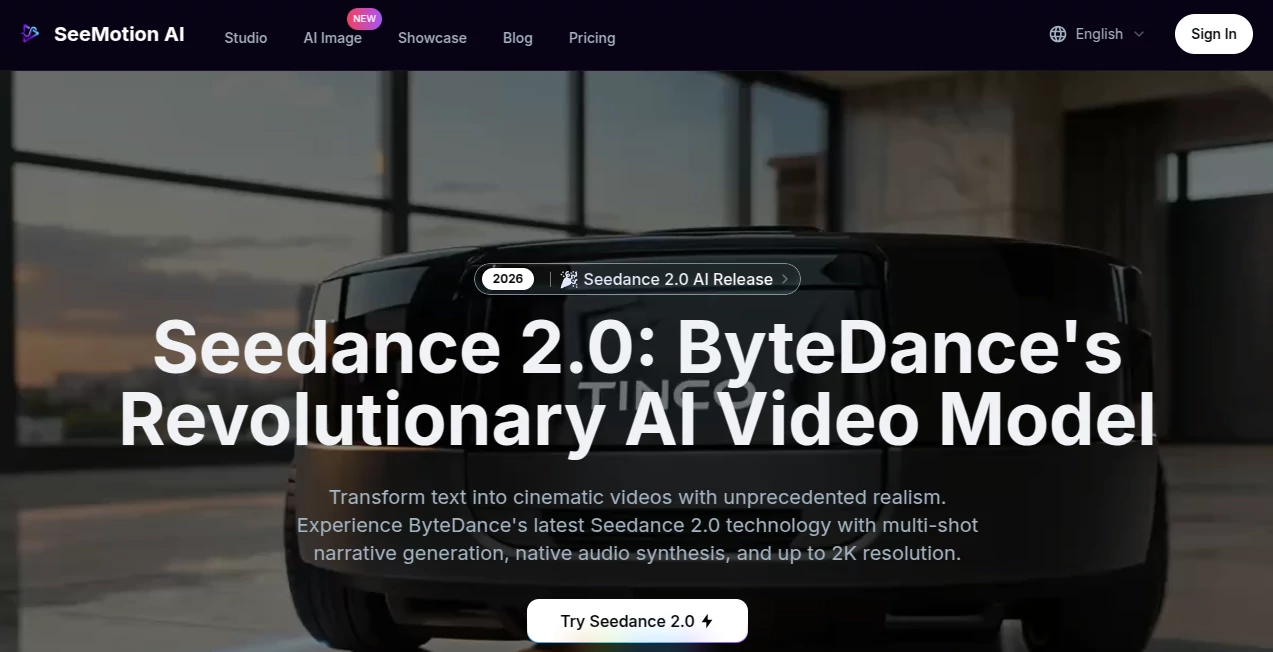
Creating professional-looking videos no longer requires expensive software or years of editing experience. This platform brings together several cutting-edge AI video generation models in one intuitive workspace, making it easy to transform simple text prompts or reference images into visually impressive videos. Whether you are producing marketing campaigns, storytelling content, product showcases, or social media clips, it provides an efficient workflow that dramatically reduces production time while maintaining creative freedom.
One of its strongest advantages is the ability to combine multiple generation technologies instead of relying on a single model. Users can experiment with different visual styles, refine outputs, and create cinematic scenes without constantly switching between separate applications. The result is a smoother creative experience for both beginners and experienced content creators.
From individual creators to marketing agencies and production teams, the platform is designed for anyone who wants high-quality AI-generated videos with greater control over motion, style, and visual consistency.
Key Features
User Interface
The interface is clean, modern, and easy to navigate. Users can enter prompts, upload reference images, select AI generation models, and manage projects without unnecessary complexity. The workflow feels natural even for first-time users, allowing ideas to move from concept to finished video in only a few steps.
Accuracy & Performance
Video generation is optimized to produce smooth animations, detailed visuals, and natural scene transitions. Support for advanced AI models helps deliver impressive image quality while maintaining consistency across generated frames. Features such as native audio generation and enhanced motion simulation further improve the overall viewing experience.
Capabilities
- Generate videos from text prompts.
- Create animations using reference images.
- Access multiple state-of-the-art AI video models.
- Produce cinematic scenes with realistic movement.
- Create marketing videos, advertisements, and promotional content.
- Generate social media videos within minutes.
- Support creative storytelling and concept visualization.
- Provide commercial usage rights for eligible paid plans.
Security & Privacy
User accounts are protected through standard authentication and account management features. Uploaded images remain under the ownership of their creators, while generated content can receive commercial usage rights depending on the selected subscription plan. The platform also maintains policies regarding responsible usage, payment security, and personal data handling.
Use Cases
- Creating product advertisements.
- Producing engaging social media videos.
- Generating YouTube content.
- Visualizing creative stories and scripts.
- Designing promotional campaigns.
- Building educational animations.
- Creating startup pitch videos.
- Developing marketing assets for agencies.
Pros and Cons
Pros
- Simple and beginner-friendly workflow.
- Supports both text-to-video and image-to-video creation.
- Access to multiple advanced AI generation models.
- High-quality visual output.
- Commercial licensing available on professional plans.
- Creative flexibility for different industries.
Cons
- Commercial rights are limited on free plans.
- Some advanced capabilities require paid subscriptions.
- Complex cinematic projects may require prompt refinement.
Pricing Plans
The platform offers both free and paid options. New users can explore the core video generation features before upgrading. Professional plans unlock commercial usage rights, additional generation capabilities, and access to more advanced creative features, making them suitable for businesses and professional creators.
How to Use SeeMotion
Start by creating an account and opening a new project. Write a detailed text prompt describing the scene you want to generate or upload one or more reference images to guide the AI. Choose the preferred generation model and configure available creative options. After the video is generated, review the output, make prompt adjustments if necessary, and export the final result for publishing or commercial use.
Comparison with Similar Tools
Compared with many AI video generators that rely on a single underlying model, this solution focuses on providing access to multiple leading AI technologies from one interface. That flexibility allows creators to experiment with different styles while keeping their workflow organized. The inclusion of native audio support, enhanced motion quality, and commercial licensing options also makes it an attractive choice for professionals seeking production-ready content.
Conclusion
For creators looking to produce cinematic AI videos without a steep learning curve, this platform offers an impressive balance of simplicity, flexibility, and output quality. The combination of multiple AI models, creative controls, and professional licensing options makes it suitable for content creators, marketers, agencies, educators, and businesses alike. It successfully shortens the distance between an idea and a polished video while giving users enough control to create distinctive visual content.
Frequently Asked Questions (FAQ)
Can I generate videos from text prompts?
Yes. Simply describe your idea, and the AI generates a video based on your prompt.
Does it support image-to-video generation?
Yes. Reference images can be uploaded to guide the generated animation.
Is there a free version available?
Yes. Users can begin with free access before upgrading to premium plans.
Can generated videos be used commercially?
Commercial usage rights are available with eligible professional subscription plans.
Who is this platform best suited for?
It is ideal for marketers, content creators, designers, educators, agencies, startups, and businesses that need high-quality AI-generated video content.
AI Image to Video , AI Video Generator , AI Video Editor , AI Text to Video .
These classifications represent its core capabilities and areas of application. For related tools, explore the linked categories above.

SeeMotion AI Alternatives Product

Image2

AI Hug

Wan 2.7 AI

Seedance 2.0…

VideoSnap

MaxArt AI
Whisper Thun…

kling 3 AI

Seedance 2.0…