
















Image2
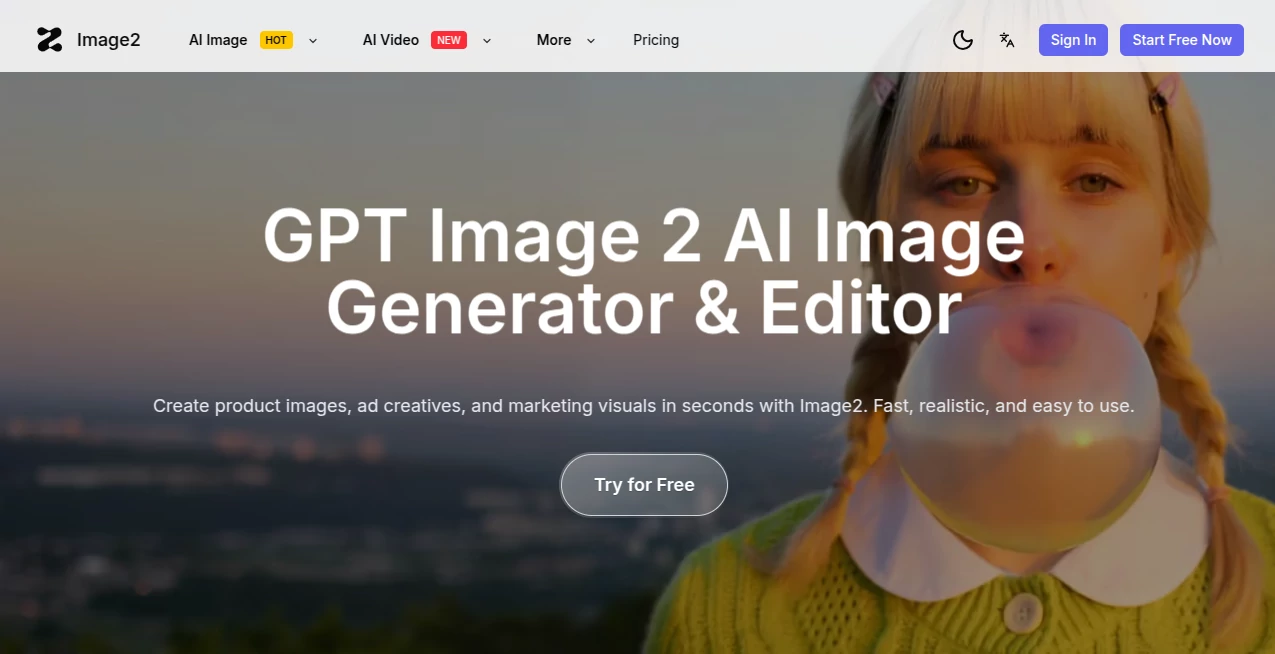
What is Image2?
Let's be honest for a second. Most AI image tools out there are great at making pretty pictures, but the moment you ask them to spell a word correctly or keep a character's face consistent across multiple shots, they fall apart. It's frustrating, especially when you're on a deadline.
That's exactly where this platform steps in and changes the game. Unlike those generic generators that feel like a gamble every time you hit "generate," this tool was built from the ground up for people who need production-ready visuals, not just random art pieces. Whether you're a marketer rushing to launch a campaign, a small business owner needing product shots, or a designer exploring concepts, the platform delivers results that actually look like they were made by a professional.
I've spent quite a bit of time testing it across different scenarios, and what struck me most wasn't just the quality, it was how painfully simple everything is. You upload, you type what you want, and within seconds, you get variations that preserve your original composition while completely transforming the style, mood, or details. No engineering degree required, no cryptic prompts to memorize.
Key Features
This isn't one of those bloated platforms with a hundred useless buttons. The feature set is tight, purposeful, and each one actually solves a real problem that creators face every day.
User Interface
The moment you land on the page, you'll notice something refreshing: there's no clutter. The interface is built around a simple, mode-based workflow that basically holds your hand without being annoying. You choose what you want to do, upload your starting image or type a prompt, pick a style, and hit generate.
What I really appreciate is how the platform organizes everything. Instead of dumping every possible setting in your face, it presents you with clear options based on what you're trying to achieve. Want to turn a sketch into a realistic render? There's a mode for that. Need to take a product photo and generate ten different background variations? Two clicks away. The learning curve is basically non-existent, which means you spend less time reading tutorials and more time actually creating.
The workspace also handles multiple model options under the hood, including advanced ones like Flux, Seedream, and Grok, but you never have to worry about which model does what. The system intelligently picks the right approach based on your task, or you can dive into the settings if you're the type who likes to tinker.
Accuracy & Performance
Here's where most AI tools completely drop the ball, and where this one genuinely surprised me. Text rendering has always been a nightmare for image generators. You ask for a sign that says "OPEN 24 HOURS" and you get something that looks like an alien language. Not here.
The platform handles text inside images with shocking accuracy. I tested it with product packaging, social media graphics, even a fake restaurant menu, and it nailed the spelling every single time. No weird characters, no jumbled nonsense. This alone makes it worth using for anyone creating marketing materials or anything with typography.
Speed is another area where this tool shines. Most generations complete in just a few seconds, even for higher resolution outputs. The platform also maintains impressive consistency when generating variations of the same image. The core subject stays recognizable while the style, lighting, or background changes exactly how you asked. If you've ever fought with other tools to keep a character's face consistent across multiple generations, you'll immediately feel the difference here.
Capabilities
The platform isn't just an image generator, it's a full creative suite packed into one hub. Here's what you can actually do with it:
Image to Image transformations let you upload an existing photo and generate new styled versions while keeping the main subject intact. This is perfect for taking a basic product shot and turning it into something that fits different campaigns or seasonal themes without re-shooting anything.
Image to Video animation takes static photos and brings them to life with smooth motion and natural camera movement. Just a few seconds and that boring headshot becomes an engaging short clip ready for social media.
Text to Image and Text to Video capabilities mean you're never stuck if you don't have a starting photo. Describe what you want, and the platform builds it from scratch, complete with accurate text and proper composition.
The one-click upscaler is another lifesaver. Low-res images get sharpened and enhanced without looking artificial. Details that were blurry become crisp, and you can export higher quality versions instantly.
What makes all of this genuinely useful is how the platform combines these capabilities. You're not jumping between five different tools to get a finished product. Everything happens in one workspace, which means less context switching and faster results.
Security & Privacy
Nobody wants their work or personal photos floating around somewhere they shouldn't be. The platform takes this seriously with standard security measures including SSL encryption for all data transferred between your browser and their servers.
Your uploaded images and generated content are handled according to their privacy policy, and like most reputable platforms, they don't sell your personal information to third parties without consent. As with any online creative tool, it's always smart to avoid uploading sensitive or confidential material, but for standard creative work, you're in good hands.
Use Cases
I've seen people apply this tool in ways I never expected, and that's the beauty of it. It adapts to what you need rather than forcing you into a specific workflow.
Marketing and social media teams are probably the biggest winners here. Imagine having one product photo and being able to generate twenty different versions for Instagram, TikTok, Facebook, and email campaigns, all with different backgrounds, moods, and text overlays. That's not hypothetical, it's what this tool does every day.
E-commerce shop owners can take basic product shots and restyle them for different seasons, create alternate looks without reshoots, and upscale lower quality images into crisp, professional product photos. If you've ever paid a photographer for a full product catalog, you'll understand the savings here.
Creative professionals and agencies use it for concept exploration. Instead of spending hours manually creating variations of a design direction, they upload a sketch and generate multiple polished options in minutes. Clients get to see more possibilities faster, and you get to spend your time on what actually matters, refining the winners.
Content creators and influencers love the portrait and avatar features. Turn a simple selfie into different artistic styles for profile pictures, or generate short animated clips from a single image to keep your feeds feeling fresh without constant photoshoots.
Anyone repurposing content for video will appreciate how quickly still assets become short videos. Those static quote graphics or product shots that used to sit there doing nothing can now become engaging motion content perfect for Reels, Shorts, or TikToks.
Pros and Cons
Let's be real about what works and what could be better. No tool is perfect, but knowing the tradeoffs helps you decide if it fits your needs.
What works brilliantly: The all-in-one workflow genuinely saves time. Having image generation, video creation, editing, and upscaling in one place means you're not juggling subscriptions to five different services. Speed is excellent for most operations, and the text rendering accuracy is genuinely best in class. The interface is clean enough that absolute beginners can get usable results immediately, while the multiple model options give power users room to experiment.
Where it could improve: Some advanced editing features that professionals might expect from dedicated tools aren't here. If you need granular control over every pixel, you'll still want traditional software for final polish. The platform's reliance on an internet connection means offline work isn't an option. And while the free tier is generous for testing, heavy users will need a paid plan to get the most out of it.
Also worth noting that like any AI tool, results aren't always perfect on the first try. Sometimes you'll need to regenerate or tweak your prompt to get exactly what you're envisioning. But in my experience, it takes far fewer attempts here than with comparable platforms.
Pricing Plans
The platform offers several tiers designed to fit different usage levels, from casual experimenters to production teams.
The Free tier gives you 100 credits just for signing up, plus additional daily check-in credits. You get access to basic AI models and standard support, though images will include a watermark. It's perfect for testing the waters and seeing if the tool fits your workflow before spending anything.
Starter runs around $8 per month with annual billing or $21 month to month. This bumps you to 7,000 monthly credits, unlocks all AI models including the advanced ones, gives you higher quality outputs, parallel task processing, commercial usage rights, and no watermarks. Most solo creators and small businesses will find everything they need here.
Standard comes in at roughly $16 monthly with annual commitment or $56 month to month. You get 18,000 credits, priority processing, three parallel tasks, and priority support. This tier makes sense for growing teams and consistent daily users.
Premium hits around $34 annually or $139 monthly with 33,000 credits, the fastest processing speeds, ten parallel tasks, and early access to new models as they're released. Heavy production teams and agencies will want this level for maximum throughput.
Credits get consumed based on what you generate, with higher resolution outputs and video generations costing more than basic image variations. The platform's credit system is transparent, and you can see exactly what each action costs before you commit.
How to Use Image2
Getting started takes about sixty seconds. Head to the website, create an account, and you'll immediately see your free credits ready to go.
From the main dashboard, choose what you want to create. For image to image work, upload your starting photo. The platform accepts common formats like JPG and PNG. Then describe what you want changed. Want a daytime beach scene turned into a moody sunset? Type exactly that. Need a product photo with a different background? Say so. The more specific you are, the better the results.
For text to image generation, skip the upload and just type your description. Include details about style, mood, lighting, and any text that needs to appear in the image. "A coffee shop menu board with handwritten chalk text listing cold brew, latte, and cappuccino" will get you much better results than just "coffee menu."
To turn an image into a video, upload your photo and select the video mode. The platform adds natural motion and camera movement automatically. You can also describe the type of motion you want, like "slow zoom in" or "gentle pan across the scene."
For upscaling, upload an image and hit the upscale button. The AI analyzes the image and enhances sharpness and detail, then gives you a higher resolution version to download. It works especially well for slightly blurry photos or images that look okay on a phone but need to hold up on larger screens.
Results appear in seconds. From there, you can download them, generate variations, or use them as starting points for further editing. The platform keeps your generation history, so you can always go back to previous work.
Comparison with Similar Tools
You've probably tried other AI image platforms. Most of them follow the same pattern: generate random images from text, hope for the best, and offer minimal control over the outcome. This platform takes a fundamentally different approach by focusing on what you already have and making it better.
Compared to standard text to image generators, the ability to start from your own images is a game changer. Instead of hoping the AI imagines something close to what you need, you give it a concrete reference point. The results stay consistent with your original vision rather than drifting into something unrecognizable.
When looking at other image to image tools, this platform stands out for its text rendering accuracy and multi-model approach. Most competitors completely fail at generating readable text, which makes them useless for anything involving signage, packaging, social media graphics, or presentations. Here, that limitation simply doesn't exist.
The video generation capability also separates it from purely image-focused rivals. Being able to turn static photos into short motion clips within the same workflow means you're not paying for a separate video AI tool or spending hours in traditional editing software to add basic movement.
Where some competitors offer more advanced manual editing controls, this platform trades that for speed and simplicity. If you want pixel-level adjustment layers and masking tools, you'll still need something like Photoshop for final polish. But for generating, iterating, and producing professional quality assets quickly, it holds its own against any tool in this space.
Conclusion
After spending considerable time pushing this platform to its limits, I can say with confidence that it delivers on its promise. The combination of accurate text rendering, consistent image to image transformations, and built-in video creation makes it one of the most practical AI creative tools available right now.
It's not trying to be everything to everyone. Instead, it focuses on solving the specific problems that actually frustrate creators: text that looks wrong, faces that change between generations, workflows that require jumping between five different apps. By addressing those pain points directly, it saves hours of frustration and delivers results that actually look like they were made by someone who knows what they're doing.
The free tier gives you plenty of room to test it out, so there's no risk in seeing if it fits your workflow. For marketers, entrepreneurs, designers, and content creators who need professional visuals without the steep learning curve of traditional software, this platform is absolutely worth your time.
Frequently Asked Questions (FAQ)
Do I need design experience to use this?
Not at all. The interface is built for regular people, not just designers. If you can upload a photo and type a sentence, you can get great results.
How accurate is the text rendering?
Surprisingly accurate. It handles multiple languages including English, Chinese, Japanese, and Korean with minimal errors. Most generations produce perfectly readable text, which is rare among AI image tools.
Can I use generated images commercially?
Yes, paid plans include commercial usage rights. Free tier images include watermarks and have usage restrictions, so upgrade if you need assets for business purposes.
What happens to my uploaded images?
The platform processes them to generate your requested outputs. Standard privacy practices apply, meaning they don't sell your personal data. For specific concerns, check their full privacy policy.
How long do generations take?
Most images generate in under ten seconds. Videos take slightly longer but still complete within a minute for short clips. Paid tiers get priority processing for faster results during peak times.
Is there a mobile app?
The platform currently works through web browsers on desktop and mobile devices. The mobile experience is fully functional, though some users prefer the desktop interface for complex projects.
What file formats can I upload and download?
Upload JPG and PNG images. Download generated content in standard formats compatible with most software and platforms.
Do I keep ownership of what I create?
Yes. Content you generate belongs to you, subject to the platform's terms of service. Commercial plans give you full rights to use your creations in products, marketing, and other business contexts.