


















Sidelong
What is Sidelong?
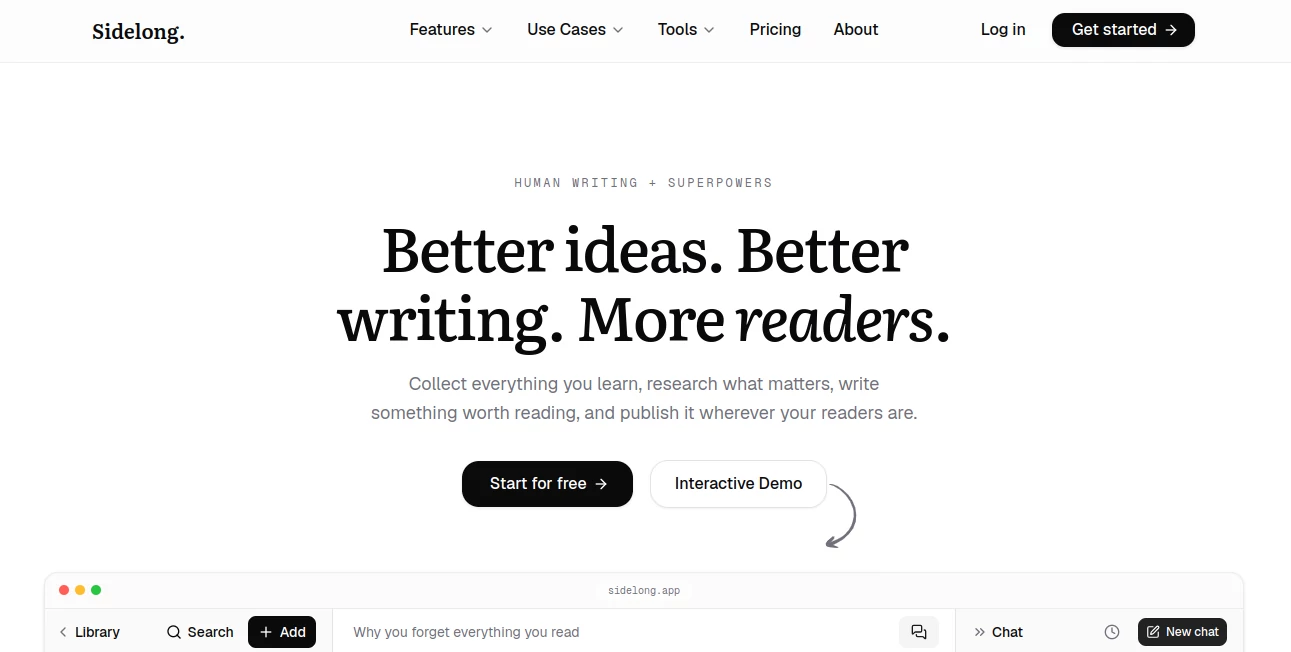
Sidelong is a writing and research workspace built for people who do more than simply put words on a page. Its approach starts with everything you learn, from articles and books to podcasts, videos, newsletters, PDFs, and social posts, then turns that material into a useful working library for research, writing, and publishing.
The idea is refreshingly practical: instead of keeping dozens of browser tabs open or letting useful highlights disappear into a forgotten notes folder, you can collect your sources, find relevant information while drafting, research new questions, and move a finished piece toward publication from the same workspace.
For a writer working on a newsletter, blog, book, research-heavy article, or social content, that connection can make the difference between having plenty of information and actually using it.
Key Features
- Save articles, books, videos, podcasts, newsletters, PDFs, tweets, and threads into a searchable library.
- Import Kindle highlights and keep important reading material connected to its original context.
- Automatically generate summaries and surface key insights from saved sources.
- Find relevant highlights, quotes, and sources while writing a draft.
- Ask questions and research topics using information already stored in your library.
- Generate fully cited deep-research reports that can be saved and searched later.
- Get brainstorming help based on your existing research rather than starting with a blank prompt.
- Publish articles to a hosted blog and send newsletters to subscribers.
- Export writing as clean Markdown or HTML for use on other publishing platforms.
- Create and schedule social content for channels such as X, LinkedIn, and Substack Notes on supported plans.
User Interface
The interface is designed around the writing process rather than a collection of disconnected AI features. A library holds the material you have collected, while the editor brings useful sources back into view as you write.
That relationship is one of the more appealing parts of the experience. When a draft starts to resemble something you have researched before, relevant material can appear beside the writing surface instead of forcing you to stop and search through old tabs or notes.
The overall workflow feels particularly well suited to writers who like to keep their research close. The workspace also includes areas for projects, drafts, research, publishing, and social posts, giving longer-term content work a more organized home.
Accuracy & Performance
Research quality depends heavily on the sources available to the system, but the platform takes a sensible approach by grounding answers in material saved to the user's own library. It can show where a claim came from, making it easier to check an argument before publishing it.
This is especially useful for research-heavy writing. Instead of treating AI output as a finished answer, the workflow encourages the writer to inspect supporting material, review suggestions, and decide what belongs in the final piece.
Its deep research feature goes further by producing organized, cited reports that can be saved alongside the rest of a project's research. That makes the result more useful than a disposable chat response.
Capabilities
The strongest capability is the way several stages of content production are connected. You can save a source, extract useful information from it, brainstorm possible angles, open a draft, research supporting evidence, refine the argument, and publish the finished work without rebuilding your context at every step.
For example, imagine a newsletter writer collecting several articles and podcast episodes about memory. Instead of simply storing those links, the system can summarize them, identify useful insights, surface related sources during drafting, and help develop new angles from the collected material.
Writers can also use the workspace for blog posts, newsletters, books, research projects, and social content. The publishing tools support hosted pages as well as exports for external platforms, while social features can turn one finished idea into content for multiple channels.
Security & Privacy
The service gives users control over their content and subscriber data. According to its published information, writing, saved material, and subscriber lists can be exported rather than being permanently locked into the platform.
The service also states that users own their content and can export subscriber information as a CSV. For writers building an audience, that distinction matters: the publishing environment can be useful without making the audience itself impossible to move elsewhere.
As with any cloud-based research and writing service, users should still review the current privacy policy before uploading confidential documents, unpublished manuscripts, sensitive business information, or other material that requires special handling.
Use Cases
Newsletter writers: Collect research throughout the week, turn it into ideas, draft newsletters, manage subscribers, and publish without moving between several unrelated tools.
Blogger and content teams: Keep source material, content ideas, drafts, and publishing work together. This can be particularly useful for recurring editorial projects where research accumulates over time.
Authors: Store reading notes and research in one searchable library, then bring relevant material back while developing chapters and arguments.
Researchers: Save sources, ask questions about collected material, identify supporting evidence, and create cited research reports before writing the final piece.
Social writers: Develop posts from existing research and distribute ideas across several social channels instead of creating every post from scratch.
Independent creators: Use the hosted publication, newsletter, research library, and writing environment as a lightweight content operation without assembling a large collection of separate services.
Pros and Cons
Pros
- Connects research, writing, and publishing in one workflow.
- Supports many types of source material, including articles, books, videos, podcasts, newsletters, PDFs, and social posts.
- Relevant saved sources can appear while drafting.
- Research responses can be grounded in the user's own library and linked back to sources.
- Deep research produces cited reports rather than only short chat answers.
- Writing and publishing remain available on the free plan.
- Content and subscriber data can be exported.
- Useful publishing options for newsletters, blogs, and social content.
Cons
- The large number of features may take some time to learn.
- The free plan limits new library saves and advanced AI functionality after the initial trial.
- Writers who already have a mature research and publishing workflow may not need every feature.
- AI-generated research and suggestions still require human review before important claims are published.
- Advanced research and larger-scale workflows require a paid subscription.
Pricing Plans
The pricing structure is straightforward, with writing and basic publishing available for free and additional research and AI capabilities unlocked through paid plans.
- Free: $0 forever. Includes unlimited drafts and projects, unlimited publishing to a hosted blog, newsletter sending for up to 500 subscribers, and a 14-day trial of the full feature set.
- Writer: $9 per month. Includes 50 library saves per month, 100 advanced AI actions, 5 deep research reports per month, Chrome extension access, MCP server access, and support for up to 2,500 newsletter subscribers.
- Pro: $29 per month. Adds up to 1,000 library saves per month, unlimited standard AI actions, 25 deep research reports, unlimited newsletter subscribers, the most capable AI options, and direct social posting features.
The 14-day trial does not require a credit card. When it ends, users move to the Free plan, while existing drafts, projects, published pages, and exports remain available.
How to Use Sidelong
Start by creating an account and bringing useful material into the library. A Chrome extension can save sources from the web, while other supported methods make it possible to collect newsletters, videos, podcasts, social posts, and reading highlights.
Once the library has some material, use the research and brainstorming features to explore possible topics or find supporting evidence. When you open a draft, relevant saved information can appear alongside the writing area, helping you work from your own research instead of repeatedly starting searches from zero.
After refining the piece, choose how you want to publish it. You can use the hosted publication, send it as a newsletter, export clean Markdown or HTML, or move the content into another publishing environment.
A practical workflow is simple: save interesting material as you discover it, let the library become your research base, write with those sources nearby, then publish when the piece is ready.
Comparison with Similar Tools
Many AI writing applications concentrate mainly on generating or rewriting text. This platform takes a broader approach by treating research and source management as part of the writing process itself.
Traditional note-taking apps are useful for collecting information, but they often leave the writer responsible for manually finding connections between notes and a new draft. Here, the library is designed to actively contribute to the writing process by surfacing relevant material while you work.
Research assistants can produce useful reports, but their output can become disconnected from the rest of a writer's workflow. The integrated research, drafting, source management, and publishing approach makes this service particularly interesting for people who regularly turn research into public content.
It is therefore less about replacing a writer and more about reducing the friction around the work that happens before and around writing. The writer remains responsible for the final words, while the software handles much of the searching, organizing, recalling, and preparation.
Conclusion
For anyone who writes from research, one of the biggest challenges is rarely finding information. The harder part is remembering what was useful, finding it again at the right moment, and turning scattered material into something coherent.
This platform addresses that problem with a workflow that connects a personal research library to brainstorming, drafting, evidence gathering, publishing, and audience building. The result feels especially relevant to newsletter writers, bloggers, researchers, authors, and independent creators who want their research to become a reusable asset rather than a pile of forgotten links.
The free plan makes it easy to test the writing and publishing workflow without committing to a subscription, while the paid tiers add the larger research and AI capacity needed for more demanding content operations. If your work begins with learning and ends with something you want people to read, this is a compelling approach worth exploring.
Frequently Asked Questions (FAQ)
What types of content can be saved?
You can save articles, YouTube videos, podcasts, books and Kindle highlights, tweets and threads, newsletters, and PDFs. The browser extension is designed to make saving material from the web a quick process.
Does the platform write the entire article for me?
No. Its approach is centered on assisting the writer rather than automatically replacing the writer. It can research, brainstorm, surface relevant sources, and suggest improvements, while the user decides what actually goes into the final draft.
Can I use my existing Substack or Beehiiv workflow?
Yes. Content can be copied or exported for use on external publishing platforms, and the service supports workflows involving Substack and Beehiiv.
Can I publish a blog without paying?
Yes. The Free plan includes a hosted publication and unlimited publishing, so users can maintain a basic publishing presence without a paid subscription.
Do I own the content I create?
Yes. The service states that users own their saved material and writing and can export their content rather than being locked into the platform.
Can I export my subscriber list?
Yes. Subscriber information can be exported as a CSV, giving publishers more control over the audience they have built.
Is there a free trial?
Yes. New accounts receive 14 days of access to the full feature set without requiring a credit card. After the trial, the account moves to the Free plan unless the user chooses a paid option.
Who is this tool best suited for?
It is particularly well suited to newsletter writers, bloggers, authors, researchers, content creators, and anyone who regularly turns reading and research into published work.
AI Newsletter , AI Summarizer , AI Research Tool , AI Writing Assistants .
These classifications represent its core capabilities and areas of application. For related tools, explore the linked categories above.

Sidelong Alternatives Product

markdown to …

AyeWatch AI

Harvey

PrompTessor

Schema Synth

TutuoAI

Preuve AI
RewriteBar

Debate Tello…
