
Agent Studio
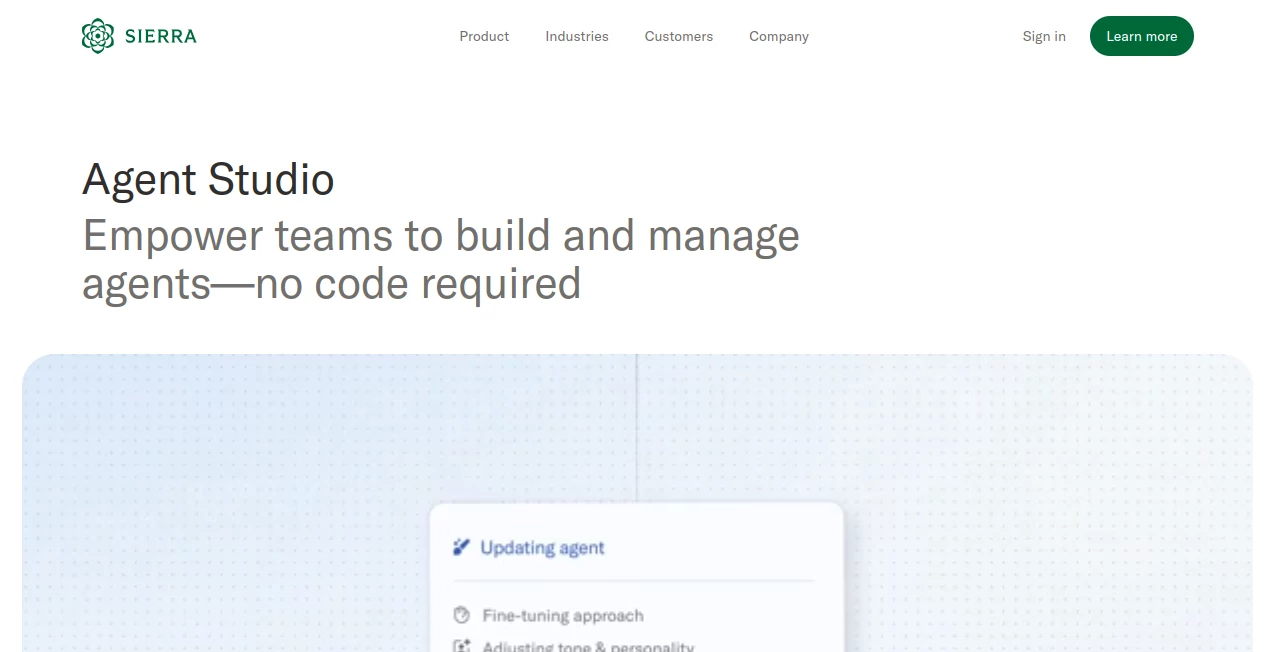
What is Agent Studio?
There's a quiet revolution happening inside customer experience teams around the world. Companies that once relied on rigid scripts, long wait times, and overworked support staff are now deploying intelligent AI agents that handle complex requests in real time — and they're doing it without a single developer on standby.
Agent Studio, part of Sierra's broader AI platform, is at the center of this shift. It's a no-code environment built specifically for customer experience and operations teams who want full control over how their AI agent thinks, speaks, and acts — without having to open a terminal or write a single line of code. The result is something rare: a genuinely powerful tool that doesn't require you to be technical to use it well.
What makes it stand out isn't just what it can do. It's who can do it. Marketing managers, CX leads, operations directors — people who understand the business deeply but may not know Python — can walk into Agent Studio and start building something real within hours.
Key Features
User Interface
The interface is clean, deliberate, and surprisingly approachable. When you first log in, there's no wall of configuration panels or cryptic dropdowns waiting for you. Instead, Agent Studio walks you through the process of setting up your agent in logical stages: define its journeys, feed it knowledge, connect your systems, run simulations, and finally tailor its voice and appearance.
Each section has a clear purpose. The journey builder uses composable building blocks — meaning you can snap together different workflow pieces without worrying about how they're connected under the hood. If you already have existing operating procedures, you can paste them in and let Sierra's AI generate journeys from them automatically. That feature alone saves teams hours of manual setup work.
Real-time agent traces are displayed as you build, so you can see exactly what decisions your agent is making and why. It's like having a transparent window into the agent's reasoning — which, if you've ever tried to debug an AI system before, feels almost too good to be true.
Accuracy & Performance
One of the most common complaints about AI agents in customer support is that they're confidently wrong. They pull outdated information, hallucinate policies, or fail to recognize when they're out of their depth. Agent Studio takes a structured approach to preventing this.
Knowledge sources are connected directly — Help Center articles, FAQs, internal policy documents — and the platform actively monitors for gaps. Sierra automatically identifies patterns in conversations where the agent struggled or gave incomplete answers, then flags those themes so your team can fill them in. Over time, this means the agent genuinely gets better without requiring manual reviews of every interaction.
There's also an Expert Answers feature that watches how your human care representatives handle edge cases and then drafts knowledge articles based on those resolutions. Your best agents, in a sense, are training their AI counterpart without any extra effort on their part.
Capabilities
The scope of what Agent Studio can handle is broad. The Journeys module lets you build step-by-step workflows from scratch or from existing documentation. You can reference live data from external systems — order management platforms, CRM tools, databases — so the agent always has up-to-date context when talking to a customer.
The Integrations section is particularly strong. There are over 40 pre-built connectors for popular third-party platforms, covering knowledge bases, systems of record, and contact centers. For anything proprietary or custom-built, Sierra provides an integration framework that lets you wire up your own systems directly inside the studio.
Simulations deserve special mention. Before pushing any changes live, you can run AI-powered conversations that test how the agent responds across hundreds of scenarios. Regression testing catches issues before they reach customers. There's even a Voice Sims feature that tests how the agent handles real-world voice challenges — transcription errors, background noise, different speaker accents — before a single customer picks up the phone.
Multimodal support means the agent can share images and videos mid-conversation, which matters more than it might sound. Walking a customer through a product return with a visual guide, or showing a troubleshooting diagram in a support chat, creates a noticeably better experience than plain text instructions alone.
Security & Privacy
Sierra takes enterprise-grade trust seriously, which is reflected in how Agent Studio handles sensitive data and brand controls. Custom guardrails are built directly into the journey configuration, so you define exactly what the agent can and cannot do — there's no ambiguity about where it's allowed to go off-script.
The platform is designed for regulated industries. Financial services firms, healthcare providers, and telecommunications companies are among Sierra's customers, which means the underlying architecture is built to handle compliance requirements that most AI tools simply ignore. Sierra maintains a public Trust Center with detailed information about their security practices, and the platform supports real-time updates so agents can be adjusted instantly if a policy changes or a new promotion goes live.
Use Cases
The range of teams finding genuine value in Agent Studio is broader than you might expect. Here are some of the most compelling applications:
- E-commerce and retail support: Handling order status inquiries, processing returns, applying discount codes, and escalating damaged item cases — all without a human agent in the loop. Brands like Chubbies have used Sierra to keep their distinct tone of voice intact while scaling support significantly.
- Financial services: Guiding customers through loan applications, explaining policy terms, or checking account statuses in real time by connecting directly to back-end systems.
- Healthcare patient support: Answering common questions about appointments, referrals, or billing, while carefully routing sensitive clinical queries to human staff.
- Telecommunications: Troubleshooting connectivity issues step by step, processing plan changes, and handling cancellation requests with retention-focused workflows built right into the journey.
- SaaS and technology companies: Providing instant answers to developer or user questions by pulling from documentation, changelog updates, and support tickets simultaneously.
- Travel and hospitality: Managing booking changes, answering itinerary questions, and handling upgrade requests across voice and chat channels without requiring a live agent.
The common thread across all of these is that Agent Studio works best when the use case is complex enough to frustrate a basic chatbot but structured enough to be codified into clear journeys. That's a wide band, and most enterprise CX challenges fall right in the middle of it.
Pros and Cons
- Pro: Genuinely no-code experience — non-technical team members can build and iterate without developer support.
- Pro: Real-time agent traces make debugging transparent and fast.
- Pro: Automatic knowledge gap detection keeps agents accurate over time without manual audits.
- Pro: 40+ pre-built integrations reduce setup time significantly for common platforms.
- Pro: Simulation and regression testing prevent live regressions before they reach customers.
- Pro: Voice simulations cover real-world audio challenges that most platforms ignore.
- Pro: Multimodal support allows image and video sharing within conversations.
- Pro: Deeply suited for regulated industries with enterprise-level compliance needs.
- Con: Designed for enterprise scale — smaller businesses or startups may find the platform more than they need.
- Con: Pricing is outcome-based and customized, which means there's no self-serve tier or instant sign-up.
- Con: The depth of features has a learning curve, even if nothing requires coding.
- Con: Heavy reliance on connected data sources means teams with fragmented or siloed systems may need to do integration work upfront.
Pricing Plans
Agent Studio is part of Sierra's broader platform, and pricing follows Sierra's outcome-based model. Rather than charging a flat monthly fee or per-seat license, Sierra prices based on actual outcomes delivered — meaning you pay when the agent successfully resolves a customer interaction, not just when it responds to one.
This is a meaningful distinction. It aligns Sierra's incentives directly with your team's goals. If the agent isn't performing, you're not paying for failure. To get specific pricing for your use case and conversation volume, you'll need to request a demo through Sierra's website, where their team works with you to scope the right deployment.
For enterprises evaluating AI customer service platforms, this model is often more cost-effective than traditional SaaS licensing once you factor in the value of deflected tickets and resolved interactions.
How to Use Agent Studio
Getting started with Agent Studio follows a clear sequence that most CX teams can walk through in a structured onboarding session with Sierra's team:
- Step 1 – Define your journeys: Map out the customer interactions you want your agent to handle. You can start from scratch using the composable builder, or paste in existing SOPs and let AI generate a journey for you automatically.
- Step 2 – Connect your knowledge: Upload or connect your Help Center content, FAQs, internal policies, and any other documentation the agent should be able to reference. Agent Studio will surface gaps for you to fill in over time.
- Step 3 – Set up integrations: Connect your CRM, order management system, or other back-end tools using pre-built connectors or Sierra's custom integration framework. This gives the agent the ability to take action, not just answer questions.
- Step 4 – Run simulations: Before going live, run AI-generated test conversations across your journeys. Build a regression test suite so future changes don't break existing behavior.
- Step 5 – Configure branding: Give your agent a name, define its tone, set its welcome message, and apply your brand colors and logo. This step is quick but makes a real difference in how the agent is received by customers.
- Step 6 – Deploy and iterate: Launch across your chosen channels — chat, voice, email, or WhatsApp — and use the knowledge gap and Expert Answers features to continuously improve performance over time.
Comparison with Similar Tools
The no-code AI agent space has grown crowded, but not all tools in this category are solving the same problem at the same depth. Here's how Agent Studio compares to some well-known alternatives:
- Intercom Fin: Fin is a capable AI support agent, but it's primarily a bolt-on to Intercom's existing customer messaging suite. Agent Studio is purpose-built for complex, multi-step journeys and deep system integrations, giving it a significant edge for enterprises with sophisticated workflows.
- Salesforce Einstein Bots: Einstein lives inside the Salesforce ecosystem, which is both its strength and its limitation. Teams heavily invested in Salesforce will find it convenient, but building complex cross-system journeys outside of Salesforce's native tools gets difficult. Agent Studio is platform-agnostic and more flexible for multi-vendor environments.
- Zendesk AI: Similar to Intercom, Zendesk AI is tightly integrated with the Zendesk support platform. It works well for standard deflection but lacks the journey depth, voice simulation capabilities, and automated knowledge improvement that make Agent Studio compelling for enterprise-scale deployments.
- Microsoft Copilot Studio: Copilot Studio has strong enterprise credentials and deep Microsoft 365 integration. For teams already inside the Microsoft stack, it's worth evaluating. However, Agent Studio's outcome-based pricing model and CX-specific feature set — particularly the Knowledge Gap detection and Expert Answers — give it a distinct advantage for dedicated customer service deployments.
Conclusion
What Agent Studio does well is rare in enterprise software: it genuinely lowers the barrier to building something sophisticated without lowering the ceiling of what that something can do. The no-code experience isn't a stripped-down version of the real product. It is the real product, designed from the ground up for the people who understand customer journeys best — which usually aren't engineers.
The combination of composable journey building, automatic knowledge improvement, deep integrations, and rigorous simulation testing puts it in a different category than most AI support tools on the market. And for teams operating in complex, regulated industries, the security architecture and guardrail controls are the kind of foundation that makes production deployment feel responsible rather than reckless.
If your customer experience team is evaluating AI agents seriously — not as a chatbot experiment but as a genuine operational layer — Agent Studio is worth a close look. The outcome-based pricing means you're not paying for potential. You're paying for results.
Frequently Asked Questions (FAQ)
-
Do I need coding experience to use Agent Studio?
No. Agent Studio is built entirely for non-technical users. You can build complex multi-step journeys, set up integrations, and configure your agent's behavior without writing any code. The platform even lets you generate journeys automatically from existing documentation.
-
What channels can the AI agent be deployed on?
Agents built in Agent Studio can be deployed across chat, voice, email, and WhatsApp. The platform supports 58 languages and is available around the clock.
-
How does the knowledge improvement work over time?
The platform automatically identifies recurring topics or questions that the agent didn't answer well, flags them as knowledge gaps, and prompts your team to fill them in. The Expert Answers feature also drafts new knowledge articles based on how human agents resolve edge cases.
-
Can I test changes before pushing them live?
Yes. Agent Studio includes AI-powered simulation tools that let you run large-scale test conversations before any changes go live. You can also build regression test suites to catch issues when you update journeys or knowledge.
-
Is Agent Studio suitable for regulated industries like healthcare or finance?
Yes. Sierra is specifically built for enterprise environments in financial services, healthcare, telecommunications, and similar sectors. The platform includes compliance-focused architecture, custom guardrails, and a public Trust Center with detailed security documentation.
-
How does pricing work?
Sierra uses an outcome-based pricing model. You pay based on successful outcomes the agent delivers, not on a flat subscription or seat license. Specific pricing is determined through a consultation with Sierra's team based on your use case and volume.
-
Can the agent handle voice interactions?
Yes. Sierra supports voice as a deployment channel, and Agent Studio includes Voice Sims — a simulation feature specifically designed to test how your agent handles real-world voice conditions like background noise and transcription variability before going live.
AI Workflow Management , AI No-Code & Low-Code , AI Chatbot , AI Customer Service Assistant .
These classifications represent its core capabilities and areas of application. For related tools, explore the linked categories above.

Agent Studio Alternatives Product

Carmatec

Somnio

ZynfoAI

globalize.now

Une Amie à P…

PolyBuzz

FLINT AI

Romantic AI

Supawazap