
Smart Calendars AI
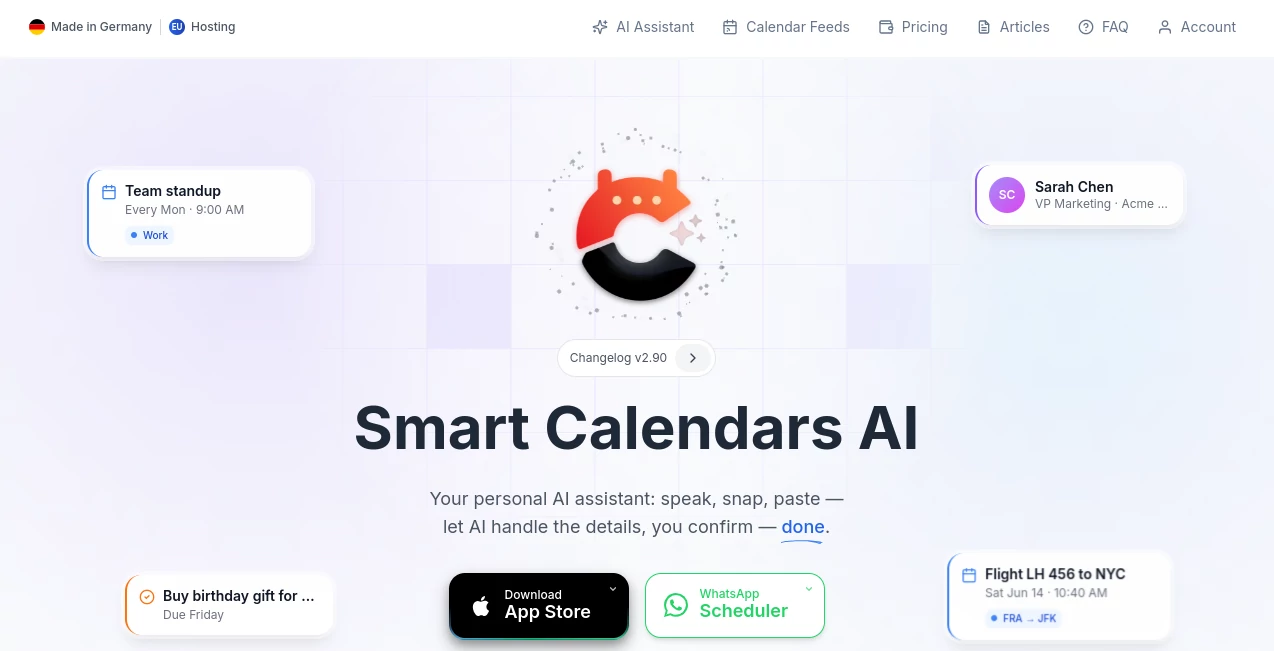
What is Smart Calendars AI?
Managing time has become more complex than ever. Between meetings, deadlines, personal tasks, and spontaneous changes, traditional calendars often fall short. This intelligent scheduling assistant is designed to simplify that chaos by turning your calendar into a smart, adaptive system that works around your priorities instead of forcing you to work around it.
Rather than manually adjusting events or juggling time slots, users can rely on automation that understands context, availability, and preferences. The result is a smoother, more organized daily workflow that reduces friction and saves valuable time.
Key Features
User Interface
The interface is clean, minimal, and designed for speed. Users can quickly view their schedule, drag and adjust events, and let the system automatically resolve conflicts without overwhelming controls or cluttered dashboards.
Accuracy & Performance
The scheduling engine focuses on precision, ensuring that overlapping meetings are resolved intelligently. It considers priorities, availability windows, and working patterns to suggest the most efficient time slots.
Capabilities
- Automated meeting scheduling based on availability
- Smart conflict resolution for overlapping events
- Adaptive reminders based on user behavior
- Integration with popular calendar platforms
- Time optimization suggestions for better productivity
Security & Privacy
User data protection is a core priority. Scheduling data and personal information are handled securely, ensuring that only authorized systems can access sensitive calendar details. Encryption and privacy-first design principles help maintain trust and safety.
Use Cases
- Professionals managing back-to-back meetings and client calls
- Teams coordinating across different time zones
- Freelancers balancing multiple projects and deadlines
- Executives optimizing daily schedules for productivity
Pros and Cons
Pros:
- Saves time by automating scheduling tasks
- Reduces meeting conflicts and overlaps
- Improves daily productivity and organization
- Easy-to-use interface with minimal learning curve
Cons:
- May require initial setup to align preferences
- Advanced features may depend on integrations
- Less useful for users with very simple schedules
Pricing Plans
Typically, tools in this category offer flexible pricing structures, including free tiers for basic scheduling and premium plans for advanced automation, integrations, and team collaboration features. Users can choose based on whether they need personal productivity or enterprise-level coordination.
How to Use This Tool
Getting started is straightforward. After connecting your calendar, the system begins analyzing your existing schedule. From there, you can start adding meetings or tasks, and the assistant will automatically suggest optimized time slots. Over time, it learns your preferences, improving recommendations and reducing manual adjustments.
Comparison with Similar Tools
Compared to traditional calendar apps, this solution goes beyond simple event tracking. While most calendars require manual management, this system actively helps organize your time. Unlike basic scheduling tools, it focuses on automation, conflict resolution, and intelligent suggestions, making it more suitable for users with busy or dynamic schedules.
Conclusion
In a world where time is one of the most valuable resources, having an intelligent scheduling assistant can make a noticeable difference. By reducing manual effort and improving organization, it helps users focus more on meaningful work and less on managing logistics. It is a practical step toward a more efficient and balanced workflow.
Frequently Asked Questions (FAQ)
What does this tool do?
It helps users automate and optimize their scheduling process using intelligent algorithms.
Does it replace traditional calendars?
No, it enhances them by adding smart automation and decision-making capabilities.
Is it suitable for teams?
Yes, it is particularly useful for teams that need to coordinate meetings across multiple schedules.
Can it reduce scheduling conflicts?
Yes, it automatically detects and resolves overlapping events where possible.
Is it difficult to set up?
No, setup is simple and typically involves connecting an existing calendar account.
AI Workflow Management , AI Productivity Tools , AI Team Collaboration , AI Scheduling .
These classifications represent its core capabilities and areas of application. For related tools, explore the linked categories above.
Smart Calendars AI details
Website unavailable — View Alternatives
Pricing
- Free
Apps
- Web App
Categories

Smart Calendars AI Alternatives Product

Khuram Youraj

InPage AI

Trimless for…

Eleven AI

Online White…

gemini omni …

Slackactivity

Productivity…

ShipBoost