


















SophMate
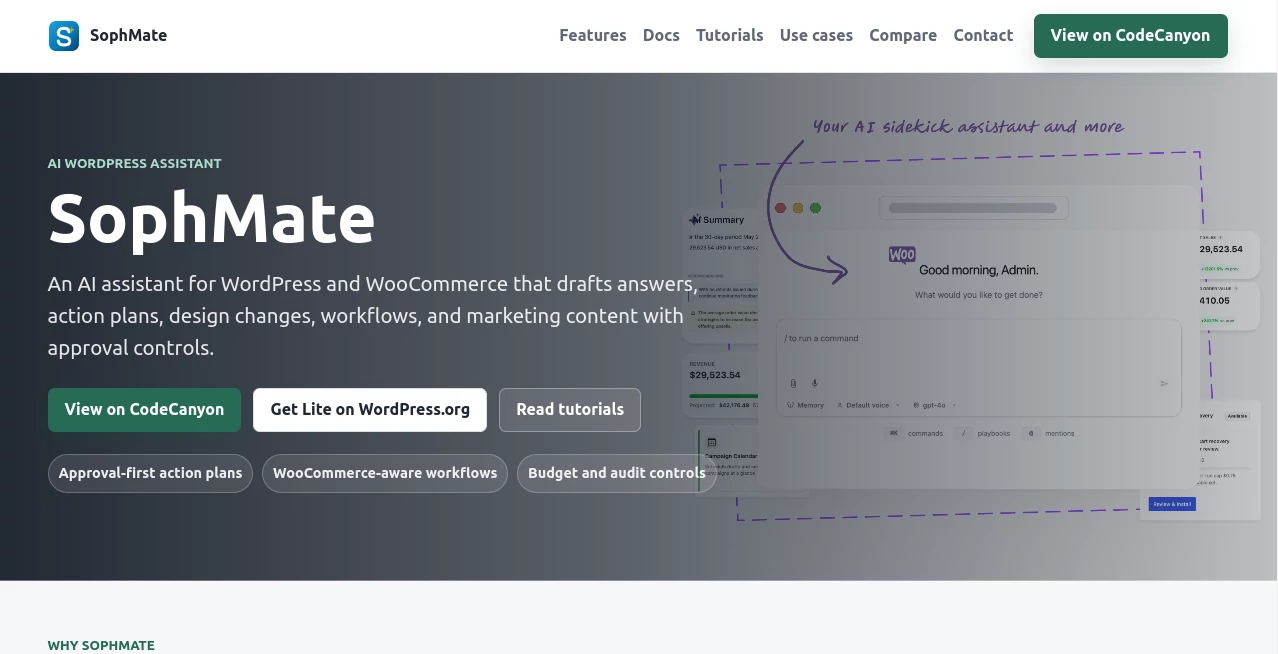
What is SophMate?
Running a successful WordPress or WooCommerce website often requires juggling customer support, store management, marketing, content creation, and daily operational tasks. Managing each of these responsibilities manually can quickly become overwhelming, especially for growing businesses that need to respond faster while maintaining quality.
This intelligent assistant simplifies those responsibilities by helping website owners and teams prepare professional responses, organize action plans, suggest design improvements, build practical workflows, and create marketing materials from a single workspace. Instead of replacing human decision-making, it focuses on accelerating routine work while keeping users in complete control through approval-based actions.
One of its biggest strengths is the balance between automation and oversight. Every recommendation can be reviewed before implementation, making it suitable for businesses that value consistency, security, and brand accuracy. Whether managing an online store, publishing new content, or improving customer engagement, users can accomplish more in less time without sacrificing quality.
The platform fits naturally into existing WordPress and WooCommerce environments, reducing the need to switch between multiple applications. This streamlined workflow allows teams to stay focused on growing their business instead of spending hours on repetitive administrative tasks.
Key Features
User Interface
The interface is designed for productivity rather than complexity. Users can interact with the assistant through clear conversational prompts, making advanced AI capabilities accessible even to individuals without technical experience.
Navigation remains simple, with organized sections for drafting responses, generating marketing materials, proposing website improvements, and planning operational workflows. Suggestions are presented clearly, allowing users to review, edit, or reject them before any changes are applied.
This approval-first experience helps reduce accidental modifications while encouraging collaboration among team members responsible for content, design, or customer support.
Accuracy & Performance
The assistant focuses on generating practical recommendations that align with WordPress and WooCommerce operations. Instead of offering generic responses, it produces structured drafts, organized plans, and context-aware suggestions that save significant editing time.
Performance is especially valuable for businesses handling multiple customer inquiries, product updates, promotional campaigns, or operational tasks. By producing high-quality first drafts quickly, teams can dedicate more attention to refinement and customer satisfaction rather than repetitive writing.
Since every recommendation passes through user approval, businesses maintain complete confidence in the final output before publication or execution.
Capabilities
- Draft customer support responses.
- Create structured action plans.
- Generate marketing content.
- Recommend website design improvements.
- Assist WooCommerce store management.
- Organize operational workflows.
- Help with promotional campaigns.
- Support website content creation.
- Improve team productivity.
- Maintain approval-based automation.
- Reduce repetitive administrative work.
- Assist daily business operations.
Security & Privacy
Security is reinforced through approval controls that ensure automated suggestions are never applied without human review. This approach helps businesses protect website integrity while reducing the risks commonly associated with fully automated systems.
Organizations that manage customer interactions, ecommerce operations, or important website content benefit from maintaining complete authority over every published response, design adjustment, or workflow recommendation.
Use Cases
Online retailers can prepare customer support replies much faster while maintaining a professional tone across every interaction.
Marketing teams can generate promotional copy for seasonal campaigns, product launches, newsletters, and store announcements without starting from a blank page.
Website administrators can receive actionable suggestions for improving layouts, optimizing user experience, and organizing development priorities.
Business owners managing WooCommerce stores can quickly build operational plans for inventory updates, promotional events, and customer engagement strategies.
Agencies responsible for multiple client websites can standardize internal workflows while accelerating routine tasks that normally consume valuable billable hours.
Content managers can prepare website announcements, informational pages, and administrative communications with significantly less manual effort.
Pros and Cons
Pros
- Built specifically for WordPress and WooCommerce environments.
- Approval controls maintain full human oversight.
- Produces professional drafts for multiple business tasks.
- Supports marketing, operations, customer service, and planning.
- Reduces repetitive manual work.
- Easy to learn for non-technical users.
- Improves collaboration between teams.
- Helps businesses work more efficiently.
Cons
- Most valuable for WordPress-based businesses.
- Generated content may still require final editing for brand voice.
- Advanced business strategies continue to benefit from human expertise.
Pricing Plans
Pricing may vary depending on available subscription options and future product updates. Users should review the official pricing information to compare available plans, supported features, and licensing options before deployment.
How to Use SophMate
Begin by connecting the assistant to your WordPress or WooCommerce environment.
Select the type of task you want assistance with, such as customer communication, marketing content, workflow planning, or design recommendations.
Provide a clear prompt describing your objective. The assistant generates a structured draft or recommendation within seconds.
Review every suggestion carefully. Modify wording, adjust recommendations, or refine action plans to better match your business requirements.
Approve the final version before publishing content, implementing website improvements, or applying operational changes.
Continue refining prompts over time to develop increasingly efficient workflows that support your organization's daily operations.
Comparison with Similar Tools
Many AI assistants concentrate primarily on content generation or customer support. This solution expands beyond writing by combining planning, workflow assistance, design recommendations, ecommerce support, and marketing capabilities within a single environment.
Its approval-based workflow also provides an important advantage over systems that execute automated actions immediately. Businesses remain in complete control while still benefiting from substantial productivity improvements.
For WordPress and WooCommerce users seeking a centralized AI assistant rather than multiple disconnected tools, this integrated approach offers a practical balance between automation and human supervision.
Conclusion
Managing a modern website requires far more than publishing content. Customer communication, ecommerce management, marketing campaigns, operational planning, and ongoing improvements all compete for valuable time.
This AI-powered assistant helps reduce that workload by preparing high-quality drafts, organizing action plans, recommending design enhancements, and supporting everyday business operations within WordPress and WooCommerce. The built-in approval process ensures that automation never replaces human judgment, allowing organizations to maintain quality while significantly increasing productivity.
Businesses looking for a dependable assistant that supports multiple aspects of website management without removing human oversight will find this platform to be a valuable addition to their daily workflow.
Frequently Asked Questions (FAQ)
What is this platform designed for?
It assists WordPress and WooCommerce users with drafting responses, marketing content, workflow planning, design recommendations, and operational tasks.
Does it automatically publish changes?
No. Suggestions are designed to go through an approval process before implementation, giving users full control.
Can it help ecommerce businesses?
Yes. It supports WooCommerce stores by assisting with customer communication, marketing activities, planning, and operational workflows.
Is technical experience required?
No. The conversational interface makes it accessible for both technical and non-technical users.
Who benefits the most from this assistant?
Website owners, ecommerce businesses, agencies, marketing teams, and organizations managing WordPress or WooCommerce websites can all improve productivity with its workflow-focused features.
AI Workflow Management , AI Marketing Plan Generator , AI Productivity Tools , AI E-commerce Assistant .
These classifications represent its core capabilities and areas of application. For related tools, explore the linked categories above.

SophMate Alternatives Product

Debate Tello…

Vibe Coding …

Sourcetable

MakeGraph

Medialyst

Liftburst

Zamicus

Nano Banana …

Vurge
