


















SparkVox
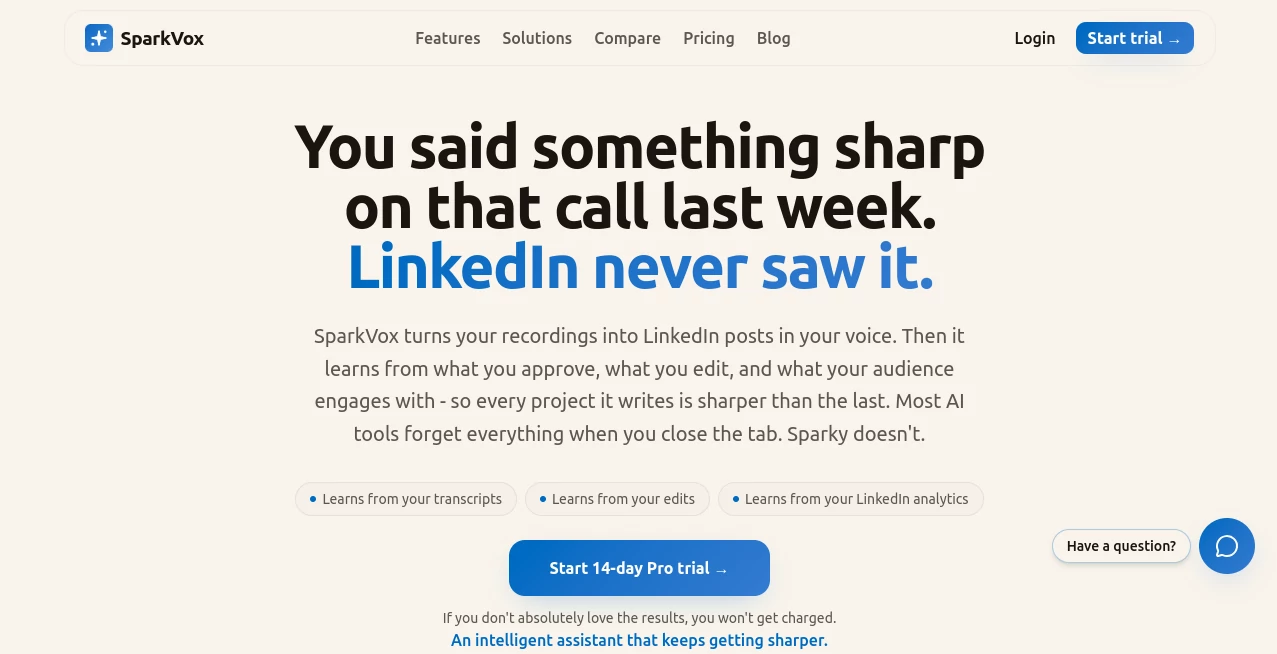
What is SparkVox?
Creating consistent LinkedIn content is one of the biggest challenges for founders, consultants, executives, and agencies. Valuable insights often stay locked inside meetings, podcasts, interviews, webinars, and sales calls instead of reaching the audience that could benefit from them. This platform transforms those conversations into engaging LinkedIn posts while preserving the speaker’s natural communication style.
Rather than starting with an empty editor, it works from real conversations. Audio files, videos, transcripts, YouTube content, and recorded meetings become multiple polished posts that are based on genuine expertise instead of generic AI writing. Every draft is reviewed before publication, giving users complete control over what gets shared.
For professionals who already spend hours speaking with clients or recording educational content, this creates an efficient workflow that turns existing knowledge into a continuous social media presence without requiring extra writing sessions.
Key Features
User Interface
The dashboard is clean and organized, making projects easy to manage from upload to publication. Each recording becomes a visual review workflow where individual content ideas can be edited, approved, skipped, or enhanced with AI-generated images. Navigation remains simple whether users are handling one project or dozens of client accounts.
Accuracy & Performance
Instead of generating random marketing copy, the platform analyzes complete conversations, identifies valuable moments, and creates posts grounded in what was actually said. As users continue approving and editing drafts, the system gradually learns writing preferences, resulting in increasingly natural output that reflects personal tone and communication habits.
Capabilities
- Convert audio, video, transcripts, and YouTube content into LinkedIn posts.
- Extract multiple high-value insights from a single recording.
- Create content that reflects the author's communication style.
- Generate AI images optimized for professional posts.
- Publish directly to personal profiles or company pages.
- Import files from Google Drive, Dropbox, and OneDrive.
- Support automatic imports from popular meeting recorders.
- Track post performance with built-in analytics.
- Offer REST API and webhook support for automation.
- Manage content approval before publishing.
Security & Privacy
User approval remains part of every publishing workflow, ensuring that no content is shared automatically without review. Drafts are generated from uploaded recordings rather than public profile scraping, while users maintain control over editing, publishing decisions, and connected integrations. The platform also supports secure cloud storage integrations and business-oriented workflows.
Use Cases
- Founders sharing leadership insights from weekly meetings.
- Consultants repurposing client workshops into educational content.
- Podcast guests turning interviews into multiple LinkedIn posts.
- Marketing agencies managing executive thought leadership.
- Sales teams transforming discovery calls into valuable industry advice.
- Coaches publishing lessons from training sessions.
- Business leaders maintaining consistent LinkedIn activity without hiring ghostwriters.
Pros and Cons
Pros
- Produces content based on real conversations.
- Learns individual writing style over time.
- Simple review and approval workflow.
- Direct LinkedIn publishing.
- Cloud storage integrations.
- Built-in analytics for published content.
- Supports API-based automation.
- Creates multiple posts from one recording.
Cons
- Primarily focused on LinkedIn rather than multiple social platforms.
- Requires quality recordings for the best results.
- Advanced automation features may exceed the needs of casual users.
Pricing Plans
A free trial is available for new users. Paid subscriptions begin with a professional plan that includes monthly processing time, AI image generation, direct publishing, integrations, and API access. Higher-tier plans are designed for agencies and teams requiring automated workflows and larger processing capacity.
How to Use SparkVox
Upload a recording, transcript, podcast episode, meeting, or video. The platform analyzes the content, identifies meaningful moments, and prepares multiple LinkedIn-ready drafts. Review each suggestion, make edits if necessary, generate optional visuals, approve individual posts, and publish immediately or schedule them for later. Over time, the writing becomes increasingly personalized as the system learns from previous approvals and edits.
Comparison with Similar Tools
Many AI writing assistants begin with a blank prompt and expect users to describe what they want. This solution starts with authentic conversations, making the generated content feel significantly more genuine and experience-driven. Unlike traditional content generators, it focuses on extracting expertise that already exists rather than inventing ideas. Combined with voice learning, review workflows, analytics, and direct publishing, it delivers a specialized solution for professionals building authority on LinkedIn.
Conclusion
Professionals often possess far more valuable knowledge than they manage to publish. This platform bridges that gap by converting everyday conversations into polished LinkedIn content while maintaining authenticity and editorial control. Its combination of intelligent content extraction, personalized writing, workflow automation, and publishing capabilities makes it an impressive solution for anyone serious about building thought leadership without adding hours of manual writing to an already busy schedule.
Frequently Asked Questions (FAQ)
Can it work with podcast episodes?
Yes. Podcast recordings, interviews, and other long-form conversations can be converted into multiple LinkedIn posts.
Does it automatically publish content?
No. Every draft requires user review and approval before publication.
Can teams use it?
Yes. It supports agencies, marketing teams, executives, and organizations managing multiple content projects.
Does it support cloud storage?
Yes. Users can import content directly from Google Drive, Dropbox, and OneDrive.
Is it suitable for personal branding?
Absolutely. It is designed to help professionals consistently share authentic expertise and build authority through LinkedIn thought leadership.
AI Content Generator , AI Social Media Assistant , AI Productivity Tools , AI Writing Assistants .
These classifications represent its core capabilities and areas of application. For related tools, explore the linked categories above.

SparkVox Alternatives Product

TypingFirst

AI Entity

LLaMaRush

Treeova

Greetings Is…

Filmpitch

XreplyAI

gemini omni …

TruthSpine
