
Structura
What is Structura?
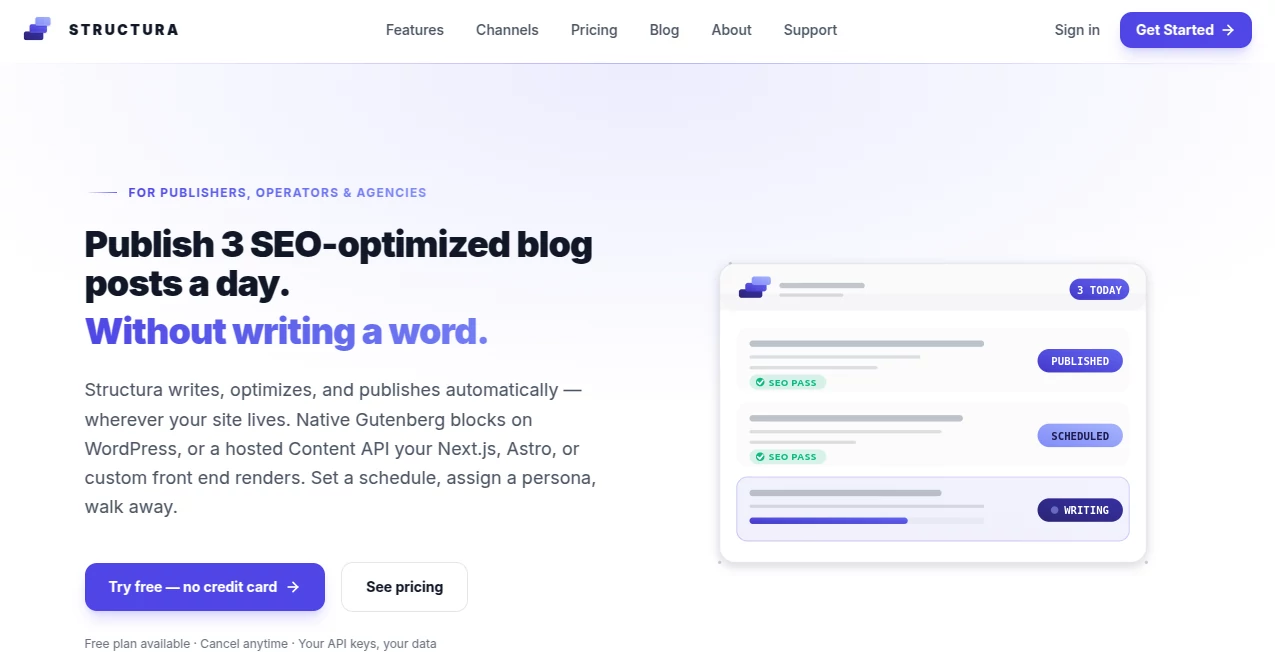
Structura is an autonomous content engine designed for publishers, website operators, and agencies that want to keep their blogs active without spending hours researching topics, writing articles, formatting posts, and publishing them manually. It can work directly with WordPress through native Gutenberg blocks or deliver content through a hosted Content API for headless websites.
The platform goes beyond simply generating an article. It can research search results, develop a content strategy, create posts in a chosen author persona, optimize important SEO elements, source and validate external links, generate images, and publish according to a schedule. For a busy publisher managing several websites, having these steps connected in one workflow can make content production considerably easier.
One particularly useful aspect is the ability to choose between manual approval and a more automated publishing process. This gives website owners room to maintain editorial control while still reducing repetitive work.
Key Features
- Automated blog post research, writing, optimization, and publishing
- Native WordPress Gutenberg block generation
- Hosted Content API for headless websites
- Automated SEO checks covering titles, slugs, meta descriptions, keyphrases, readability, and internal links
- Real-time SERP and competitor research on supported plans
- Authority-link discovery and outbound link validation
- Custom AI personas with different tones, expertise levels, and writing styles
- Scheduled publishing on daily, weekly, or multiple-times-per-day schedules
- Brand-aware featured and body image generation on supported plans
- Google Search Console integration for monitoring search performance
- Distribution through channels such as LinkedIn, Slack, Discord, webhooks, and IndexNow
User Interface
The workflow is built around campaigns, personas, publishing schedules, and generated posts rather than a simple blank writing box. That makes the experience more suitable for people running an ongoing content operation.
Setup follows a straightforward progression. Users describe their business and important pages, configure content strategies, create writing personas, and then set a publishing schedule. The result is a workflow that feels closer to managing a small editorial team than repeatedly prompting an AI writer.
The WordPress connection is another practical advantage. Posts are created as native Gutenberg blocks instead of being inserted as large pieces of Markdown or generic HTML. This can make generated content easier to edit inside the familiar WordPress editor.
Accuracy & Performance
The platform reports an average publishing time of around 30 seconds per generated post. Its SEO workflow also uses a 20-plus-point protocol covering areas such as metadata, keyphrase placement, readability, internal linking, and search intent.
On plans that include live search intelligence, the system can examine current Google results and competitor content before preparing an article. It can also identify relevant authority sources and validate outbound links before publication. These steps are important because a content workflow is much more useful when it handles research and quality checks rather than producing text alone.
Of course, search rankings are never guaranteed by an automated content system. Competition, website authority, topical coverage, technical SEO, and the quality of the final article still matter. The value here is in reducing the amount of repetitive work required to produce and maintain content consistently.
Capabilities
A major strength is the combination of content generation with an actual publishing workflow. A campaign can be configured around goals such as attracting traffic, finding quick-win opportunities, driving conversions, or building topical authority.
Personas add another layer of control. A publisher can create different virtual authors for different content categories, giving each one its own tone, reading level, expertise, and perspective. For example, technical documentation could use a research-focused persona while opinion content could follow a more conversational voice.
The system also supports automated scheduling. Depending on the selected configuration, publishers can schedule content daily, weekly, or multiple times per day. This is particularly useful for sites that need a steady publishing cadence without someone manually preparing every post.
For developers and teams running non-WordPress websites, the Content API makes the platform more flexible. Content can be delivered to a headless environment rather than requiring the traditional WordPress publishing setup.
Security & Privacy
The service offers a bring-your-own-key option in which customers can connect their own OpenAI or Gemini API credentials and pay those providers directly. This approach gives users more visibility into their AI usage rather than adding an undisclosed markup to model costs.
Cloud plans take a different approach by managing the AI infrastructure for the customer. The provider also states that users' API keys and data remain theirs. As with any service that connects to a website and publishing system, users should still review the provider's current privacy policy, permissions, and account settings before connecting production websites.
Use Cases
This platform is particularly well suited to businesses and publishers that need a consistent flow of blog content rather than occasional AI-written articles.
- Content publishers: Maintain a regular editorial schedule without manually preparing every post.
- SEO-focused websites: Research topics, optimize articles, and build internal and external linking into the publishing workflow.
- WordPress agencies: Manage content production across multiple client websites from a more centralized workflow.
- Affiliate websites: Create structured informational content around search-driven topics and publish it on a schedule.
- Small businesses: Keep a company blog active without hiring a full-time content team.
- Multi-site operators: Use multiple campaigns and site activations to support larger publishing operations.
- Headless websites: Use the Content API when WordPress is not part of the site's frontend architecture.
Pros and Cons
Pros:
- Combines writing, SEO, research, images, links, scheduling, and publishing in one workflow.
- Native Gutenberg support is useful for WordPress publishers.
- Custom personas make content styles easier to standardize.
- Real-time SERP intelligence is available on higher-tier plans.
- Outbound links can be validated before publication.
- Google Search Console integration helps connect publishing activity with search performance.
- BYOK provides a flexible option for users who prefer controlling their own AI API costs.
- Supports both WordPress and headless publishing workflows.
Cons:
- The more advanced SEO and SERP capabilities are reserved for paid plans.
- BYOK plans require users to manage their own AI provider account and API key.
- Cloud plans may be more attractive for convenience but have higher subscription costs.
- Automated publishing still benefits from human editorial review, especially for specialized or high-stakes subjects.
Pricing Plans
The service currently offers four main plans: Free, BYOK, Cloud, and Cloud Pro.
- Free: $0 per site per month. It includes basic publishing, automated metadata, featured image generation, one active campaign, scheduling, and the option to use your own OpenAI or Gemini API key.
- BYOK: Listed at $12 per site per month, with a promotional founding-customer price shown as $7.20. It adds the 20-plus-point SEO protocol, SERP intelligence, keyword discovery, validated authority links, Search Console analytics, more campaigns, and additional publishing features.
- Cloud: Listed at $39 per site per month on annual billing. The platform manages the AI infrastructure and includes 2 million tokens per site per month, unlimited campaigns, provider failover, and the advanced features included in the BYOK tier.
- Cloud Pro: Listed at $119 per site per month on annual billing. It adds access to higher-tier AI models, a per-post model picker, higher image quotas, and other premium capabilities.
Monthly billing and volume pricing are also available, with lower per-site rates shown for customers operating multiple sites. The provider states that subscriptions can be canceled at any time.
How to Use the Tool
- Connect a WordPress website or create a headless publishing space.
- Choose an AI setup by connecting your own supported API key or selecting a managed cloud plan.
- Describe your business, website, important pages, and content goals.
- Create a campaign and select an appropriate content strategy.
- Design one or more personas with the tone, expertise, and reading level you want.
- Set your preferred publishing schedule.
- Let the system research topics, prepare articles, optimize SEO elements, generate images, and validate links.
- Review generated posts when editorial approval is enabled, or allow scheduled content to publish automatically.
- Use search-performance information to identify posts that need improvement and refine future campaigns.
Comparison with Similar Tools
Many AI writing products focus primarily on generating text from a prompt. This approach can be useful for individual articles, but it leaves several additional tasks to the website owner: researching competitors, formatting content, adding links, optimizing metadata, creating images, scheduling posts, and publishing them.
This platform takes a broader approach by connecting those stages into one publishing system. Its strongest distinction is therefore not simply the ability to write an article, but the automation surrounding the article before and after generation.
For someone who only needs a paragraph, email, or occasional blog post, a general-purpose AI assistant may be enough. For a publisher or agency trying to operate a repeatable content pipeline, an integrated workflow can be considerably more practical.
Conclusion
For website owners who see content publishing as an ongoing operation rather than a one-off writing task, this platform offers a compelling combination of automation and editorial control. It brings research, content strategy, AI writing, SEO checks, image generation, link validation, scheduling, and publishing into the same workflow.
The native Gutenberg approach is especially appealing for WordPress users who want generated posts to remain editable and structurally clean inside their existing site. The headless Content API also makes the system relevant beyond traditional WordPress installations.
Its biggest advantage is simple: once the strategy and publishing rules are configured, much of the repetitive work can happen in the background. That makes it an interesting option for publishers, agencies, and businesses that need to scale content production while keeping their websites active on a consistent schedule.
Frequently Asked Questions (FAQ)
Can it publish directly to WordPress?
Yes. It can connect to WordPress through a native plugin and publish content as Gutenberg-native blocks.
Does it support websites without WordPress?
Yes. A hosted Content API is available for headless websites and custom frontends.
Can I use my own AI API key?
Yes. The BYOK approach allows customers to connect their own OpenAI or Gemini API key and pay the AI provider directly.
Does it perform SEO optimization?
Yes. Supported plans include an automated SEO protocol covering areas such as titles, metadata, slugs, keyphrases, readability, internal links, and other content checks.
Can it research competitors?
Higher-tier plans include real-time SERP intelligence and competitor analysis, allowing the system to examine search results and competing content when developing articles.
Can I create different writing styles?
Yes. Custom personas can be configured with different tones, expertise levels, reading levels, and perspectives, making them useful for different content categories.
Can posts be scheduled automatically?
Yes. Publishing schedules can be configured for recurring content, including daily and weekly schedules and higher-frequency publishing options.
Is there a free plan?
Yes. A free plan is available without a credit card and provides a starting point for publishing AI-generated content with your own supported AI API key.
Is human approval required before publishing?
No. The workflow can support review before publication, but it can also be configured for automated scheduled publishing when that level of automation is preferred.
Does it work with SEO plugins such as Yoast and RankMath?
Yes. The service states that its SEO protocol is designed to produce content that is optimized for Yoast and RankMath checks.
AI Workflow Management , AI Blog Writer , AI Content Generator , AI SEO Assistant .
These classifications represent its core capabilities and areas of application. For related tools, explore the linked categories above.

Structura Alternatives Product

Shufaf

PostingCat

Emergent

RankingRider

Translate a …

Carouzel AI

TutuoAI

Banana Promp…

RankPeak