
studyism
What is studyism?
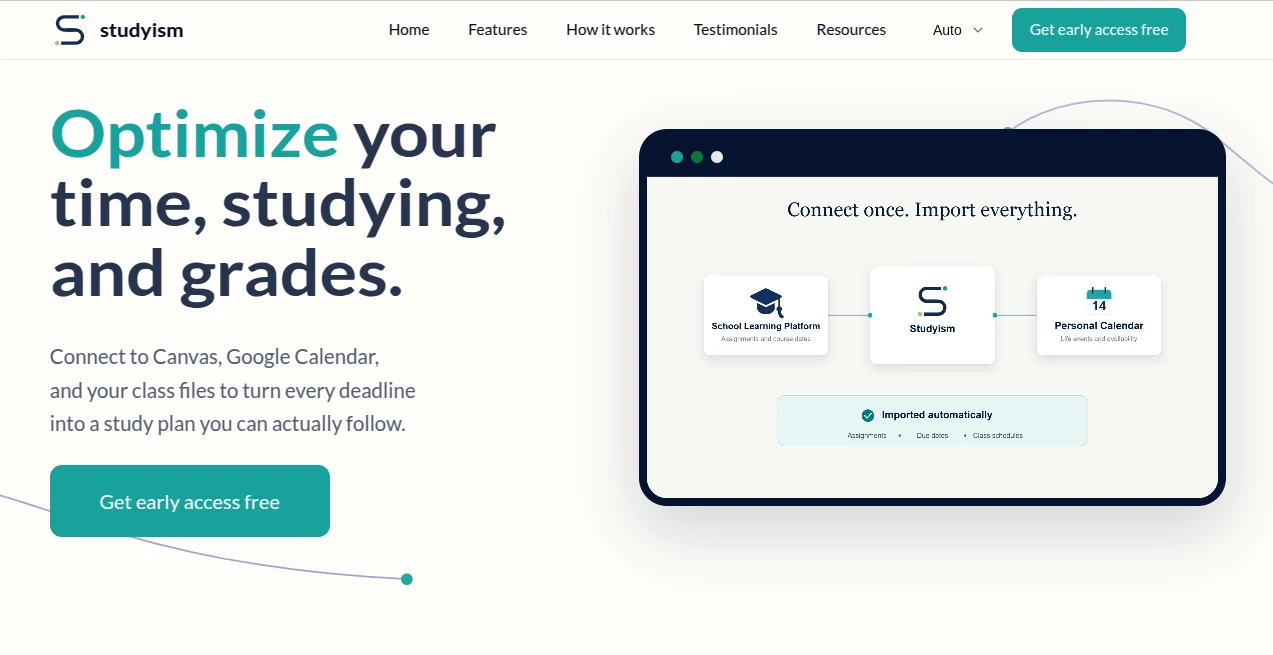
Studyism is an AI-powered study planning platform designed to make the messy side of student life easier to manage. Instead of asking students to jump between calendars, learning platforms, syllabus files, and scattered notes, it brings important academic commitments into one place and turns them into a practical study plan.
The idea is refreshingly straightforward: students often know what they need to do, but not always what they should do next. The platform addresses that gap by connecting schedules and class materials, identifying upcoming work, and suggesting realistic study sessions around the time a student actually has available.
For example, a student with a chemistry lab, a calculus worksheet, and an upcoming exam does not simply receive another long task list. The system can organize those commitments into a sequence of manageable study blocks, helping turn a stressful week into something much easier to approach.
Key Features
- Calendar Import: Connect Canvas and Google Calendar, or upload relevant files, so assignments and events can be gathered into one view.
- Study Plan Builder: Creates study plans around available time and helps identify the next useful action.
- Practice Question Generator: Converts uploaded notes, slides, readings, and assignments into practice questions, flashcards, and mini quizzes.
- Assignment Breakdown: Turns confusing prompts, rubrics, and requirements into smaller, clearer steps.
- Catch-Up Mode: Helps students prioritize overdue work by considering available time, importance, and potential impact on grades.
- Personalized Priorities: Instead of treating every assignment equally, recommendations can focus attention on work that matters most at a particular moment.
User Interface
The interface is built around reducing decisions rather than adding more of them. The workflow starts with importing schedules and academic materials, then moves toward a practical plan for the day or week.
That approach is particularly useful for students who already have too many places to check. A typical week might involve Canvas assignments, Google Calendar events, PDF syllabi, lecture slides, and personal reminders. Bringing those sources together gives the student a much clearer starting point.
The examples shown on the platform also emphasize short, realistic blocks such as 15, 30, or 35 minutes. That is a useful detail because a study plan is much easier to follow when it respects the time a student actually has rather than assuming an uninterrupted afternoon.
Accuracy & Performance
The value of the platform depends heavily on how well it interprets academic information and turns it into useful recommendations. Its workflow is designed to extract assignments and events from connected sources or uploaded materials and use them when building study plans.
It also takes a more practical approach to prioritization. When a student is behind, the system can consider factors such as the available hours, assignment importance, and potential grade impact rather than simply sorting everything by date.
Students should still review generated recommendations and academic information before relying on them. AI can organize and assist with study decisions, but it should complement a student's judgment rather than replace it.
Capabilities
The strongest part of the platform is the way several study-related tasks work together. A student can bring in class information, organize deadlines, create a schedule, break assignments into steps, and generate practice material from existing study resources.
The practice feature is especially useful for active learning. Instead of merely rereading lecture slides, students can turn those materials into questions and mini quizzes. This makes it easier to discover weak areas before an exam.
The assignment breakdown feature is another practical touch. A large paper or complicated assignment can feel difficult simply because the first step is unclear. Breaking a project into actions such as reading the rubric, creating an outline, and revising a section makes the workload feel considerably more manageable.
Security & Privacy
Privacy is an important consideration because the service is designed to work with calendars and academic files. The platform states that students should control which accounts and files they connect, and that recommendations should explain why particular work was prioritized.
It also emphasizes keeping calendar changes visible and reversible and collecting only the information required to provide the experience. The site notes that detailed privacy and data-use information will be published before students connect their accounts.
Students considering connecting academic accounts should review the available privacy and data-use information before granting access, particularly when working with personal schedules or course materials.
Use Cases
Planning a busy semester: Students managing classes, assignments, exams, and extracurricular commitments can use a centralized plan to see what deserves attention next.
Preparing for exams: Uploaded lecture slides, notes, and readings can be transformed into practice questions and flashcards, giving students another way to review their material.
Recovering from missed work: Catch-Up Mode is designed for situations where several assignments have piled up. Rather than attempting everything simultaneously, it helps identify the work that should come first.
Breaking down large assignments: Research papers and other complicated projects can be divided into smaller actions, making it easier to move from an intimidating deadline to a concrete first step.
Managing irregular schedules: Students who balance classes with jobs, tutoring, sports, or other commitments can benefit from study blocks that fit around the time they actually have available.
Pros and Cons
- Pros: Combines academic schedules and materials in one workflow.
- Pros: Creates realistic study plans instead of relying only on static to-do lists.
- Pros: Includes practice questions, flashcards, and mini quizzes from existing study materials.
- Pros: Assignment breakdown can make complicated academic tasks easier to start.
- Pros: Catch-Up Mode is useful when deadlines have already started to accumulate.
- Cons: The service is currently presented as an early-access product, so availability and features may continue to evolve.
- Cons: Students still need to check AI-generated recommendations and practice material for accuracy.
- Cons: Connecting calendars and academic files requires careful consideration of personal data and privacy.
Pricing Plans
The website currently invites students to get early access for free. At this stage, there are no detailed paid pricing tiers publicly presented on the main product page.
That makes the early-access offer particularly appealing to students who want to experiment with AI-assisted study planning without immediately committing to a subscription. As the product develops, users should check the latest information for any changes to access, pricing, or available features.
How to Use It
- Start by connecting supported academic sources such as Canvas and Google Calendar, or upload relevant course files.
- Let the platform gather assignments, events, and other study information into one place.
- Review the resulting schedule and available study time.
- Use the study plan builder to create practical sessions around your actual availability.
- Break complicated assignments into smaller steps when you are unsure where to begin.
- Upload notes, slides, readings, or assignments when you want to create practice questions, flashcards, or mini quizzes.
- If you have fallen behind, use Catch-Up Mode to identify the most important work to tackle first.
- Review recommendations before following them, especially when deadlines, grading policies, or course requirements are unusual.
Comparison with Similar Tools
Traditional calendar apps are excellent for recording events, but they generally leave the student to decide how those events should translate into study sessions. Basic task managers solve a similar problem from another angle: they record what needs to be done but do not necessarily understand the academic context behind each task.
Dedicated flashcard and quiz platforms, meanwhile, are useful for revision but usually focus on a narrower part of the learning process. This platform takes a broader approach by combining scheduling, prioritization, assignment planning, and study-material practice in one environment.
The biggest distinction is therefore not a single feature. It is the connection between features. A deadline can influence a study plan, a study plan can lead to a specific task, and existing course materials can then become practice questions. For students who struggle more with organization than motivation, that connected workflow can be particularly valuable.
Conclusion
Studying becomes considerably easier when the next step is obvious. That is the central strength of this platform. Rather than simply giving students another place to store assignments, it focuses on turning academic information into a workable plan.
The combination of calendar and course-material imports, personalized study planning, assignment breakdown, practice generation, and Catch-Up Mode gives students a useful framework for handling busy academic weeks.
It will be especially interesting for students who regularly find themselves asking, “What should I work on right now?” instead of simply wondering what assignments exist. With its early-access approach and student-focused workflow, it offers a promising way to bring more structure to everyday studying without making the process feel unnecessarily complicated.
Frequently Asked Questions (FAQ)
What is this platform designed for?
It is designed to help students organize academic schedules, assignments, study time, and course materials while using AI to create more practical study plans.
Can it connect to Canvas?
Yes. Canvas is listed as one of the supported sources for importing assignments and academic information.
Does it work with Google Calendar?
Yes. Google Calendar can be connected so calendar events can be brought into the overall study-planning workflow.
Can I upload my study materials?
Yes. The platform supports uploaded notes, slides, readings, assignments, and other academic files for features such as practice-question generation.
Can it create practice questions?
Yes. Uploaded learning materials can be turned into focused practice questions, flashcards, and mini quizzes.
What is Catch-Up Mode?
Catch-Up Mode is designed for students who have fallen behind. It helps determine which overdue tasks deserve attention first based on factors such as available time and academic impact.
Is it free?
The website currently offers free early access. Detailed paid plans are not currently displayed on the main page.
Should students rely completely on AI recommendations?
No. The recommendations are intended to support planning, not replace student judgment. Academic deadlines, grading rules, and course requirements should always be checked against the original source.
Who can benefit most from it?
It can be particularly useful for students managing several classes, irregular schedules, multiple assignment deadlines, or a growing backlog of academic work.
AI Task Management , AI Education Assistant , AI Homework Helper , AI Scheduling .
These classifications represent its core capabilities and areas of application. For related tools, explore the linked categories above.

studyism Alternatives Product

Twee

AI page tran…

GradeProAI

Classroom Sc…

YT Video Sum…

Youshow IELTS

Slackactivity

GameGen

UPDF AI