

















TAGiT
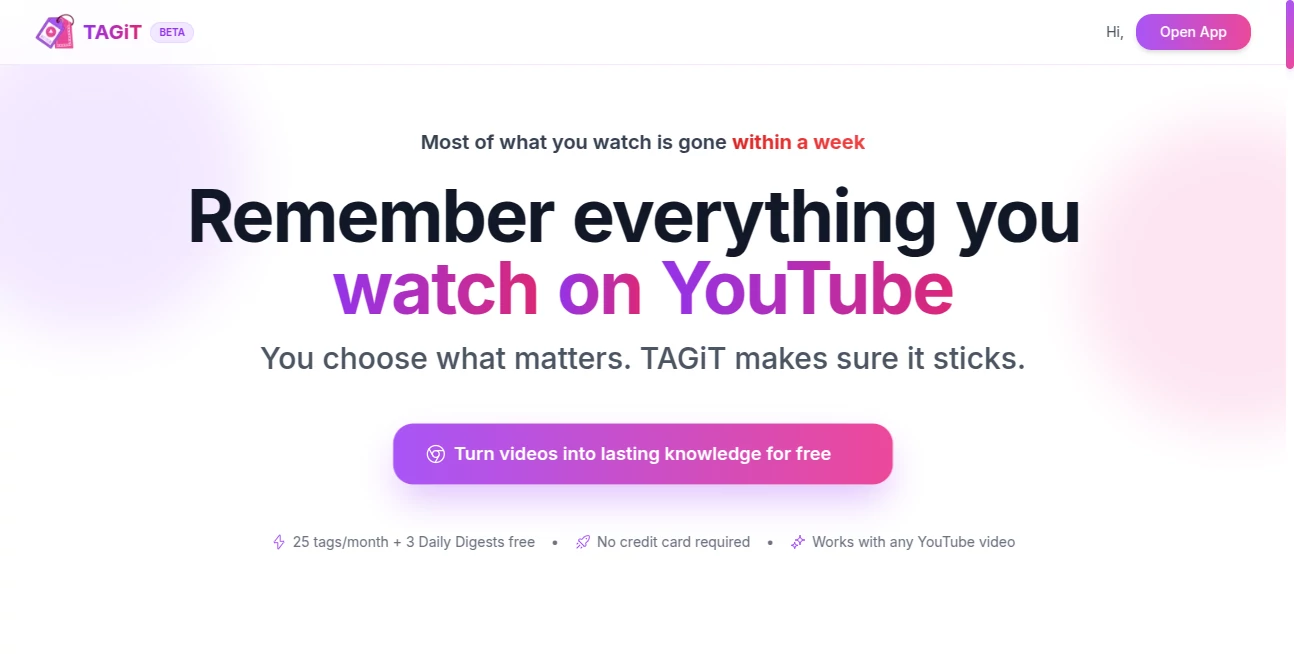
What is TAGiT?
Learning from YouTube is inspiring, but remembering the most valuable moments can be surprisingly difficult. Important ideas from podcasts, tutorials, documentaries, and online courses often disappear from memory after only a few days. This intelligent learning companion solves that problem by transforming video watching into an active learning experience instead of passive entertainment.
With a single click, meaningful moments become timestamped notes, AI-generated summaries, and interactive flashcards that are designed to reinforce long-term memory. Rather than forcing users to rewatch lengthy videos, the platform builds a searchable knowledge library that grows over time. Whether someone is studying for exams, improving professional skills, or simply exploring new interests, it offers a practical way to retain information that truly matters. The combination of automation, memory science, and a clean workflow makes it one of the most compelling learning assistants available for video-based education. :contentReference[oaicite:0]{index=0}
Key Features
User Interface
The interface is intentionally lightweight and blends naturally into the YouTube viewing experience. Users can capture important moments instantly with a single click or keyboard shortcut without interrupting playback. A well-organized dashboard keeps notes, highlights, summaries, and flashcards easy to browse, search, and review. Color-coded highlights and custom collections make organizing knowledge effortless, even after hundreds of saved videos. :contentReference[oaicite:1]{index=1}
Accuracy & Performance
Instead of creating generic summaries, the platform focuses on the exact moments users consider valuable. Timestamped notes remain linked to their original video positions, making it easy to revisit specific explanations. AI-generated summaries, combined with spaced repetition and active recall techniques, help learners remember significantly more information than passive viewing alone. The experience remains responsive while processing educational content from podcasts, lectures, interviews, and tutorials. :contentReference[oaicite:2]{index=2}
Capabilities
- Create timestamped notes while watching YouTube videos.
- Generate AI-powered summaries for important moments.
- Automatically build flashcards for active learning.
- Review knowledge using spaced repetition techniques.
- Organize highlights with customizable color labels.
- Add personal notes to every captured insight.
- Receive daily digest emails summarizing watched videos.
- Search an expanding personal knowledge library instantly.
- Build custom study collections for different topics.
- Support learning across desktop, mobile, and television viewing habits.
Security & Privacy
User privacy remains an important design principle. Personal knowledge stays under the user's control, with options to export or permanently delete stored data whenever needed. The platform emphasizes responsible handling of information while allowing learners to build a long-term knowledge base without sacrificing ownership of their notes and learning history. :contentReference[oaicite:3]{index=3}
Use Cases
- Students reviewing university lectures and online courses.
- Professionals learning new technical skills from tutorials.
- Podcast listeners collecting actionable business insights.
- Researchers organizing educational video references.
- Content creators studying successful production techniques.
- Developers saving programming explanations for later review.
- Lifelong learners building a searchable learning archive.
Pros and Cons
- Pros
- Extremely simple one-click workflow.
- AI summaries reduce the need to rewatch videos.
- Flashcards improve long-term knowledge retention.
- Excellent organization with searchable notes.
- Works well for educational and professional learning.
- Supports cross-device learning through daily digests.
- Cons
- Designed primarily around YouTube content.
- Advanced learning features may require account creation.
- Some premium capabilities are available through paid plans.
Pricing Plans
A free plan allows new users to experience the core workflow before upgrading. Additional premium features and expanded capabilities are available through paid subscription options for learners who require a more comprehensive knowledge management experience. :contentReference[oaicite:4]{index=4}
How to Use TAGiT
Install the browser extension and begin watching educational content on YouTube. Whenever an important concept appears, capture it instantly with one click or a keyboard shortcut. The platform automatically creates timestamped notes, AI-generated summaries, and flashcards. Visit the learning dashboard to organize highlights, review daily digests, search previous discoveries, and strengthen memory through spaced repetition sessions. :contentReference[oaicite:5]{index=5}
Comparison with Similar Tools
Many note-taking applications require users to manually write summaries while watching videos, which interrupts concentration and consumes valuable time. Traditional bookmark tools simply save links without helping users remember what they learned. This solution combines bookmarking, AI summarization, flashcard generation, active recall, and spaced repetition into one streamlined workflow. The result is a much more engaging learning experience that focuses on retention instead of simple storage.
Conclusion
For anyone who regularly learns through YouTube, this platform offers a refreshingly practical approach to remembering valuable information. Instead of collecting endless bookmarks that are rarely revisited, it transforms important moments into structured knowledge that remains accessible long after the video ends. The thoughtful combination of AI assistance, educational psychology, intuitive organization, and effortless capture creates an impressive companion for students, professionals, researchers, and curious lifelong learners who want every viewing session to have lasting value.
Frequently Asked Questions (FAQ)
Can it work with educational YouTube videos?
Yes. It is designed specifically for tutorials, lectures, podcasts, documentaries, and other educational content.
Does it automatically generate study materials?
Yes. Important moments can be transformed into AI summaries, notes, and flashcards for easier review.
Is it suitable for students?
Absolutely. Students can organize course material, create review collections, and reinforce learning through spaced repetition.
Can I search previously saved knowledge?
Yes. All captured information is organized inside a searchable knowledge library.
Is there a free version?
Yes. Users can start with a free plan before choosing premium features.
AI Education Assistant , AI Productivity Tools , AI Notes Assistant , AI Video Recording .
These classifications represent its core capabilities and areas of application. For related tools, explore the linked categories above.
TAGiT details
Website unavailable — View Alternatives
Pricing
- Free
Apps
- Web App
- Chrome Extensions
Categories

TAGiT Alternatives Product
Automaited

Traecta
CursiveKit

ChatGPT

wigoo

Graph Maker

morse code t…

ForthWrite

YouMind
