

















ForthWrite
Verified Blue CheckMark
Verified Blue CheckMark products are featured above free or unverified listings.
This badge indicates authenticity and builds trust, giving your product higher visibility across the platform.
Upgrade to get verified
Verified Blue CheckMark products are featured above free or unverified listings. This badge indicates authenticity and builds trust, giving your product higher visibility across the platform.
Upgrade to get verified
What is ForthWrite?
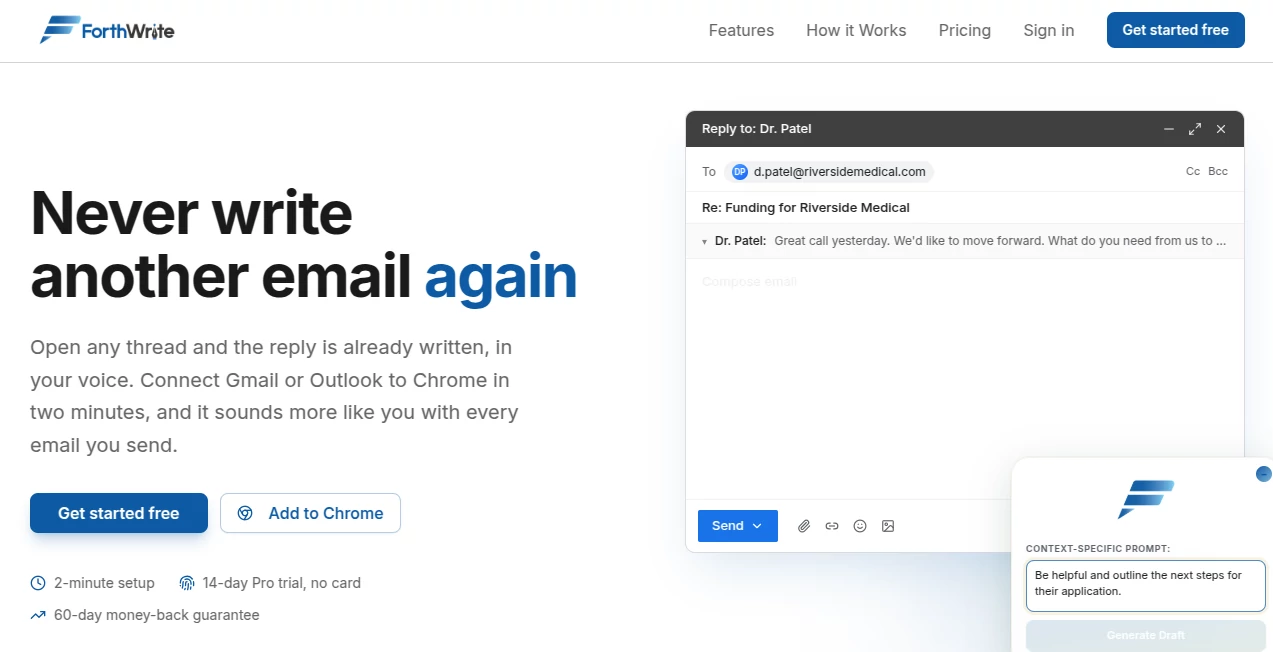
Email can take up a surprising amount of the workday, especially when every reply needs the right tone. This platform makes that process much easier by learning how you naturally write instead of producing generic AI responses. Over time, each draft becomes more personal, helping professionals reply faster while keeping every message authentic and consistent.
Key Features
User Interface
The clean interface works directly inside Gmail and Outlook, so there is no need to switch between different applications. Drafts are generated with a single click, making everyday communication feel effortless.
Accuracy & Performance
Unlike traditional email assistants, the system improves after every email you send. It studies your writing style, sentence flow, greetings, and sign-offs to deliver replies that closely match your natural voice.
Capabilities
- Creates context-aware email replies.
- Learns your writing style over time.
- Supports multiple leading AI models.
- Works with Gmail and Outlook.
- Provides background auto-drafting and batch drafting for busy inboxes.
Security & Privacy
Personal email data remains private with encrypted storage and isolated user profiles. Users can also export or remove their data whenever they choose, giving full control over personal information.
Use Cases
- Responding to client emails in minutes.
- Managing sales and business communication.
- Writing professional follow-up messages.
- Handling recruiting and customer support emails.
- Saving time for teams with large daily inboxes.
Pros and Cons
Pros
- Produces natural, personalized email drafts.
- Continuously improves with real usage.
- Simple Chrome integration.
- Supports several popular AI providers.
Cons
- Mainly focused on email workflows.
- Advanced automation features require paid plans.
Pricing Plans
A free plan is available with limited weekly drafts, making it easy to try the service without a credit card. Paid plans unlock unlimited drafting, advanced personalization, analytics, and team collaboration features for professionals and businesses.
How to Use ForthWrite
Install the Chrome extension, connect your preferred email account, and generate your first draft. As you edit and send emails, the assistant gradually adapts to your writing style, making future replies increasingly accurate and natural.
Comparison with Similar Tools
Many AI email assistants generate polished text, but few focus on learning the user's unique writing habits. By adapting to real email history instead of relying only on prompts, this solution delivers replies that feel much more personal while reducing editing time.
Conclusion
For anyone who spends hours answering emails, this solution offers a practical way to work faster without sacrificing personality. Its ability to learn from real writing makes every draft feel more authentic, turning routine email communication into a quicker and smoother experience.
Frequently Asked Questions (FAQ)
Does it work with Gmail and Outlook?
Yes. It integrates directly with both Gmail and Outlook through a browser extension.
Can it learn my writing style?
Yes. It continuously improves by analyzing your sent emails and editing patterns.
Is there a free version?
Yes. A free plan includes a limited number of AI-generated drafts each week.
Is my email data protected?
Yes. User data is encrypted, stored privately, and can be deleted or exported whenever needed.