
Tame My Inbox
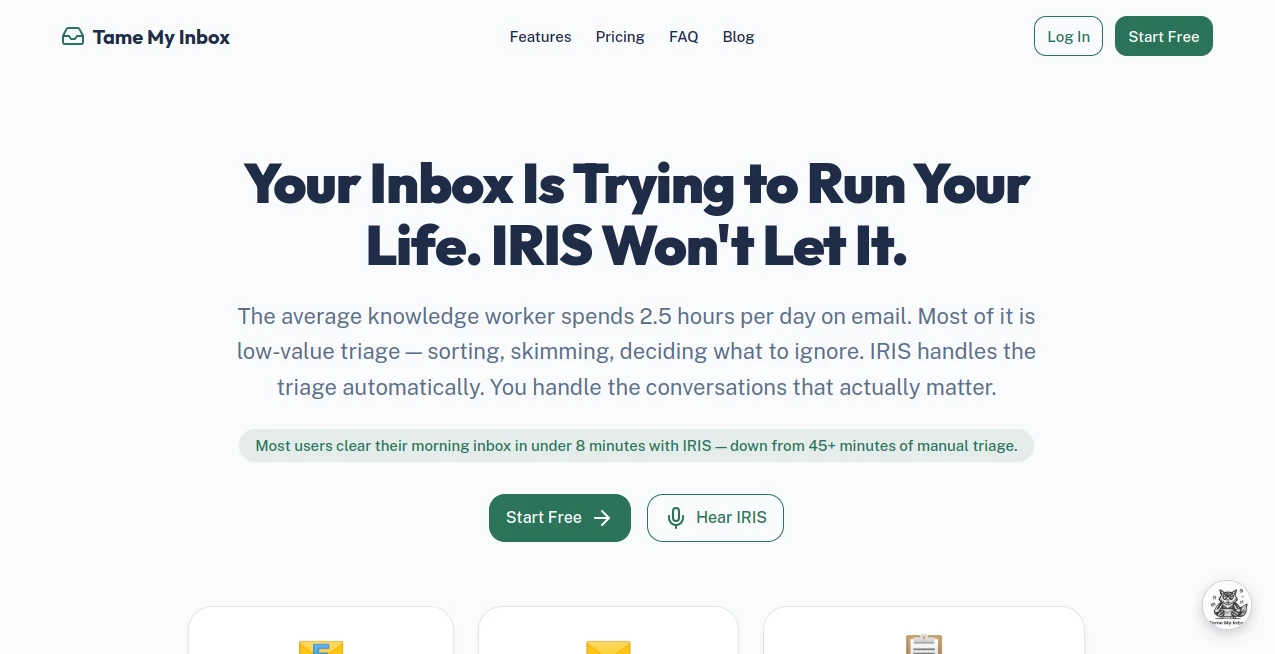
What is Tame My Inbox?
Managing email overload has become one of the biggest daily challenges for professionals, founders, and remote teams. Between newsletters, client messages, automated alerts, and spam, the inbox often turns into a source of stress instead of productivity. This platform is designed to bring clarity back into that chaos by helping users organize, prioritize, and manage their emails in a more intelligent way.
Instead of spending hours sorting messages manually, users can rely on automation and smart filtering to keep their inbox clean, focused, and actionable. The goal is simple: reduce noise and help people respond faster to what actually matters.
Key Features
User Interface
The interface is built to feel minimal and distraction-free. Everything is arranged so users can quickly understand what needs attention first. Even first-time users can navigate without a learning curve.
Accuracy & Performance
The system focuses on identifying priority messages with high precision. It learns from patterns in communication, helping reduce false categorization over time and improving relevance with continued use.
Capabilities
- Smart inbox organization and categorization
- Automatic filtering of low-priority messages
- Highlighting important emails based on behavior patterns
- Reducing spam and repetitive notifications
- Helping users focus only on actionable communication
Security & Privacy
Security is a major focus, ensuring that email data is handled with care. The system is designed to process information securely without exposing sensitive content unnecessarily. Privacy-first handling makes it suitable for both individuals and business users.
Use Cases
- Professionals managing high daily email volume
- Startup founders handling client and investor communication
- Freelancers organizing multiple project inboxes
- Marketing teams dealing with large campaign responses
- Anyone trying to reduce digital overload
Pros and Cons
Pros
- Reduces time spent on inbox management
- Improves focus by filtering unnecessary messages
- Simple and easy-to-use interface
- Adapts to user behavior over time
Cons
- May require initial learning period for optimal setup
- Advanced customization might be limited for power users
Pricing Plans
The platform typically follows a flexible pricing model, which may include free access with limited features and premium tiers for advanced automation and deeper inbox intelligence. Pricing is designed to scale with user needs, from individuals to teams.
How to Use TameMyInbox
Getting started is straightforward. After connecting an email account, users can allow the system to analyze incoming messages and begin organizing the inbox automatically. From there, preferences can be adjusted to refine what is considered important or low priority. Over time, the system becomes more personalized based on user behavior.
Comparison with Similar Tools
Compared to traditional email clients, this solution focuses more on intelligence rather than just organization. While standard tools rely heavily on manual folder creation and rules, this platform emphasizes automation and adaptive learning. Against other AI-based email assistants, it stands out by prioritizing simplicity and ease of adoption rather than overwhelming users with complex configurations.
Conclusion
Email management is no longer just about staying organized—it’s about protecting time and attention. This platform offers a modern approach to inbox control by combining automation with intelligent prioritization. For users overwhelmed by constant messages, it provides a practical way to regain focus and reduce daily digital noise.
Frequently Asked Questions (FAQ)
Is it suitable for personal use?
Yes, it works well for individuals who want to reduce inbox clutter and improve productivity.
Does it work with multiple email accounts?
It is designed to handle more than one account, making it useful for users managing personal and work emails separately.
Is technical knowledge required?
No, the setup is designed to be simple and accessible for non-technical users.
Can it replace my current email client?
It can complement or enhance your existing workflow, depending on how you prefer to manage communication.
Does it improve over time?
Yes, it becomes more accurate as it learns from user behavior and email patterns.
AI Workflow Management , AI Productivity Tools , AI Email Assistant .
These classifications represent its core capabilities and areas of application. For related tools, explore the linked categories above.

Tame My Inbox Alternatives Product

wigoo

ApplyBtn

Tate-A-Tate

Zivy

Skywork Supe…

Hairstyle An…

Miro

Hands Off

Coresite