


















TaskFire
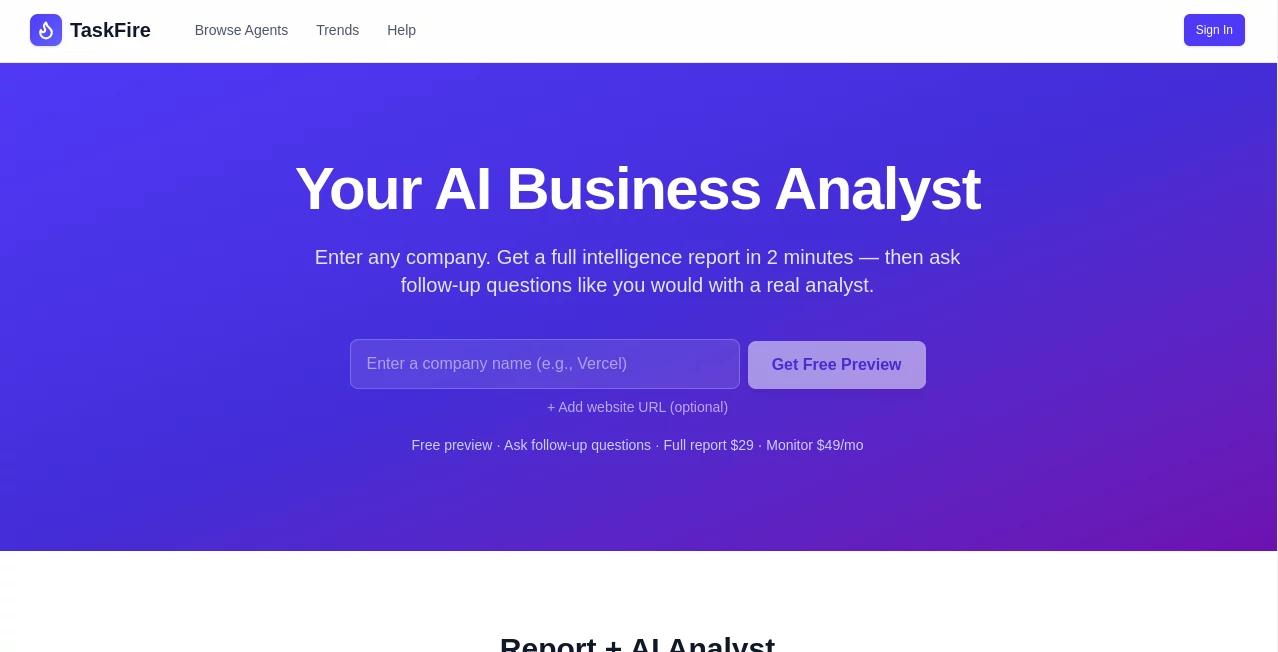
What is TaskFire?
Managing daily tasks, team workflows, and project coordination can quickly become overwhelming without the right system in place. This platform is designed to simplify that complexity by bringing everything into one intelligent workspace.
Instead of jumping between multiple apps, users can organize tasks, automate repetitive processes, and improve collaboration in a single environment. The result is a smoother, faster, and more structured way of working that helps teams stay focused on what truly matters.
Key Features
User Interface
The interface is clean, minimal, and built with usability in mind. Even first-time users can quickly understand how to navigate tasks, projects, and workflows without a steep learning curve. Everything is placed where you expect it to be, reducing friction in daily use.
Accuracy & Performance
The system is optimized for real-time responsiveness and smooth task execution. Whether handling simple to-do lists or complex multi-step workflows, it maintains consistent performance without delays or confusion in task tracking.
Capabilities
This platform goes beyond basic task management. It helps teams automate repetitive actions, assign responsibilities intelligently, and track progress across multiple projects. It is especially useful for teams looking to streamline operations and reduce manual work.
- Task and project organization
- Workflow automation
- Team collaboration tools
- Progress tracking and reporting
- Integration-ready structure for scalable use
Security & Privacy
Data protection is treated as a priority. User information and project data are handled with secure protocols to ensure confidentiality and reliability. Access controls also allow teams to manage permissions effectively.
Use Cases
This platform fits a wide range of professional needs. Startups can use it to manage fast-moving projects, agencies can coordinate client work, and remote teams can stay aligned across different time zones.
- Project management for startups and SMEs
- Marketing and content workflow planning
- Internal team task coordination
- Freelancer productivity organization
- Operational automation for businesses
Pros and Cons
Pros
- Easy-to-use and intuitive interface
- Strong focus on workflow automation
- Suitable for both individuals and teams
- Improves productivity and task clarity
Cons
- Advanced features may require onboarding time
- Best experience depends on consistent team usage
Pricing Plans
The platform typically follows a flexible pricing structure designed to support individuals, small teams, and larger organizations. While basic functionality may be accessible for personal use, advanced automation and collaboration features are often part of premium plans.
Users can choose a plan based on their workflow complexity and team size, ensuring scalability as their needs grow.
How to Use This Tool
Getting started is straightforward. After creating an account, users can set up their workspace, create tasks, and begin building workflows. The platform guides users through organizing projects step by step.
Teams can invite members, assign roles, and start collaborating instantly. Over time, automation features can be introduced to reduce repetitive work and improve efficiency.
Comparison with Similar Tools
Compared to traditional task management applications, this platform places a stronger emphasis on automation and workflow intelligence. While many tools focus only on task tracking, this solution aims to actively reduce manual effort and streamline decision-making processes.
This makes it particularly appealing for teams that want more than just a checklist system—they want a smarter operational layer.
Conclusion
For teams and individuals looking to improve productivity without adding complexity, this platform offers a balanced and modern solution. It combines task management, collaboration, and automation in a way that feels natural and efficient.
It is especially valuable for users who want to reduce repetitive work and bring more structure into their daily operations without sacrificing flexibility.
Frequently Asked Questions (FAQ)
Is it suitable for small teams?
Yes, it is designed to work well for both individuals and small to large teams.
Does it support workflow automation?
Yes, automation is one of its core strengths, helping users reduce manual tasks.
Can it be used for personal productivity?
Absolutely. Individuals can use it to organize daily tasks and personal projects efficiently.
Is it difficult to learn?
No, the interface is designed to be intuitive and beginner-friendly.
Can it scale with growing teams?
Yes, it is built to adapt as teams expand and workflows become more complex.
AI Workflow Management , AI Project Management , AI Productivity Tools , AI Task Management .
These classifications represent its core capabilities and areas of application. For related tools, explore the linked categories above.

TaskFire Alternatives Product

Zivy

Motion

FINIITE AI

CtrlOps

Sourcetable

Chatzy AI

DemoDash

Toolquix

Emergent
