

















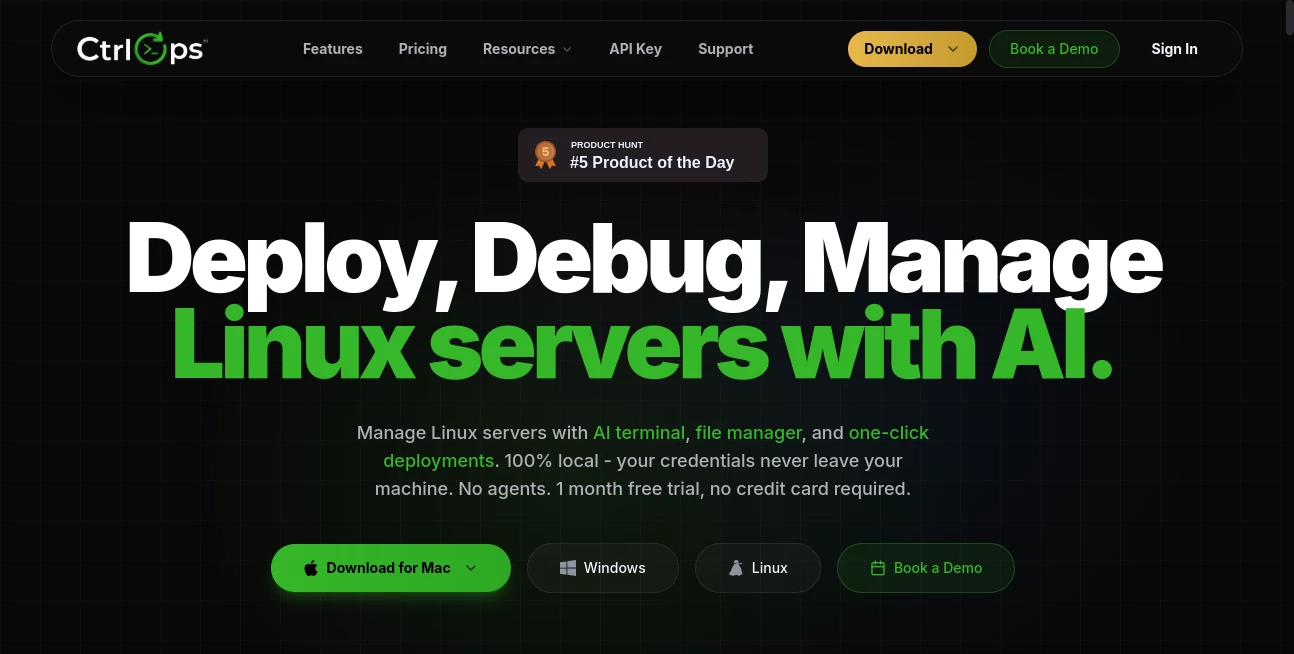
What is CtrlOps?
CtrlOps is a modern AI-powered desktop application designed to simplify Linux server administration without sacrificing security or performance. Instead of switching between multiple SSH clients, file transfer utilities, monitoring dashboards, and deployment scripts, it brings everything into one streamlined workspace that runs locally on your computer. This approach helps developers, DevOps engineers, system administrators, and IT teams spend less time managing infrastructure and more time building reliable applications.
One of the biggest strengths of the platform is its local-first architecture. Sensitive credentials, SSH keys, and server information remain on the user's device rather than being stored in the cloud. This provides an additional level of confidence for organizations handling production environments while maintaining the convenience of AI-assisted workflows.
The software combines an intelligent terminal, visual file management, infrastructure monitoring, deployment automation, SSH access management, and reusable scripts inside a clean desktop experience. Whether maintaining a single VPS or coordinating dozens of production servers, the workflow feels organized, responsive, and remarkably efficient.
Many infrastructure professionals spend valuable time searching documentation or recalling complex shell commands. The built-in AI assistant reduces that friction by translating natural language into terminal commands, explaining server errors, and helping troubleshoot issues before they become major outages. The result is a practical tool that supports both experienced engineers and newcomers learning Linux administration.
Key Features
User Interface
The desktop interface is clean, responsive, and built for daily operations. Servers can be organized with aliases instead of memorizing IP addresses, making navigation much faster. Visual file management, reusable scripts, live monitoring panels, and deployment tools are accessible from a single workspace, eliminating unnecessary context switching between different applications.
Accuracy & Performance
The AI assistant converts natural language into Bash commands while keeping the engineer in control. Every generated command can be reviewed before execution, reducing operational mistakes. Built with modern native technologies, the application delivers fast performance and low resource consumption even when managing multiple servers simultaneously.
Capabilities
The platform covers a broad range of DevOps workflows including SSH management, AI-assisted terminal operations, server monitoring, deployment automation, file transfers, backup management, reusable script libraries, access control, and centralized management for multiple Linux servers. It also supports web-assisted troubleshooting and integrates with external services through MCP servers for expanded functionality.
Security & Privacy
Security is a major focus throughout the platform. Credentials never leave the local machine, no remote agents need to be installed on production servers, and communication takes place through standard SSH connections. This design minimizes attack surfaces while allowing teams to maintain full ownership of their infrastructure and authentication data.
Use Cases
Software development teams can deploy applications to production environments with fewer manual steps and reduced configuration complexity. Freelance DevOps consultants can organize dozens of client servers from one dashboard without juggling multiple SSH sessions. System administrators benefit from centralized monitoring, simplified user access management, and visual file operations that reduce repetitive command-line work.
Startups can use the platform to accelerate deployments while maintaining strong operational security. Educational environments also benefit from the AI-guided terminal experience, making Linux administration more approachable for students and junior engineers learning server management.
Pros and Cons
Pros:
- Local-first architecture keeps sensitive credentials private.
- AI-assisted terminal speeds up troubleshooting and command generation.
- No server-side agents are required.
- Visual file management simplifies routine administration.
- Real-time infrastructure monitoring is built into the application.
- Supports unlimited Linux server connections.
- One-click deployment reduces repetitive DevOps tasks.
Cons:
- Currently focused on Linux server management.
- Enterprise features are still being expanded.
- Advanced DevOps workflows may still require external automation for highly customized environments.
Pricing Plans
A one-month free trial is available without requiring a credit card. Paid plans start at approximately $7 per user each month, while annual subscriptions offer discounted pricing. An Enterprise edition with additional team management and integration capabilities is planned for larger organizations.
How to Use CtrlOps
Download and install the desktop application on Windows, macOS, or Linux. Connect your servers using standard SSH authentication and organize them using aliases or folders. Once connected, monitor server resources, browse files, deploy applications, manage SSH access, and use the AI-powered terminal to generate commands, explain errors, or troubleshoot issues. Saved scripts can be reused across multiple servers to automate repetitive maintenance tasks.
Comparison with Similar Tools
Unlike traditional SSH clients that primarily provide terminal access, this platform combines server management, AI assistance, monitoring, deployment, and file management within a unified desktop application. Compared to solutions that rely heavily on cloud infrastructure, its local-first approach offers stronger privacy for sensitive credentials. The combination of AI guidance, native performance, and comprehensive DevOps functionality makes it suitable for engineers seeking to consolidate multiple utilities into a single workflow.
Conclusion
Managing production infrastructure often means balancing speed, reliability, and security. This platform succeeds by bringing together the essential tools engineers use every day while reducing unnecessary complexity. The AI-powered assistance helps accelerate routine operations without removing human oversight, and the local-first design addresses privacy concerns that many infrastructure teams share. For developers, system administrators, and DevOps professionals looking to simplify Linux server management, it offers a practical and thoughtfully designed solution that can significantly improve daily workflows.
Frequently Asked Questions (FAQ)
1. Does it require software installation on remote servers?
No. It connects directly through standard SSH without installing remote agents.
2. Are SSH keys stored in the cloud?
No. Credentials and SSH keys remain encrypted on the local computer.
3. Can it manage multiple Linux servers?
Yes. The application supports centralized management for unlimited server connections.
4. Is the AI allowed to execute commands automatically?
No. Generated commands are presented for review before execution, allowing users to maintain full control.
5. Who is this software best suited for?
It is ideal for DevOps engineers, Linux administrators, software developers, IT consultants, and infrastructure teams managing Linux servers.