


















Titles.video
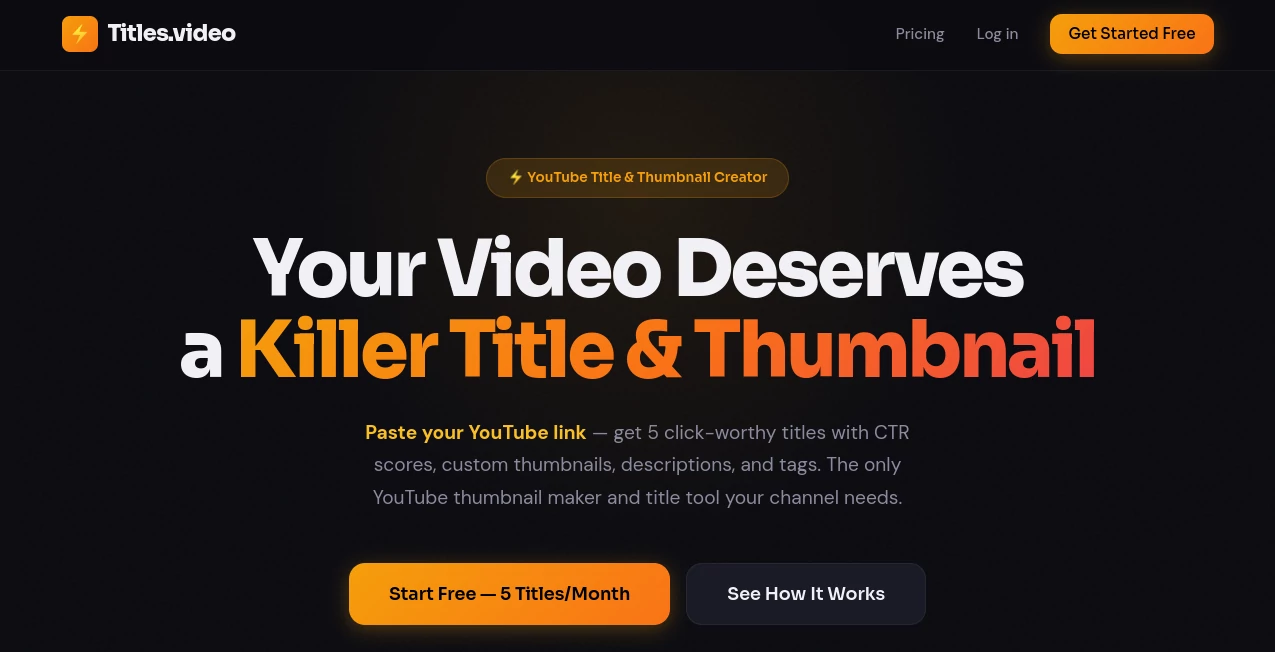
What is Titles.video?
Publishing a great YouTube video is only half the challenge. Even outstanding content can struggle to gain traction when the title, thumbnail, or description fails to capture attention. This platform was built to solve that exact problem by helping creators optimize every element that influences clicks before a video goes live.
Instead of asking users to brainstorm keywords or manually test different ideas, the platform analyzes the actual video and generates multiple high-performing title suggestions, complete with predicted click-through-rate scores. It also creates SEO-friendly descriptions, relevant tags, thumbnail recommendations, and competitor comparisons, making the publishing process faster and much more strategic.
Whether you're an independent creator, a growing YouTube channel, or part of a marketing team, it offers an efficient workflow that replaces guesswork with data-driven recommendations. The result is content that looks more professional and has a stronger chance of reaching the right audience.
Key Features
User Interface
The interface is refreshingly simple. Users only need to paste a YouTube video link, whether the video is published, unlisted, or a Short. Within moments, the dashboard presents multiple optimized titles, CTR predictions, descriptions, tags, thumbnail suggestions, and competitor insights in a clean, easy-to-understand layout.
Everything is organized logically, allowing creators to review different title variations without feeling overwhelmed. The recreation option also makes experimenting with new ideas effortless.
Accuracy & Performance
One of the strongest advantages is its content-aware analysis. Rather than relying on generic keyword templates, the system examines the video's themes, audience intent, and major talking points before generating recommendations.
CTR predictions help users compare different options before publishing, while competitor analysis provides useful context by showing how similar videos perform. This practical combination helps creators make informed decisions instead of relying on intuition alone.
Capabilities
- Generate five optimized YouTube titles for every video.
- Predict click-through-rate scores for each title.
- Create SEO-friendly video descriptions.
- Generate relevant YouTube tags automatically.
- Create or enhance YouTube thumbnails.
- Compare titles against competing videos.
- Analyze published, unlisted, and Shorts content.
- Review previous generations through history tracking.
- Perform channel audits to identify weaker titles.
- Regenerate fresh title ideas instantly.
Security & Privacy
The platform works primarily through YouTube video URLs, eliminating the need for complicated software installations or manual uploads in many situations. It also supports unlisted videos, allowing creators to optimize content before making it public. This workflow is especially useful for teams that want to finalize metadata before launch.
Use Cases
- YouTube creators looking to increase click-through rates.
- Marketing agencies managing multiple video campaigns.
- Businesses publishing educational or promotional videos.
- Content creators producing YouTube Shorts.
- Podcast publishers creating video episodes.
- Educational channels seeking better search visibility.
- Freelancers managing YouTube channels for clients.
- Brands optimizing existing video libraries.
Pros and Cons
Pros
- Very easy to use with a minimal learning curve.
- Analyzes real video content instead of relying on templates.
- Provides multiple title options rather than a single suggestion.
- Includes CTR predictions for easier decision making.
- Automatically generates descriptions and SEO tags.
- Offers thumbnail creation and enhancement tools.
- Competitor comparison adds valuable strategic insight.
- Supports both published and unpublished videos.
Cons
- Mainly designed for YouTube creators.
- Higher usage requires a paid subscription.
- CTR predictions are estimates rather than guaranteed results.
Pricing Plans
The service offers a generous free plan that includes several monthly credits for generating titles, descriptions, tags, thumbnail enhancements, and competitor analysis. Paid subscriptions increase monthly credits, provide priority processing, and are better suited for creators who publish content regularly or manage multiple channels.
How to Use Titles.video
Start by copying your YouTube video link and pasting it into the platform. The system analyzes your video's content and audience intent before generating five optimized title suggestions.
Next, review the predicted CTR scores, compare different title styles, and choose the one that best fits your content. You can also copy the automatically generated description, SEO tags, and thumbnail suggestions.
Before publishing, examine the competitor comparison to understand how your chosen title stands against similar videos in your niche. If none of the suggestions feels perfect, simply generate another set with a single click.
Comparison with Similar Tools
Many YouTube optimization tools focus on improving titles that users have already written. This platform takes a different approach by generating ideas directly from the video's actual content. That makes the recommendations feel more relevant and less repetitive.
Another notable advantage is the all-in-one workflow. Instead of switching between separate tools for titles, descriptions, tags, thumbnails, and competitor research, creators receive everything inside one streamlined interface. This significantly reduces preparation time before publishing.
Conclusion
For creators who want more than simple keyword suggestions, this solution delivers a comprehensive optimization experience. By combining AI-powered title generation, thumbnail enhancement, SEO metadata creation, CTR prediction, and competitive analysis, it simplifies one of the most challenging parts of YouTube publishing.
Whether you're launching your first channel or managing an established content library, the platform helps transform strong videos into stronger-performing uploads with smarter presentation and better visibility.
Frequently Asked Questions (FAQ)
Can it optimize YouTube Shorts?
Yes. The platform supports both standard YouTube videos and Shorts.
Does it create video descriptions automatically?
Yes. Every analysis includes an SEO-friendly description generated from the video's content.
Can I use it before publishing my video?
Yes. Unlisted videos can be analyzed, allowing creators to optimize metadata before making content public.
Does it generate YouTube tags?
Yes. Relevant SEO tags are automatically extracted based on the video's topics.
Is there a free version available?
Yes. A free plan offers monthly credits with access to core features, while paid plans unlock additional usage and priority processing.
AI SEO Assistant , AI Content Generator , AI Marketing Plan Generator , AI YouTube Assistant .
These classifications represent its core capabilities and areas of application. For related tools, explore the linked categories above.

Titles.video Alternatives Product

Sorank

ModelsLab

Picmim

etsyseotools

Enji

Prompt Sloth

InspiroBot

Pinci.ai

Quso AI
