

















Totalum
What is Totalum?
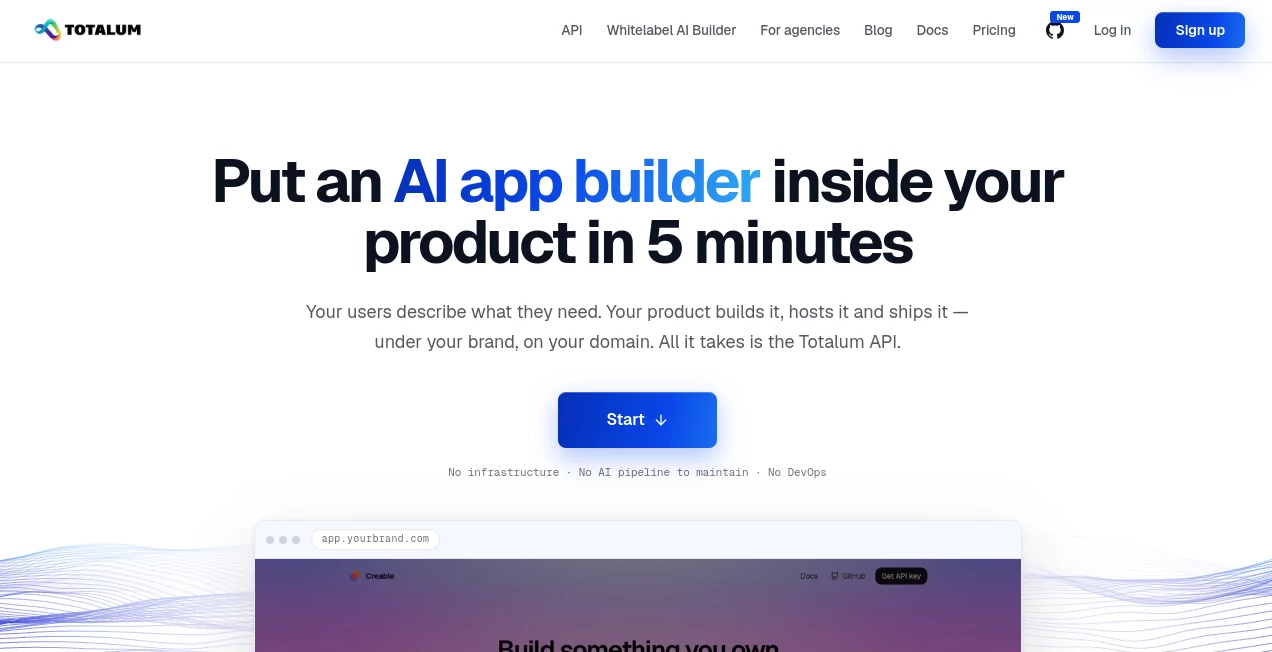
Totalum is a white-label AI app builder designed for SaaS companies, agencies, and software teams that want to offer app generation without building the entire infrastructure themselves. Instead of sending customers to a separate development platform, businesses can place an AI-powered app builder directly inside their own product, under their own brand, domain, and pricing.
The idea is refreshingly practical. A customer describes the application they want, while the underlying platform handles much of the work involved in turning that description into a working application. The generated projects can include a database, authentication, administration features, hosting, deployment, file storage, and custom domains.
For a software company already serving customers, this approach can remove a considerable amount of engineering work. Rather than creating an AI coding environment, deployment pipeline, database layer, and hosting system from scratch, the company can focus on the user experience and the features that make its own product different.
Key Features
User Interface
The white-label approach allows businesses to present the app-building experience as part of their own software. Customers do not need to create separate accounts with the underlying platform, and the builder can be placed behind the company's own interface and domain.
A typical workflow starts with a conversational request. For example, a customer might ask for a CRM with customer records, sales tracking, authentication, and an administrative dashboard. The product can pass that request through the API and allow the generated application to be created in the background.
The platform also provides an open-source AI app builder reference project that can be customized and branded, giving teams a practical starting point instead of designing the entire builder interface from zero.
Accuracy & Performance
The system is built around AI agents that generate complete applications rather than simply returning isolated code snippets. Projects are created asynchronously, allowing an integrating product to start a build and monitor its progress rather than keeping a user waiting on a traditional blocking request.
One useful part of the workflow is automated browser testing. The agents can open the generated application, interact with it, identify problems, and make corrections before the result is delivered to the user. This is particularly valuable when the goal is to provide a working application rather than an attractive first draft.
The underlying projects use Next.js and React, with deployment handled through Cloudflare infrastructure. This combination is aimed at producing applications that can serve real users rather than remaining inside a temporary prototype environment.
Capabilities
The platform covers considerably more than basic AI code generation. Generated projects can include databases, authentication, file storage, transactional email, AI integrations, custom domains, deployment, logs, analytics, and version history.
Each project receives its own environment and can use its own secrets. This makes it possible for a generated application to communicate with services such as payment providers, CRMs, internal APIs, or other external systems.
Another important capability is code ownership. Generated projects can be exported, and GitHub synchronization is supported. This gives development teams the option to continue working on the generated application outside the platform.
Security & Privacy
The architecture separates projects into individual environments, while each project can have its own secrets and configuration. This is useful for SaaS products where different customers need different integrations or credentials.
Database infrastructure is managed by the platform, with automatic backups and data storage in the European Union. Businesses using the white-label service should still establish their own privacy notices, customer terms, access controls, and data-processing responsibilities according to their particular use case.
For companies reselling the service under their own brand, the terms also specify additional responsibilities for the reseller. White-label resale requires a written order form, so businesses planning a commercial deployment should clarify those terms before launching the service to customers.
Use Cases
The most interesting use case is embedding an AI application builder into an existing SaaS product. Imagine a business-management platform where a customer can request a custom internal dashboard without leaving the main product. The application-generation feature can become another part of the existing customer experience rather than a separate service.
Agencies can also use the technology when delivering websites and applications for clients. Instead of starting every project from an empty repository, an agency can generate an initial application, customize it, and continue development manually when necessary.
Software companies can use the API to create their own AI-powered application-building experience. A company could offer a "build an app" feature, control the interface and customer relationship, and decide how the service is packaged into its own subscription plans.
Another practical scenario is rapid prototyping. A product team could describe an internal tool, generate a functional version, test the workflow with employees, and then continue improving the actual source code.
Pros and Cons
- Pros: Full-stack application generation rather than simple code snippets.
- Pros: White-label deployment under a company's own brand and domain.
- Pros: Built-in database, authentication, hosting, deployment, and file storage.
- Pros: API and MCP access allow the technology to be controlled by other software and AI agents.
- Pros: Generated source code can be exported and connected to GitHub.
- Pros: Per-project spending limits and usage analytics can help SaaS operators control infrastructure costs.
- Cons: Teams integrating the platform still need to build their own customer-facing experience and account management.
- Cons: Credit-based usage means companies need to monitor generation and infrastructure consumption as usage grows.
- Cons: Commercial white-label resale requires additional contractual arrangements.
Pricing Plans
The service uses a credit-based model for API usage, with credits priced at $0.07 each. The API can be used from a company's own software, AI agent, or white-label builder. Reading project information, files, and status is generally free, while generation and infrastructure operations consume credits.
The broader platform also has several subscription plans. The Free plan includes 50 credits per month and supports two projects. The Starter plan is listed at €29 per month with 250 credits and additional capabilities such as code editing, code downloads, GitHub connectivity, custom domains, and an administration panel.
The Builder plan costs €59 per month and provides 750 credits and up to 50 projects. The Professional plan costs €99 per month and includes 1,400 credits and up to 300 projects. Enterprise plans start at €299 per month and provide 5,000 or more credits with unlimited projects.
For a company embedding the builder into its own SaaS, the important detail is that the customer-facing pricing can be controlled by the integrating business. This makes the model suitable for companies that want to bundle application generation into an existing subscription or charge customers separately for generated applications.
How to Use Totalum
- Create an account and generate an API key.
- Review the API documentation and provide it to the coding agent or development team being used for the integration.
- Decide where the application-building experience should appear inside your product.
- Send the customer's application request to the API from your backend.
- Track the project while the AI agents generate, test, and deploy the application.
- Connect the generated project to the customer's domain when required.
- Use GitHub synchronization or export the source code when further development is needed.
- Monitor project usage and apply spending limits to keep customer workloads within the intended budget.
Comparison with Similar Tools
Traditional AI coding assistants generally focus on helping developers write or modify code. Browser-based AI app builders take the idea further by allowing users to describe an application and receive a working project. The white-label approach adds another layer: the application-building capability becomes infrastructure that another SaaS company can offer to its own customers.
Compared with building an equivalent platform internally, the main advantage is the amount of infrastructure already provided. A team does not have to independently develop agent orchestration, isolated build environments, database provisioning, deployment pipelines, hosting, custom-domain handling, and application versioning before offering the feature.
Compared with keeping customers inside a third-party builder, the white-label model gives the integrating company much more control over branding and the customer experience. Generated projects are also real applications with source code that can be exported or synchronized with GitHub, which can be important for businesses that want long-term control over client projects.
Conclusion
For SaaS companies and agencies looking to add AI-powered application creation to an existing product, this platform offers a compelling infrastructure-first approach. The notable feature is not simply that AI can generate an application; it is that the complete building, deployment, database, hosting, and domain workflow can be incorporated into another company's product.
The white-label model is particularly interesting for businesses that already have customers but do not want to spend months creating their own AI development infrastructure. Developers can concentrate on the interface, customer experience, and business logic while the underlying platform handles much of the operational machinery.
For smaller teams, agencies, and SaaS founders experimenting with AI-generated software, that difference can make the process considerably more approachable. The combination of API access, source-code ownership, deployment infrastructure, and brand customization gives businesses room to start small and expand the experience as customer demand grows.
Frequently Asked Questions (FAQ)
Can the AI app builder be used under my own brand?
Yes. The white-label option is designed to place the complete app-building experience behind your own brand, domain, and pricing. Your customers do not need to interact with the underlying platform directly.
Do my customers need their own account?
No. The integration can use a single API key on the backend while your own product manages customer accounts and the user experience.
Can generated applications use custom domains?
Yes. Projects can be connected to custom domains, with SSL handled as part of the deployment infrastructure.
Can I connect generated projects to GitHub?
Yes. Projects can be connected to a GitHub repository so that the generated source code can be pushed to an account controlled by you or your customer.
What technology stack is used?
Generated applications use Next.js and React, with BetterAuth for authentication and Cloudflare Workers and D1 for deployment and database infrastructure.
Can generated applications use external APIs?
Yes. Projects can use custom secrets and external APIs, making it possible to connect applications to payment providers, CRMs, internal services, AI systems, and other integrations.
How is API usage charged?
API usage is credit-based, with the published rate set at $0.07 per credit. Generation and infrastructure operations consume credits, while many read-only operations are free.
Can I resell the service to my customers?
The white-label model is intended for businesses offering the experience to their own customers, but commercial white-label resale requires a written order form. Businesses should arrange the appropriate agreement before launching a resale offering.
Can I keep the source code if I stop using the platform?
Yes. Generated projects can be exported or synchronized with GitHub, allowing the business or customer to retain and continue developing the source code.