

















DDS Gub
What is DDS Gub?
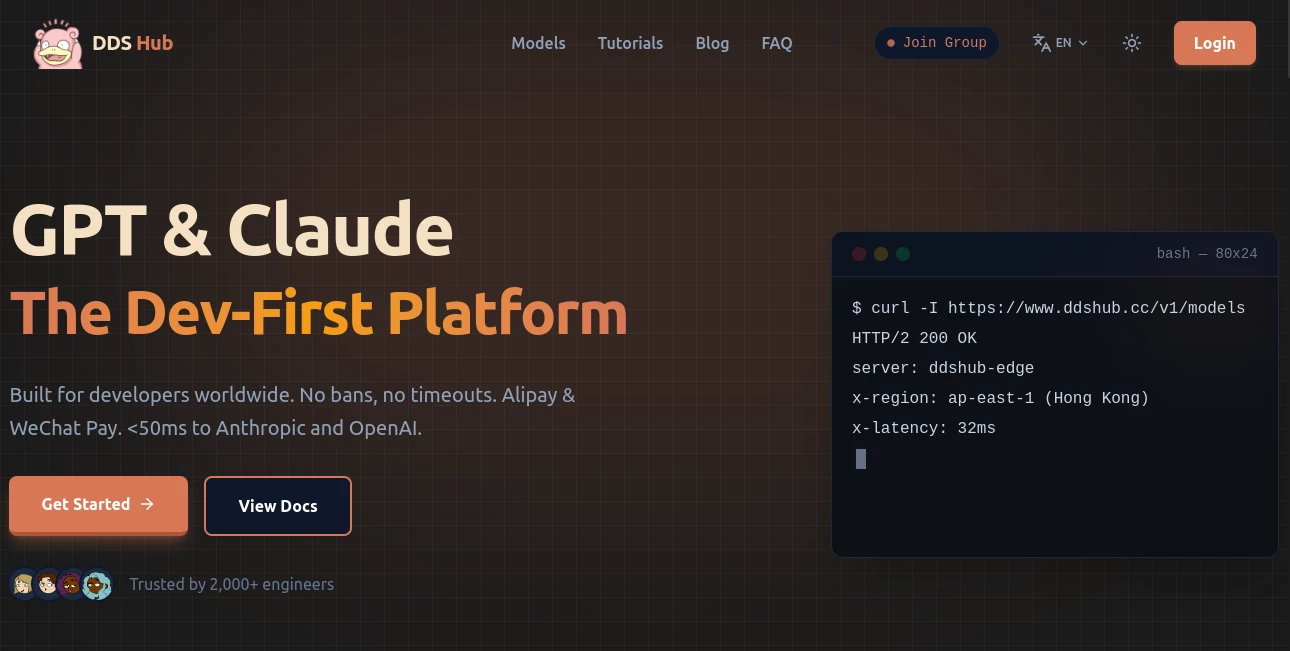
For developers working with modern AI models, getting from an API key to a reliable development workflow is not always as simple as it sounds. Different providers use different endpoints, billing systems, authentication methods, and regional access requirements. DDS Hub is built around a straightforward idea: give developers a single gateway for accessing leading AI model ecosystems without forcing them to redesign their existing applications.
The platform focuses primarily on Claude, GPT, Codex, and GLM models, with API access designed for software development, AI agents, automation, and coding workflows. Its documentation also provides practical setup instructions for Claude Code and OpenAI-compatible integrations, making it particularly relevant to developers rather than casual chatbot users. :contentReference[oaicite:0]{index=0}
One especially useful detail is that existing applications can often be connected simply by changing the API base URL and authentication credentials. That can save considerable configuration time when moving an existing project to another model gateway.
Key Features
- Access to Claude, GPT, Codex, and GLM model ecosystems through a developer-focused API gateway.
- OpenAI-compatible API access for applications and development projects.
- Support for Claude Code workflows with dedicated configuration guidance.
- Streaming responses for applications that need incremental model output.
- Usage-based billing rather than requiring a traditional monthly subscription.
- Support for personal and enterprise-oriented model groups.
- Alleged encrypted data transmission with a stated policy of not storing submitted code or API keys.
- Developer documentation covering installation, API keys, endpoints, and model configuration.
User Interface
The interface is designed around practical developer tasks rather than a consumer-facing chat experience. After registration, developers can work with API tokens, model groups, usage information, and configuration details. The documentation complements the dashboard by explaining how to connect different environments and clients.
This approach makes sense for the target audience. Someone building an application usually cares more about getting a working endpoint, configuring authentication correctly, and monitoring usage than having an elaborate visual interface.
Accuracy & Performance
Because the service functions as an API gateway rather than training its own foundation models, the quality of generated responses primarily depends on the underlying model being requested. The platform states that it provides direct access to Anthropic and OpenAI model ecosystems and automatically synchronizes newer models. :contentReference[oaicite:1]{index=1}
Network performance is another major part of its positioning. The website highlights Hong Kong and Tokyo CN2 routes and claims latency below 50 milliseconds for its optimized connections. It also emphasizes support for streaming responses, which can be important when building interactive coding tools, agents, or customer-facing AI applications. :contentReference[oaicite:2]{index=2}
Capabilities
The strongest use case is software development. Developers can connect coding assistants, backend applications, automation scripts, AI agents, and other software to supported models through familiar API patterns.
For example, an OpenAI-compatible integration can use a custom base URL while continuing to work with the standard OpenAI SDK structure. The documentation demonstrates this approach with GLM and GPT integrations. Claude Code users can similarly configure the service through environment variables and continue using the familiar command-line workflow. :contentReference[oaicite:3]{index=3}
This flexibility is valuable when experimenting with several model families. Instead of rebuilding an application around every provider's individual integration, developers can keep much of their existing implementation and adjust the connection settings.
Security & Privacy
Security deserves particular attention when using any third-party API gateway. The service states that requests are transmitted through encrypted tunnels and that it does not store users’ code or API keys. Its documentation also warns users to protect API tokens, avoid committing them to Git repositories, and revoke compromised keys immediately. :contentReference[oaicite:4]{index=4}
Developers should still apply normal API security practices. An API gateway sits between an application and an underlying model provider, so sensitive production information should only be sent when the organization's security requirements and trust model allow it. For business applications, reviewing the provider's current privacy and service policies before sending confidential data is a sensible step.
Use Cases
- AI Coding: Connect Claude Code, Codex, and other coding-oriented models to development environments.
- AI Agents: Build agents capable of reasoning through multi-step software and automation tasks.
- Application Development: Add conversational or generative AI capabilities to websites, SaaS products, and internal applications.
- Automation: Use API calls as part of scripts, workflows, and automated business processes.
- Customer Support: Developers can build multilingual customer-service bots using supported GPT models and familiar API tooling. :contentReference[oaicite:5]{index=5}
- Model Experimentation: Test different model families without maintaining completely separate integration approaches.
- Enterprise Development: Separate model access into groups for personal or organizational development workflows.
Pros and Cons
Pros
- Developer-focused rather than designed primarily as a consumer chatbot.
- Supports several major AI model ecosystems.
- OpenAI-compatible integration can simplify application migration.
- Dedicated Claude Code setup documentation is useful for software engineers.
- Streaming support is suitable for interactive applications.
- Usage-based pricing avoids requiring a conventional monthly subscription.
- Supports payment methods intended for its target market.
- Provides practical documentation for both macOS and Windows environments.
Cons
- It is a third-party gateway, so developers should evaluate trust and data-handling requirements before using it for sensitive workloads.
- Availability and performance can depend on network conditions and the underlying model provider.
- Developers looking for a simple consumer chat interface may find the API-first approach less relevant.
- Pricing and supported models can change as upstream providers release new versions.
Pricing Plans
The pricing model is based on actual API usage rather than forcing users into a fixed recurring subscription. The website describes Claude and GPT access as pay-as-you-go and states that billing follows the underlying providers’ usage logic, including token-related costs such as cache writing and cache reading where applicable. :contentReference[oaicite:6]{index=6}
The platform also advertises discounted access compared with standard provider pricing and highlights a model where users pay according to consumption. Because model prices and available models can change, developers should check the current dashboard before committing significant funds or estimating the cost of a production workload.
How to Use the Platform
Getting started is relatively straightforward for developers who are already familiar with API credentials.
- Create an account and access the developer dashboard.
- Create an API token and keep it securely stored.
- Select the appropriate model or model group for your project.
- Configure the API base URL in your application or development environment.
- For Claude Code, configure the required authentication token and base URL in the shell environment or through the interactive setup process.
- For OpenAI-compatible applications, point the SDK to the provided endpoint and use the generated API key.
- Run a small test request before connecting the service to a larger production workflow.
For example, the official documentation demonstrates configuring Claude Code through environment variables and shows OpenAI-compatible integration using a custom base URL. :contentReference[oaicite:7]{index=7}
Comparison with Similar Tools
Traditional direct API access gives developers a direct relationship with an individual model provider, which can be preferable when maximum control, official support, or enterprise agreements are the priority. A multi-model gateway takes a different approach: convenience and flexibility become more important because several model ecosystems can be accessed through a common integration layer.
This makes a gateway particularly interesting for developers who regularly switch between Claude, GPT, Codex, and other models. It can also be useful when an existing project already follows an OpenAI-compatible SDK pattern and the developer wants to experiment with another model without rewriting the entire application.
The main trade-off is trust. With a direct provider integration, requests go straight to the model provider. With a third-party gateway, developers need to consider the gateway's security practices, data policies, reliability, and pricing alongside the capabilities of the underlying models.
Conclusion
For developers who want practical access to several leading AI models without maintaining a collection of completely separate API integrations, this platform presents an appealing option. Its focus on Claude Code, Codex, GPT, GLM, OpenAI-compatible APIs, and developer documentation gives it a clear position in the AI infrastructure space.
The most compelling part is its simplicity. A developer can keep an existing workflow, change the relevant connection settings, and start testing another model family with relatively little friction. For experimentation, coding agents, automation, and AI-powered applications, that can make model access considerably easier to manage.
It is still worth starting with a small workload, checking the current pricing and supported models, and reviewing the security implications before sending confidential information. For developers comfortable with that model, the combination of flexible API access and usage-based billing makes the service worth considering.
Frequently Asked Questions (FAQ)
What is this service used for?
It is an AI API gateway aimed at developers who need access to model ecosystems such as Claude, GPT, Codex, and GLM for applications, coding workflows, automation, and AI agents. :contentReference[oaicite:8]{index=8}
Does it provide its own AI models?
No. It operates as an access and gateway layer for external AI model ecosystems rather than presenting itself as the developer of the underlying foundation models. :contentReference[oaicite:9]{index=9}
Can I use it with Claude Code?
Yes. The documentation includes dedicated Claude Code installation and configuration instructions for macOS and Windows, including the required authentication and base URL settings. :contentReference[oaicite:10]{index=10}
Does it support OpenAI-compatible APIs?
Yes. The documentation demonstrates OpenAI-compatible connections for supported models, allowing developers to use familiar SDK patterns while pointing requests to the provided API endpoint. :contentReference[oaicite:11]{index=11}
How is usage billed?
The platform describes its model access as usage-based and states that billing follows the underlying providers' token-based pricing logic. Users should check the current pricing information before estimating production costs. :contentReference[oaicite:12]{index=12}
Is an API key required?
Yes. Developers need to register, create an API token, and configure that token in their application or development environment. The documentation recommends keeping API credentials private and revoking compromised keys. :contentReference[oaicite:13]{index=13}
Is it suitable for AI agents?
Yes. Its API-oriented architecture makes it suitable for applications that need programmatic model access, including AI agents, automation systems, coding workflows, and other multi-step development tasks.
Should I send sensitive company data through a third-party gateway?
Organizations should evaluate the provider's current privacy, security, and service policies before sending confidential information. Even when a service states that it does not store submitted code or keys, developers should apply their own security requirements and avoid exposing sensitive credentials or unnecessary private data.
Can I switch between different AI models?
The platform is designed around access to multiple model ecosystems and model groups, making it possible for developers to work with different supported models through the available API interfaces. The exact model list can change over time as new models become available. :contentReference[oaicite:14]{index=14}