TranslateScan
What is TranslateScan?
Working with scanned documents often creates an extra challenge when translation is required. Standard translation services usually extract plain text and remove the original formatting, leaving users with a document that requires extensive editing. This platform solves that problem by translating scanned PDFs, images, and digital documents while keeping the original layout intact.
Designed for students, businesses, researchers, legal professionals, and international teams, it combines modern AI translation with intelligent document recognition. Fonts, tables, images, spacing, and page structure remain in place, allowing users to receive a translated document that closely resembles the original. With support for more than 130 languages and browser-based processing, it offers a fast solution without requiring software installation.
Key Features
User Interface
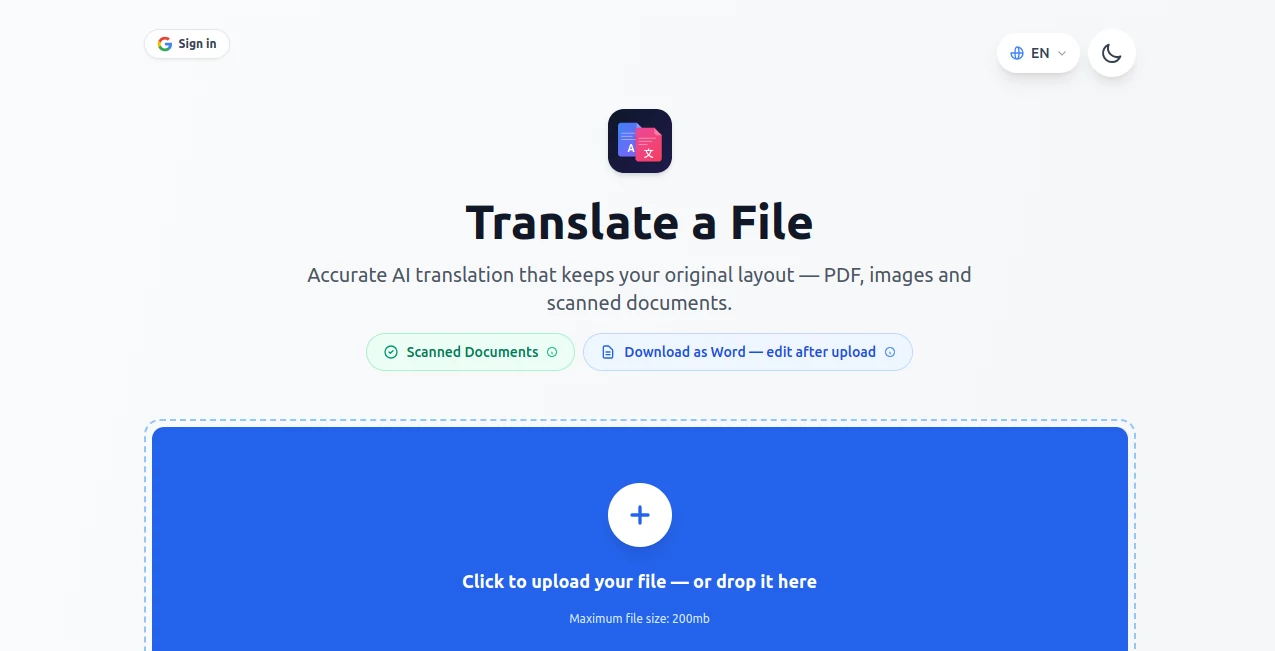
The interface is refreshingly simple. Users can upload a PDF, JPG, or PNG file through drag-and-drop or file selection, choose a target language, and start the translation process within seconds. The clean workflow makes it suitable even for people with little technical experience.
Accuracy & Performance
Instead of translating isolated words, the AI understands context, terminology, and sentence structure to produce more natural results. The service processes scanned files efficiently while maintaining document formatting, making it particularly useful for reports, contracts, manuals, invoices, and academic materials.
Capabilities
- Translate scanned PDF documents.
- Support for JPG and PNG image files.
- Preserve original formatting, tables, images, and fonts.
- Translate between more than 130 languages.
- Automatic source language detection.
- Editable Word export for scanned documents.
- Support for files up to 200 MB and hundreds of pages.
- Browser-based workflow with no installation required.
- Optional translation instructions for better context.
- Fast document processing powered by AI.
Security & Privacy
Privacy is one of the strongest aspects of the service. Uploaded files are encrypted during transfer and processed securely. Documents are automatically deleted after processing, helping organizations and individuals work with confidential information more confidently. This makes it suitable for sensitive business files, legal paperwork, and private records.
Use Cases
- Translate contracts while preserving professional formatting.
- Convert multilingual research papers into readable documents.
- Translate invoices and financial reports.
- Process immigration and visa documents.
- Translate educational materials and textbooks.
- Handle scanned manuals and technical documentation.
- Localize marketing brochures without rebuilding layouts.
- Translate archived paper documents into editable files.
Pros and Cons
- Pros
- Excellent layout preservation.
- Supports over 130 languages.
- Works directly in the browser.
- Handles scanned PDFs and image files.
- Fast AI-powered translation.
- Secure file encryption and automatic deletion.
- Editable Word export for scanned documents.
- Cons
- Requires an internet connection.
- Very complex document layouts may require small manual adjustments.
- Large document translation depends on processing time.
Pricing Plans
The service offers an affordable introductory trial that provides access to document translation features. Subscription plans unlock additional translations and extended usage. Since pricing may change over time, users should check the official website for the latest plan details before subscribing.
How to Use TranslateScan
Upload your scanned PDF or image, allow the platform to detect the source language or choose it manually, select the desired target language, and begin the translation. Within a short time, the translated document becomes available for download with its formatting preserved. If needed, scanned documents can also be exported as editable Word files for further modifications.
Comparison with Similar Tools
Many online translators focus primarily on text extraction, often sacrificing formatting in the process. This solution stands out by treating the document as a complete file rather than just a block of text. The combination of OCR, AI translation, layout preservation, multilingual support, and editable exports creates a smoother workflow for professionals who regularly handle scanned documents. Instead of rebuilding pages after translation, users can continue working almost immediately.
Conclusion
For anyone who regularly translates scanned documents, maintaining the original appearance can save hours of manual editing. This platform delivers an impressive balance of translation quality, layout preservation, speed, and security. Whether handling business contracts, educational resources, financial reports, or archived paperwork, it offers a practical solution that keeps documents looking professional while making multilingual communication significantly easier.
Frequently Asked Questions (FAQ)
Does it support scanned PDF files?
Yes. It is specifically designed to translate scanned PDF documents while preserving their original layout.
Which file formats are supported?
PDF, JPG, and PNG files are supported.
How many languages are available?
The platform supports translation between more than 130 languages.
Are uploaded files kept private?
Yes. Files are encrypted during processing and automatically deleted after a limited period.
Can translated documents be edited?
Yes. Scanned documents can be exported as editable Word files for additional modifications.
AI PDF , AI Translate , AI Documents Assistant , AI Document Extraction .
These classifications represent its core capabilities and areas of application. For related tools, explore the linked categories above.
TranslateScan details
Website unavailable — View Alternatives
Pricing
- Freemium
Apps
- Web App
Categories

TranslateScan Alternatives Product

TopPDF

TO MD

Odysseus AI
RewriteBar

Certificate …

Maestra

Flowmata AI
markdown to …

Presenti AI