
UGCVideo
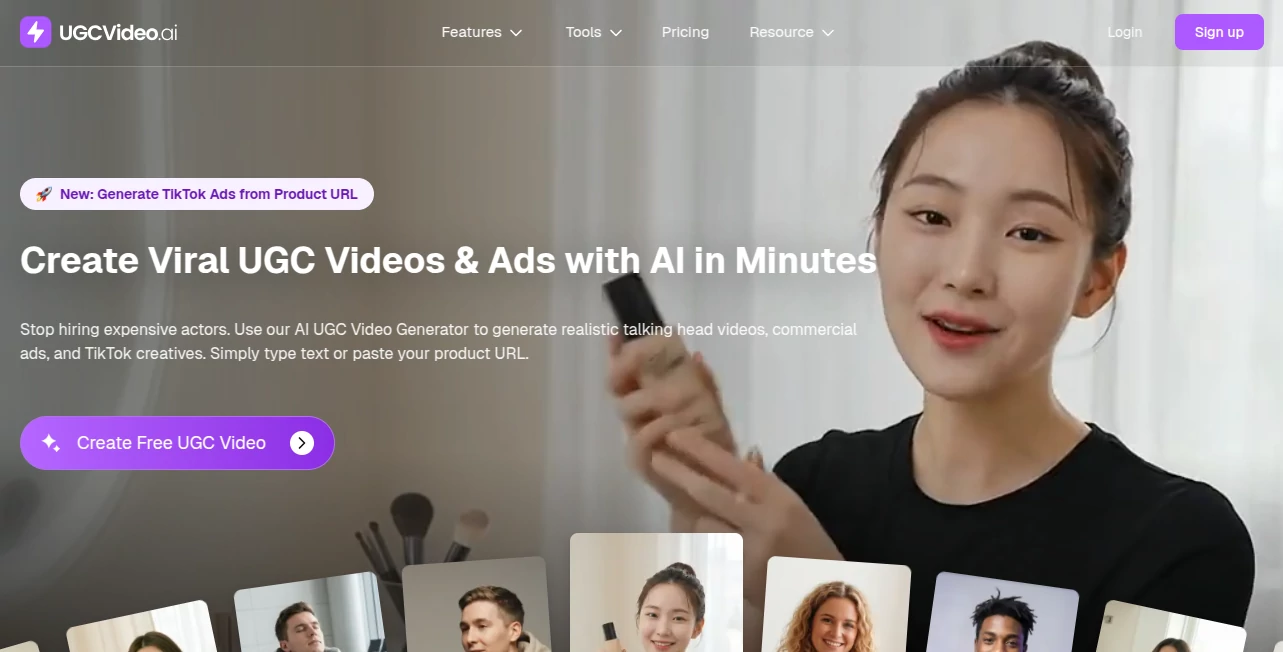
What is UGCVideo?
Creating authentic-looking marketing videos has traditionally required creators, cameras, editing software, and a significant budget. That process often slows down product launches and makes it difficult to test multiple advertising ideas. This platform changes that by allowing businesses, marketers, and creators to generate realistic user-generated content style videos with artificial intelligence in just a few steps.
Designed for modern advertising, it transforms product information into engaging video content suitable for social media campaigns, e-commerce promotions, mobile apps, and online services. AI-generated avatars, natural lip-sync technology, and automated script creation make it possible to produce professional-looking promotional videos without hiring actors or organizing expensive video shoots. The result is a faster creative workflow that helps brands experiment with more campaigns while keeping production costs under control. The platform particularly shines when creating content for short-form video platforms where authentic storytelling often outperforms polished commercial productions.
Key Features
User Interface
The dashboard is clean and approachable, making it easy for beginners to start creating videos immediately. Instead of navigating through complicated editing timelines, users simply provide product details, choose an AI presenter, customize the script if needed, and generate a finished video. The workflow feels logical, allowing marketing teams to produce multiple variations without a steep learning curve.
Accuracy & Performance
The generated avatars feature realistic facial expressions and natural lip synchronization that help videos appear more believable. High-definition output makes the content suitable for advertising campaigns across multiple platforms. Video generation is completed within minutes, enabling rapid creative testing and quicker campaign launches.
Capabilities
- Generate realistic AI avatar videos.
- Create UGC-style advertising content.
- Convert product URLs into promotional videos.
- Automatically generate marketing scripts.
- Produce videos for TikTok, Facebook, Instagram, and other social platforms.
- Support natural voice narration and synchronized speech.
- Create multiple ad variations for campaign testing.
- Export high-quality marketing videos.
Security & Privacy
The platform processes projects through secure online infrastructure while allowing users to manage their own marketing assets. Businesses working with product information can create promotional content without sharing sensitive customer data, making it suitable for professional commercial use.
Use Cases
- Creating video advertisements for e-commerce products.
- Launching TikTok and Instagram marketing campaigns.
- Producing Facebook advertising creatives.
- Generating promotional videos for SaaS products.
- Building content for affiliate marketing.
- Testing multiple advertising concepts before scaling campaigns.
- Creating promotional videos without hiring actors.
- Supporting agencies that need fast client content production.
Pros and Cons
Pros
- Fast video creation workflow.
- Realistic AI avatars and lip-sync technology.
- No filming equipment required.
- Suitable for marketers, agencies, and business owners.
- Supports high-quality video exports.
- Reduces production costs significantly.
- Allows rapid A/B testing of advertising creatives.
Cons
- Advanced customization may require premium plans.
- Creative results still benefit from reviewing generated scripts.
- AI-generated videos may not fully replace professional live productions for every campaign.
Pricing Plans
A freemium model is available, allowing new users to explore the platform before upgrading. Paid subscriptions unlock additional video generation capacity, premium features, higher-quality exports, and greater flexibility for professional marketing teams.
How to Use UGCVideo.ai
- Create an account.
- Choose an AI avatar or presenter.
- Paste a product URL or provide product information.
- Generate or edit the marketing script.
- Select your preferred video settings.
- Create the video.
- Download the finished content and publish it across your marketing channels.
Comparison with Similar Tools
Compared with many AI video generators that focus on animation or generic presentations, this solution is built specifically for user-generated content advertising. Its emphasis on realistic AI influencers, automated ad creation, and product-focused workflows makes it especially valuable for brands running performance marketing campaigns. Businesses looking to scale social advertising can generate multiple creative variations much faster than with traditional production methods while maintaining an authentic appearance that resonates with modern audiences.
Conclusion
For businesses that depend on engaging video advertisements, this platform offers an impressive balance between speed, quality, and affordability. It simplifies one of the most expensive parts of digital marketing by replacing lengthy production processes with an intelligent AI workflow. Whether launching a new product, promoting an app, or testing fresh advertising concepts, marketers can quickly create convincing UGC-style videos that are ready for today's most popular social platforms. It is a practical solution for teams that value efficiency without sacrificing creative quality.
Frequently Asked Questions (FAQ)
Can beginners use this platform?
Yes. The interface is designed for users with little or no video editing experience.
Can it generate videos for social media advertising?
Yes. Videos are designed for platforms such as TikTok, Facebook, Instagram, and similar short-form video channels.
Does it include AI avatars?
Yes. Users can create videos featuring realistic AI presenters with natural lip synchronization.
Can I create multiple versions of the same advertisement?
Yes. Creating different variations for testing marketing performance is one of its strongest capabilities.
Is there a free plan?
Yes. New users can start with a free plan before upgrading to paid subscriptions for additional features and higher usage limits.
AI Ad Generator , AI Video Generator , AI Social Media Assistant , AI UGC Video Generator .
These classifications represent its core capabilities and areas of application. For related tools, explore the linked categories above.

UGCVideo Alternatives Product

Seedance 2.0

Shutterstock

KarmaGuy

HappyHorse A…

Faceless vid…

Veo 4 AI Vid…

Socialync

Seedance 3.0

Reddit Campa…