Unibase Memory
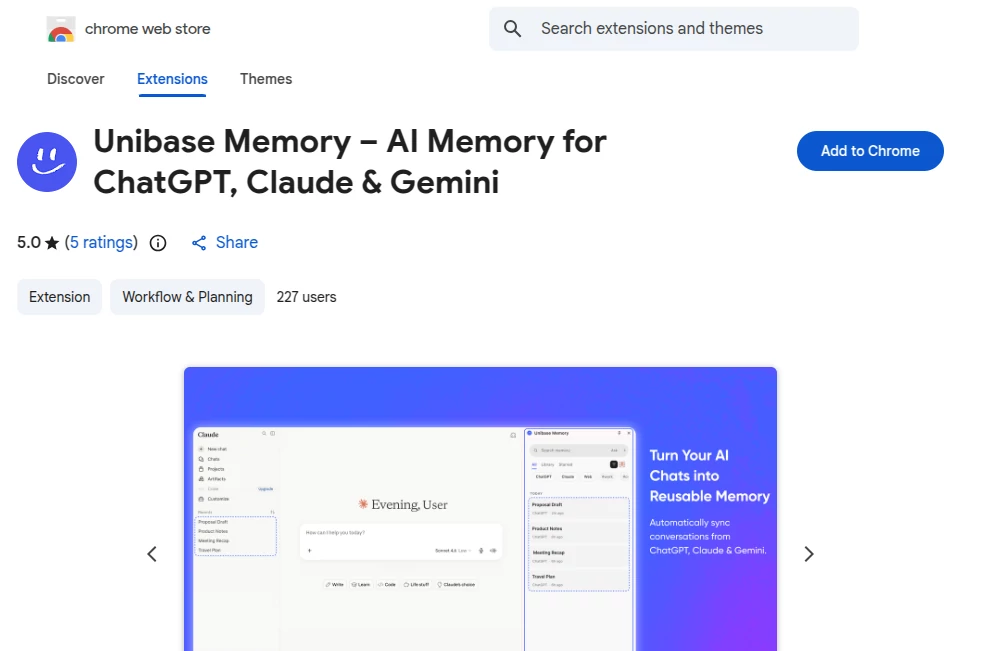
What is Unibase Memory?
Managing conversations across multiple AI assistants can quickly become frustrating. Valuable ideas, project details, research, and personal preferences often end up scattered between different platforms, making it difficult to continue where you left off. This solution was created to solve that challenge by giving users one private, searchable memory that follows them wherever they work.
Instead of copying conversations between different AI platforms, users can automatically capture discussions, organize important knowledge, and retrieve relevant information whenever needed. Everything is designed with privacy in mind, allowing individuals to maintain ownership of their data while improving productivity. Whether you're a developer, researcher, marketer, student, or business professional, it creates a smoother workflow that reduces repetitive prompts and keeps important context available across your AI conversations.
One of the biggest strengths is its focus on user ownership. Rather than locking information inside a single platform, conversations remain encrypted and under the user's control. Combined with intelligent search, web clipping, tagging, and local retrieval, it becomes a practical knowledge hub instead of just another browser extension.
Key Features
User Interface
The extension offers a clean and intuitive interface that feels familiar from the first use. Conversations can be imported automatically, web pages are saved with a distraction-free reading layout, and navigation remains simple even as the knowledge library grows. Search filters, custom tags, favorites, and categorized memories make organization effortless.
Accuracy & Performance
Instead of relying on generic searches, answers are generated using the user's own stored conversations and saved documents. Retrieval operates locally on the device, allowing quick responses while keeping personal information private. This approach helps maintain relevant context without constantly repeating previous discussions.
Capabilities
- Automatically captures conversations across multiple AI assistants.
- Imports previous chat history for long-term knowledge retention.
- Saves entire web pages or selected text into a personal library.
- Provides full-text search across conversations and documents.
- Supports custom tags, favorites, and organizational tools.
- Allows users to insert previous conversations directly into new AI chats.
- Creates a centralized knowledge base for ongoing projects.
- Offers encrypted synchronization with decentralized storage.
- Helps eliminate repetitive prompting across different AI platforms.
Security & Privacy
Privacy is one of the most impressive aspects of the platform. Conversation content is protected with end-to-end encryption, while search and retrieval are performed locally on the user's device. The developer states that conversation content is not collected for analytics, giving users greater confidence that sensitive information remains under their own control. This emphasis on ownership makes the extension particularly appealing for professionals handling confidential projects.
Use Cases
- Building a searchable archive of AI conversations.
- Managing long-term software development projects.
- Organizing research materials from multiple sources.
- Saving educational notes and study resources.
- Collecting marketing ideas and campaign drafts.
- Maintaining customer research and business documentation.
- Reusing previous prompts without manual copying.
- Creating a personal knowledge management system.
Pros and Cons
- Pros
- Private and encrypted memory storage.
- Works across multiple popular AI assistants.
- Fast local search and retrieval.
- Excellent organization through tags and search.
- Integrated web clipping for research.
- User-controlled data ownership.
- Simple installation and workflow.
- Cons
- Currently designed primarily for Chromium-based browsers.
- Some advanced capabilities may require learning the organizational workflow.
- Most value is achieved when users actively build their personal knowledge library.
Pricing Plans
The browser extension can be installed from the Chrome Web Store. Users should review the latest pricing, feature availability, and future subscription options through the official product pages, as these may change over time.
How to Use Unibase Memory
Install the browser extension and connect your supported AI platforms. Import existing conversations if desired, then continue chatting normally while conversations are automatically saved. Organize important information using tags, capture useful web pages with the built-in clipper, and search your personal knowledge base whenever additional context is needed. Previously stored information can also be inserted directly into new conversations, making long-running projects significantly easier to manage.
Comparison with Similar Tools
Many conversation management tools focus only on storing chat history or synchronizing notes. This platform goes further by combining encrypted ownership, local AI retrieval, web clipping, decentralized synchronization, and cross-platform memory into a unified experience. Instead of simply archiving conversations, it transforms them into an intelligent knowledge base that can actively support future work while keeping user privacy at the center of the experience.
Conclusion
For anyone who regularly works with multiple AI assistants, keeping track of valuable conversations can become surprisingly difficult. This solution addresses that problem with an elegant combination of searchable memory, strong privacy protections, intelligent organization, and seamless workflow integration. Its focus on user ownership, encrypted storage, and practical productivity makes it an excellent addition for professionals, students, creators, and developers who rely on AI every day. As personal AI workflows continue to expand, having a secure memory layer like this can become one of the most valuable productivity improvements available.
Frequently Asked Questions (FAQ)
Can previous AI conversations be imported?
Yes. Existing chat history can be imported to build a searchable knowledge base.
Is conversation data encrypted?
Yes. Conversation content is protected using end-to-end encryption with user-controlled ownership.
Can web pages be saved for future reference?
Yes. A built-in web clipper allows complete pages or selected content to be stored inside the personal library.
Does search happen online?
No. Search and retrieval are designed to operate locally on the user's device for improved privacy.
Who is this extension best suited for?
It is ideal for developers, researchers, marketers, students, business teams, and anyone who frequently works across multiple AI assistants.
AI Developer Tools , AI Chatbot , AI Knowledge Management , AI Productivity Tools .
These classifications represent its core capabilities and areas of application. For related tools, explore the linked categories above.
Unibase Memory details
Website unavailable — View Alternatives
Pricing
- Free
Apps
- Chrome Extensions
Categories