
UnmarkAI
What is UnmarkAI?
I can't count how many times I've downloaded a great video only to be distracted by a huge logo, timestamp, or hardcoded subtitle that ruins the clean look I wanted. Manually removing those in editing software is tedious and often leaves ugly patches. Then I tried this tool and it felt like a weight lifted off my shoulders. Upload the clip, mark the area if needed, and the AI intelligently fills it in with matching background, lighting, and texture. The cleaned result looks natural — like the watermark was never there. It's become my go-to whenever I need professional-looking footage fast.
Introduction
Watermarks, logos, captions, and overlays are everywhere — from stock footage and client previews to old recordings and social clips. Removing them used to mean hours in After Effects or accepting lower quality. UnmarkAI makes it simple and effective using smart AI inpainting. You can clean full-frame or precisely select areas, preview the result, and download a polished video that preserves original resolution and quality. It's built for creators, editors, marketers, and teams who need clean assets without the manual pain. The difference between a distracting video and a delivery-ready one is often just a few clicks here.
Key Features
User Interface
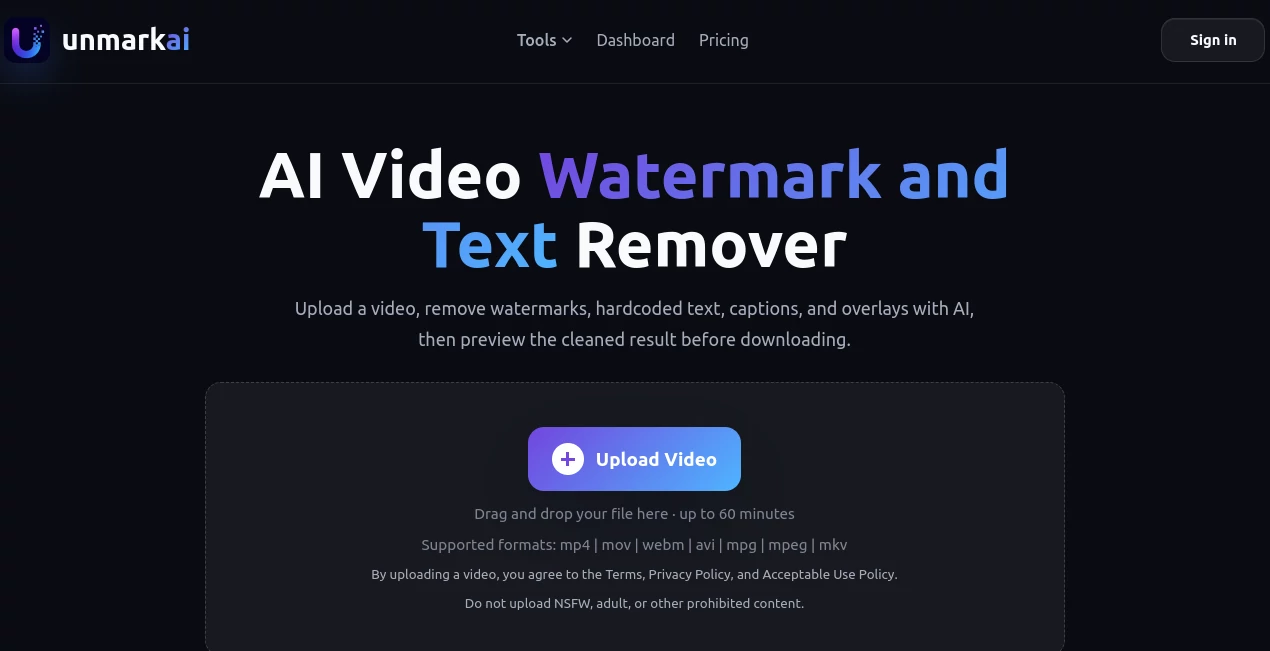
The workflow is straightforward and focused. Drag and drop your video (supports MP4, MOV, WEBM, and more), choose full-frame cleanup or draw a box around the specific watermark/text area, then start processing. A clear progress view and side-by-side before/after preview let you check quality before downloading. No complicated timelines or steep learning curves — just upload, clean, and export. Even on longer clips, the interface stays responsive and easy to navigate.
Accuracy & Performance
The AI does an excellent job understanding surrounding pixels and reconstructing realistic backgrounds, textures, and lighting. It handles moving watermarks, subtitles, and logos without leaving obvious seams or blur. Processing times are reasonable (minutes for most clips), and the output maintains the original frame rate and resolution where possible. In real use, it consistently produces cleaner results than manual cloning or basic filters, especially on complex scenes.
Capabilities
It removes static and dynamic watermarks, hardcoded text, captions, subtitles, logos, and overlays. You can process full videos or target specific regions for better context and quality. It supports a wide range of video formats and lengths (up to 60 minutes depending on plan). The tool is particularly strong at cleaning AI-generated videos with broken subtitles or watermarks, making it useful for creators working with tools like Runway, Kling, or Pika. Preview before final download ensures you only use credits on results you like.
Security & Privacy
Your videos are processed securely and automatically deleted after a short retention period (usually days, depending on plan). No long-term storage, no training on your content, and strong focus on user privacy. For agencies and creators handling client material, this respectful approach is a big plus.
Use Cases
A social media manager cleans reposted clips and highlight reels before publishing across platforms. An e-commerce team removes watermarks from supplier videos to create polished product demos. An educator refreshes old tutorial recordings by removing outdated overlays and timestamps. A filmmaker cleans client preview footage for internal reviews. Content creators fix AI-generated videos with garbled subtitles quickly. It fits anywhere you need cleaner, more professional video assets without starting from scratch.
Pros and Cons
Pros:
- Smart inpainting that blends naturally with surrounding areas.
- Precise selection tool for targeted cleanup when full-frame isn't ideal.
- Preserves original quality, resolution, and frame rate.
- Fast enough for real workflow integration.
- Generous free tier to test on your own videos.
Cons:
- Very large or long videos may take longer and use more credits.
- Extremely complex or fast-moving watermarks can occasionally need multiple attempts.
Pricing Plans
It starts with a free plan so you can try real videos and see the quality. Credit-based and subscription options scale nicely for heavier users — pay for what you process without long-term lock-ins. Higher tiers offer more concurrent jobs, longer videos, and priority processing. Many creators find the paid plans pay for themselves quickly through time saved and better final assets.
How to Use UnmarkAI
Upload your video by dragging it in or selecting from your device. Choose full-frame cleanup for scattered issues or use the selection tool to box the specific watermark or text area. Start processing and monitor progress. Once ready, compare before and after, then download the cleaned version if you're happy. For multiple clips, queue them up (depending on plan). The entire process stays simple and focused on getting you a clean result fast.
Comparison with Similar Tools
Many basic removers blur areas or require heavy manual work afterward. This one uses smarter inpainting that blends naturally and preserves quality. It offers better control with selective removal and stronger results on moving or complex elements than most free or simple online tools. For creators who need professional-looking output without a full editing suite, it fills a sweet spot between quick online fixes and expensive desktop software.
Conclusion
Clean video assets make everything downstream easier — better engagement, smoother reviews, and more professional delivery. UnmarkAI makes achieving that cleanliness fast, accessible, and reliable. Whether you're tidying social clips, preparing client work, or refreshing old content, it removes the distraction so the real story can shine through. In a world full of watermarked and cluttered footage, this tool helps yours stand out for the right reasons.
Frequently Asked Questions (FAQ)
What video lengths and formats are supported?
Up to 60 minutes with common formats like MP4, MOV, and WEBM. Higher plans support larger files.
Can I remove subtitles from AI-generated videos?
Yes — it handles broken captions and overlays common in tools like Kling, Runway, or Pika.
Does it affect overall video quality?
No — it targets only the selected area and preserves original resolution and frame rate.
Are my videos stored?
Processed securely and deleted after the retention period. Privacy is a core focus.
Is there a free way to test?
Yes — start with free credits and see results on your own videos before upgrading.
AI Video Generator , Photo & Image Editor , AI Video Editor , AI Image to Image .
These classifications represent its core capabilities and areas of application. For related tools, explore the linked categories above.

UnmarkAI Alternatives Product

Pixelfox AI

NanoBanana2F…

seedance2

Picsart

Sketch To

Image To Ima…

Image2

Gemini Omni …

PaperYak