
















Gemini Omni Video
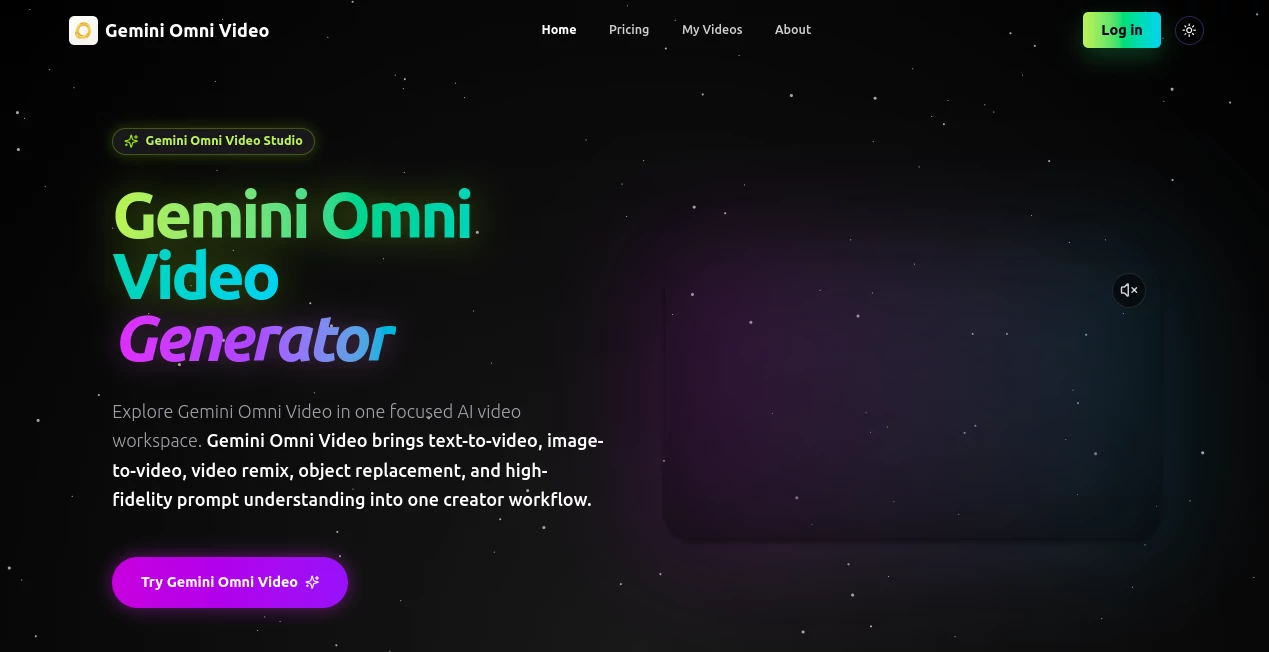
What is Gemini Omni Video?
You know that feeling when you have a brilliant video idea stuck in your head, but bringing it to life feels like climbing Mount Everest? You need a camera operator, an editor, a voice actor, and maybe even a math professor if your script gets technical. It's exhausting just thinking about it. That's where this new platform completely changes the game. Imagine telling a computer what you want to see, hear, and say, and it just… makes it happen. No timelines to scrub, no audio to sync, and no complicated software to learn. We are finally at a point where the barrier between a thought and a video has basically vanished. This tool isn't just an upgrade; it feels like a whole new way to create, and honestly, it’s about time someone made this happen. It handles everything from realistic classroom lectures to cinematic product shots, all from a simple conversation. If you have ever felt blocked by technical hurdles, get ready to feel a whole lot of creative freedom again.
Key Features
This platform packs a serious punch. It isn’t just another video generator that spits out a clip and calls it a day. It’s more like having a full production team that lives inside your browser, ready to follow your every instruction without talking back or asking for overtime pay. The magic is in how naturally everything works together. You don't need to master a dozen different tools; you just type what you want, and the AI figures out the rest. The difference between this and older models is like night and day. Where old tools would give you a blurry mess or weird, wobbly hands, this one delivers stunning clarity and logic. It’s the kind of tool that makes you want to show it off to your friends, not because you built it, but because you can't believe what it just did for you.
User Interface
Talking to this thing feels surprisingly natural. You just type a description, like "a professor writing advanced calculus on a dusty chalkboard," and it gets to work. There’s no dashboard with a million confusing buttons or sliders. If you want to change something, you just tell it. Upload a video and say, "make the lighting warmer" or "remove that logo in the corner," and it happens instantly . It's like having a conversation with a super-smart editor who just gets what you mean. You don't need to watch hours of YouTube tutorials to figure it out; you just need to know what you want to say. It turns a very technical process into something as easy as texting a friend. That simplicity is the whole point. It puts the power of a video studio in the hands of anyone who can write a sentence.
Accuracy & Performance
This is where things get really impressive. Past AI video tools were notorious for messing up the small stuff, especially text. If you asked for a sign or a formula, you would usually get a bunch of random scribbles that looked like alphabet soup. This new model breaks that curse in a major way. In one incredible demo, it generated a professor writing a complex trigonometric identity on a blackboard, and every single symbol and number was completely correct . The hand moved realistically with the chalk, the timing of the speech was perfect, and even the little dust clouds from the eraser looked authentic. It’s not just about looking pretty; it’s about being logically sound. This level of accuracy opens doors for educators, technical presenters, and businesses that need to get details right. It finally feels like an AI you can trust to not embarrass you with a silly typo.
Capabilities
This platform isn’t a one-trick pony by any stretch of the imagination. Its ability to edit existing footage is just as wild as its ability to generate new stuff from scratch. You can take an old clip and change the entire vibe with a sentence. One demo showed a pot of boiling pasta being transformed into a creamy soup just by asking . The AI changed the shape of the ingredients, the color of the liquid, and even how the light reflected off the bubbles. It also handles style changes like a pro, turning a regular fight scene into a hand-drawn anime with consistent motion and energy. And for developers, this is all accessible through an API, meaning you could build this power into your own apps . It's a flexible beast, ready for anything from silly social media clips to serious business presentations.
Security & Privacy
When you are playing with such powerful tech, it's natural to wonder where your data goes and who is watching. The good news is, this tool is built on Google's infrastructure, which means it inherits some pretty serious security practices. For developers and businesses using the API through Google Cloud or Vertex AI, the platform adheres to strict enterprise-grade security standards, including data encryption and access controls . For regular folks using the consumer version, the standard Google privacy policies apply. While you should always be mindful of what you upload to any cloud service, this platform is backed by a company that has a massive incentive to protect its users' data and reputation. It’s a far cry from using some sketchy, no-name tool that appears out of nowhere.
Use Cases
The beauty of this tool is its incredible versatility. It is not locked into just one industry or job title. Think about a teacher trying to explain a tough concept. Instead of drawing on a whiteboard for an hour, they could generate a perfect, animated explainer video in minutes. For marketers, this is a goldmine. They can quickly produce personalized video ads, product demos, or social media content without hiring a full video crew. One creator even joked about using it to make a video of an astronaut cat teaching calculus on Mars . That might be silly, but it proves a point: if you can imagine it, this tool can probably build it. It’s for anyone who has a story to tell, a product to sell, or an idea to share.
Pros and Cons
No tool is perfect, and it's smart to look at both the good and the not-so-good before you dive in headfirst.
Pros:
- Insane Efficiency: It compresses hours or days of work into just a few minutes. What used to require a whole team now needs just one person and a good idea.
- Stunning Accuracy: The fact that it can write correct mathematical formulas and realistic text is a breakthrough that puts it head and shoulders above the competition .
- Conversational Editing: Being able to just talk to the AI to make changes is a game-changer for workflow. It feels magical the first few times you do it.
- Multimodal Power: It handles video, audio, music, and voice all at once, keeping everything perfectly synced without any extra work on your part .
Cons:
- Potential Cost: Generating high-quality video takes a massive amount of computing power. While there may be a free tier, expect professional or high-volume use to get expensive, potentially costing around $0.10 to $0.30 per second of video .
- Accessibility: As of now, it is a brand-new, cutting-edge model. Full access for developers and the general public may be rolled out in stages, so you might have to wait in line for a bit .
- Creative Control: While amazing, the AI is still interpreting your words. For projects requiring pixel-perfect precision, you might still miss the fine control of traditional editing software.
Pricing Plans
Official pricing hasn't been carved in stone yet, as the platform is just beginning to roll out to the public. However, based on Google's other AI services and the cost of similar high-end video tools, we can make some pretty good guesses. For casual users, there will likely be a free tier with a limited number of video generations per day, probably offered through something like a Gemini Advanced subscription. For businesses and serious creators, the real power will come through an API. Experts suggest this might run between 10 and 30 cents for every second of video you generate . That means a ten-second clip could cost you one to three dollars. That sounds like a lot, but when you consider the cost of stock footage, voice actors, or a video editor's hourly rate, it starts to look like a serious bargain for professional work.
How to Use Gemini Omni
Getting started is designed to be as straightforward as possible. If you are a regular user, your first stop will likely be the Gemini app or a dedicated web interface. Think of it like a chat room. You just type your prompt. Be descriptive. Instead of "a dog," try "a golden retriever puppy playing in a sunlit meadow, slow motion." Hit enter and wait a few moments for the magic to happen. For developers, the process is more technical but just as logical. You will connect to the API using Google's tools, likely through Vertex AI or Google AI Studio. You will write a script (probably in Python) that sends your prompt as a command to the model, which then sends back the video file. The key is to start simple, test your prompts, and get a feel for how the AI interprets your language before you try to build a feature-length film.
Comparison with Similar Tools
The AI video space is getting crowded, so it helps to know how this one stacks up. You might have heard of Sora, which was a huge deal until it was discontinued. This tool seems to have learned from Sora’s stumbles. Instead of just being an artistic but finicky toy, it focuses on being practical and editable . Then you have simpler tools like Vider.ai, which is great for turning a single image into a short, animated clip, and it's totally free . That's perfect for quick social media posts. But that's where its power ends. This platform is a different beast entirely. It’s not just animating a picture; it's generating entire scenes from scratch, with sound and logic, and letting you edit them with sentences. Other tools might do one thing well. This one aims to be the entire toolbox. For most creators, having one tool that can do everything is a lot more valuable than having ten tools that each do one specific trick.
Conclusion
Look, we have seen a lot of "next big thing" promises in AI, and many of them have fallen flat. But this genuinely feels different. It is not just a small step forward; it's a leap. The combination of photorealistic quality, logical accuracy (hello, correct math equations!), and the ability to edit through conversation solves the biggest headaches creators have faced for years. It lowers the bar for entry so far that almost anyone can become a video creator, while simultaneously giving pros a tool that saves them insane amounts of time. It’s not about replacing human creativity; it's about removing the boring, technical obstacles that get in its way. The director's chair is now open for anyone brave enough to sit in it. If you have been waiting for a sign to start making video content, this is it.
Frequently Asked Questions (FAQ)
Can I really edit a video just by talking to it?
Yes, that is one of the core features. You can give commands like "remove the watermark," "change day to night," or "add a voiceover explaining this chart," and the AI will modify the existing footage accordingly .
Does it get text and numbers right?
Absolutely. Unlike older models that turned text into gibberish, this platform is highly accurate. It has been demonstrated generating complex mathematical formulas on a chalkboard without a single error .
Is this tool free to use?
A completely free, unlimited version is unlikely given the high computing costs. There will probably be a free tier with limited daily usage, while heavy or professional use will require a paid subscription or API fees .
Can I use this for my business to make ads?
Yes, and that is one of its strongest use cases. You can generate product demos, social media ads, and personalized marketing videos much faster and cheaper than hiring a traditional production team.
Where can I access this?
For most people, it will be available through the Gemini app or a web interface. For developers looking to integrate it into their own apps, access will be provided through Google's cloud services like Vertex AI and Google AI Studio .
What happens if I don't like the first video it makes?
Just ask for a different one. You can tweak your prompt or ask for specific changes to the video it just gave you. The conversational editing feature lets you iterate until you get the perfect result.