UnoRouter
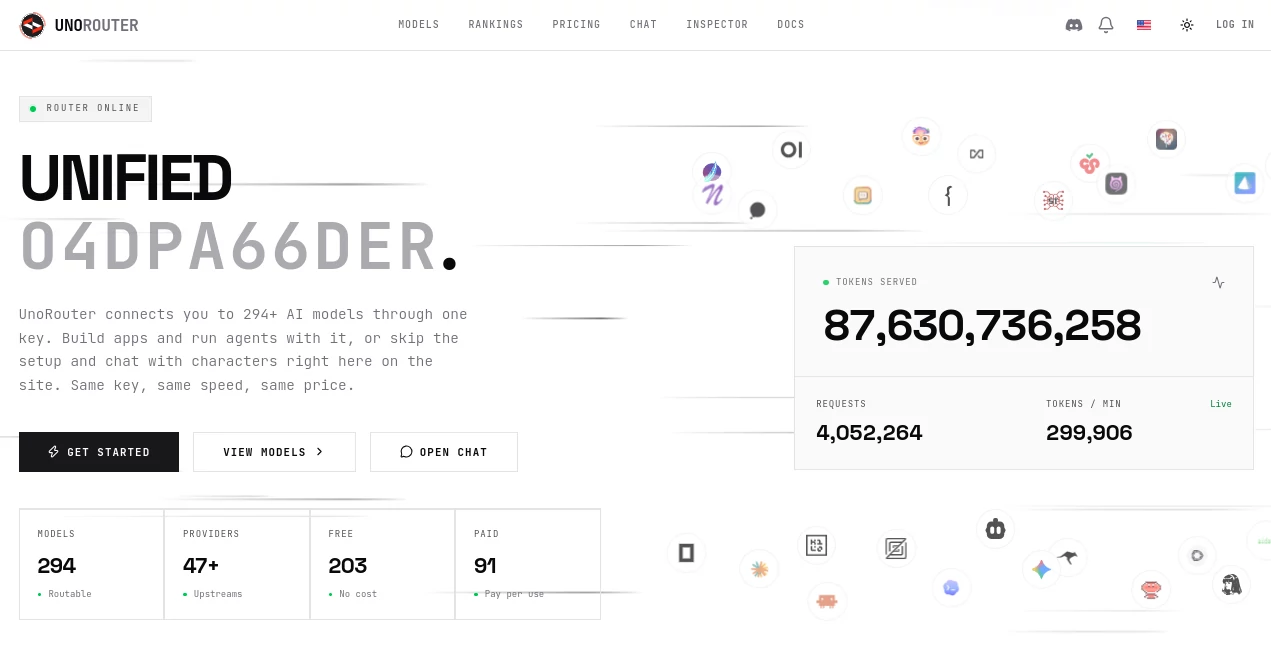
What is UnoRouter?
Working with multiple AI models can quickly become a maintenance headache. Different providers use different APIs, authentication methods, pricing structures, and availability rules. UnoRouter takes a much simpler approach: connect to hundreds of AI models through a single OpenAI-compatible API and one key.
The platform currently connects users to more than 290 models from dozens of upstream providers, including both free and paid options. That makes it useful for developers who want to experiment with different models without rebuilding their integration every time they change providers.
It is not limited to application development, either. The same API can be connected to coding agents, CLI tools, desktop AI clients, and character-chat applications. There is also a built-in chat experience for people who would rather start experimenting without writing code.
Key Features
- Access to hundreds of AI models through one API key
- OpenAI-compatible API endpoints
- Automatic provider failover when an upstream provider becomes unavailable
- Free and pay-per-use AI models
- Support for coding agents and developer tools
- Compatibility with OpenAI-compatible chat clients
- Support for character and fiction chat applications
- CLI integrations for terminal-based AI workflows
- Streaming and tool-calling support
- Built-in character chat interface
- Bring-your-own-key support for compatible endpoints
- Credits that do not expire on pay-as-you-go purchases
User Interface
The interface is designed around two different types of users. Developers can head directly to the API and model catalog, while non-developers can open the built-in chat interface and start experimenting with available models.
The chat area includes characters, personas, presets, prompt templates, lorebooks, group conversations, swipes, and support for importing character cards. This gives the platform a more practical feel than a basic API dashboard.
The model library also makes it easier to see what is available before committing to a particular provider. For someone comparing models for a new application, having the options gathered in one place can save a surprising amount of time.
Accuracy & Performance
One of the more interesting parts of the service is its approach to provider reliability. When an upstream provider becomes unavailable or experiences problems, the routing layer can automatically move requests toward another available provider serving the same model.
The platform also states that models are tested for HTTP completion, streaming, and tool calling. This matters for developers using AI coding agents, where a model that works in a simple chat request may still fail when streaming or tool execution is required.
Performance naturally depends on the selected model, provider, network conditions, and current upstream load. Still, automatic failover can make a meaningful difference for applications where a temporary provider outage should not bring the entire workflow to a stop.
Capabilities
The main capability is unified model access. Instead of maintaining separate integrations for every AI provider, developers can use a common OpenAI-compatible interface and change the model parameter when they want to try another option.
The platform supports a broad range of workflows, from application development and AI agents to terminal tools and creative character experiences. It can be used with coding environments such as OpenCode, Cline, Roo Code, Kilo Code, and Zed, as well as CLI tools and compatible chat clients.
Another useful capability is the collection of free models. The service has aggregated a large number of free model routes from multiple providers, giving users a convenient way to test different models without opening separate accounts with every upstream service.
Security & Privacy
Privacy deserves attention when using an AI routing service because prompts may be forwarded to third-party model providers. The platform explains that requests are routed to third-party providers and that users should consider which provider receives their prompts.
For the built-in chat experience, conversations are designed to remain in the user's browser rather than being stored on the platform's servers. The service also supports bringing your own compatible endpoint and API key directly from the browser.
As with any third-party AI gateway, users working with confidential business information should review the applicable privacy terms and provider policies before sending sensitive material.
Use Cases
- AI application development: Build applications around a single API while testing different language models.
- AI agents: Connect agent frameworks and coding tools to multiple models without maintaining separate provider integrations.
- Software development: Use compatible coding agents and terminal tools with a broad model selection.
- Model experimentation: Compare free and paid models without creating a separate integration for each provider.
- Character chat: Run character-based conversations using built-in tools such as personas, lorebooks, presets, and imported character cards.
- Rapid prototyping: Test an idea with a free model first and move to a paid model when more capacity or capability is required.
- Provider redundancy: Reduce the impact of individual provider outages through automatic routing and failover.
Pros and Cons
- Pros: One API key for hundreds of models, OpenAI-compatible integration, automatic provider failover, free model options, support for coding and CLI tools, built-in character chat, and flexible pay-as-you-go usage.
- Cons: Model availability and performance can vary by upstream provider, free models may have usage limits, and users sending sensitive information need to consider the third-party providers involved in request routing.
Pricing Plans
The pricing structure is designed to accommodate both occasional testing and regular production use. Users can purchase credits on a pay-as-you-go basis, with available top-up amounts ranging from small balances to larger credit packages. Purchased credits do not expire.
For predictable usage, subscription options are available. The Starter plan costs $20 per month and provides $40 in API credit. The Pro plan costs $50 per month and provides $100 in API credit, while the Scale plan costs $100 per month and provides $200 in API credit.
Paid subscriptions include access to all available models and automatic failover. Higher plans add features such as priority routing and dedicated support, with the Scale plan also offering a 99.9% uptime SLA.
How to Use UnoRouter
Getting started is straightforward. First, create an account using email or a supported sign-in provider. No credit card is required to begin.
Next, choose whether to use the free model options, purchase credits, or subscribe to a plan. Once the account is ready, generate an API key from the dashboard.
Developers can then place the key into an application or compatible client and select the model they want to use. Because the endpoint follows the OpenAI API format, applications already designed around compatible APIs can generally be connected without rebuilding their entire integration.
Users who do not need an API can instead open the built-in chat interface, select a character or create their own setup, and begin chatting directly in the browser.
Comparison with Similar Tools
Traditional AI API providers generally focus on their own model families. That approach can work well when a project is committed to one ecosystem, but it becomes less convenient when developers want to compare models from several companies.
A multi-provider routing service takes a different approach. The key advantage is flexibility: one integration can expose models from different providers, while automatic failover can provide another layer of resilience.
This makes the platform particularly interesting for developers who frequently test new models, operate AI agents, or want an easier way to move between providers. The trade-off is that the experience can depend on the upstream provider behind the selected model, so developers should still evaluate latency, limits, pricing, and reliability for their specific workload.
Conclusion
For developers who are tired of managing a collection of AI provider keys and integrations, this unified approach is genuinely practical. The combination of a large model catalog, OpenAI-compatible endpoints, automatic failover, free model access, and support for coding and chat clients gives users plenty of room to experiment.
The built-in chat experience is an added bonus for users who want to explore models without immediately writing code. Meanwhile, the API infrastructure is flexible enough for developers building applications and AI-powered workflows.
It is especially worth considering when model choice matters as much as the application itself. Instead of locking a project into one provider from day one, developers can keep their integration consistent while exploring what different models can offer.
Frequently Asked Questions (FAQ)
How many AI models are available?
The platform currently provides access to more than 290 routable AI models, with the catalog changing as providers and models are added or updated.
Is there a free option?
Yes. The service includes a collection of free models, although free routes can have provider-specific limits and shared usage restrictions.
Is the API compatible with OpenAI?
Yes. The API uses OpenAI-compatible endpoints, making it possible to connect many applications and clients without redesigning their existing API integration.
Can it automatically handle provider outages?
Yes. Automatic provider failover is one of the core features. When an upstream provider becomes unavailable, requests can be routed to another available provider serving the same model.
Can I use it without coding?
Yes. A built-in chat client is available for users who want to interact with free models and character-based conversations directly in a browser.
Do purchased credits expire?
No. Pay-as-you-go credits are designed not to expire, allowing users to purchase credit without having to consume it within a fixed billing period.
AI Chatbot , Large Language Models (LLMs) , AI Developer Tools , Other .
These classifications represent its core capabilities and areas of application. For related tools, explore the linked categories above.

UnoRouter Alternatives Product
ClawBridge

StarBattle O…

Ryne AI

Pixel Flow L…

SciDraw AI

eesel AI

Flyback.ai

FLINT AI

TwitterXVideo