
UpdateBerry
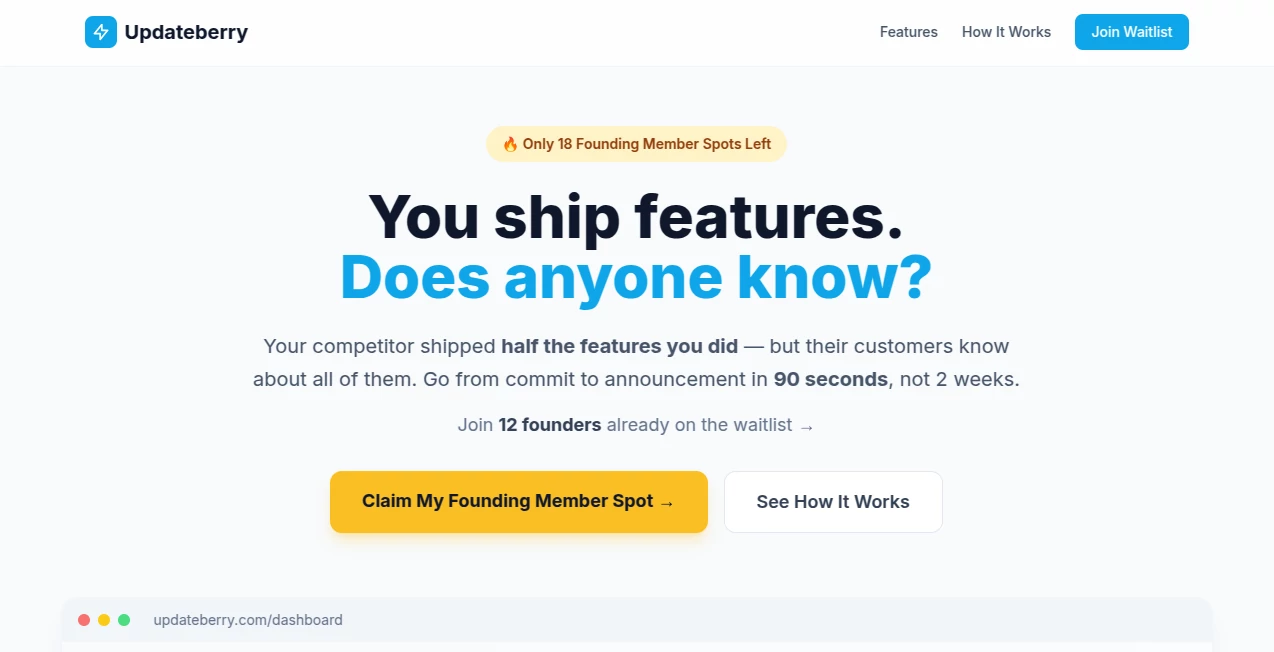
What is UpdateBerry?
You pour weeks into building something new—polishing code, fixing bugs, perfecting the experience—and then… crickets. Your users keep using the old way because they never heard about the better one. This platform fixes that quiet frustration. It turns feature launches from forgotten changelog entries into clear, engaging updates that customers actually read and remember. I’ve watched teams go from “we shipped it, hope they notice” to getting excited replies and increased usage after one well-crafted announcement. It’s not just another notification tool—it’s the missing link between what you build and what your customers celebrate.
Introduction
Most product teams are great at shipping but terrible at telling the story. Release notes get buried, in-app banners get ignored, and customers miss updates that would make their lives easier. UpdateBerry changes the game by helping you create professional, on-brand release communications that actually get read. Whether you’re a solo founder or part of a growing product team, it turns the often-dreaded task of “writing about what we shipped” into something fast, effective, and even enjoyable. The best part? Your users finally feel like they’re in the loop instead of always playing catch-up.
Key Features
User Interface
The dashboard is refreshingly straightforward—no overwhelming analytics overload or complicated workflows. You start with a clean editor that guides you through writing compelling release notes, suggests structure, and lets you preview how it will look in email, in-app, or on a public changelog. Everything feels designed for busy product people who just want to get the message out clearly and quickly.
Accuracy & Performance
It pulls context from your commits, tickets, or manual input and helps craft accurate, benefit-focused messaging instead of dry technical jargon. Suggestions stay grounded in what you actually shipped, and the formatting ensures nothing gets lost in translation. Teams report higher open rates and fewer “I didn’t know that was there” support questions after switching to more intentional updates.
Capabilities
From smart release note templates and automated summaries to beautiful public changelogs and multi-channel distribution (email, in-app, social), it covers the full loop of announcing what’s new. You can create one source of truth and push it everywhere your users are. It also helps grade your past release notes and suggests improvements so you keep getting better at communicating value.
Security & Privacy
Your product data stays secure— the tool is built for teams who care about what gets shared publicly. No unnecessary data collection, clean permission handling, and full control over what appears in public changelogs. For companies handling sensitive features or enterprise clients, that peace of mind matters.
Use Cases
A SaaS founder ships a major workflow improvement and uses the tool to turn the technical details into a customer-friendly story that drives adoption. A product team at a growing startup creates consistent monthly update emails that keep users excited instead of annoyed by change. An indie developer maintains a beautiful public changelog that doubles as marketing content. In every case, the common win is users who feel informed, valued, and more likely to stick around and upgrade.
Pros and Cons
Pros:
- Turns dry technical updates into engaging stories customers actually read.
- Saves hours compared to writing everything from scratch.
- Beautiful public changelogs that strengthen your brand.
- Helps close the gap between what you ship and what users notice.
Cons:
- Best results come when you feed it good source material (commits, tickets, notes).
- Still growing, so some advanced analytics are being added over time.
Pricing Plans
It starts with a generous free plan perfect for small teams and indie makers to test the waters and ship better updates right away. Paid plans unlock unlimited releases, advanced templates, team collaboration, custom domains for public changelogs, and deeper analytics. The pricing feels fair for the time saved and the improved customer experience it delivers.
How to Use UpdateBerry
Connect your repo or simply paste key details about what you shipped. The editor helps you turn technical facts into benefit-focused messaging. Preview how it will look for different channels, make small tweaks, then publish—whether as an email blast, in-app notification, or public changelog entry. Over time you build a beautiful archive of what you’ve delivered, turning past updates into ongoing marketing assets.
Comparison with Similar Tools
Basic changelog tools are often ugly or forgotten. Generic email platforms require you to write everything manually. This one sits in the sweet spot: smart assistance for writing + beautiful presentation + distribution in one place. It focuses specifically on the product marketing side of releases, which most general tools overlook.
Conclusion
Building great features is only half the battle—making sure people know about them and understand why they matter is what drives real growth. This platform makes that second half feel achievable and even satisfying. When your users start replying “Finally!” or “This is exactly what I needed,” you realize how much silent frustration was hiding in poor communication. For any team that ships often but wants their work to land better, this is one of those tools that quietly becomes essential.
Frequently Asked Questions (FAQ)
How long does it take to create an update?
Most teams go from raw notes to published update in under 15 minutes once they’re familiar with the flow.
Can I use my own branding?
Yes—paid plans let you customize colors, logos, and even use custom domains for public pages.
Is it suitable for large teams?
Absolutely—team collaboration, approval workflows, and analytics scale nicely with growing organizations.
Do I need technical integration?
No— you can work completely manually, though connecting repos makes it even faster.
AI Content Generator , AI Digital Marketing Generator , AI Marketing Plan Generator .
These classifications represent its core capabilities and areas of application. For related tools, explore the linked categories above.

UpdateBerry Alternatives Product

CitedSpy

Reddit Campa…

Picmim

Ad Suite AI

Touchpoint

The #1 Text …

Leado.co

Geoleaper

Adchat