

















Teno
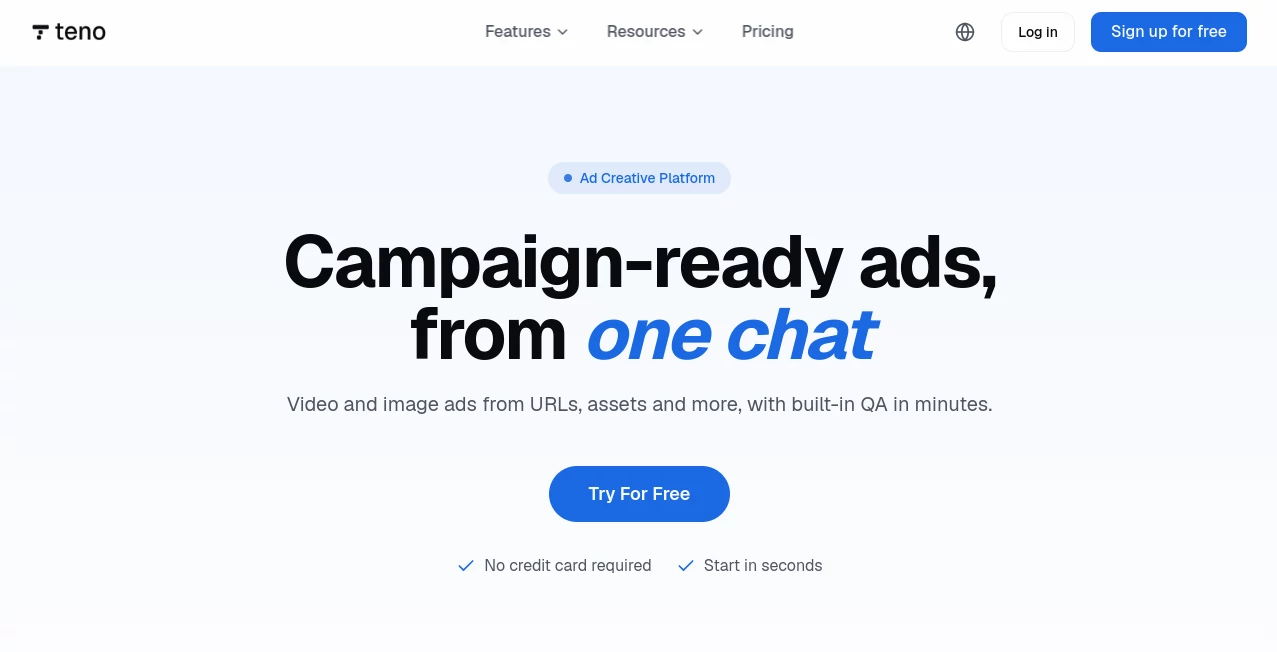
What is Teno?
Imagine turning a quick chat about your product into a polished video or image ad without touching a single design tool. That’s exactly what this platform delivers. I remember testing it for a new coffee blend we were launching, and within minutes, I had three different video variations ready to test on social media. No back-and-forth with a designer, no endless revisions—just a clear brief and instant creative assets. If you’ve ever felt like creating ad creatives is a bottleneck, this tool completely removes that friction.
Key Features
What makes this platform so effective is how it combines multiple functions into one seamless workflow. Instead of jumping between different apps for brief creation, image generation, and video production, everything happens inside a single workspace .
User Interface
The interface is refreshingly simple. You start by typing your goal or pasting a product link. From there, an Ad Agent takes over, structuring your campaign intent into a clear creative brief . The dashboard is clean and focused—no confusing menus or hidden settings. It feels more like having a conversation than operating software.
Accuracy & Performance
One thing I was genuinely impressed by is how well the AI interprets your input. When you share a product URL, it doesn’t just grab random images or generic text. It extracts the core selling points, suggests relevant scenes, and even checks the final output for quality before export . The whole process takes just a few minutes. I tested it with a complex electronics product, and the generated video actually highlighted features I had forgotten to mention in my brief.
Capabilities
Beyond the core Ad Agent, the platform offers a suite of tools. You can generate product photos in preset studio, lifestyle, or seasonal scenes without a physical shoot . The URL-to-Video feature creates a script and visual structure directly from your product page . There’s also Video Insight, which analyzes successful videos to identify key elements like hooks and pacing that you can reuse . All assets are export-ready for commercial campaigns .
Security & Privacy
When you’re creating commercial ads, data security is a major concern. The platform is designed with commercial use in mind, meaning your generated assets are yours to use. The creators have prioritized a secure environment for your product information and marketing materials, making it suitable for businesses that handle sensitive campaign data .
Use Cases
This tool is incredibly versatile. For e-commerce teams, it’s a game-changer for quickly testing ad variations across different platforms . Marketing agencies can use it to produce creatives for multiple clients without expanding their design team. I’ve seen solopreneurs use it to launch professional-looking campaigns without any prior video editing experience. Even content creators can use the URL-to-Video feature to repurpose blog posts or product reviews into engaging social media clips.
Pros and Cons
Pros:
- Transforms a simple chat into a structured creative brief .
- Generates both image and video ads from a single workspace .
- No design or video editing skills required .
- Includes built-in quality checks before export .
- Free tier available with 15 credits per month to test the workflow .
Cons:
- Limited to common aspect ratios and preset styles .
- Lacks direct integration with popular creative tools like Adobe Suite .
- The workflow is somewhat dependent on having a clear product URL for the best results .
Pricing Plans
You can start for free—no credit card required—and you’ll receive 15 monthly credits to explore the core features . For businesses needing higher volume and advanced capabilities, there are additional tiers. While specific pricing for higher plans isn’t detailed on the main page, the free tier provides enough value to test the entire workflow and see the quality of the outputs firsthand .
How to Use Teno
Getting started is incredibly straightforward. First, head to the platform and create a free account. Once you’re in, you’ll be greeted by the main chat interface. From here, you can type your campaign goal or paste a product URL. The Ad Agent will then generate a brief based on your input. After reviewing and confirming the brief, the platform will produce your image and video ads, complete with a quality check. The entire process feels like a natural conversation, making it accessible for anyone, regardless of their technical background .
Comparison with Similar Tools
Most ad creation tools focus on either video or image generation but rarely combine both so seamlessly. They often require you to carefully craft prompts to get decent results. This platform is different because it uses a conversational approach and a dedicated Ad Agent to handle the briefing process . The addition of features like Video Insight and URL-to-Video gives it a distinct advantage for marketers who want to quickly scale their creative testing without a steep learning curve .
Conclusion
If you’re tired of the creative bottleneck that slows down your marketing campaigns, this tool offers a refreshing solution. It eliminates the need for a full production team or expensive design software, putting professional ad creation within everyone’s reach. Whether you’re a seasoned marketer or a business owner wearing multiple hats, the ability to generate campaign-ready ads in minutes is a powerful advantage. Give the free tier a try—you might be surprised by how quickly you can move from an idea to a live ad .
Frequently Asked Questions (FAQ)
Can I really use the generated ads for commercial campaigns?
Yes, the platform is designed for commercial use, and you can use the assets you create for your advertising campaigns .
What formats and aspect ratios are supported?
It supports common aspect ratios used on major ad platforms, such as 16:9 for landscape, 9:16 for vertical, and 1:1 for square ads .
Do I need any design or editing experience?
Not at all. The whole process is conversation-driven. The Ad Agent creates the brief, and the tool handles all the design and editing automatically .
How does the URL-to-Video feature work?
You simply paste the link to your product page. The platform will then analyze the content and generate a complete script, storyboard, and final video ad ready for publishing .
Is there a free version available?
Yes, a free tier exists that provides 15 credits per month, allowing you to test the platform and generate ads without any financial commitment.
AI Ad Creative Assistant , AI Marketing Plan Generator , AI Video Generator , AI Product Description Generator .
These classifications represent its core capabilities and areas of application. For related tools, explore the linked categories above.

Teno Alternatives Product

Motion Contr…

LPM 1.0

Seedance 2.0

Kling O1

Enji

Seedance 2.0

Resume Worded

Sora2 AI Vid…

SupaTraffic
