
















LPM 1.0
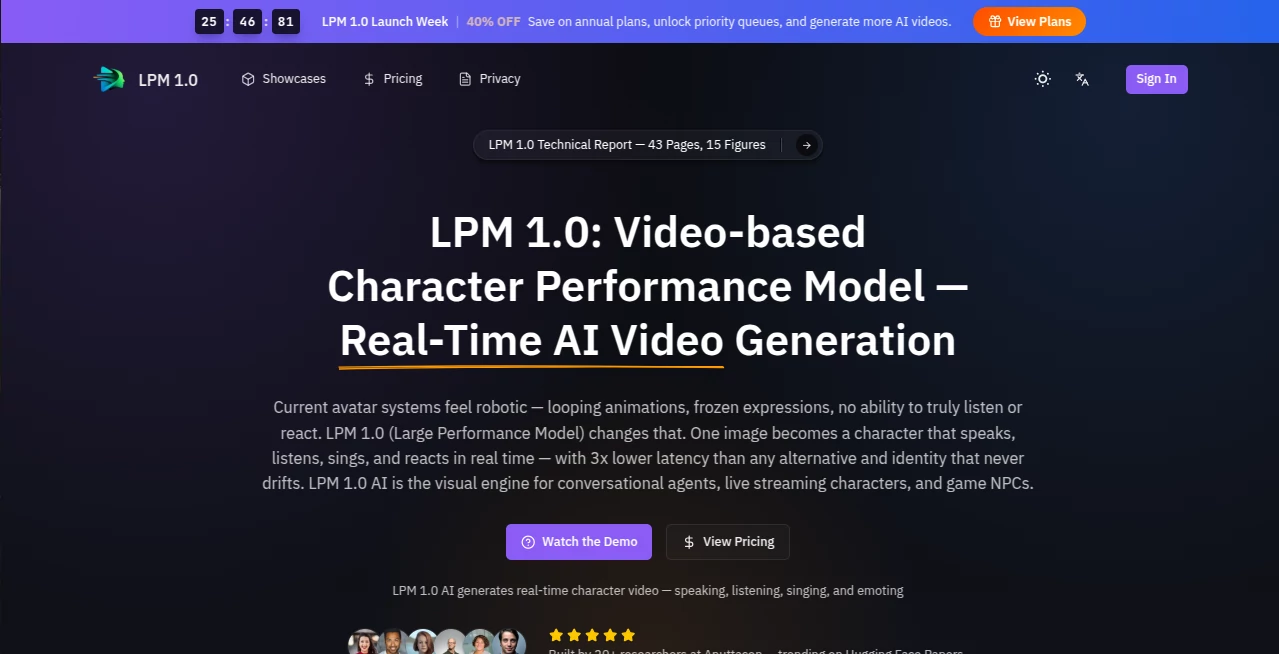
What is LPM 1.0?
Let’s be real for a second. We’ve all seen those AI-generated videos. You know the ones I’m talking about. They look cool for about five seconds, but then the character glitches, the eyes go weird, or worse... they just stare at you like a deer in headlights. It feels dead. It feels fake. And honestly, it gets boring fast.
But what if you could sit across from a digital person who actually listens? Not just waits for you to finish talking, but really listens. Someone who nods when you make a point, raises an eyebrow when you say something surprising, and answers you back with real expressions. That’s the kind of magic we’re talking about today. This platform isn't trying to make three-minute movie clips. It's building something way more personal. It's building a character that can hold a real-time video conversation with you. For as long as you want. No cuts. No loops. Just a genuine back-and-forth.
I stumbled across this while looking for next-gen video tools, and honestly, it feels like someone finally cracked the code on interactive storytelling. Whether you're a developer, a content creator, or just someone fascinated by tech that actually feels human, this is worth your time.
Key Features
Forget the standard "text-to-video" hype for a minute. This tool operates on a completely different level. It's built around the concept of "performance," which is a fancy way of saying it understands timing and emotion. Usually, AI models just take your prompt and spit out a lump of pixels. This one? It reacts to you in real-time.
User Interface
You won't find a cluttered dashboard filled with a million confusing sliders here. The interface is surprisingly straightforward, which is rare for tech this deep. You start with a reference image of your character—basically the "actor" you want to use. From there, you’re mostly dealing with audio input. It feels less like editing software and more like making a phone call. You speak, the character performs. The design team clearly prioritized interaction speed over flashy buttons, which is a smart move. You don’t want to be hunting for a menu while your digital friend is waiting to respond.
Accuracy & Performance
Here is where things get seriously impressive. The lip-sync isn't just "good enough"; it's tight. But what really stands out is the listening mode. Most avatars just freeze when you talk. They go into standby mode. This model doesn't. While you are speaking, the character generates "listening videos." They fidget. They blink. Their gaze shifts naturally. It sounds small, but it changes everything. That micro-movement is what makes you forget you're talking to code. Performance-wise, the latency is low. It feels like a video call with a slight internet delay, not like waiting for a render to finish.
Capabilities
This isn't just a face on a screen. The underlying architecture supports a feature called "full-duplex conversation." In plain English, that means the model can talk and listen at the same time. It processes your voice while it plans its own response. Because of this, you can interrupt it. You can ask follow-up questions without starting over. It supports text, speech, and image inputs natively. And the big one? Infinite length. The video generation doesn't have a 10-second limit. It can technically keep going forever. That makes it perfect for streaming, long coaching sessions, or just hanging out with a virtual companion.
Security & Privacy
Playing with real-time video avatars raises a lot of questions about misuse. The team behind this seems to know that. While specific consumer privacy shields vary by implementation, the model architecture includes identity awareness. That means it struggles to generate random people unless it has a specific reference. It’s designed for consistency with your character, not for deepfaking whoever you want. Always use official channels to run it, though, because keeping your reference images and voice data secure is your responsibility too.
Use Cases
So, where does this actually fit into real life? Honestly, more places than you might think.
- Next-Gen Customer Support: Imagine hitting a website and being greeted by a helpful avatar who not only solves your problem but looks you in the eye and reacts to your frustration with an apologetic expression. It turns a FAQ into a conversation.
- Interactive Gaming (NPCs): Game developers are probably the most excited about this. Non-player characters (NPCs) usually repeat the same three lines. With this engine, a bartender in a game could actually chat with you about the quest you just finished, using his own personality and gestures.
- Digital Content Creators: If you run a YouTube channel or a TikTok live stream but hate being on camera, this is a lifesaver. You can create a persistent avatar that represents your brand, interacts with your audience in real-time (answering comments via voice), and never gets tired.
- Language Learning Partners: Practicing a new language with a real person is scary. Practicing with a patient, expressive AI that can slow down and show you the mouth shapes for difficult words? That’s a game changer.
Pros and Cons
Pros:
+ Real-time interaction with natural listening behaviors (nodding, reacting).
+ No fixed video length limits (supports infinite streaming).
+ Exceptional lip-sync accuracy and identity preservation.
+ "Full-duplex" allows for interruptions and natural dialogue flow.
+ Great for developers building next-gen avatars.
Cons:
- High computational cost (requires decent hardware to run smoothly).
- Currently, not open-source; access is limited or research-focused.
- It’s very new, so the community tutorials are still catching up.
Pricing Plans
As of now, this model is primarily making waves in the research and development sector. The team behind it has released papers, but widespread public API access isn't fully open to everyone just yet. They are building the engine first. For most people, the way to access this is through official demos or waiting for enterprise partnerships that integrate the tech into their apps. Keep an eye on the official site for when they drop the "Pro" or "2.0" versions, as those will likely come with usage-based pricing for streamers and developers.
How to Use This Platform
Getting started feels a bit like setting up a smart speaker, just with a visual twist. First, you need your "actor"—a high-quality reference image of the character you want to bring to life. Next, you input a voice (either a cloned voice, a synthetic text-to-speech, or your own microphone input). The model then takes over. You press "Start," and the character appears. From there, just talk. The interface will show you the latency meter and the video feed. Don't try to write scripts. Just have a natural conversation. The engine is designed to handle the pauses, the "ums," and the mid-sentence corrections. Let it cook.
Comparison with Similar Tools
Look at standard tools like Cloudflare Stream or basic AI generators. They are designed for storage and playback—taking a finished file and showing it to people. Then you have the "Digital Human" solutions out there, like those stiff avatars in corporate training videos. Those are just looping gifs with a text-to-speech overlay. They break the moment you ask a question they weren't programmed for. This tool is different because it is a foundation model for performance. While others focus on resolution (4K, 8K), this focuses on reaction. It’s like comparing a wax statue to a living actor. The wax statue looks perfect in a photo, but the actor is the one who makes you laugh.
Conclusion
We are hitting a point where "generative AI" is becoming boring. It's no longer impressive that a computer can draw a cat in a spacesuit. What matters now is presence. Does the AI feel like it's in the room with you? This platform, with its focus on performance models rather than just video generation, nails that feeling. It isn't perfect yet, and the hardware requirements are steep, but the direction is undeniable. Very soon, talking to a screen won't feel like talking to a robot. It will feel like talking to a friend. And this tool just built the engine for that friend. If you want to see where the future of streaming, gaming, and virtual assistance is headed, you need to be watching this space.
Frequently Asked Questions (FAQ)
Q: Is this just another deepfake tool?
A: No. While it uses similar tech for face generation, its core purpose is different. "Deepfakes" usually try to mimic a specific real person without consent for deception. This engine is designed to create new, consistent characters (or use your own authorized image) for interaction and entertainment.
Q: Can I run this on my standard laptop?
A: Probably not at full speed. Real-time video generation is hungry for power. You will likely need a computer with a high-end graphics card (like an RTX 4090) or access to a cloud instance. Most people will use this via an app or web service that runs the heavy stuff on remote servers.
Q: Does it support different languages?
A: Yes, the architecture is designed to handle various languages. It processes the audio features, not just the text, so it can mimic the rhythm and tone of different dialects, though performance is usually strongest in English and Chinese for now.
Q: How long can the video really be?
A: The "Online" version is designed for infinite length. It streams the video rather than saving one huge file. As long as you keep talking and the computer keeps running, the character keeps performing.